Audit Logs for custom objects allow you to easily review the history of updates and troubleshoot any issues that may arise with your Custom Objects. This feature ensures you have complete visibility into changes from the moment you start using Custom Objects, helping you maintain control over your data management processes.
Audit Logs for custom objects enable you to:
- Track Key Actions: Monitor actions such as creating, updating, or deleting custom objects, custom object records, and associations between objects for up to two months.
- Detailed Change Tracking: Get insights into specific changes made, including details on what was modified and how those modifications occurred.
- Enhanced Accountability: Improve troubleshooting and accountability for actions taken on custom objects.
Accessing Your Audit Logs
To view the Audit Logs for custom objects, follow these steps:
Navigate to Settings > Audit Logs in your account.
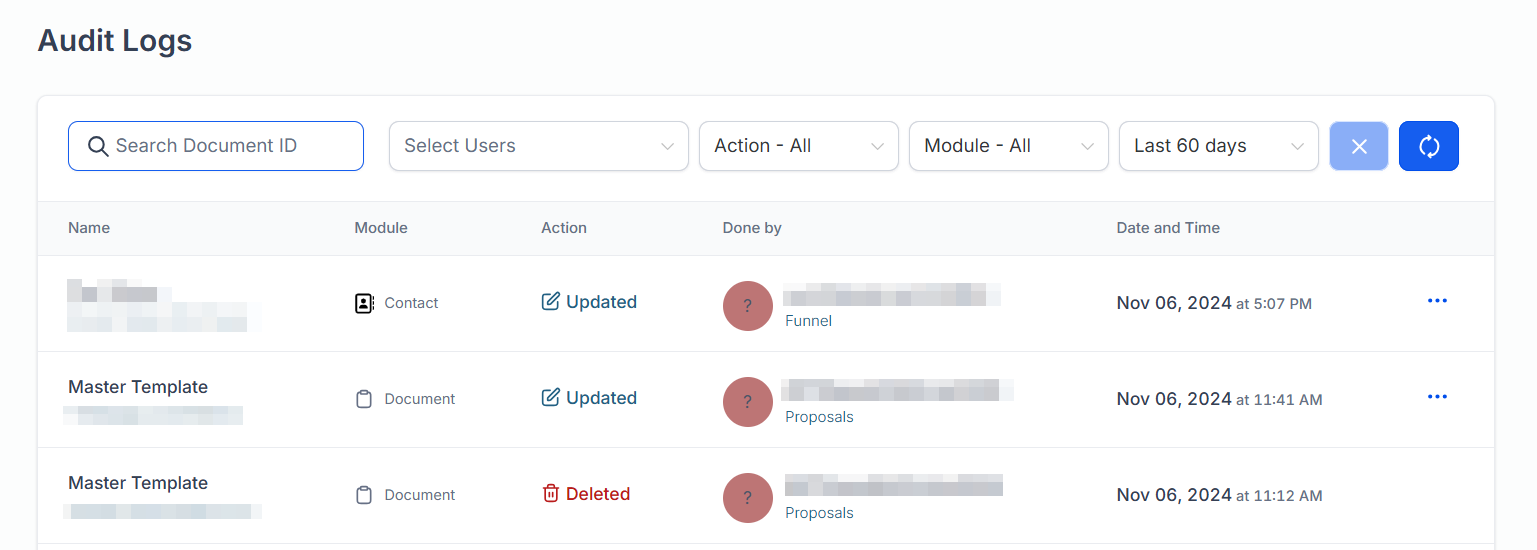
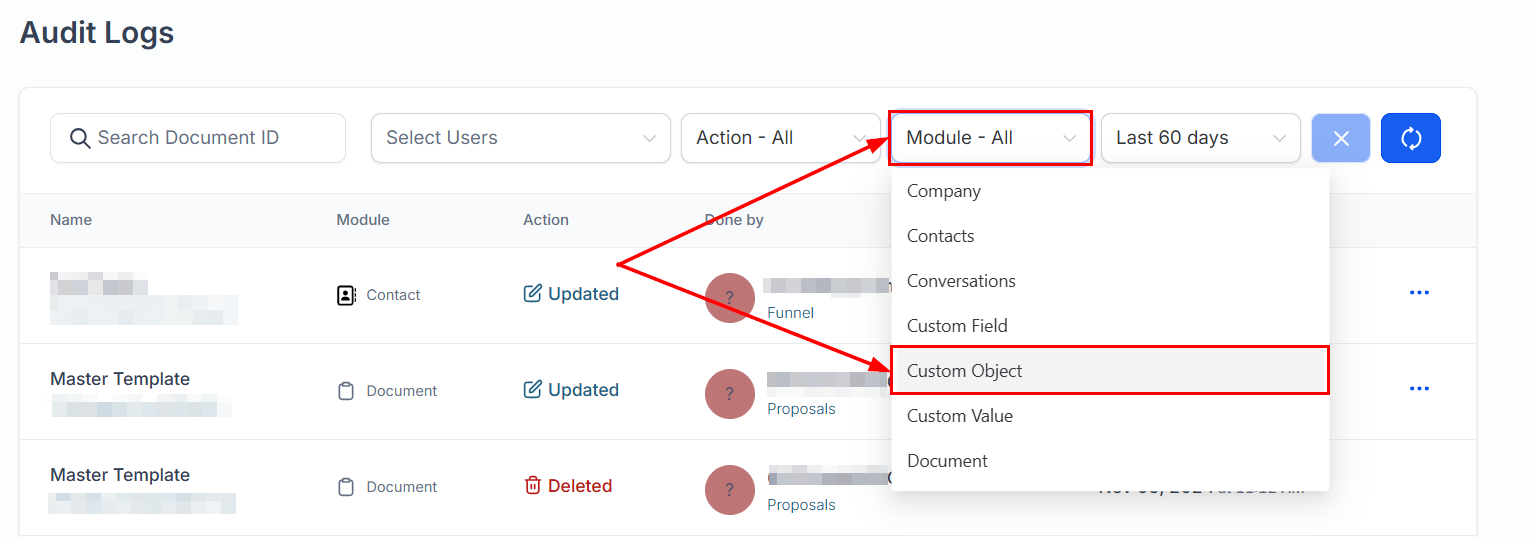
In this section, you can filter the Module by Associations, Custom Objects, or Objects, to find the specific logs you're interested in.
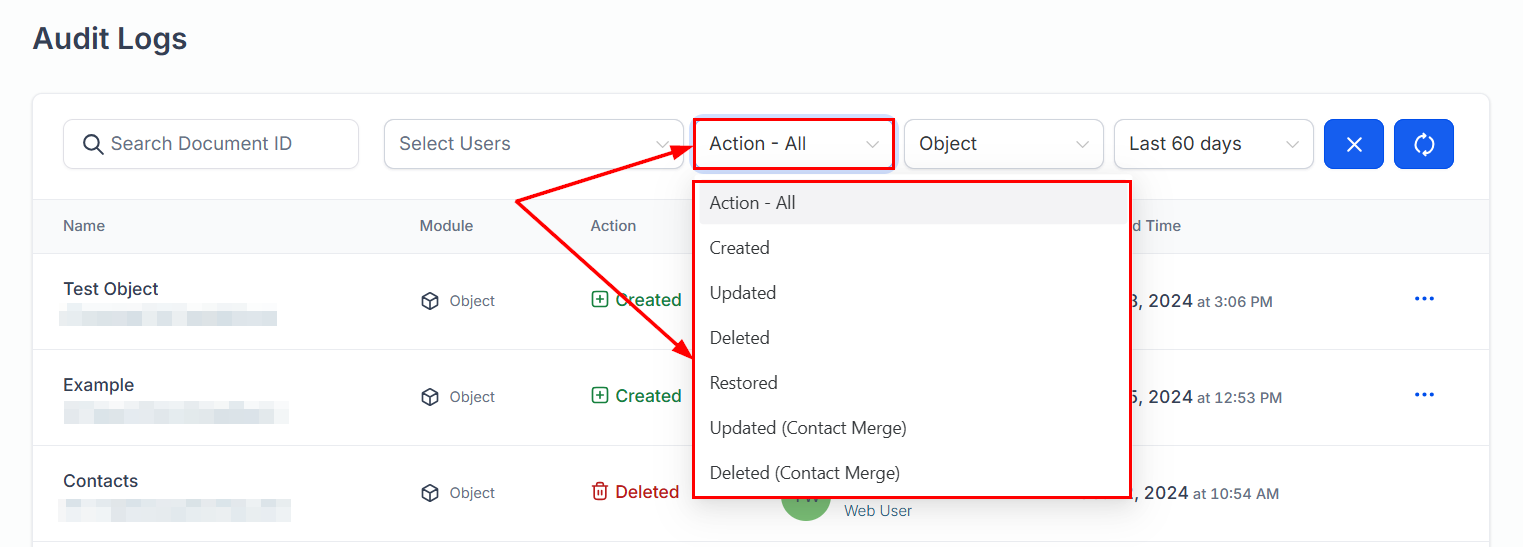
Refine the logs by selecting Created, Updated, or Deleted from the Actions filter.
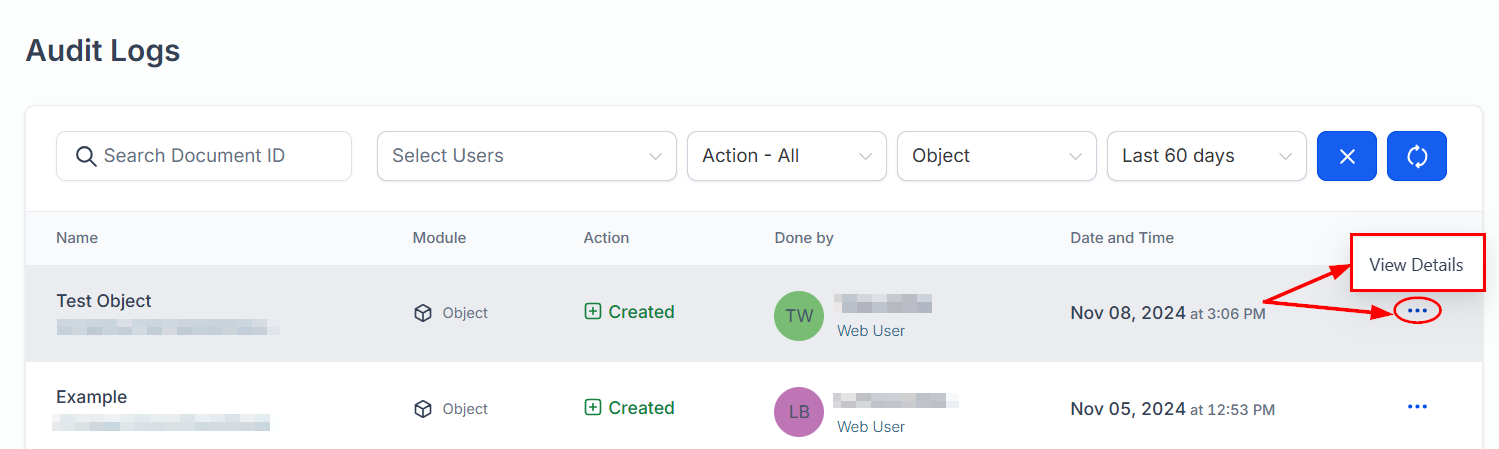
For more insights on any logged action, click on the three dots (ellipsis) to the right of a record and select "View Details" to access comprehensive information.
Utilizing these logs ensures a clear record of all actions performed, supporting your data management processes with greater transparency and control.
Was this article helpful?
That’s Great!
Thank you for your feedback
Sorry! We couldn't be helpful
Thank you for your feedback
Feedback sent
We appreciate your effort and will try to fix the article