The Social Planner gives you the ability to add Mentions to your posts, offering users a valuable way to enhance their social media content. This feature supports popular platforms like Facebook, LinkedIn, and Twitter (X), where Mentions can tag public profiles or pages. This functionality is designed to boost engagement, improve collaboration, and increase the visibility of your posts.
?Note: On platforms such as Instagram, TikTok, and Google My Business (GMB), mentions will appear as plain text.
Key Features of Mentions
- Facebook & LinkedIn: Tag public pages directly in your posts.
- Twitter (X): Tag any account, including individuals and brands.
- Custom Post Options: When multiple social channels are selected, you can customize each post to search for and tag relevant profiles based on platform-specific criteria like name or follower count.
Benefits of Using Mentions
- Enhanced Engagement: Mentions help drive interaction with tagged profiles, increasing visibility and audience reach.
- Strategic Cross-Promotion: Brands can use Mentions to collaborate with other people or businesses to amplify each other’s content.
How to Use Mentions in Social Planner
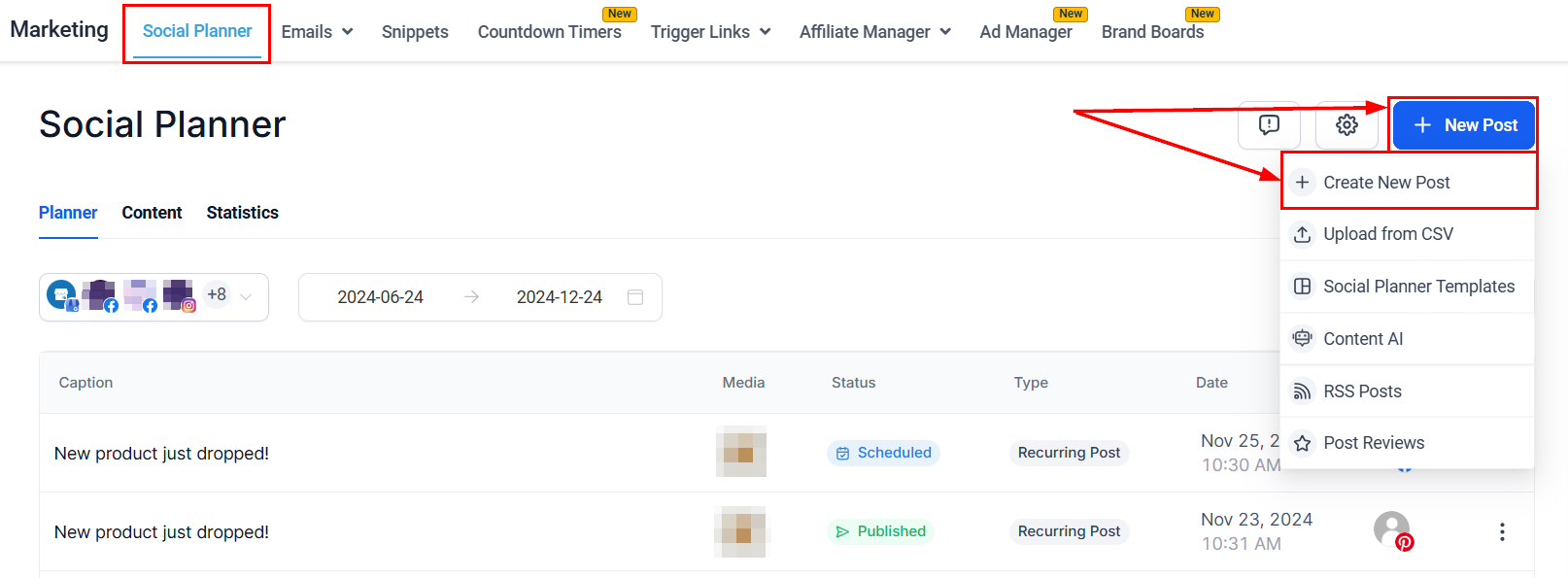
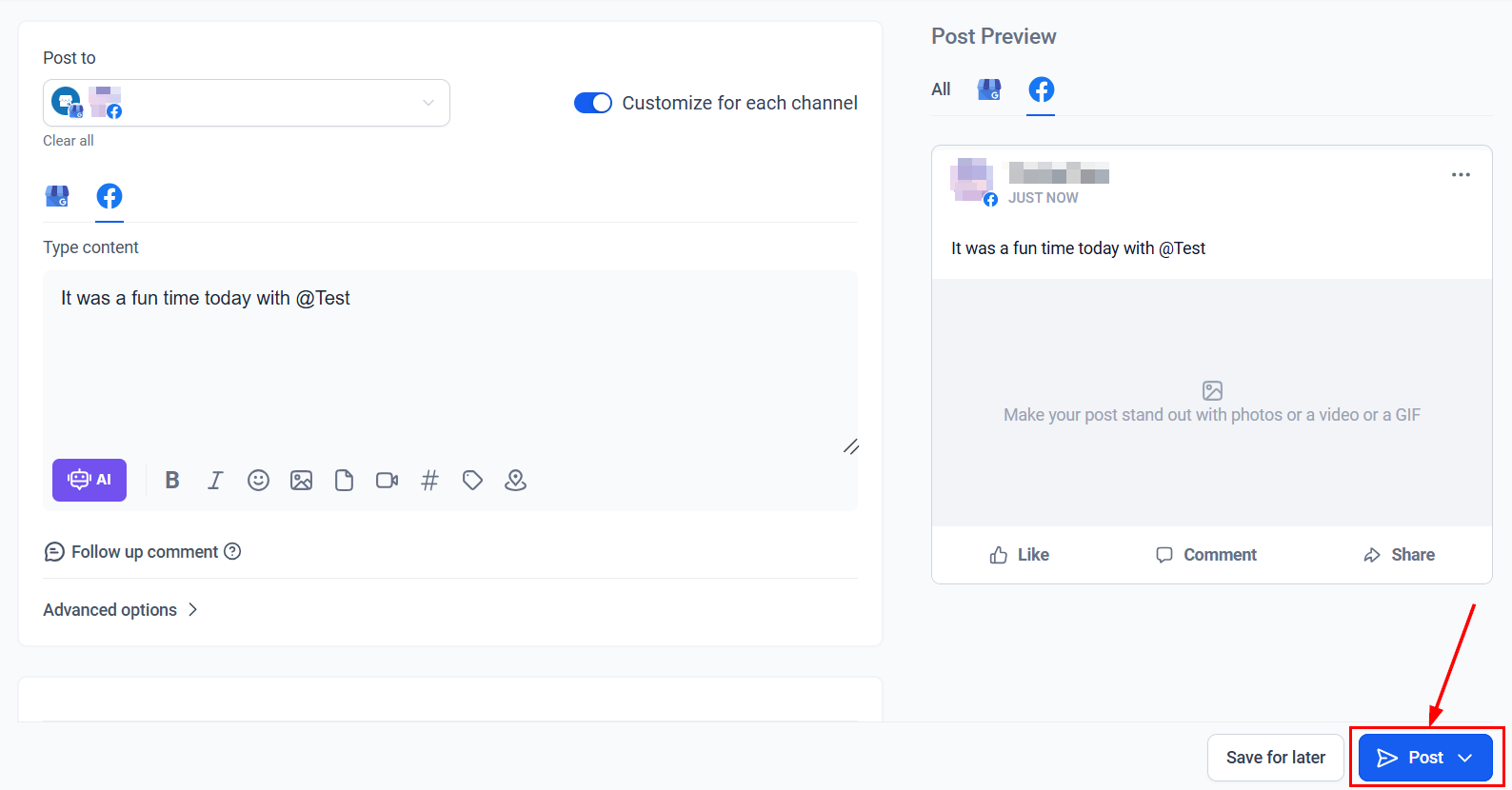
Navigate to Marketing > Social Planner in your account. Select Create New Post and choose your desired social channels.
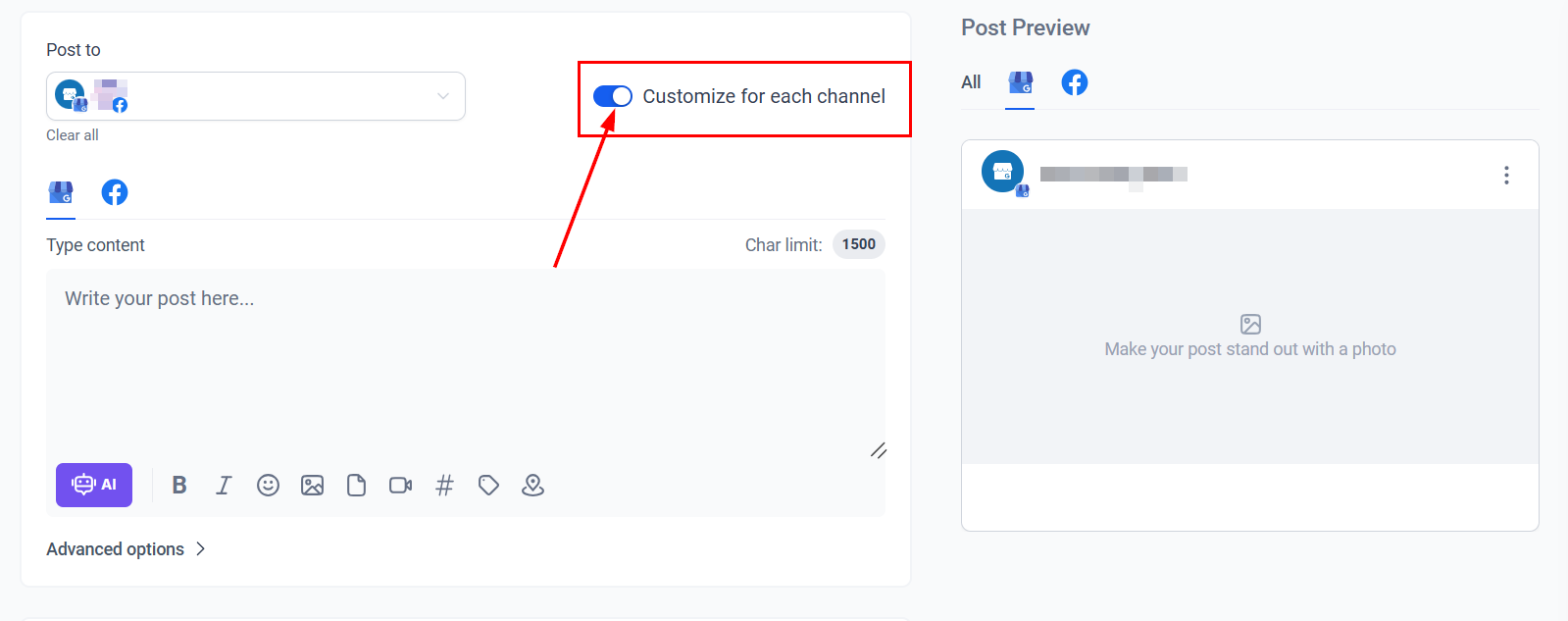
If you’re posting to multiple platforms, enable the option to Customize for Each Channel to tailor the mentions to the platform.
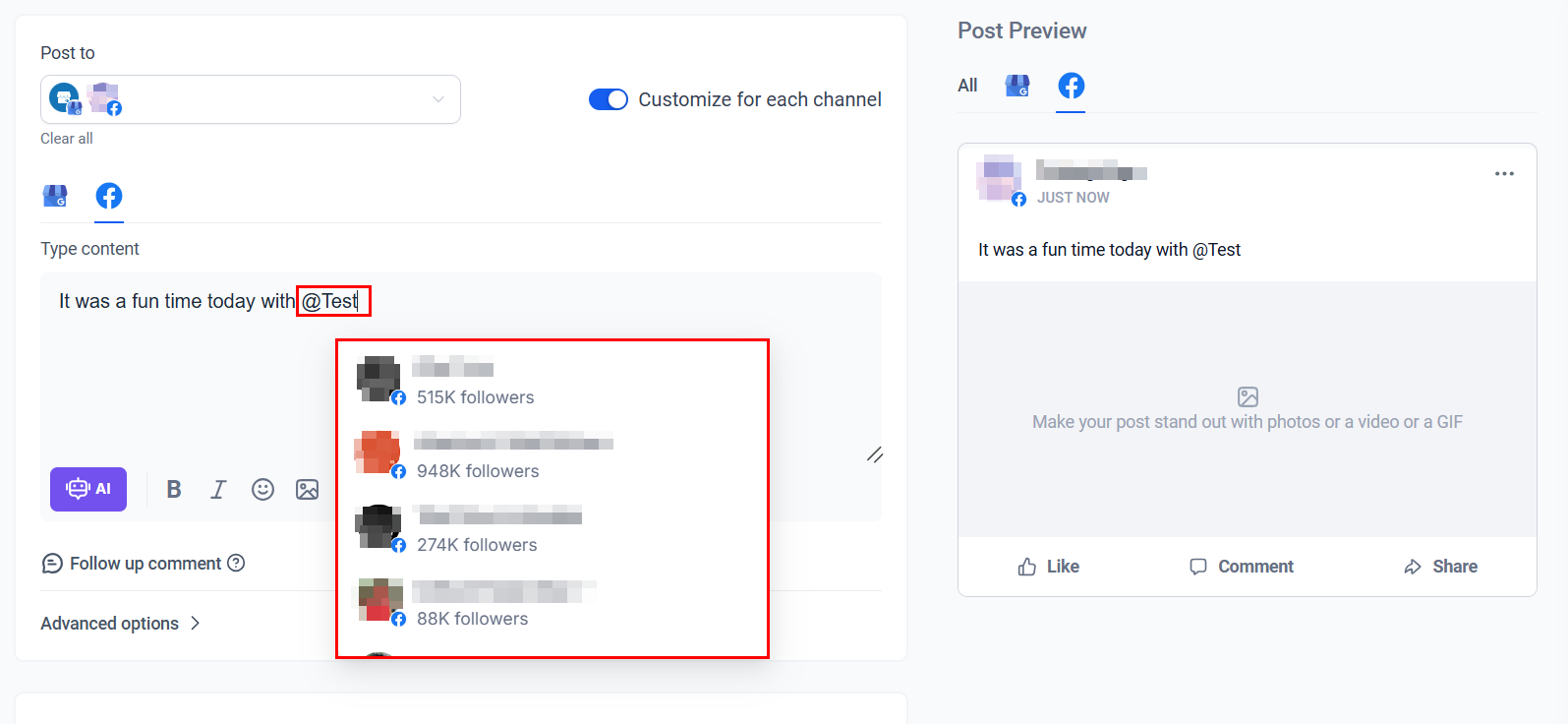
Type “@” followed by a keyword to search for profiles or pages. This allows you to locate users by their username or social profile details for easy identification.
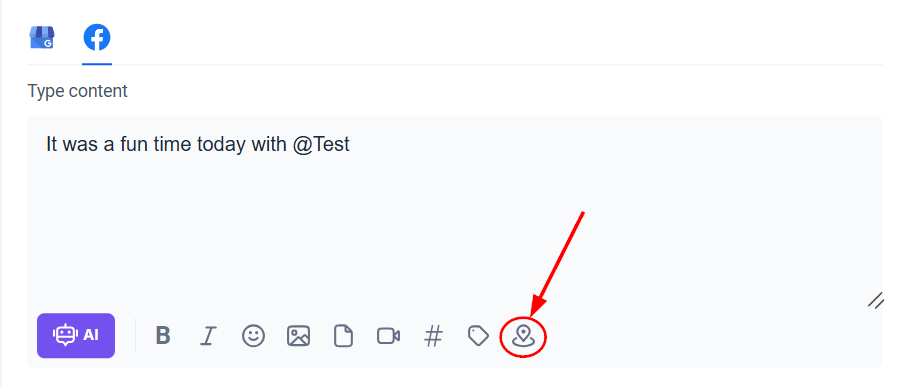
Additionally, tag locations by clicking the tag icon and entering keywords in the search field.
Complete your post by configuring the advanced options, then publish it based on your desired settings. When multiple social channels are selected, the system prompts you to customize the post for each channel.
The ability to use Mentions in the Social Planner enhances your social media strategy by improving engagement, boosting content discoverability, and enabling seamless cross-promotion. Take advantage of this feature to create impactful posts tailored to each platform's audience and capabilities.
✍️Important Notes
- Mentions are supported on Facebook, LinkedIn, and Twitter (X), with plain text mentions available on Instagram, TikTok, and GMB.
- This feature is not compatible with CSV imports, Review Posting, or RSS Posting.
Was this article helpful?
That’s Great!
Thank you for your feedback
Sorry! We couldn't be helpful
Thank you for your feedback
Feedback sent
We appreciate your effort and will try to fix the article