Instagram Reels are video content, similar to YouTube, that allow you to reach greater audiences. This enhances brand visibility and encourages viewers to interact with your page, brand, and, by default, products. You can seamlessly integrate your Instagram reels with the rest of your short-form video postings by using your Social Media Manager.
How to Post?
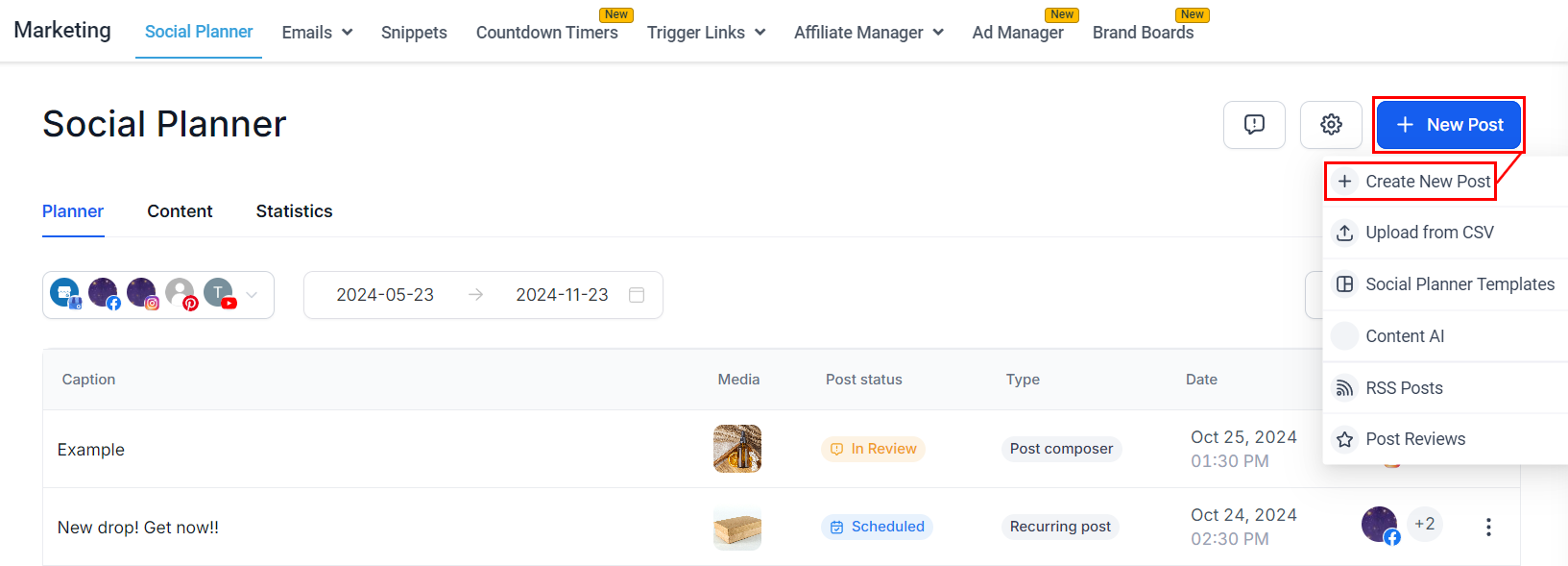
Start by clicking “New Post” in the top right corner. Select “Create New Post.” Alternatively, there's a "Create New Post" link at the bottom of your posts list.
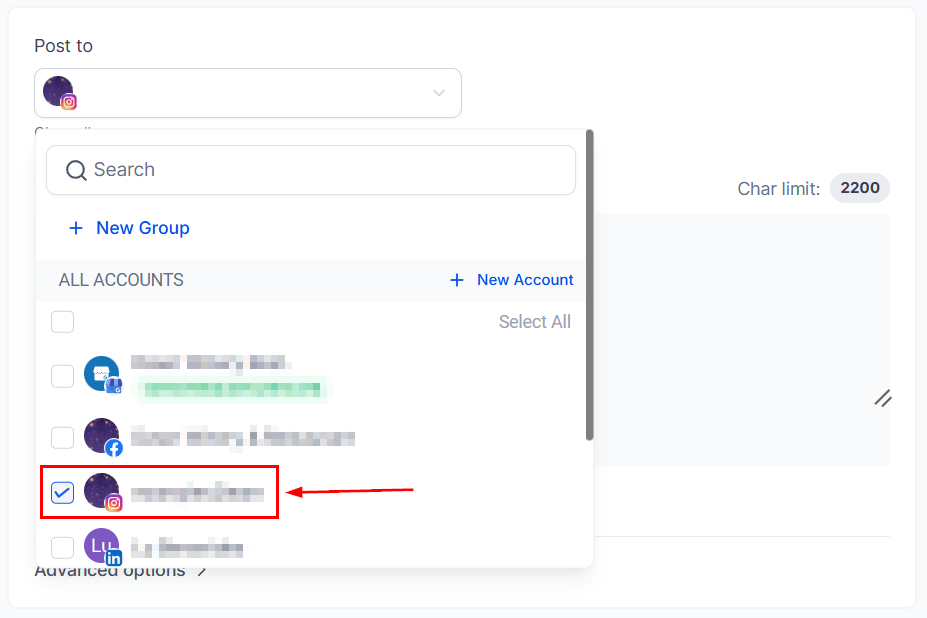
Select Instagram as the social media platform on which you want to post.
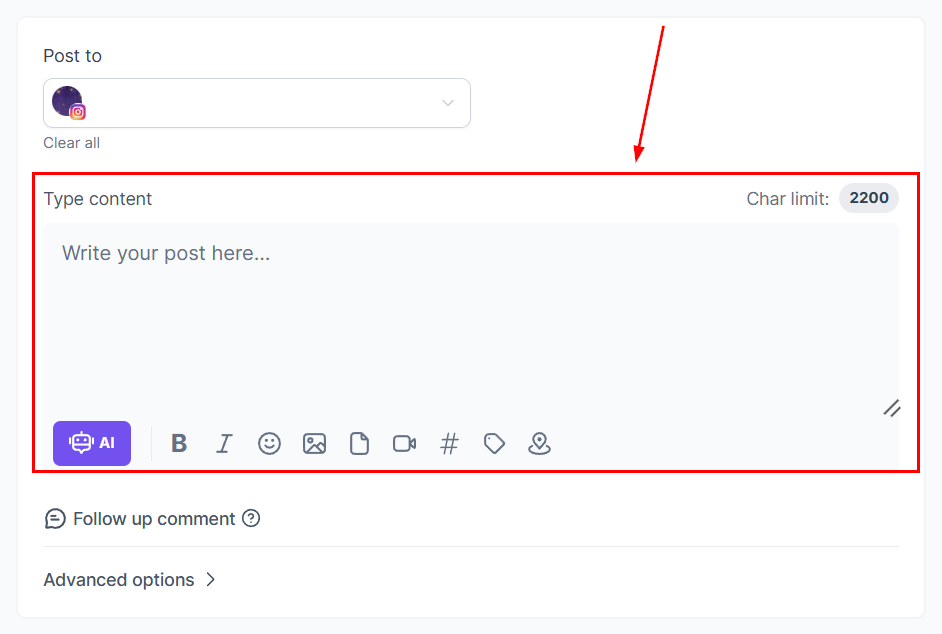
Write in your caption and hashtags, or click the robot icon to use the AI tool to aid you in the content creation. We recommend keeping the caption short since it will be shown directly underneath the video.
Supported Content for Instagram Reels
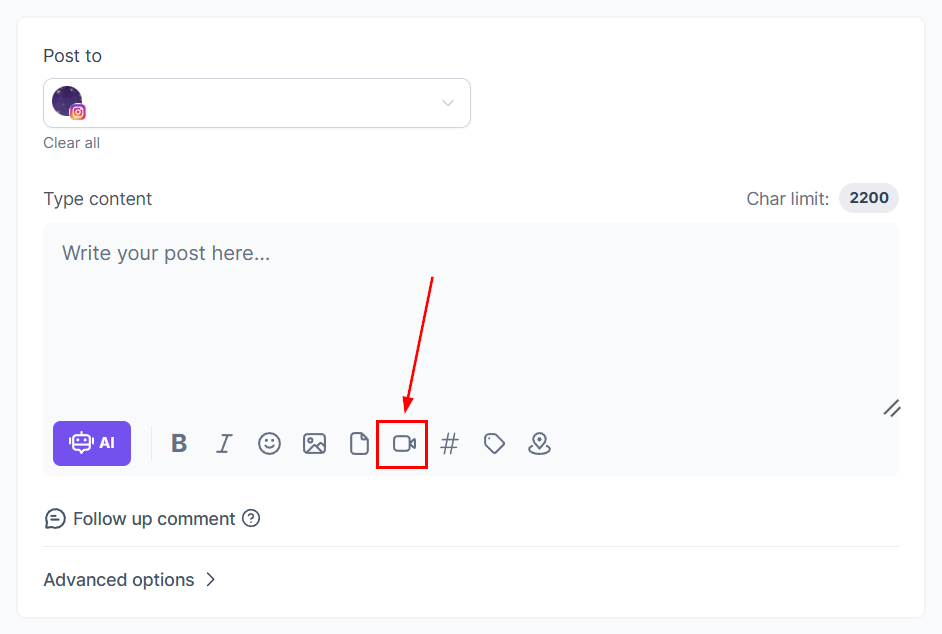
To upload your video click on the camera icon, this will take you to your media library where you can select from already uploaded or upload a new video from your files. The video needs to follow this guidelines:
- Suggested video size up to 1GB, with a thumbnail size of 8 MB.
- Aspect Ratio: Recommended at 9:16.
- Duration: Minimum of 3 seconds and a maximum of 15 minutes.
- Format: MOV or MP4.
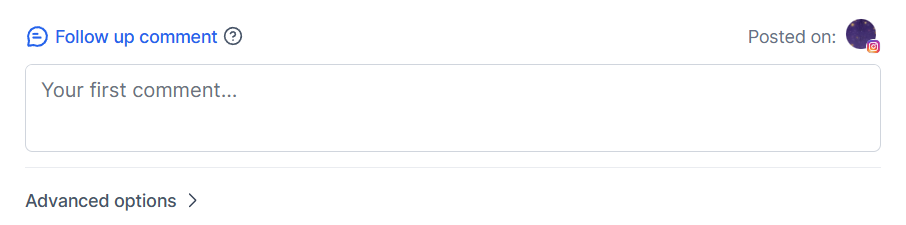
The Follow-up comment lets you post an automated message after posting.
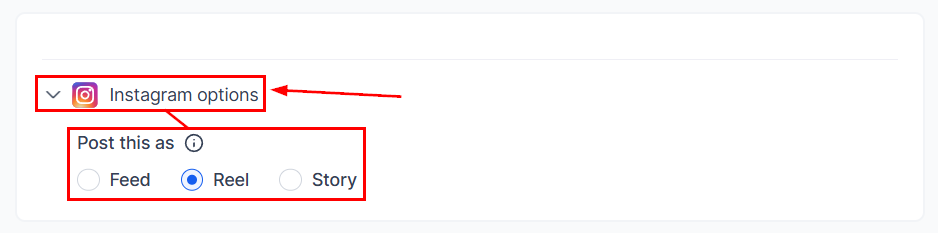
Scroll down to Instagram options, open the drop-down menu then select Reel as the post type.
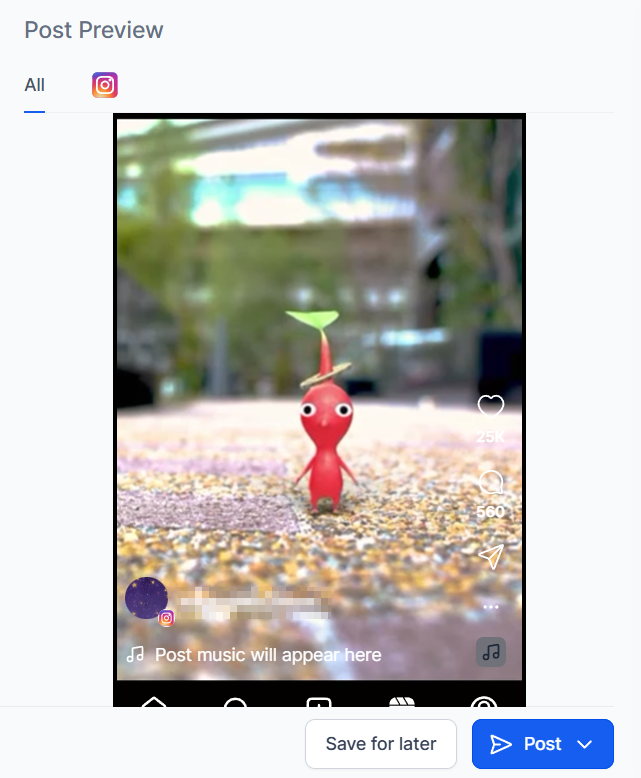
You can preview all your content here before you post it.
Once you are happy with your post click on the Post button, it will give you the options for the next step with the post. These will be:
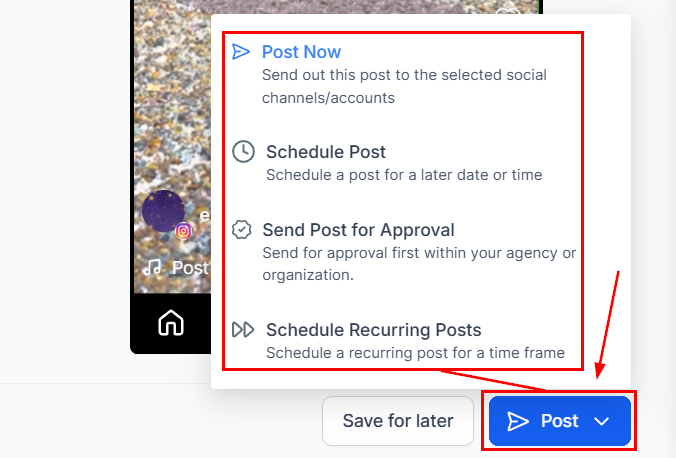
After selecting the next step you're done! Your video is ready to go. That's all there is to it. Now you can get your posting schedule organized and consistent helping you to grow your audience and reach new heights.
Was this article helpful?
That’s Great!
Thank you for your feedback
Sorry! We couldn't be helpful
Thank you for your feedback
Feedback sent
We appreciate your effort and will try to fix the article
