The Internal Comments feature enables teams to collaborate more effectively by allowing private notes within conversation threads. With internal comments, you can share information, request feedback, review responses, and capture essential updates within the conversation. These comments remain visible to users and are hidden from contacts, supporting discreet and effective team coordination.
Adding an Internal Comment
To add an internal comment, navigate to the Conversations section in your account and select the contact to whom you wish to add the comment to open their Conversations panel.
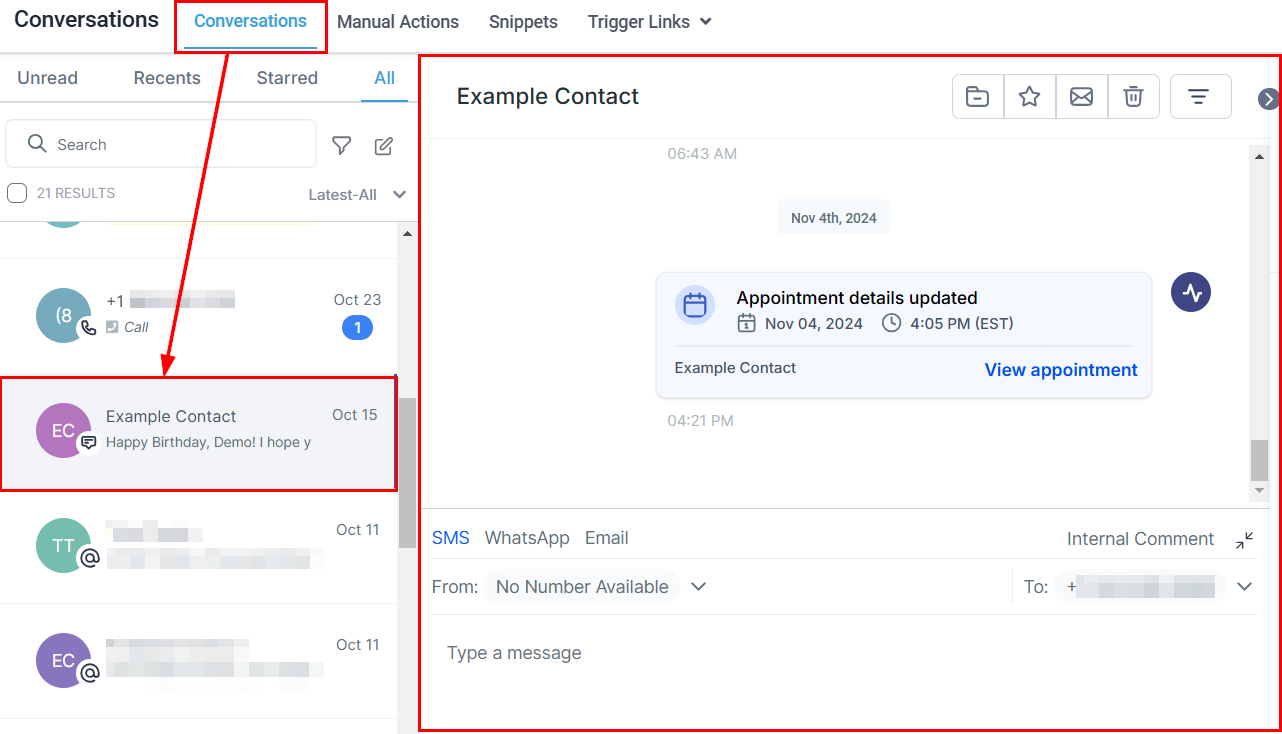
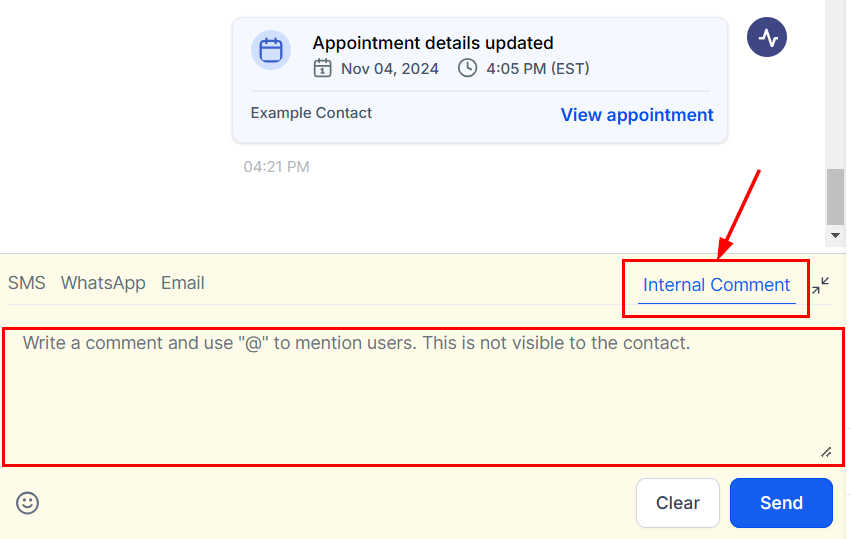
Next, click the Internal Comments button to access the comments field. In this area, you can compose your message providing relevant details to inform your team members of any important details.
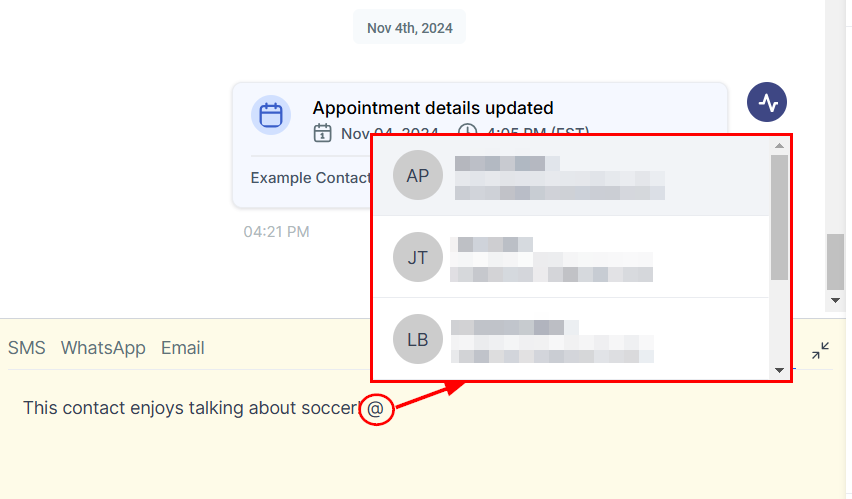
To tag team members, type “@” followed by their name. Mentioning a user adds them as a follower and grants them access to the contact and conversation, even if they have restricted access rights.
You can clear the comment field entirely or save the comment by selecting the appropriate option in the lower section of the screen.
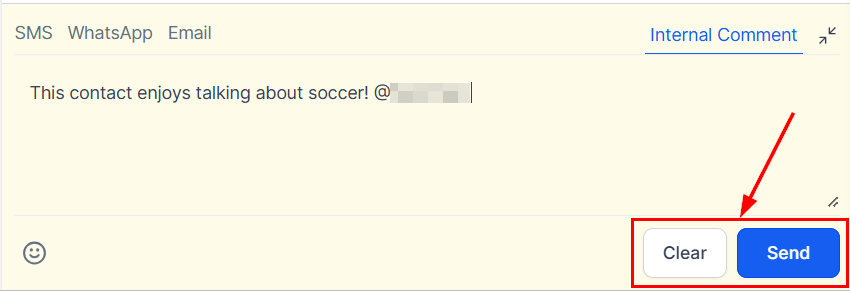
Once the internal comment is saved, individuals who have been tagged will receive a notification alerting them to the comment. Notifications will also be sent for updates in conversations where you have been mentioned, ensuring that key information is promptly communicated.
Managing Comments
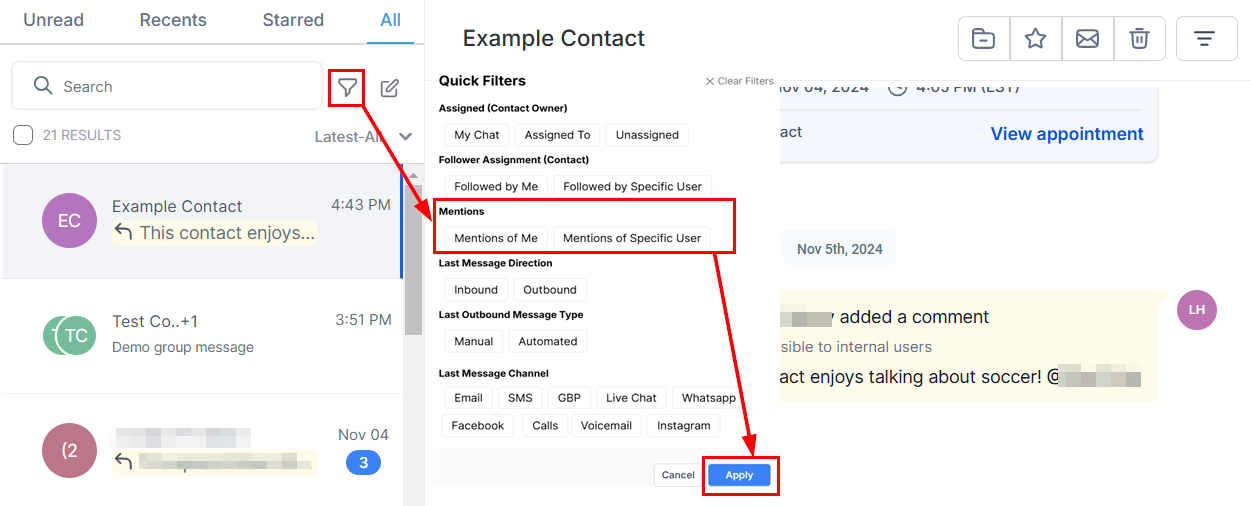
To find conversations where you or a specific team member has been tagged, you can use the Mentions Quick Filter.
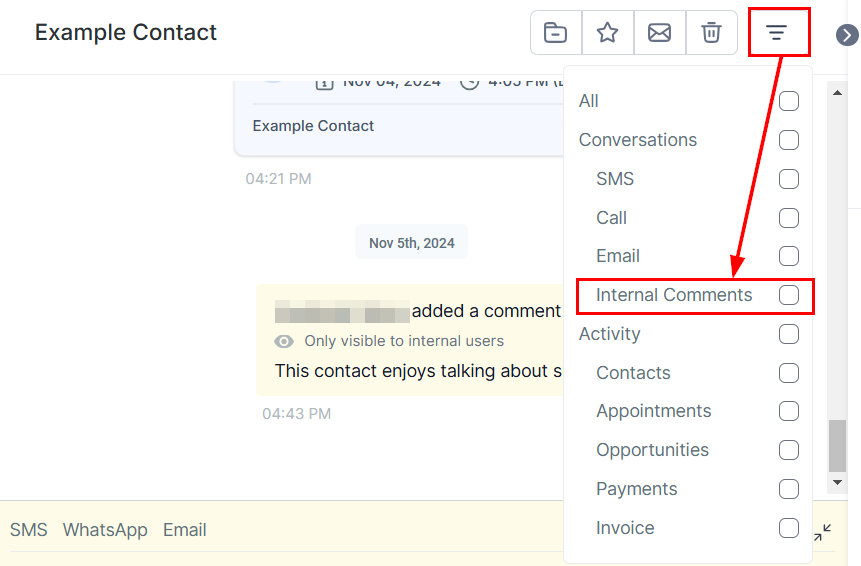
Furthermore, apply the Internal Comments filter within a conversation to view only the private comments, allowing for easy navigation through internal notes.
This feature ensures that key information is captured, reviewed, and shared discreetly, fostering effective coordination and conversation management.
Was this article helpful?
That’s Great!
Thank you for your feedback
Sorry! We couldn't be helpful
Thank you for your feedback
Feedback sent
We appreciate your effort and will try to fix the article