Redirection links enhance the functionality of countdown timers by automatically directing users to the appropriate page based on the timer's status. These dynamic links create a seamless experience for your audience, ensuring they always land on the correct page, whether an offer is live or expired.
What Are Redirection Links?
Redirection links automatically adjust based on whether the countdown timer is active or expired.
- Active Timer: Directs users to the live offer or event page.
- Expired Timer: Redirects users to an alternative page, such as an "Offer Expired" or "Waitlist" page.
Why Use Redirection Links?
- Automatic Process: Eliminates the need for manual updates when offers or events conclude.
- Seamless User Experience: Ensures users are always directed to the appropriate page.
- Time-saving: The entire process is automated, reducing the need for constant oversight.
How to Create a Countdown Timer with Redirection
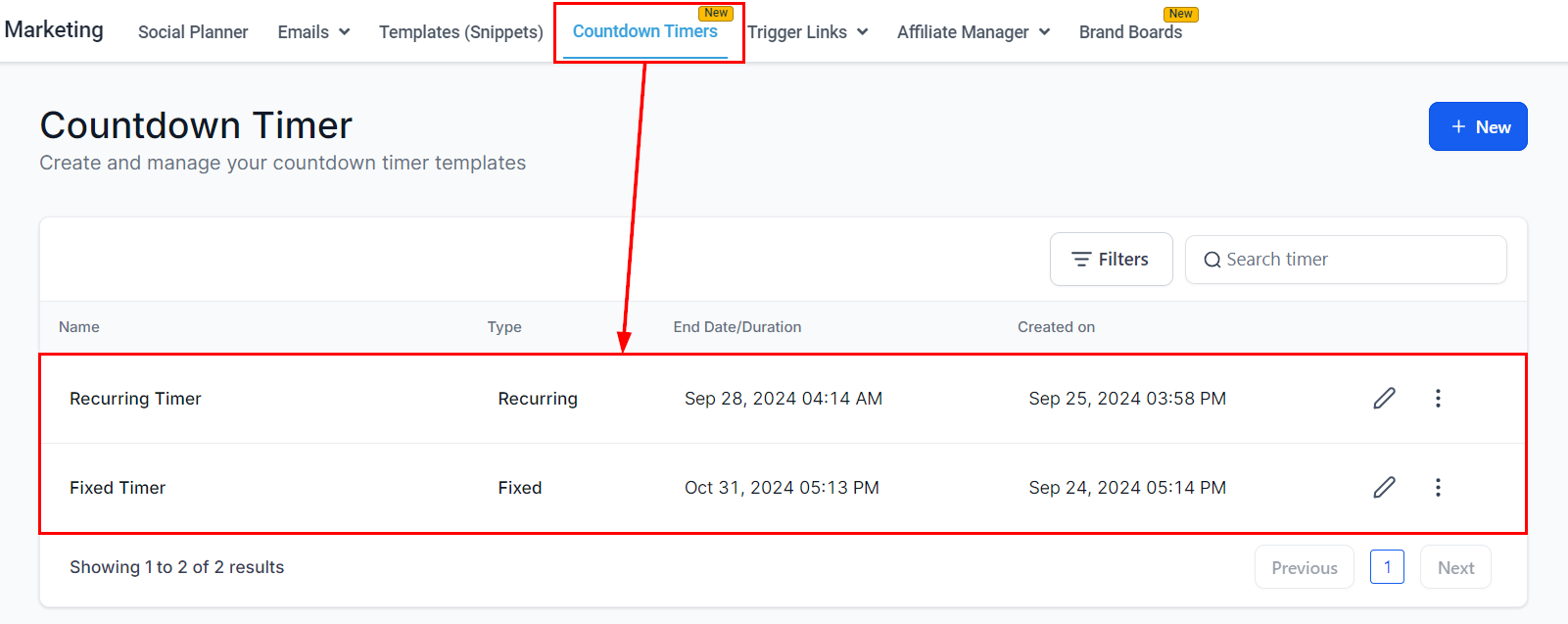
Go to Marketing > Countdown Timers.
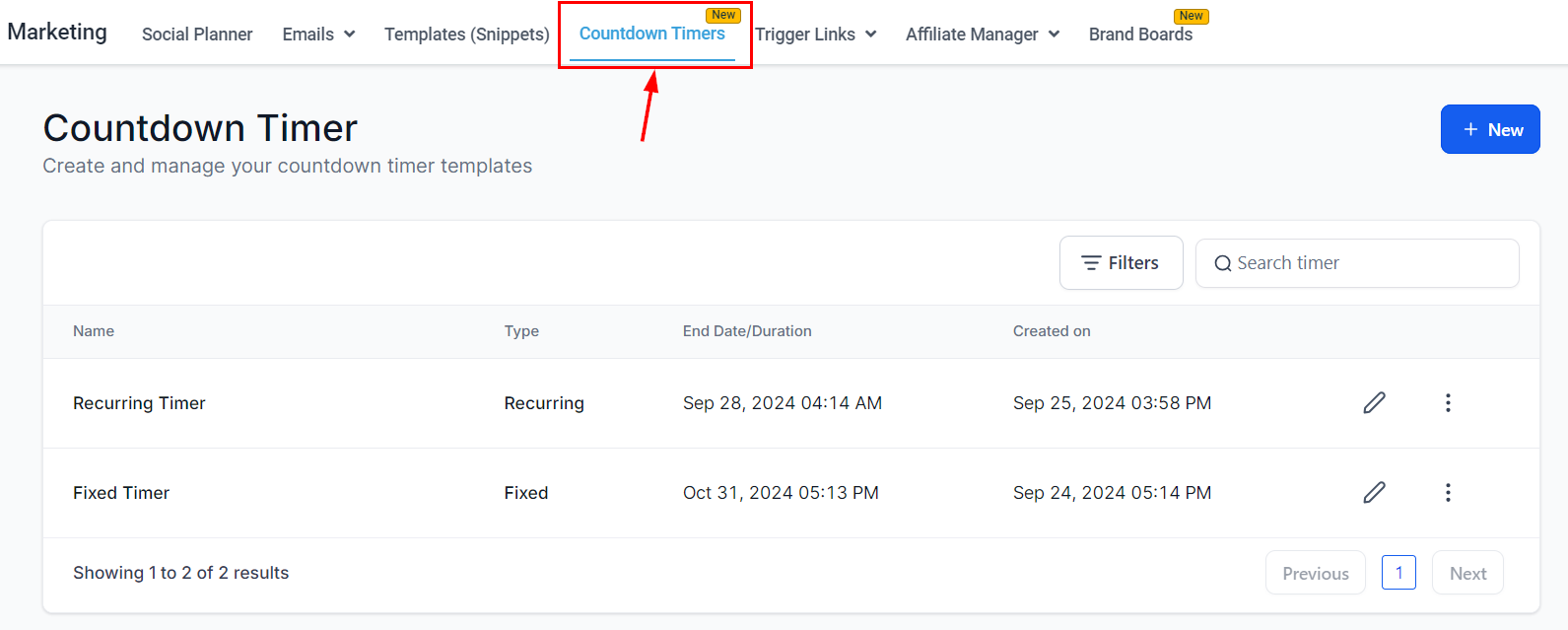
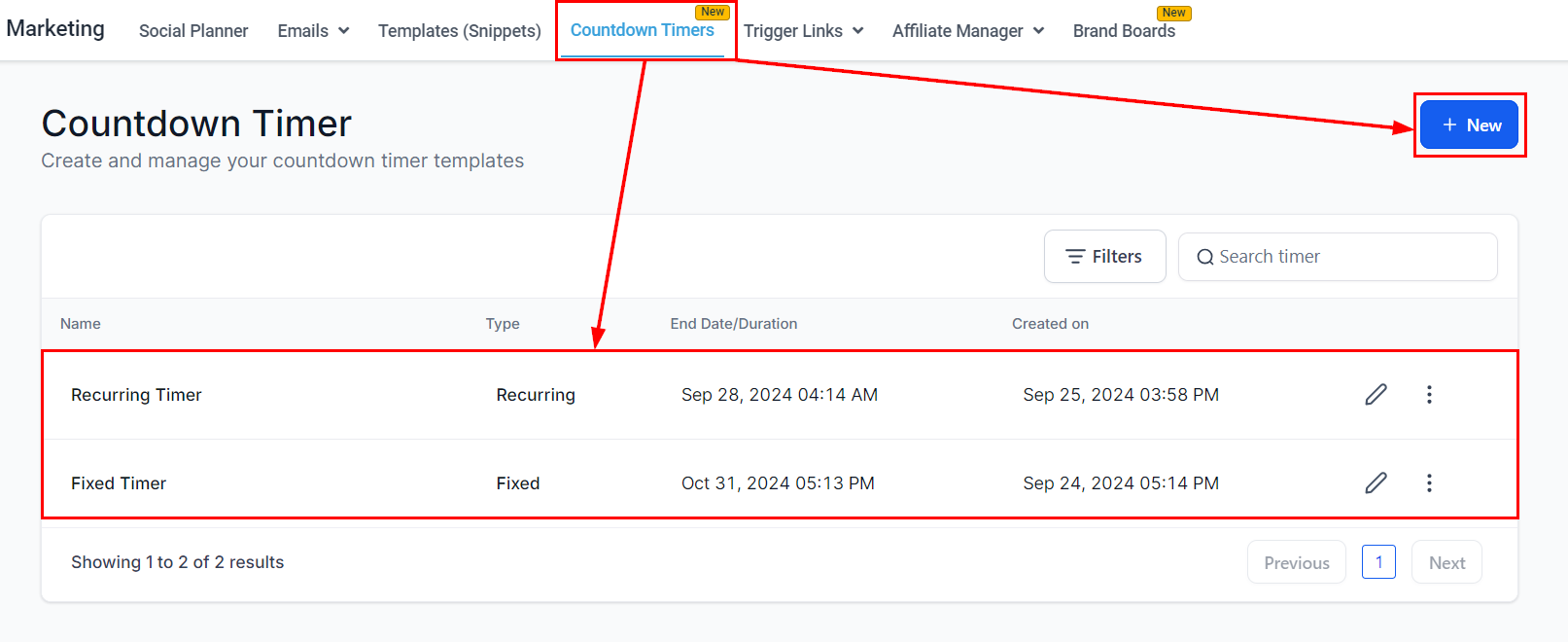
Create a new timer or click on an existing one to access its Settings.
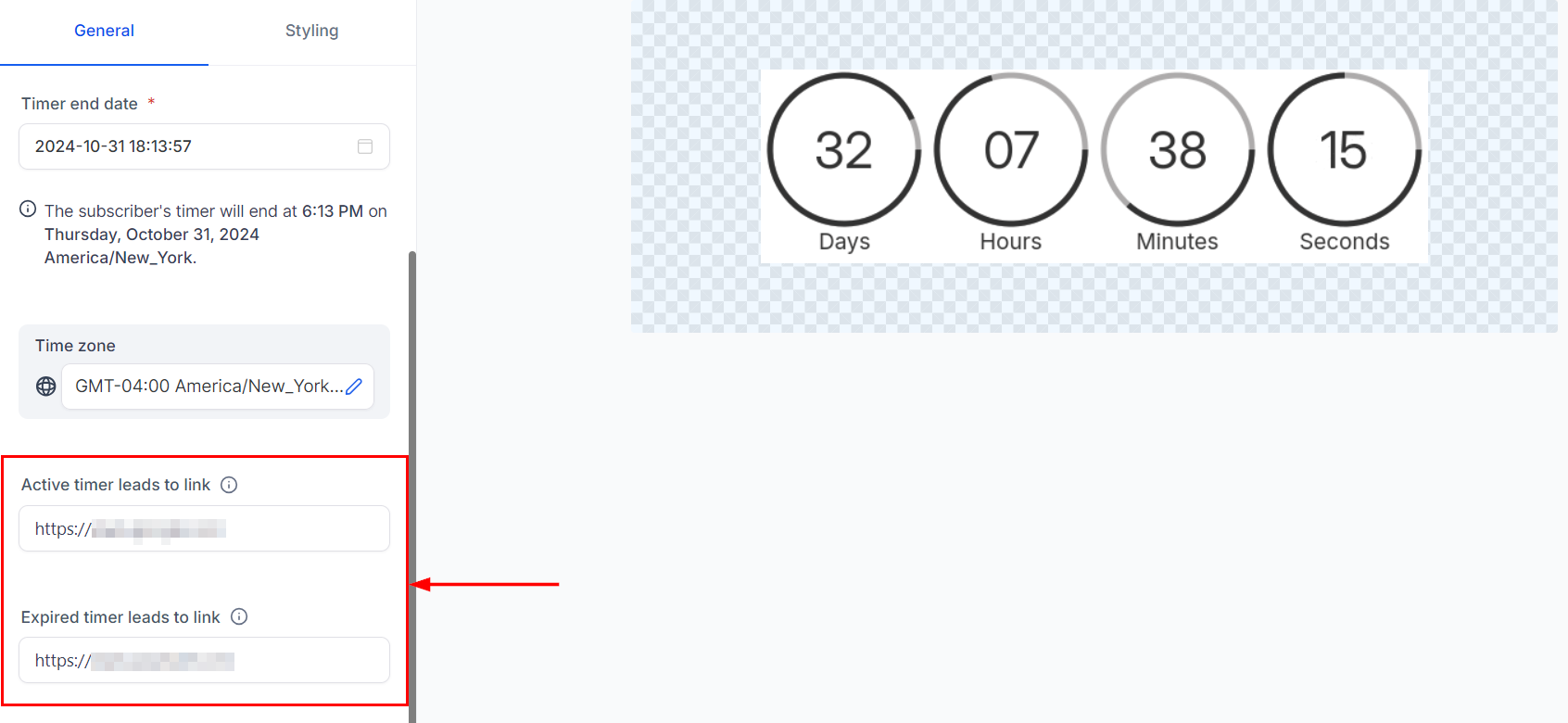
Enter the desired links in the active and expired timer section.
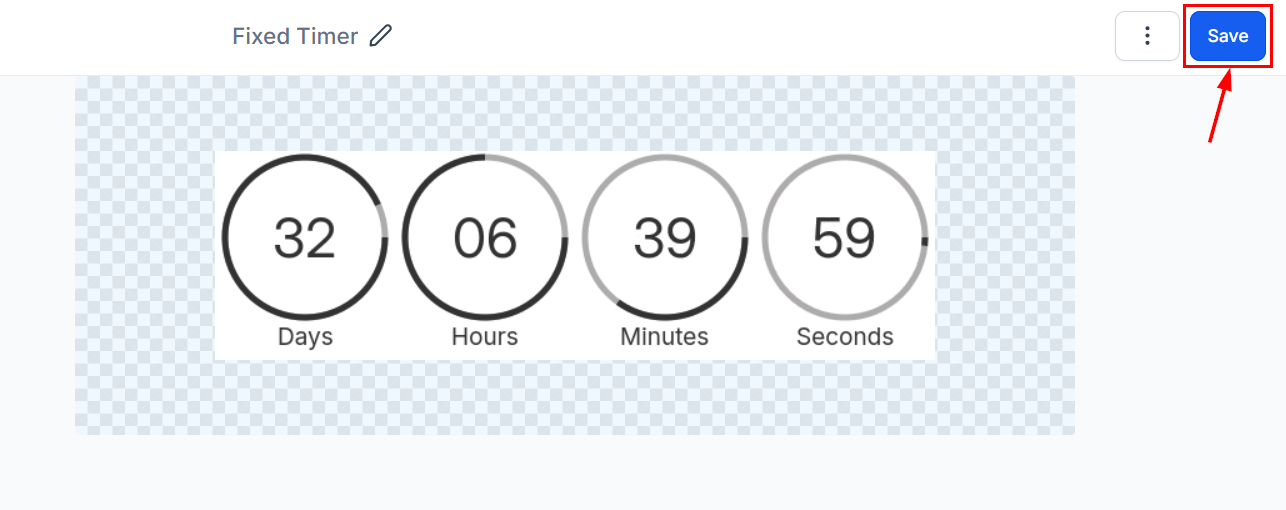
Specify other properties, such as the expiration time then save the timer.
Where to Access Redirection Links
Countdown Timer
Navigate to the Marketing section, select Countdown Timer, and click your desired timer.
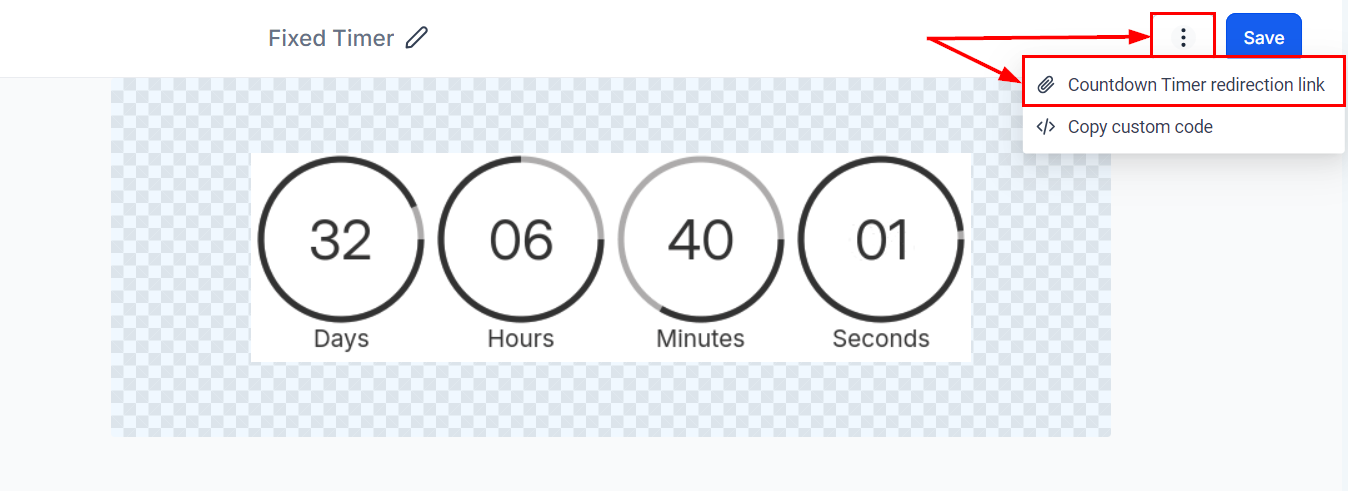
Copy the redirection link from the action menu on the upper right-hand section of the builder.
Email Builder
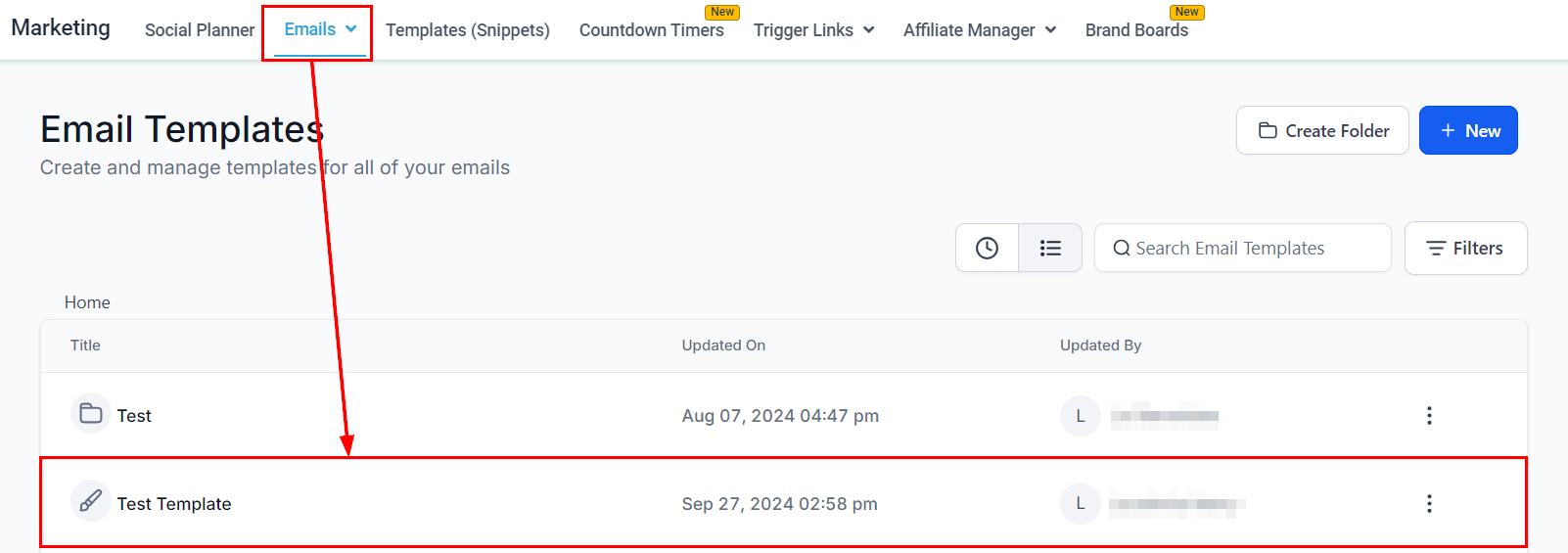
Navigate to the Marketing section and click the campaign or template that contains a countdown timer.
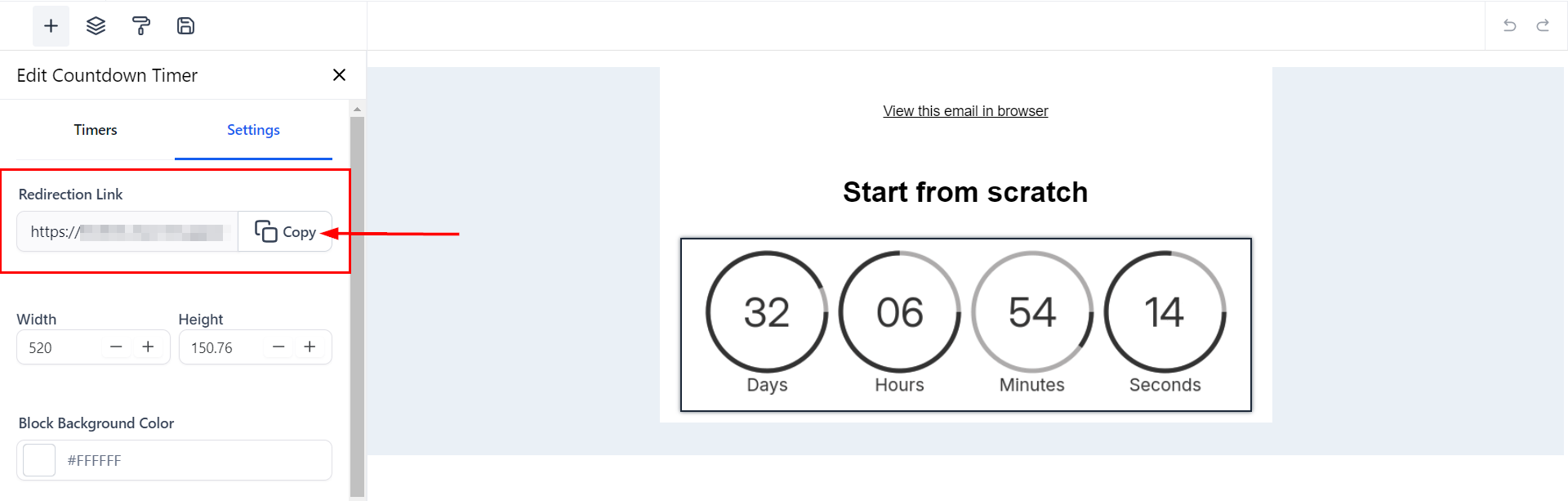
In the Email Builder, open the Settings tab and click Copy Redirection Link to retrieve the timer link.
Funnels, Websites, or Stores
On any page with the countdown timer element, the redirection to the expired page is pre-configured. The timer functions like a minute countdown, and upon expiry, redirects to the designated expiration page URL without restarting upon page refresh.
With these steps, your countdown timer will automatically redirect users to the correct page, whether the offer is still valid or has expired.
Was this article helpful?
That’s Great!
Thank you for your feedback
Sorry! We couldn't be helpful
Thank you for your feedback
Feedback sent
We appreciate your effort and will try to fix the article