Understanding the performance of your email campaigns is crucial for optimizing your marketing strategies and achieving your business goals. Our Statistics feature provides comprehensive insights into various metrics, enabling you to analyze interactions such as clicks, orders, and other engagements over a selected period. This article will guide you through the process of utilizing these statistics effectively, helping you make informed decisions and drive success in your campaigns.
Accessing Email Marketing Statistics
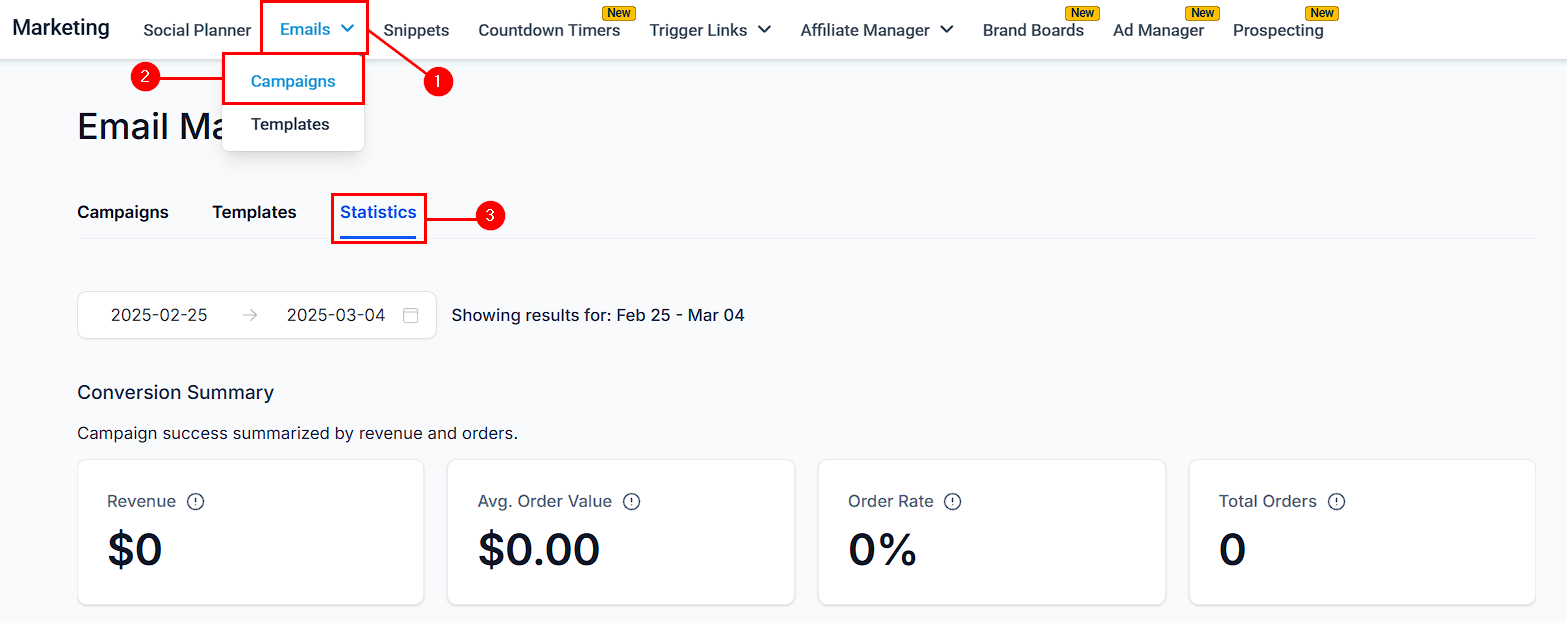
Go to the Marketing section, then hover over Emails and click on Campaigns. Next, select the Statistics option.
Selecting the Date Range
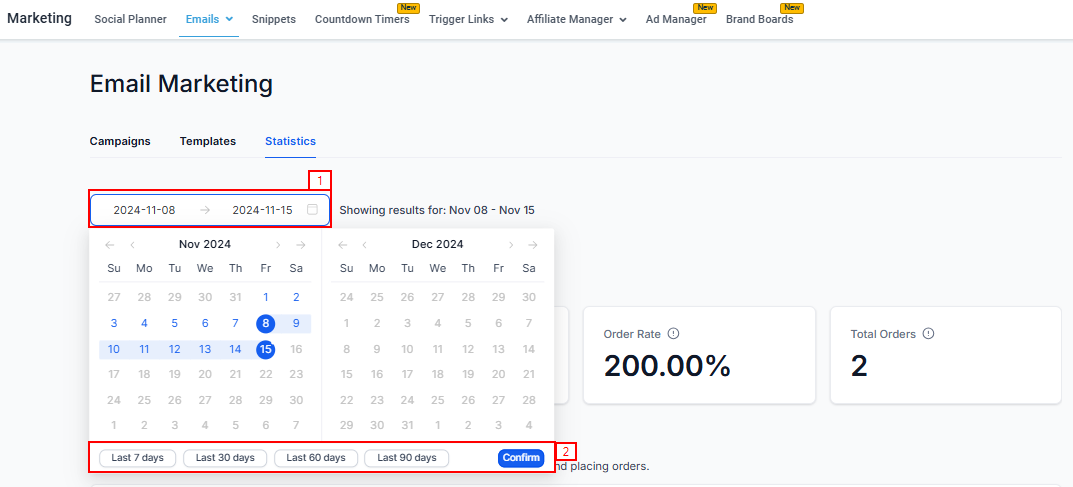
Choose the desired date range from the calendar dropdown, and click confirm.
Detailed Insights Into Individual Sections
Conversion Summary
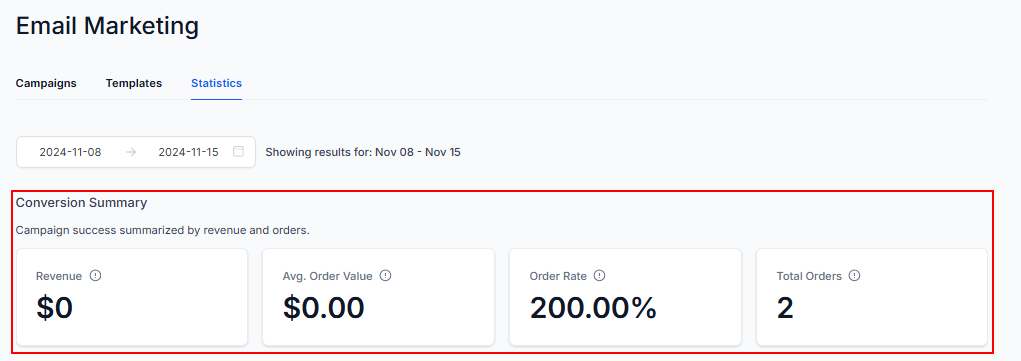
Quickly access key metrics such as the number of orders placed, total revenue earned, average order value, order rate, and total orders. This section provides a snapshot of how effectively your campaigns are driving sales.
Engagement Summary
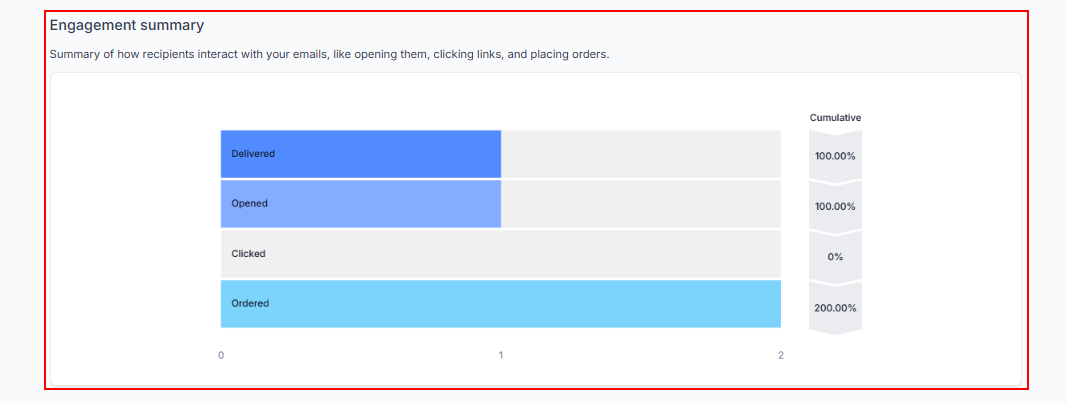
Get a comprehensive overview of recipient interactions with your emails. Metrics include the number of emails delivered, opened, and clicked, as well as orders and the number of purchases made. This funnel visualization helps identify where recipients drop off and where they take action, with unique clicks and opens tracked regardless of multiple interactions by the same contact.
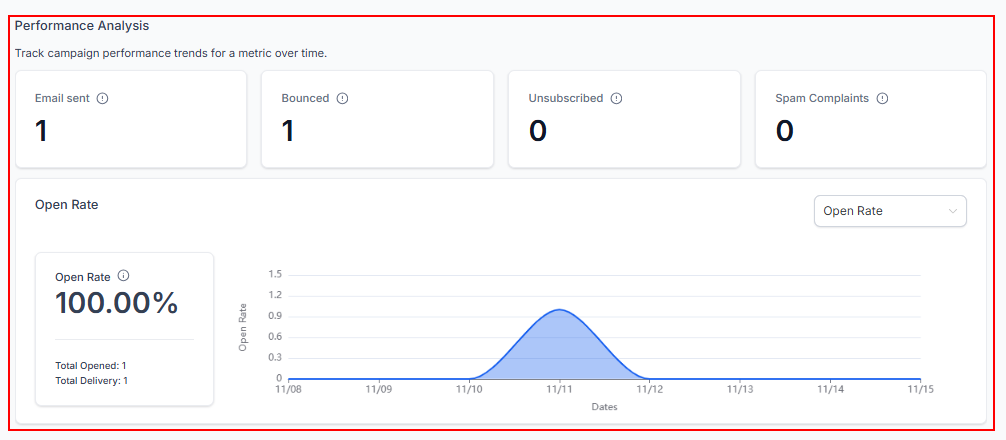
Performance Analysis
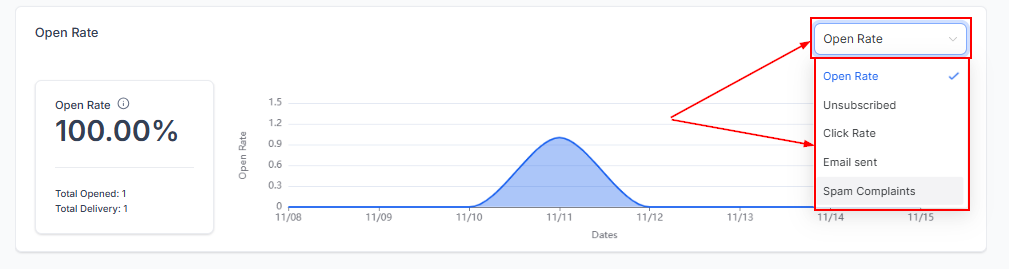
Monitor changes in various metrics over time, such as emails sent, bounced, unsubscribed, and spam complaints. Understanding these trends can highlight areas for improvement and track the effectiveness of your campaigns.
Use the dropdown menu to switch between different metrics and analyze their trends over the selected period.
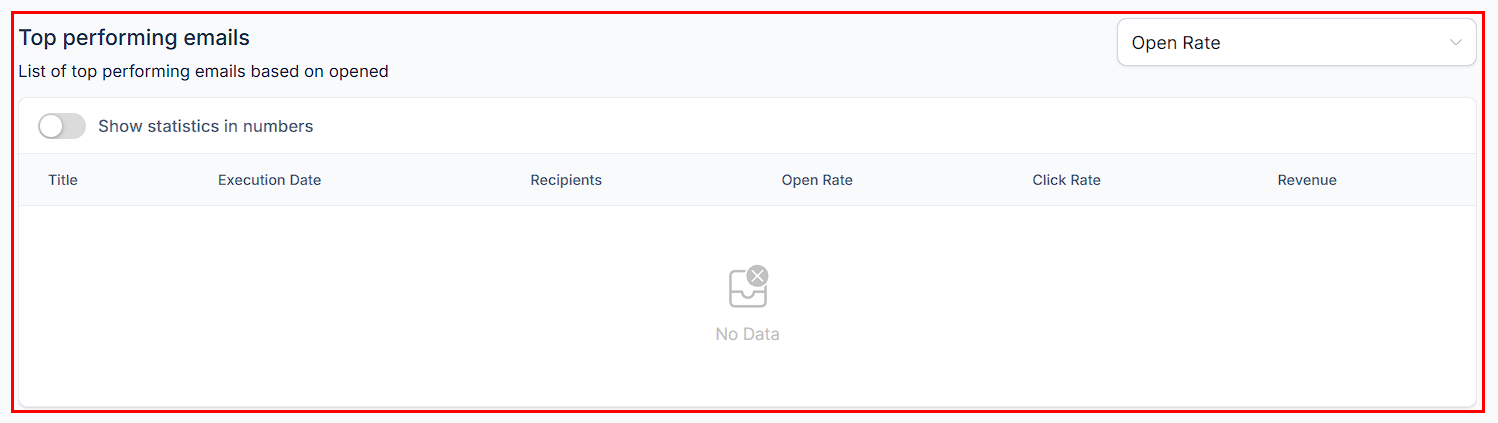
Emails Generating Revenue
Identify the emails generating the top 5 revenue amounts. Learning from these successful emails can help you replicate their success in future campaigns.
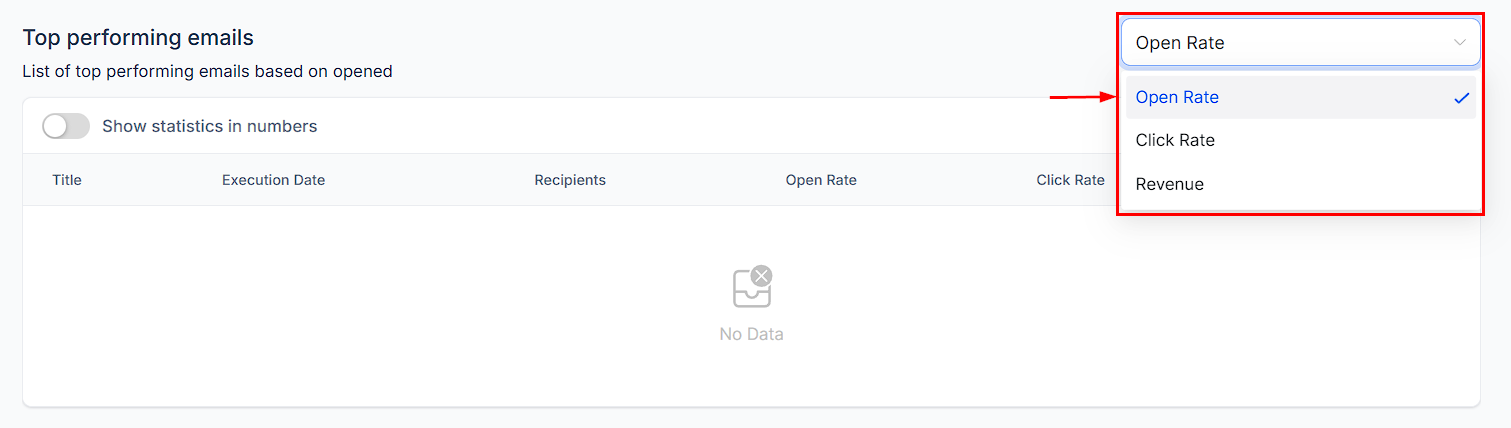
Apply filters from the dropdown to sort and view the highest-performing campaigns based on Open Rate, Click Rate, or Revenue.
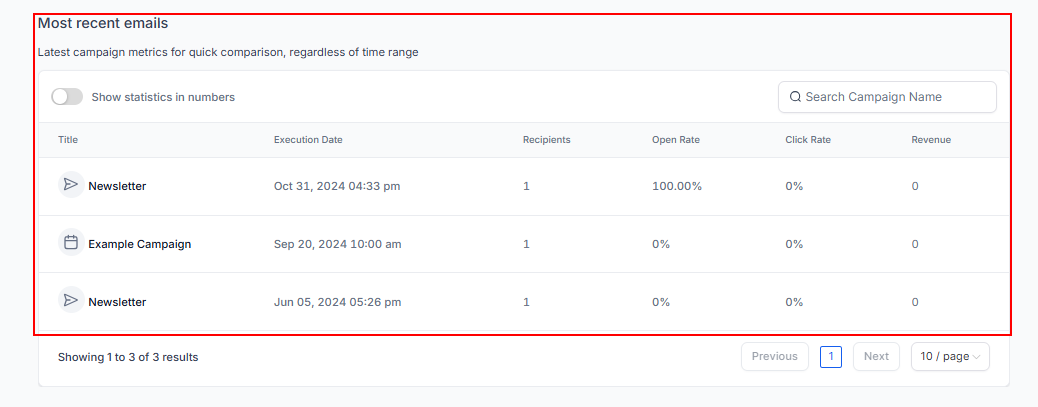
Recent Email Analysis
Explore the details of your 10 most recent emails. This analysis allows you to evaluate the performance of your latest campaigns and make necessary adjustments for better results.
By leveraging the comprehensive insights provided by the Statistics feature, you can refine your email marketing strategies, enhance engagement, and ultimately drive greater success in your campaigns.
Troubleshooting Tips
- Enabling Statistics: Ensure that the Statistics feature is enabled in Beta under the settings if you are unable to access the Statistics option.
- Accessing Accurate Metrics: Double-check that you have selected the correct date range and metric in the Performance Analysis section to ensure accurate data analysis.
- Interpreting Engagement Metrics: If engagement metrics seem inconsistent, review the unique clicks and opens to ensure that repeated interactions by the same contact are not skewing the data.
- Analyzing Recent Emails: Regularly review the Recent Email Analysis section to stay updated on the performance of your latest campaigns and make timely adjustments.
Frequently Asked Questions
Q: What metrics can I analyze in the Performance Analysis section?
- A: You can analyze various metrics, such as emails sent, opened, clicked, and unsubscribed, by selecting the relevant option from the dropdown menu.
Q: How do I identify my top-performing emails?
- A: The Top Performing Emails section highlights the top 5 emails generating the most revenue, providing insights for replicating their success.
Was this article helpful?
That’s Great!
Thank you for your feedback
Sorry! We couldn't be helpful
Thank you for your feedback
Feedback sent
We appreciate your effort and will try to fix the article