Surveys help you extract data from your customers. They are instrumental in assessing their thoughts, opinions, and feelings. The results help you describe the attitude of your audience and adjust your marketing or services as needed. If you wish you could see your customer's mind, this tool is for you. Let's discuss how to create one!
Note: Depending on your user permissions, you may not have access to all of the components.
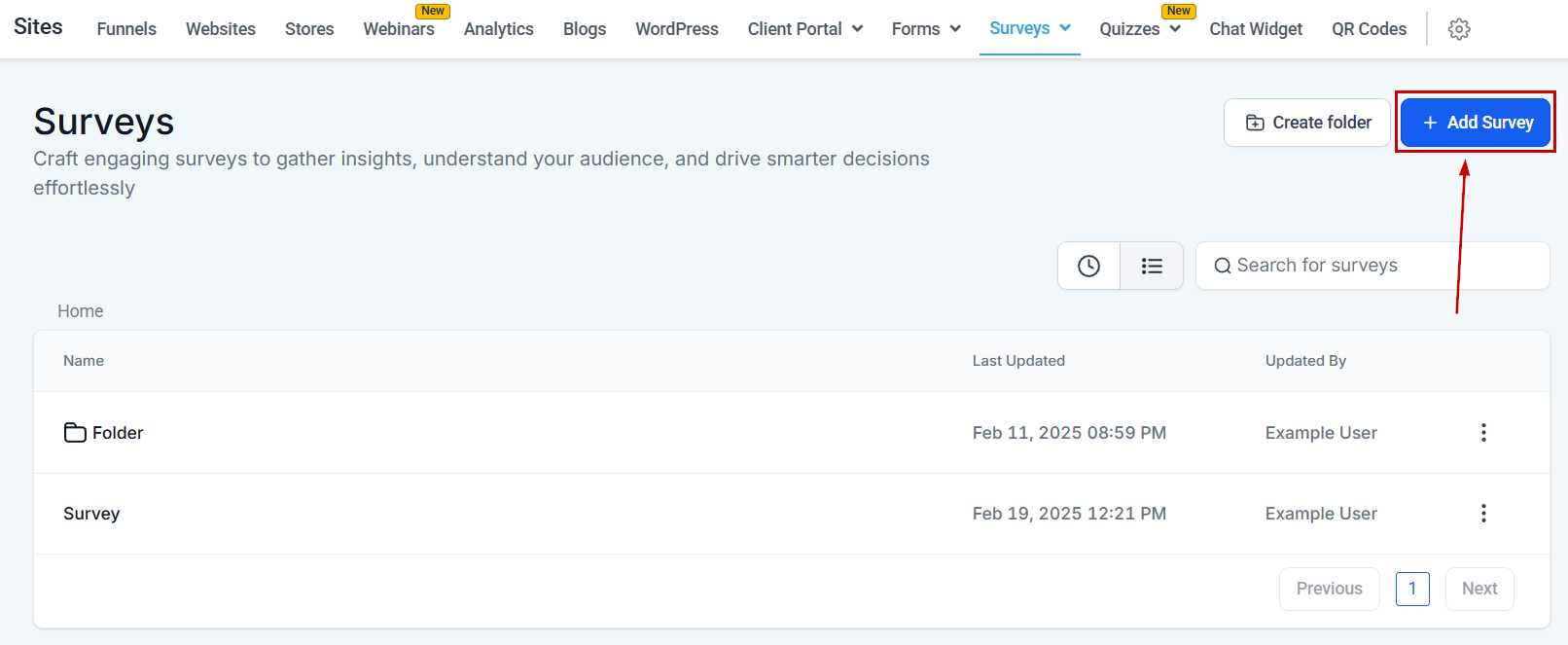
To get started let's navigate to the Survey tab inside the Sites section and click the "+ Add Survey" button.
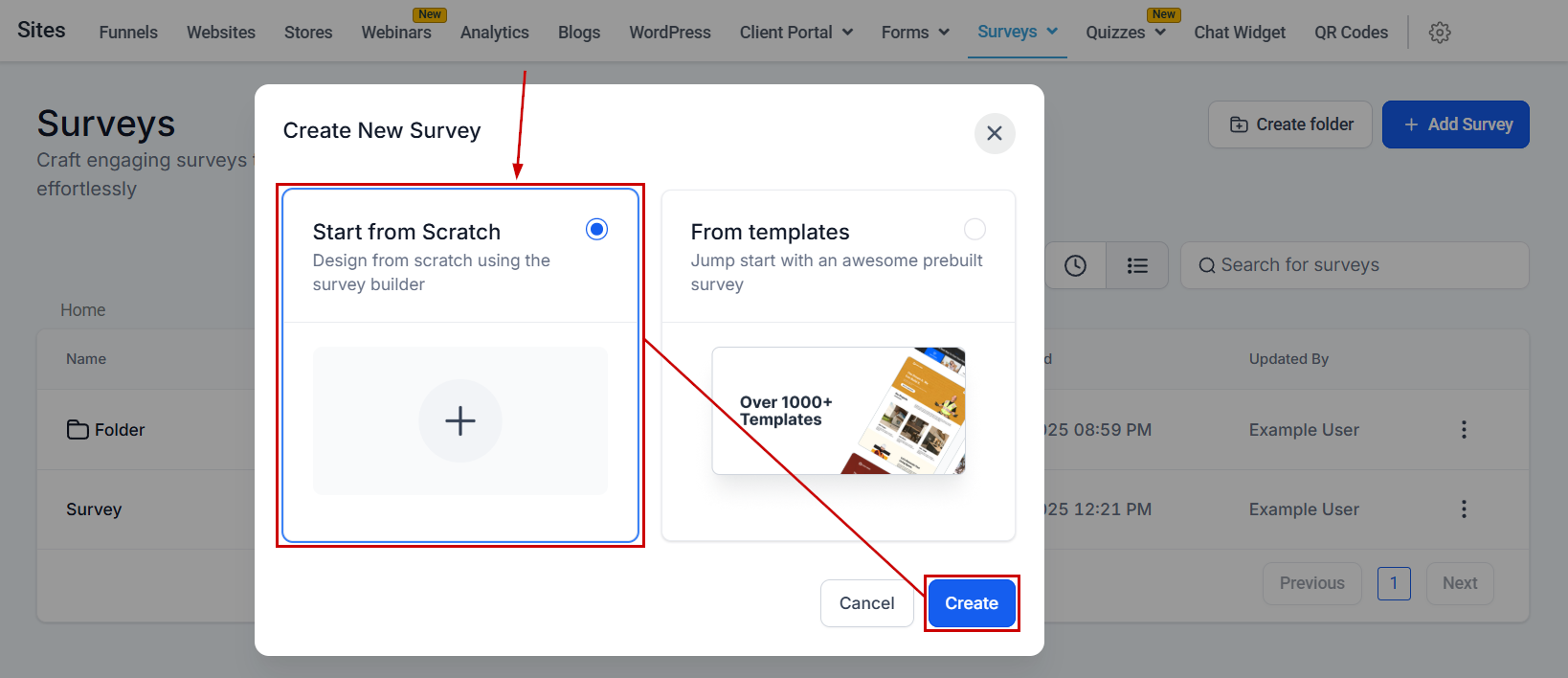
Select whether you'd like to start from zero or use a template to give you a headstart. This time, we're starting from scratch.
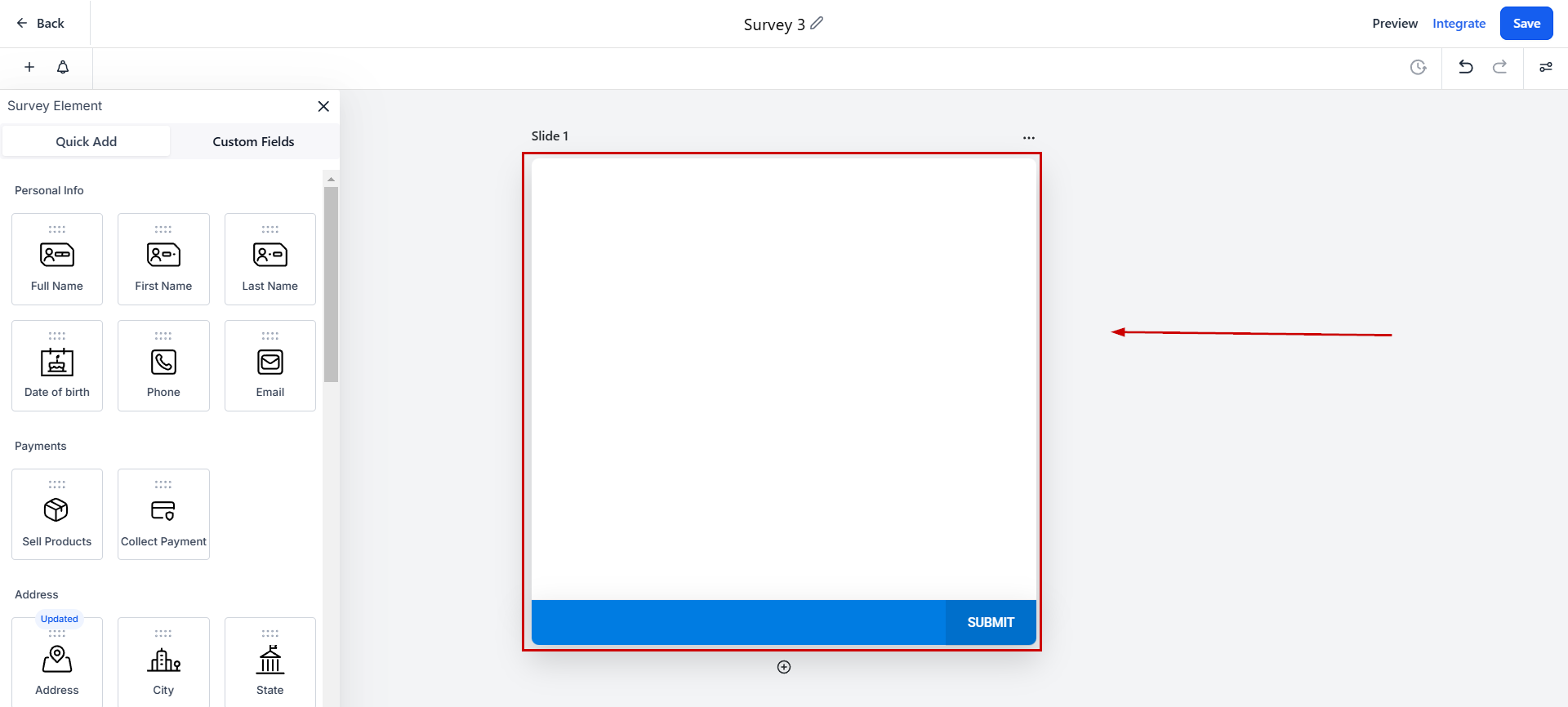
Survey Slides
After clicking Create you'll be taken inside the survey builder, with a slide waiting for you. Your survey slide is your canvas, where you will drag and drop different elements to create your perfect fit.
Slide Name
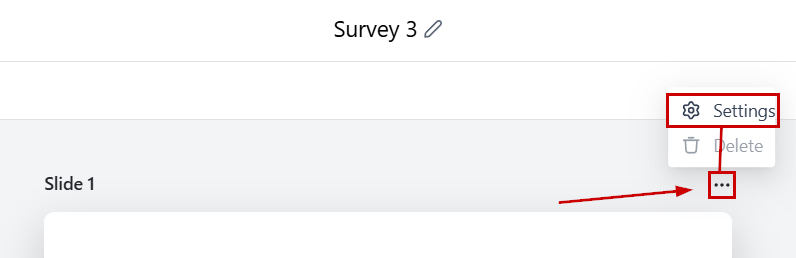
Here you will see the name you've given to each slide. By default, slides are given numbers and go in order starting from the number 1.
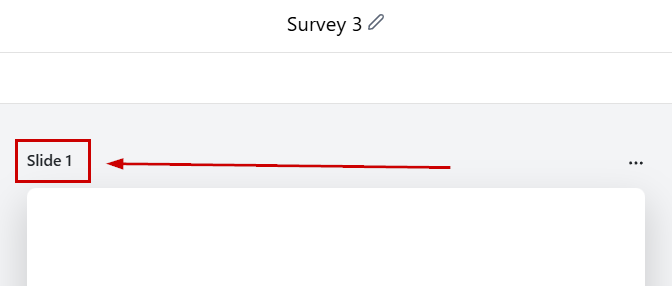
You can change a Slide's name by clicking the three-dot icon and selecting Settings.
Adding More Slides
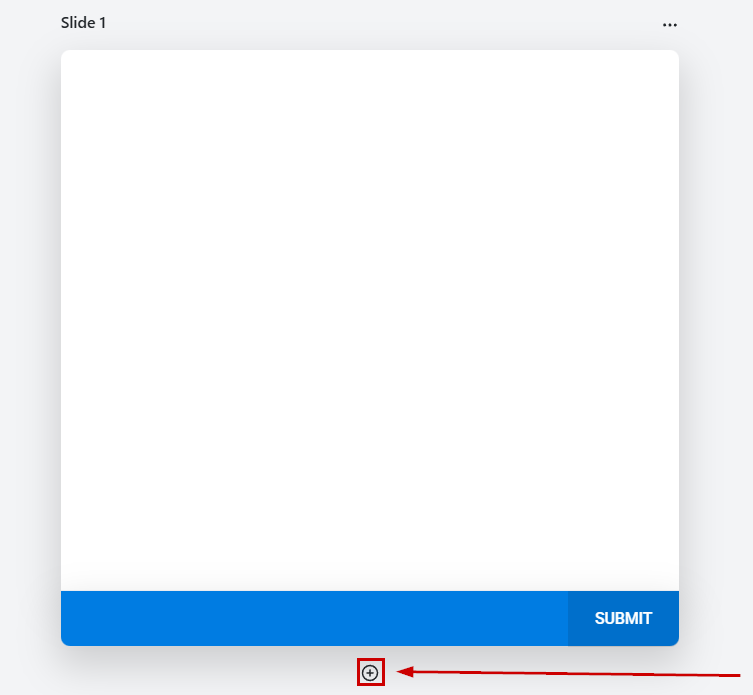
If you want to add more slides to your survey, simply click the "+" button
Adding Elements
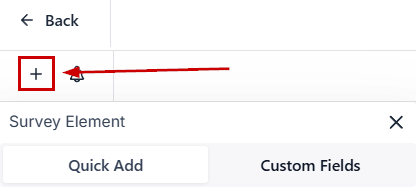
Click the plus button at the top left corner to open the elements section.
Just drag and drop the element you wish to add.
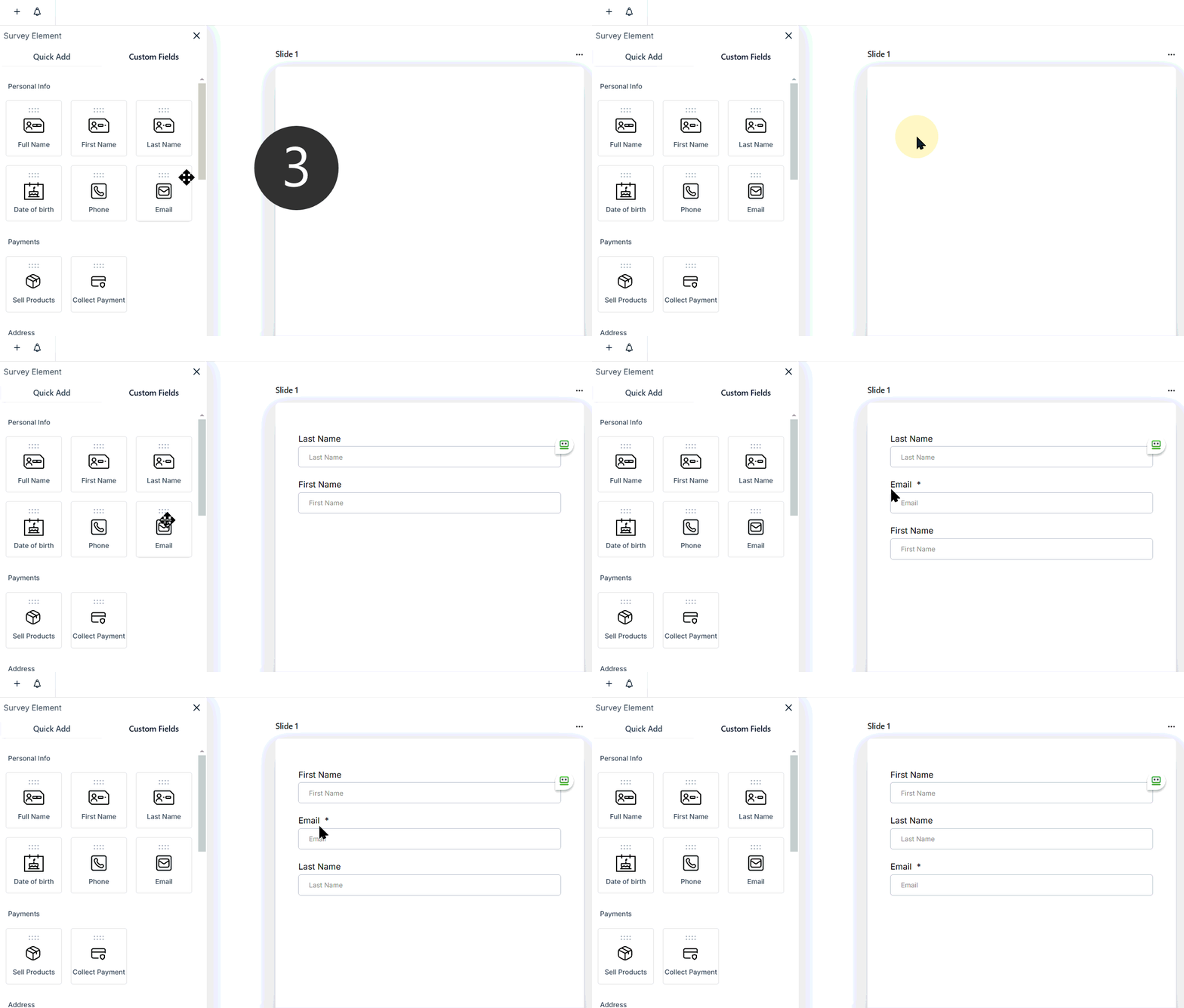
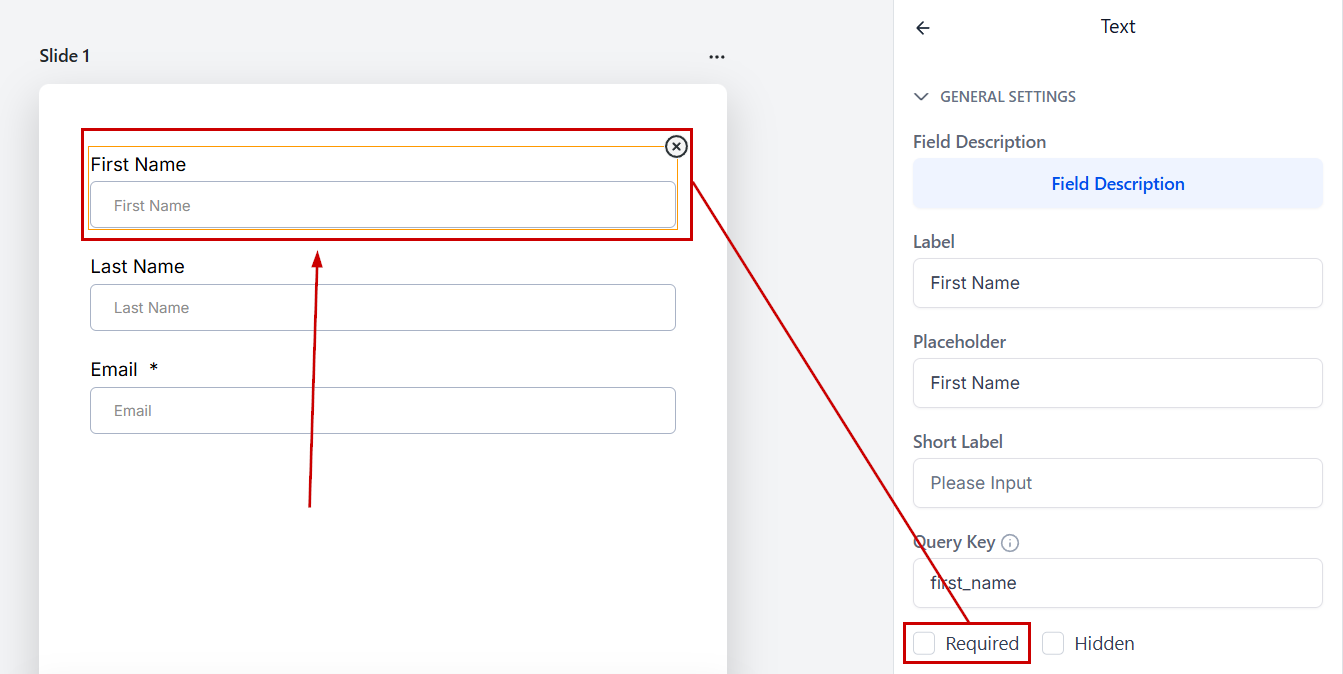
After an element is added, click it to open its settings and make it required if needed.
Creating Questions
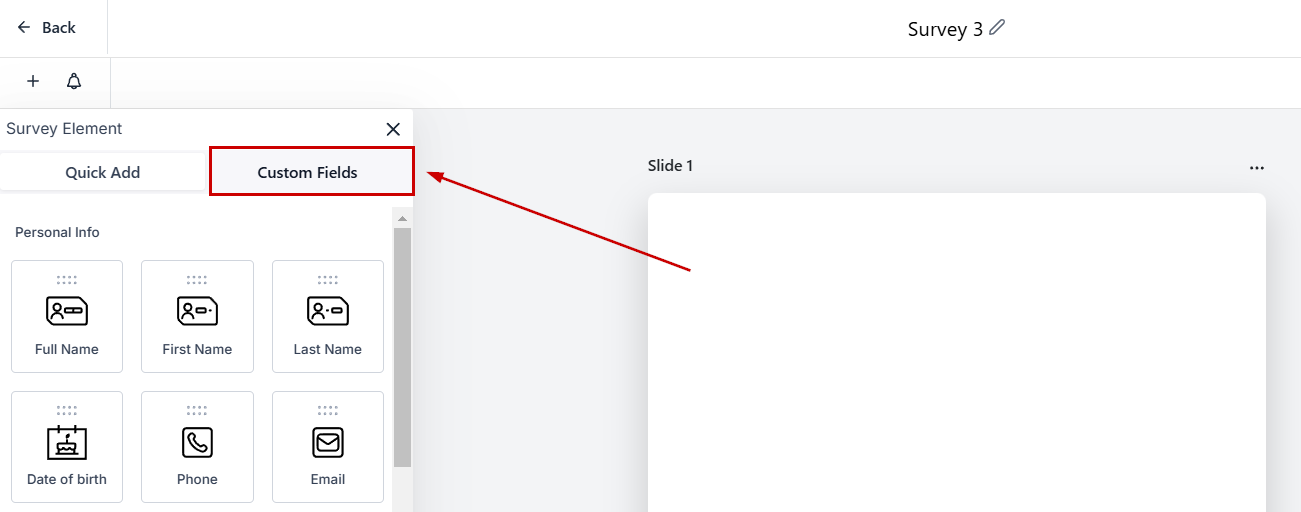
If you need to add a question to your survey but can't find it switch to the Custom Fields tab.
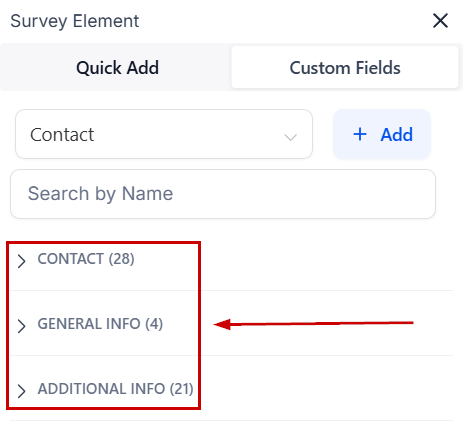
Here you'll find all your Custom Fields organized in folders as they are in the system.
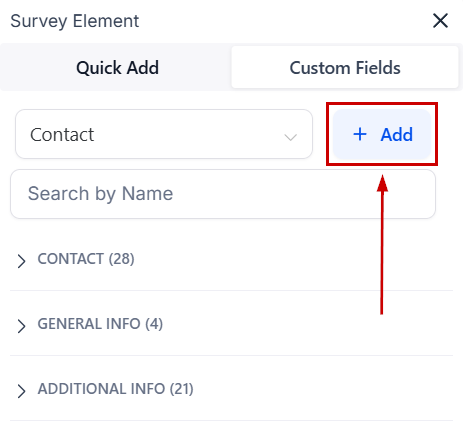
If you still can't find the needed field click +Add to create it.
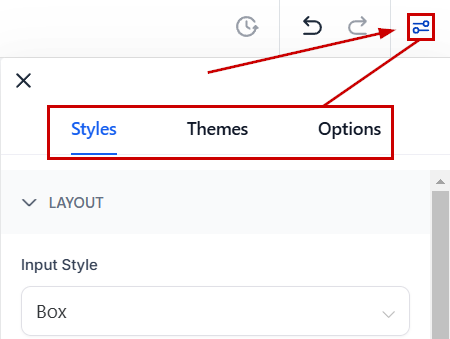
Survey Styles and Options
Change the appearance of the survey by using different styles, themes, and advanced options.
This is enough to get you started with the Survey building experience so feel free to explore and create using these bases. However, if you'd like to learn a bit more about how to make the most out of your Surveys we recommend reading the articles inside this category, they contain in-depth explorations of the sections and elements that make up your Survey.
Was this article helpful?
That’s Great!
Thank you for your feedback
Sorry! We couldn't be helpful
Thank you for your feedback
Feedback sent
We appreciate your effort and will try to fix the article