When hosting your website outside the CRM, or running external ads having the ability to add your forms or surveys to those exterior sources is essential. Let's follow these steps to access it!
Accessing the Builder.
Navigate to the Forms or Surveys tab inside the Sites section and select the Builder option.

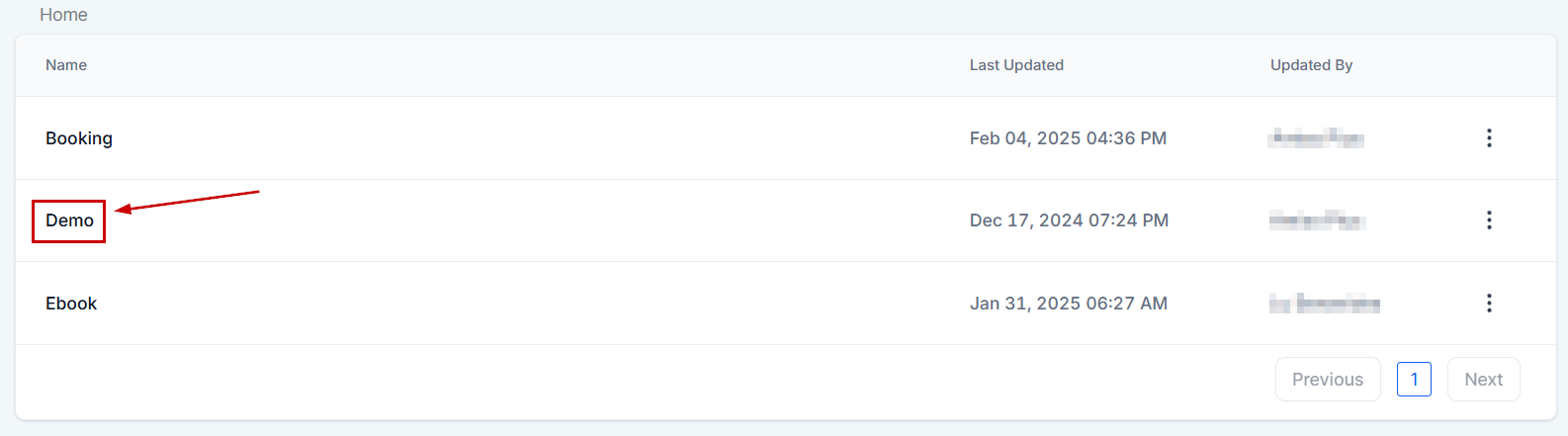
Select the Form/Survey you want to get the code for.
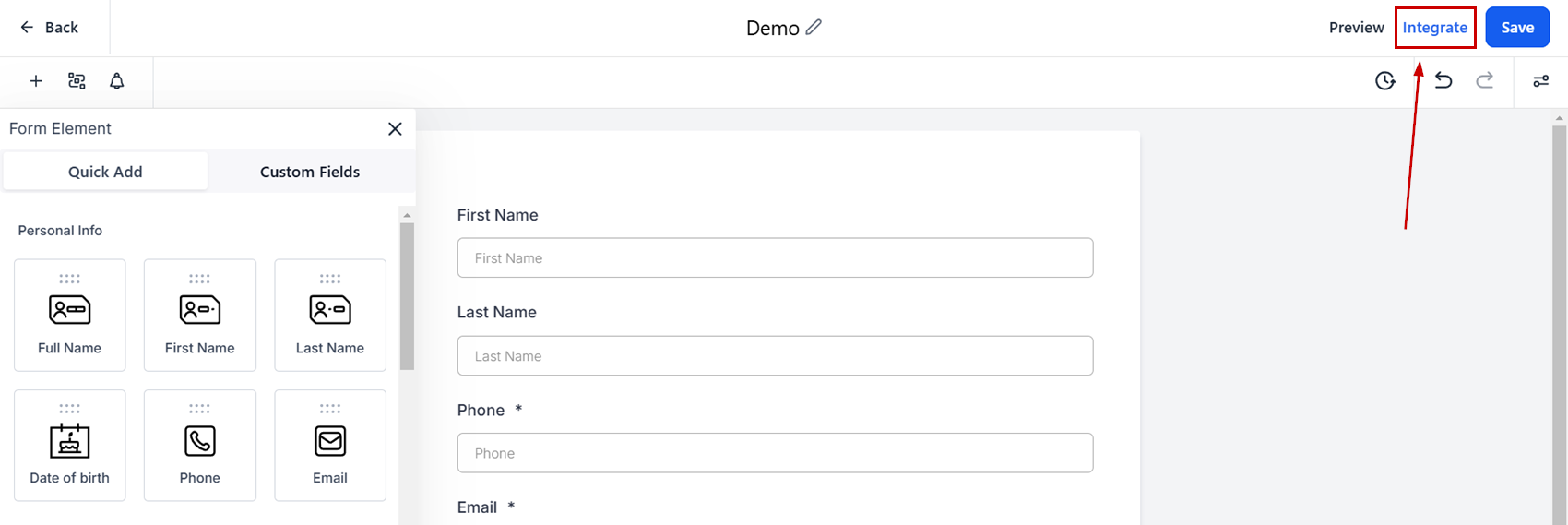
Click Integrate at the top right corner.
Select the layout type then click Copy embed code.
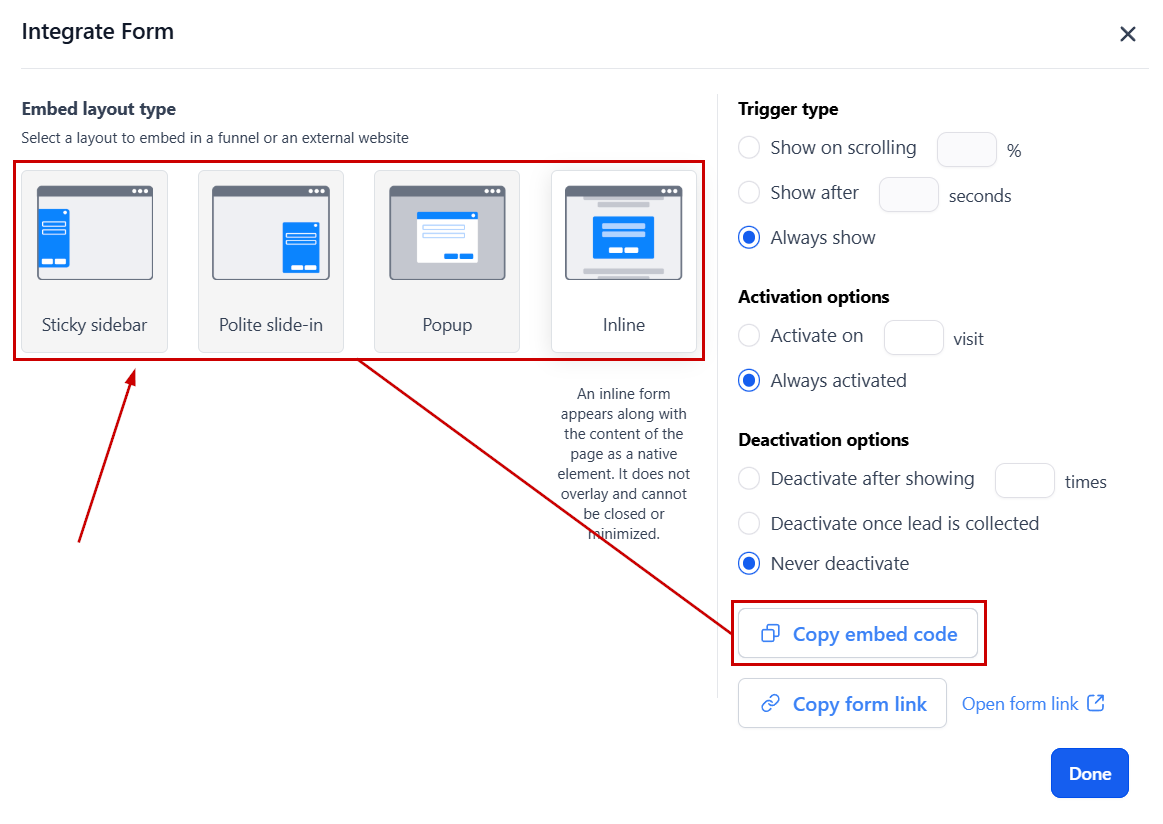
The embed code will be copied to your clipboard. Now you can head over to your website editor to paste the code element as you would normally. Creating an easy integration with your CRM even for external sites!
Was this article helpful?
That’s Great!
Thank you for your feedback
Sorry! We couldn't be helpful
Thank you for your feedback
Feedback sent
We appreciate your effort and will try to fix the article