Managing memberships and payments can be time-consuming if the information is scattered. Fortunately, your CRM offers a seamless way to consolidate all transactions from the Memberships section into the Payments section, giving you a single, unified view of all activities. This makes it easier to track both one-time and recurring payments in one place.
Transactions
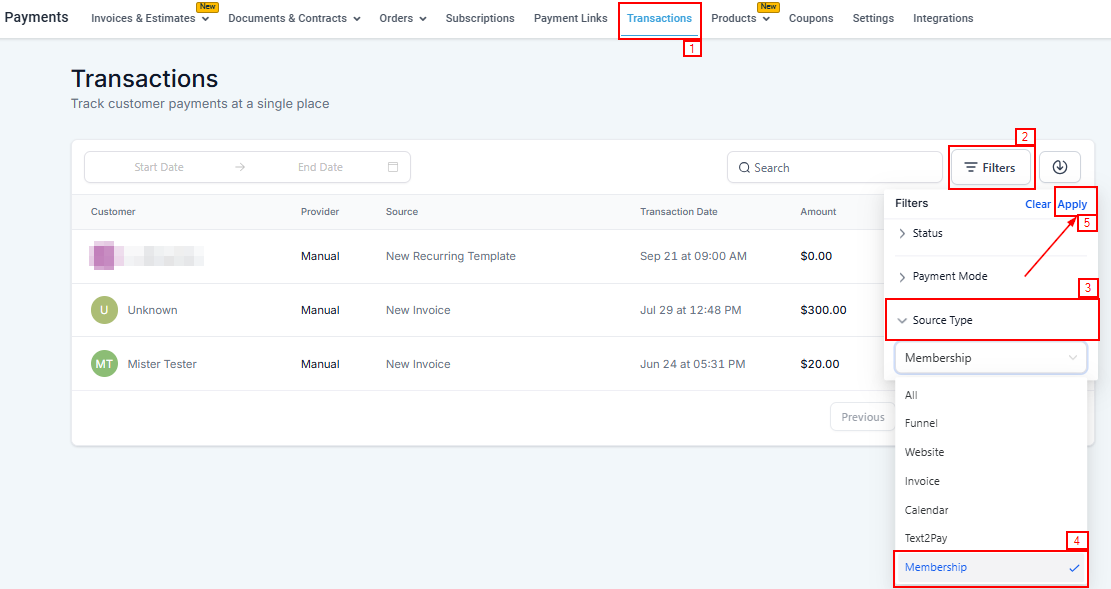
All membership-related transactions can be viewed under the Transactions tab within the Payments section. With the Membership filter, you can easily track and sort membership-related payments for better organization. Whether it’s a one-time payment or a recurring membership fee.
Remember to click Apply to activate the filter.
Subscriptions
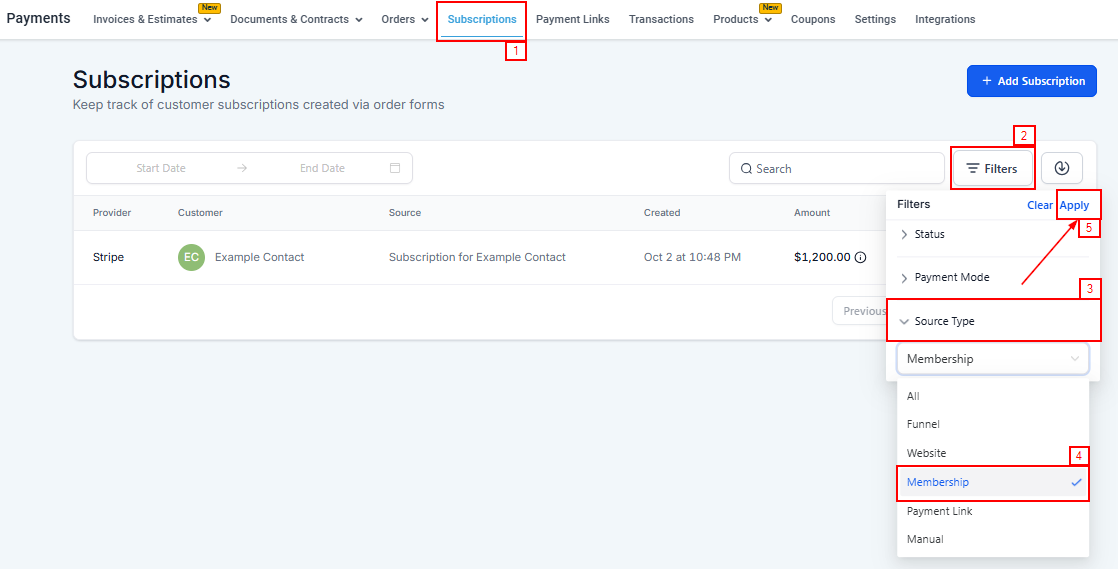
Any subscriptions created in the Memberships section will automatically appear under the Subscriptions tab within the Payments section. This allows you to monitor ongoing memberships and recurring payments without switching between sections. Remember to click Apply to activate any filters here as well.
Products
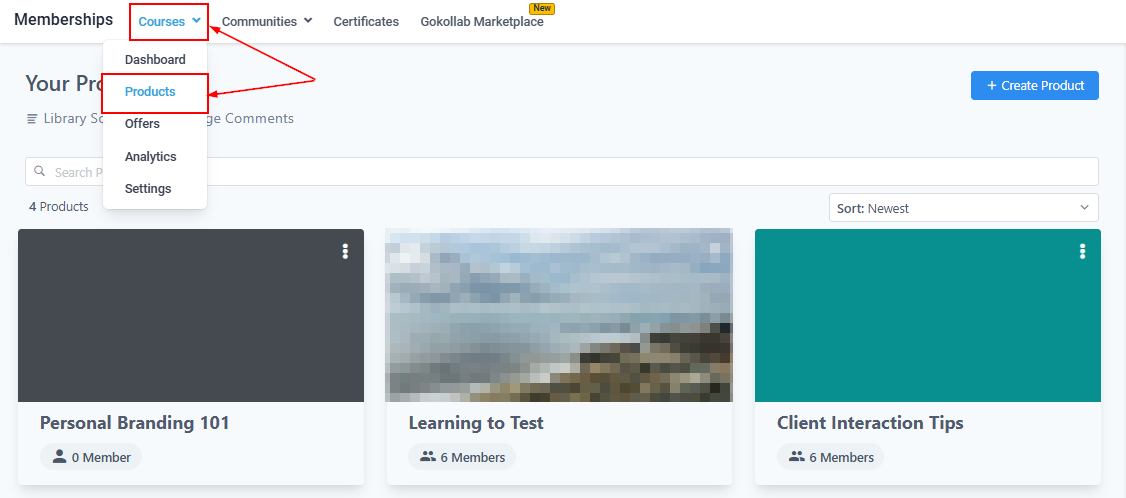
Every offer or pricing plan created within the Memberships section corresponds to a Product/Price listing under Payments. This provides a comprehensive view of all membership offers and their associated pricing details.
With all transactions, subscriptions, and products consolidated under the Payments section, managing memberships has never been easier. This simplifies the process, allowing you to track and filter payments efficiently, ensuring a better experience for both you and your members.
Was this article helpful?
That’s Great!
Thank you for your feedback
Sorry! We couldn't be helpful
Thank you for your feedback
Feedback sent
We appreciate your effort and will try to fix the article