The Update Contact Field workflow action empowers users with the ability to modify a particular field within a contact's record. This feature enables efficient management of contact information, ensuring that your database remains current and accurate, ultimately contributing to improved communication and stronger relationships with your contacts.
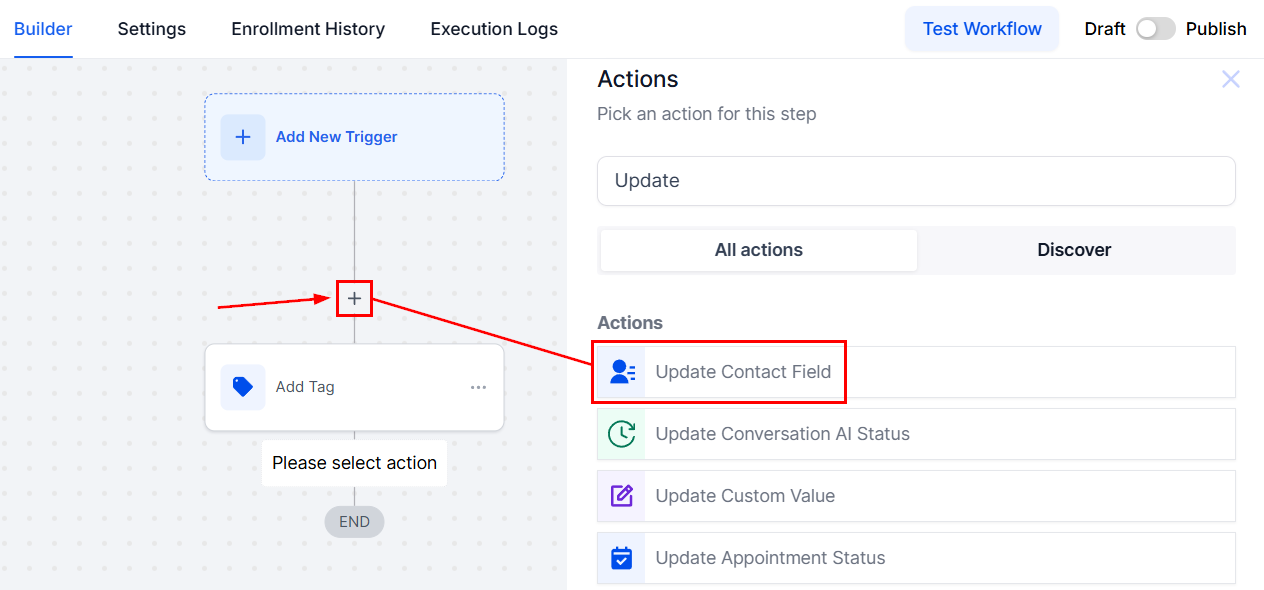
To begin, click on the designated + icon to add a new workflow action and select Update Contact Field.
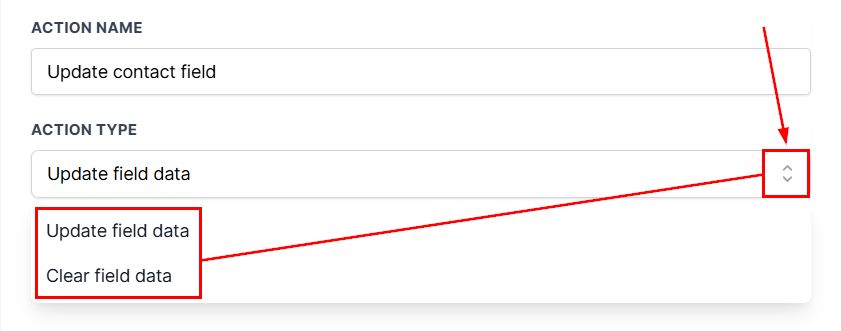
From there, users can choose to update the field data or clear existing field data.
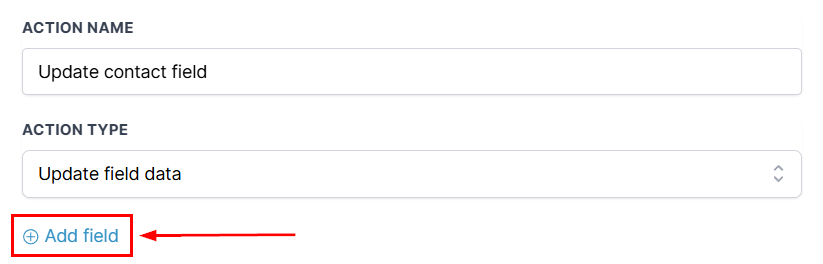
Next, click +Add Field.
If choosing to update field data, users can select between all field options and input the data to be updated.
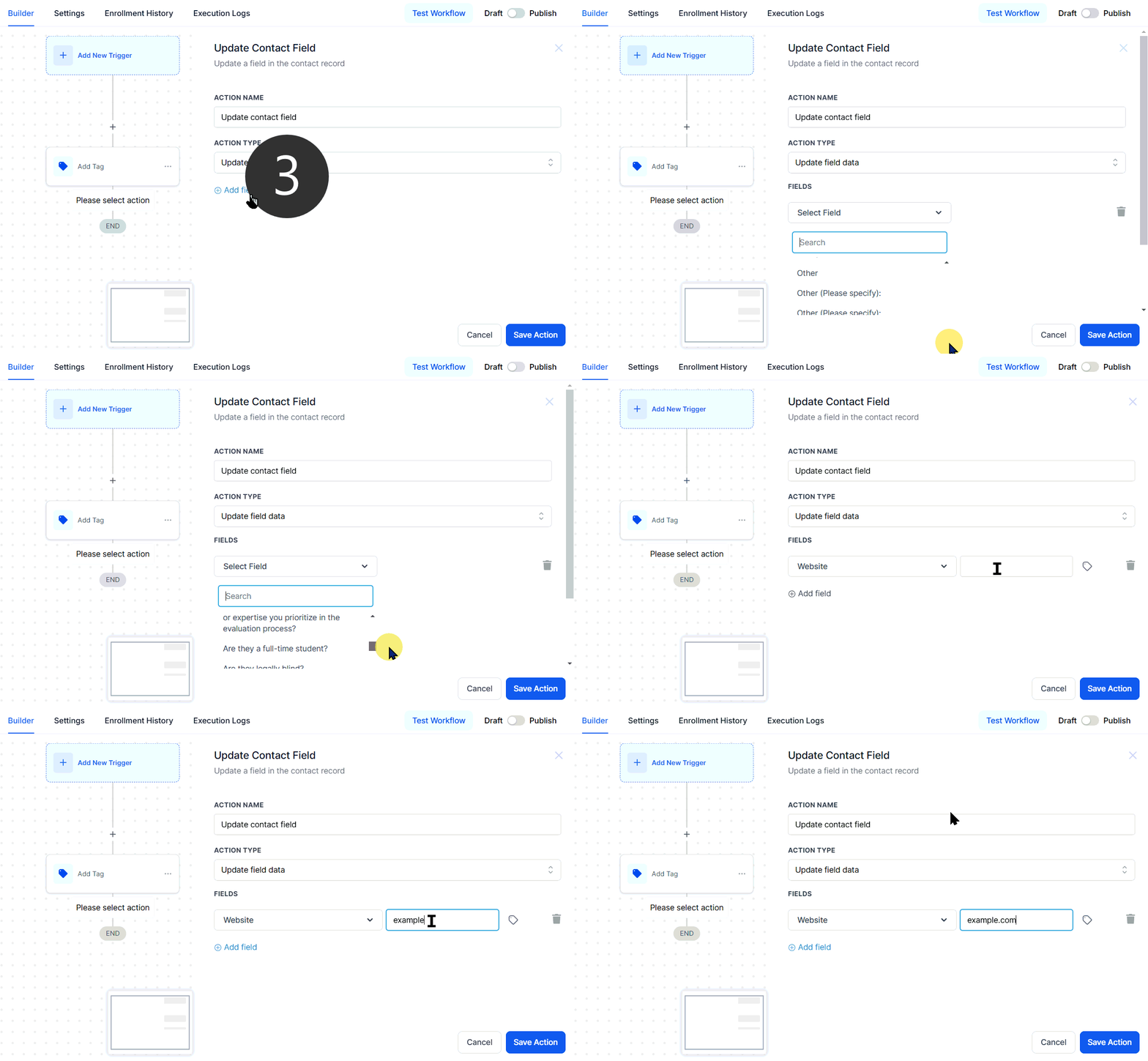
If choosing to clear data simply select the field you want to clear.
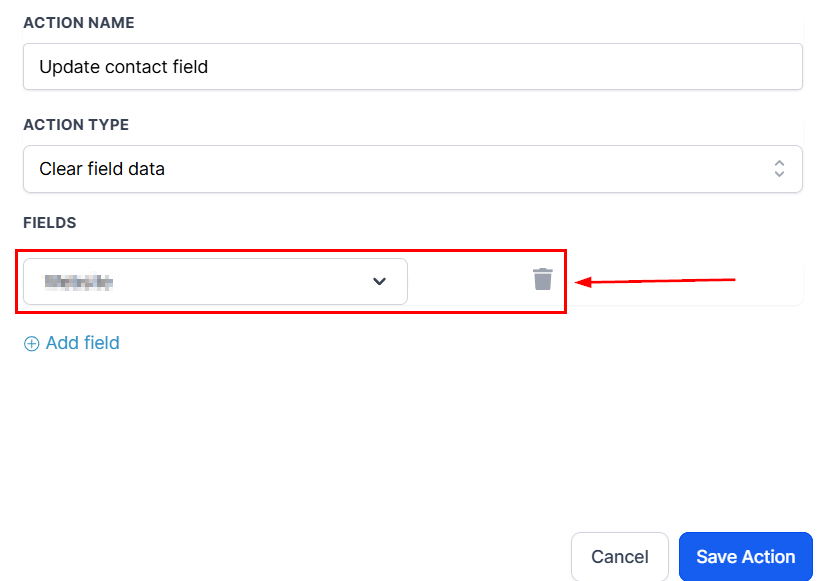
Click + Add field again if there's more than one field to be updated.
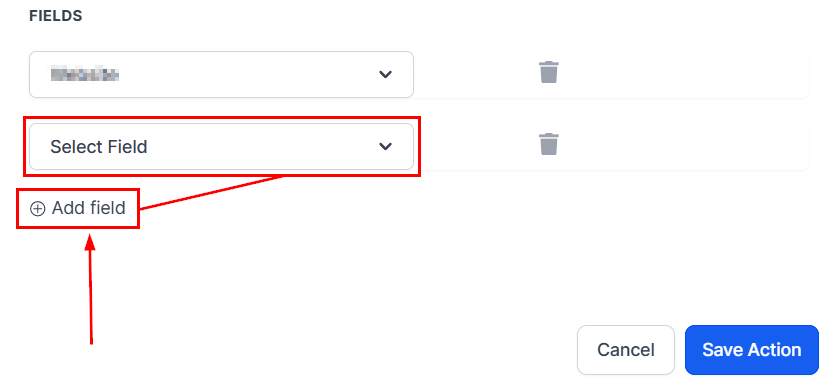
And there you have it, now you can click Save Action and continue on with your workflow creation.
Note: Make sure you've established a workflow trigger before publishing. Without both an action and a trigger, you will only be able to save the workflow, not publish it.
Was this article helpful?
That’s Great!
Thank you for your feedback
Sorry! We couldn't be helpful
Thank you for your feedback
Feedback sent
We appreciate your effort and will try to fix the article