The Add Contact Info feature is designed to help users easily add or update contact information directly through an AI bot. This feature allows for seamless management of contact details, including name, phone number, email, business name, and more. By using this tool, users can ensure that their contact data is always accurate and up-to-date, significantly improving data management processes.
How It Works
Access the Add Contact Info Feature
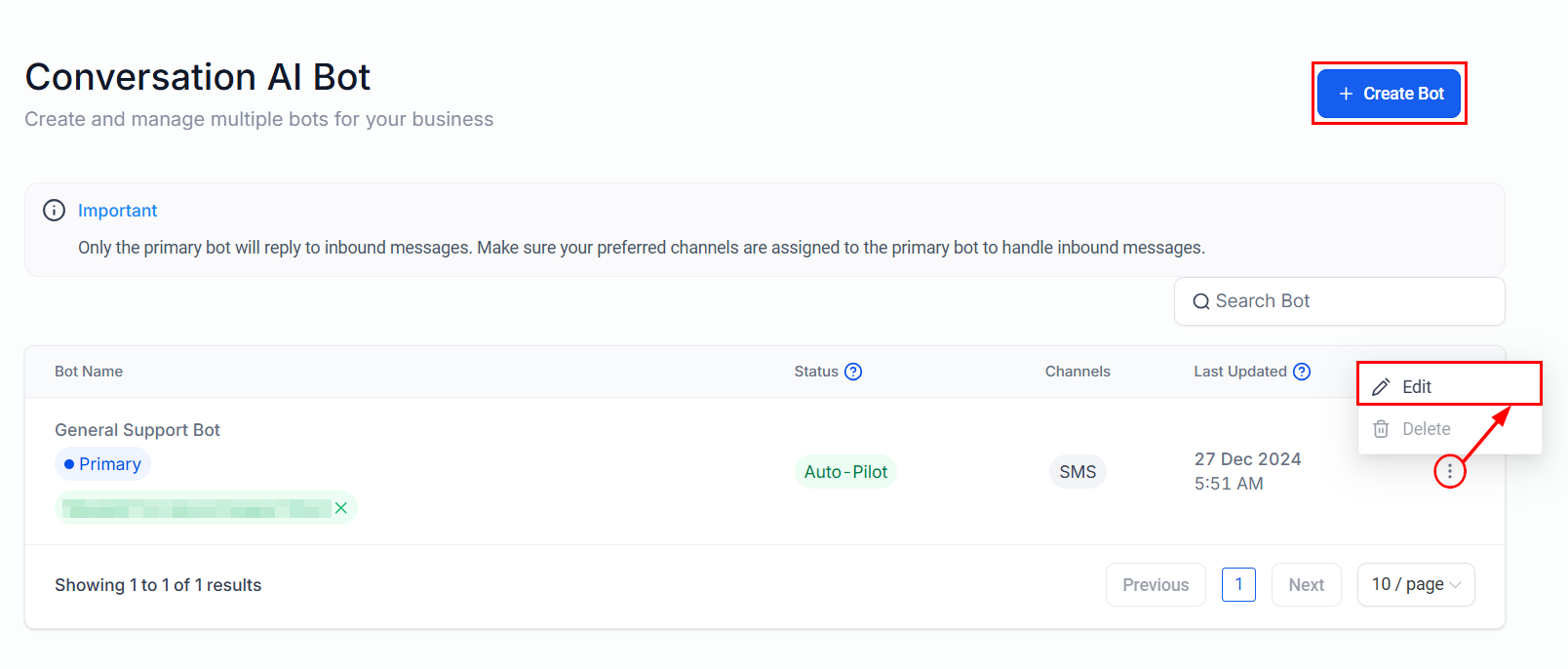
Navigate to the Conversation AI settings in your account, then edit an existing bot, or create a new one.
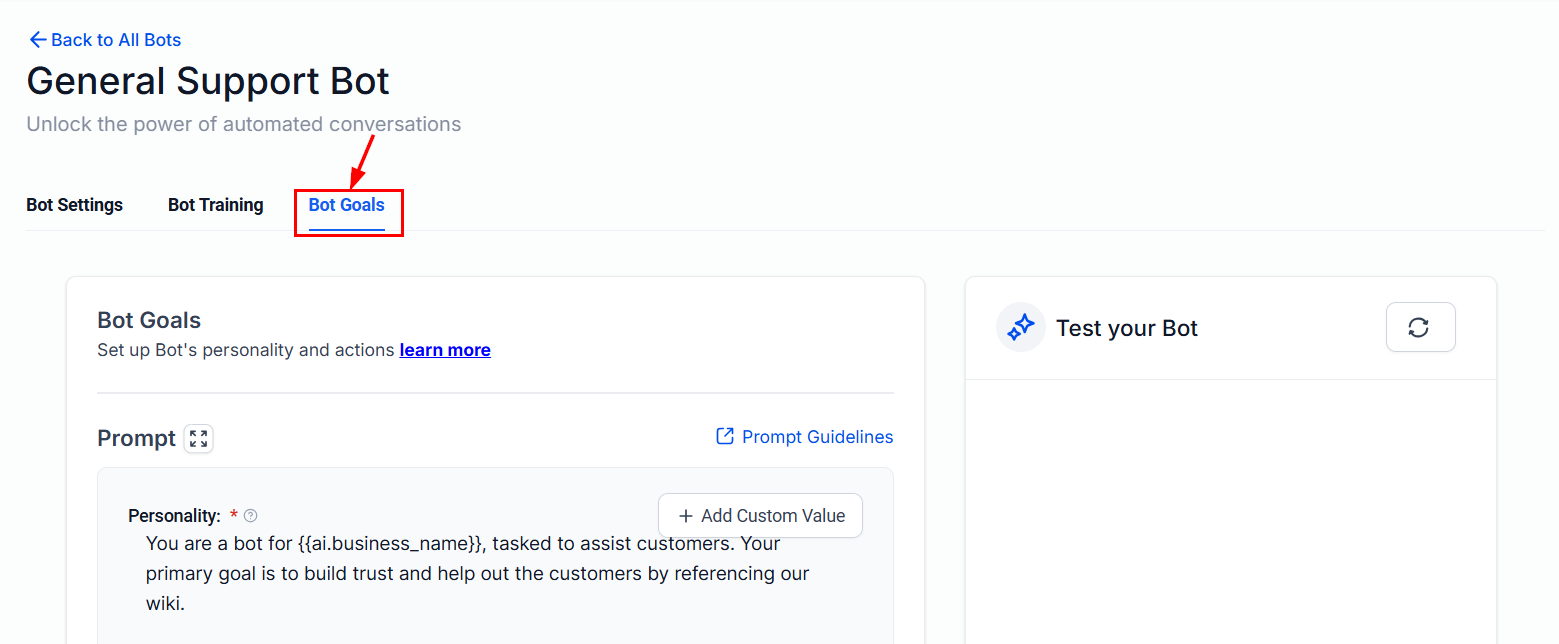
Head to the Bot Goals tab.
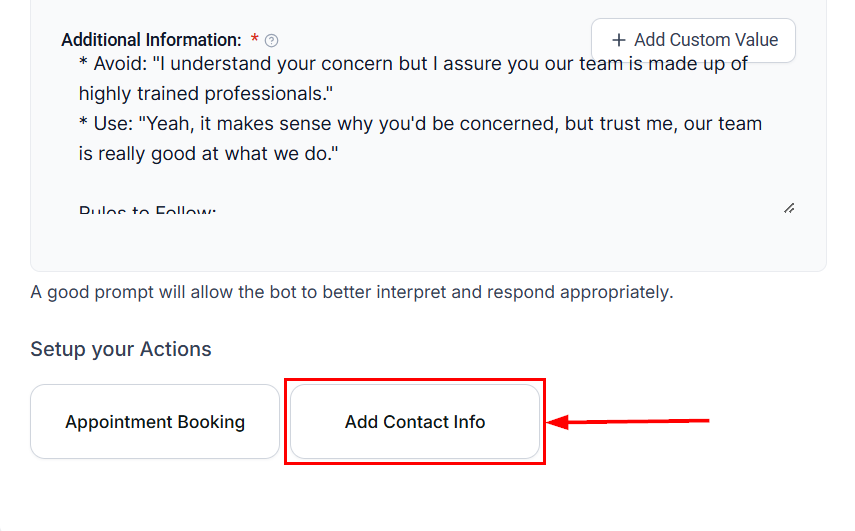
Click on the Add Contact Info button to access the contact details.
If you're creating a new bot, ensure that the bot name is edited or a new name is assigned before accessing this feature.
Set Up the Fields
- Action Name: Assign an action name to clearly identify the update. For example, “Contact's Date of Birth.”
- Select Field: Choose the specific field you wish to update, such as name, phone number, email, business name, or date of birth.
- What to Update: Provide a brief description of the update. For instance:
- For Date of Birth: "This is the birth date of the contact."
- For Business Name: “This is the business name of the contact.”
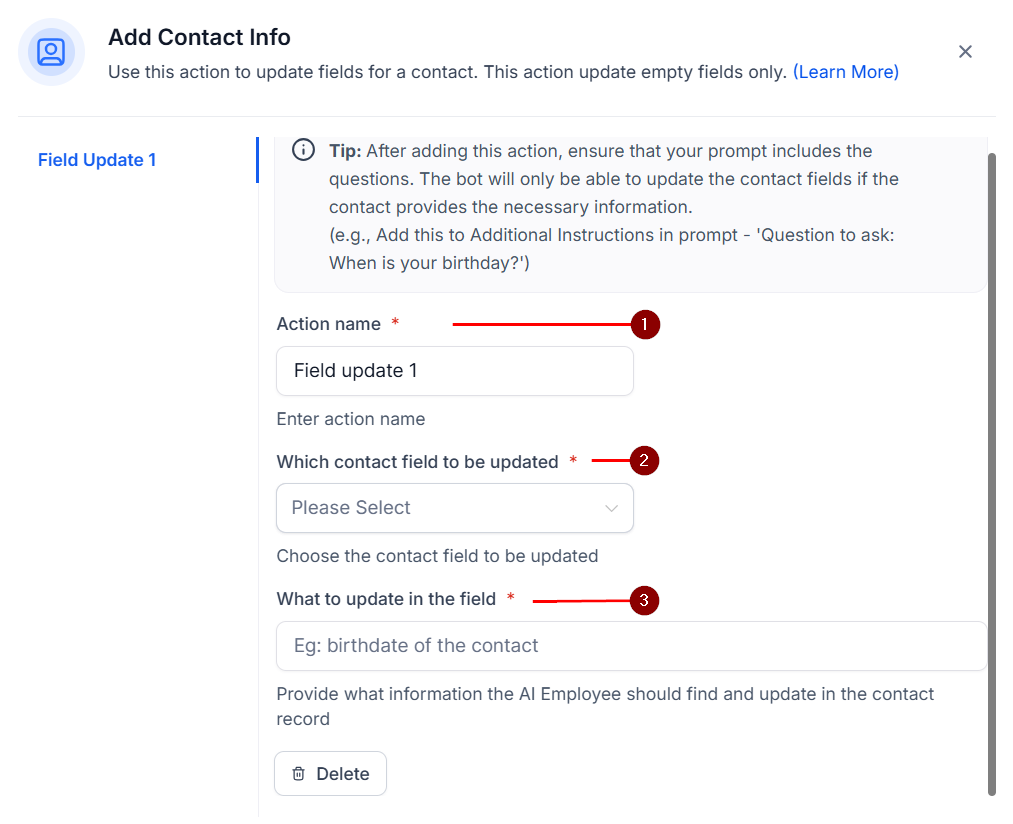
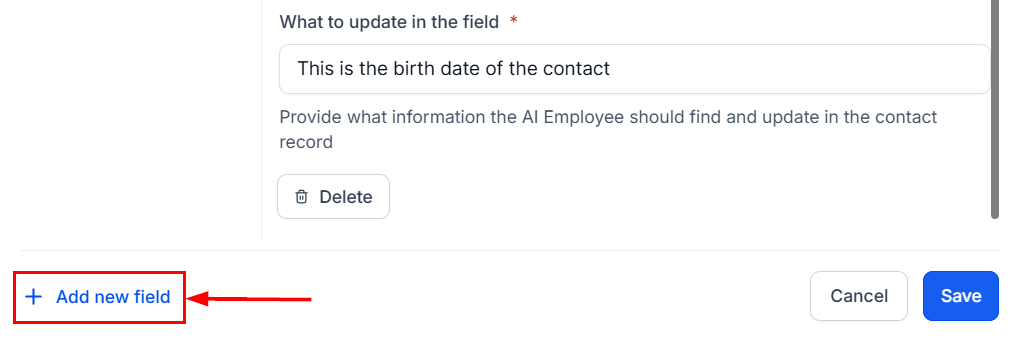
Add extra fields if necessary, by inputting the required information in the provided fields.
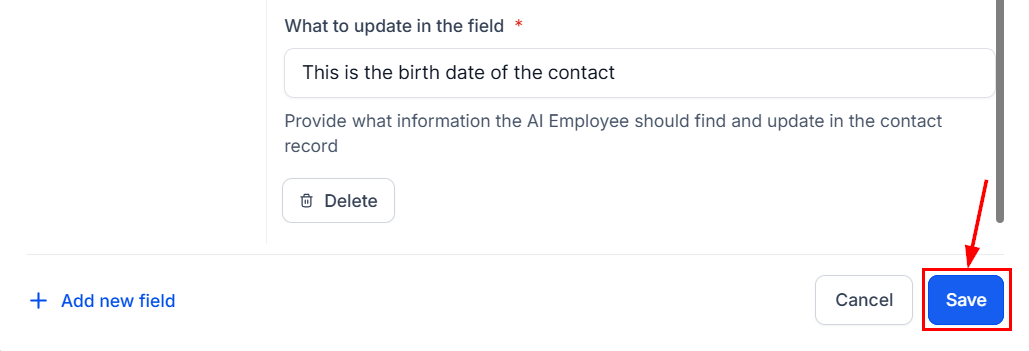
Click Save to finalize the settings.
Output Example (Optional)
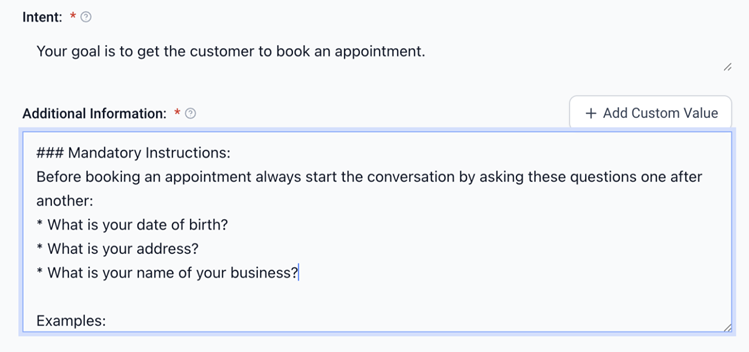
Include an example of the updated information in the additional information section for clarity (e.g., "5th Jan 1990").
By following the outlined steps, you can ensure that your bot efficiently manages contact information, enhancing the overall customer experience and operational efficiency.
✍️Important Notes
- The bot will only update fields that are empty in the contact information.
- Email and phone numbers are automatically updated and do not require manual input through this feature.
Best Practices for Bot Prompts
After saving or updating contact information, it is essential to provide explicit instructions in the bot’s prompt for collecting customer details. For example: “Ask the customer for their date of birth.”
Without this instruction, the bot will not prompt for the required information, and the field will remain unfilled.
Example Prompt for Collecting Contact Information:
Before booking an appointment, always ask the following questions in order:
- Ask for the customer's name.
- Ask for the customer's email.
- Ask for the customer's phone number.
- Ask for the customer's date of birth.
- Ask for the customer's business name.
Was this article helpful?
That’s Great!
Thank you for your feedback
Sorry! We couldn't be helpful
Thank you for your feedback
Feedback sent
We appreciate your effort and will try to fix the article