The Snippets section under the Marketing tab allows you to craft text messages and email templates, streamlining your team's ability to rapidly address common inquiries regarding your products or services. It is important to note that templates remain uniform across the entire CRM, and you can modify them in both Email Marketing and Conversations sections.
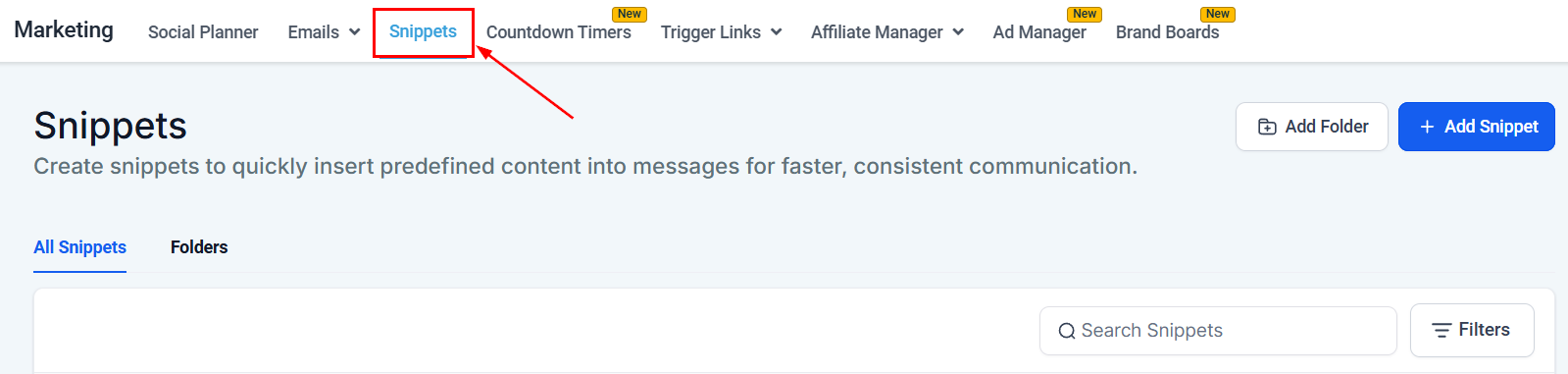
All Snippets
Within this section, you'll have the ability to create as well as modify any existing templates you've created.
Text Snippets
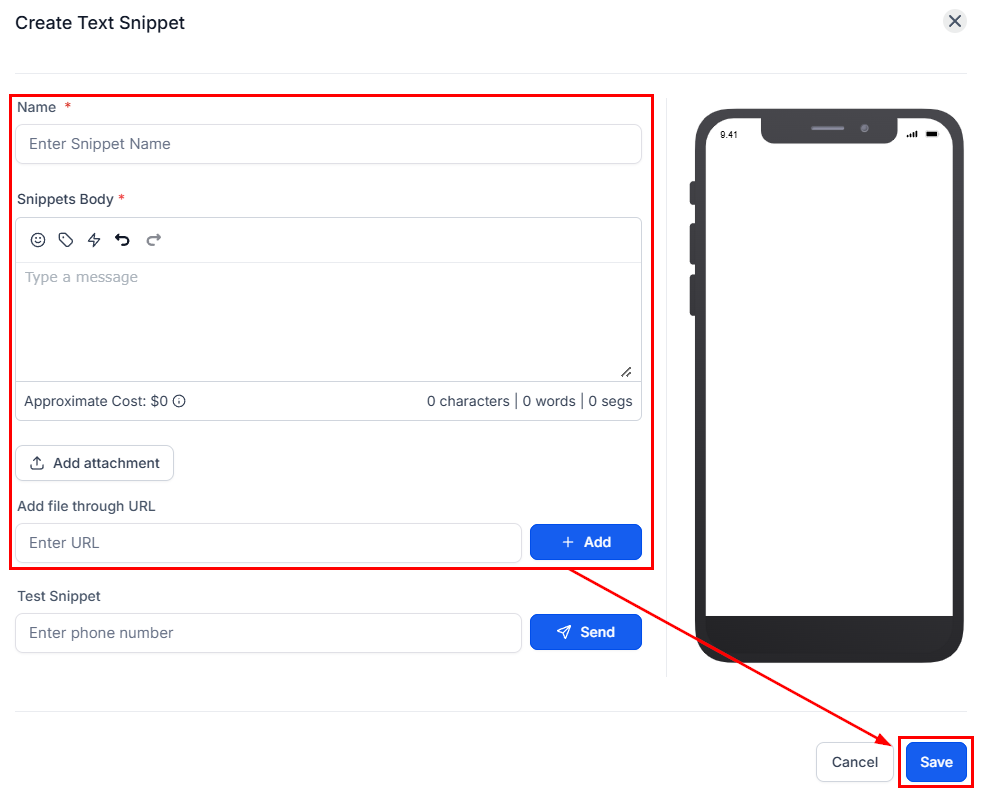
These snippets allow you to send and respond to SMS, Facebook DMs, Instagram DMs, and short chat messages in general. To create them click +Add Snippet and select Add Text Snippet.

Fill out the template's information then click Save.
Email Snippets
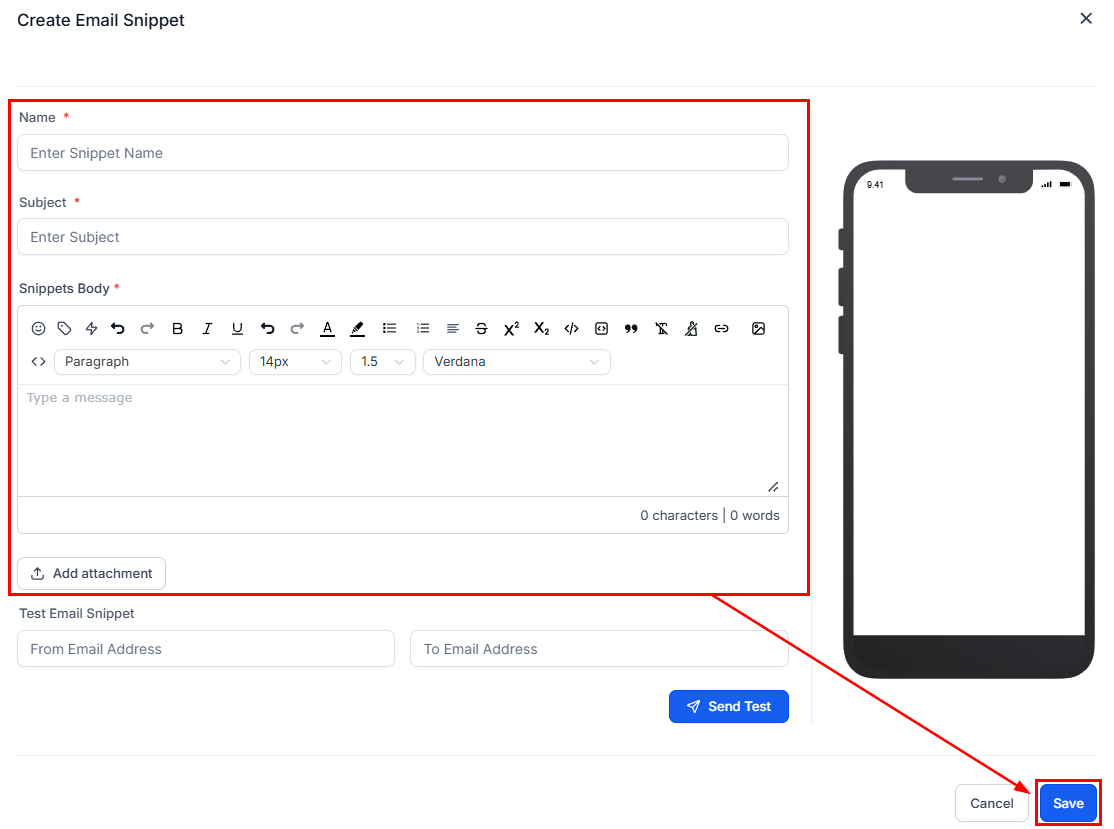
These will be simple email templates, unlike the ones used for email campaigns, they are meant for quick responses for things like a refund confirmation that don't need many media elements. To create them click +Add Snippet and select Add Email Snippet.

Fill out the template's information then click Save.
Interacting With Snippets
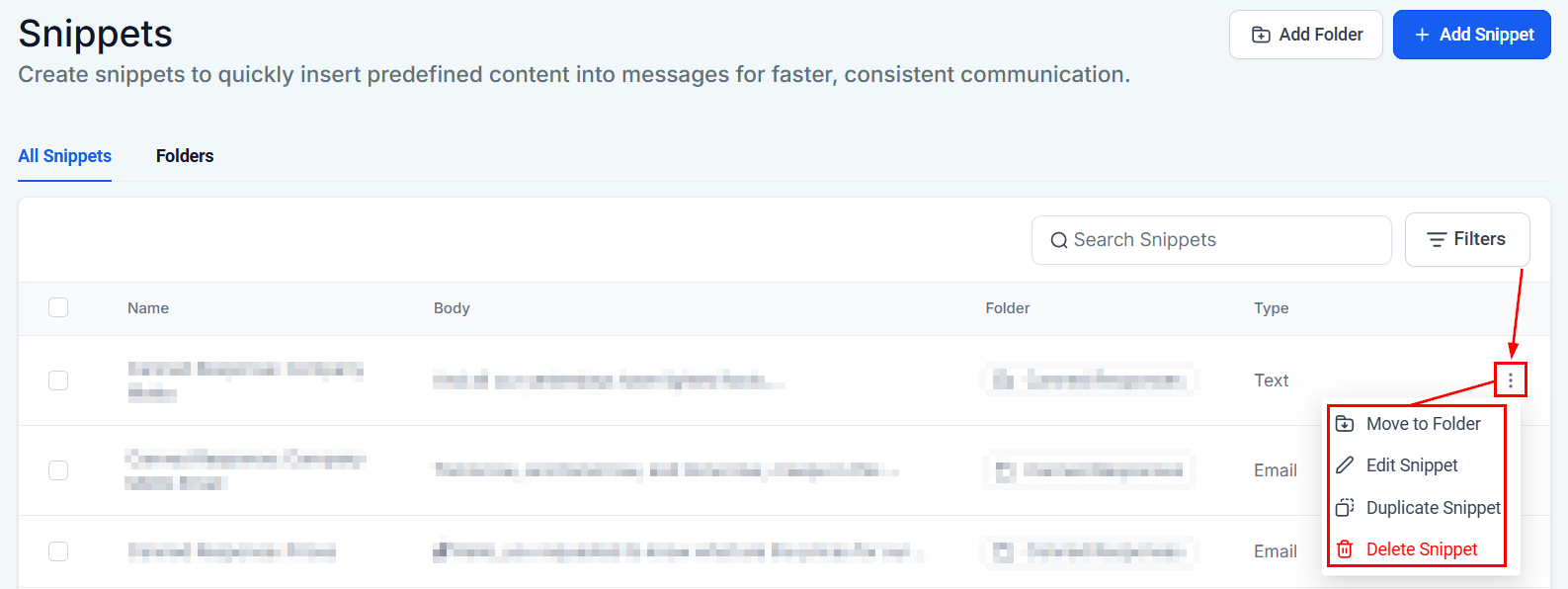
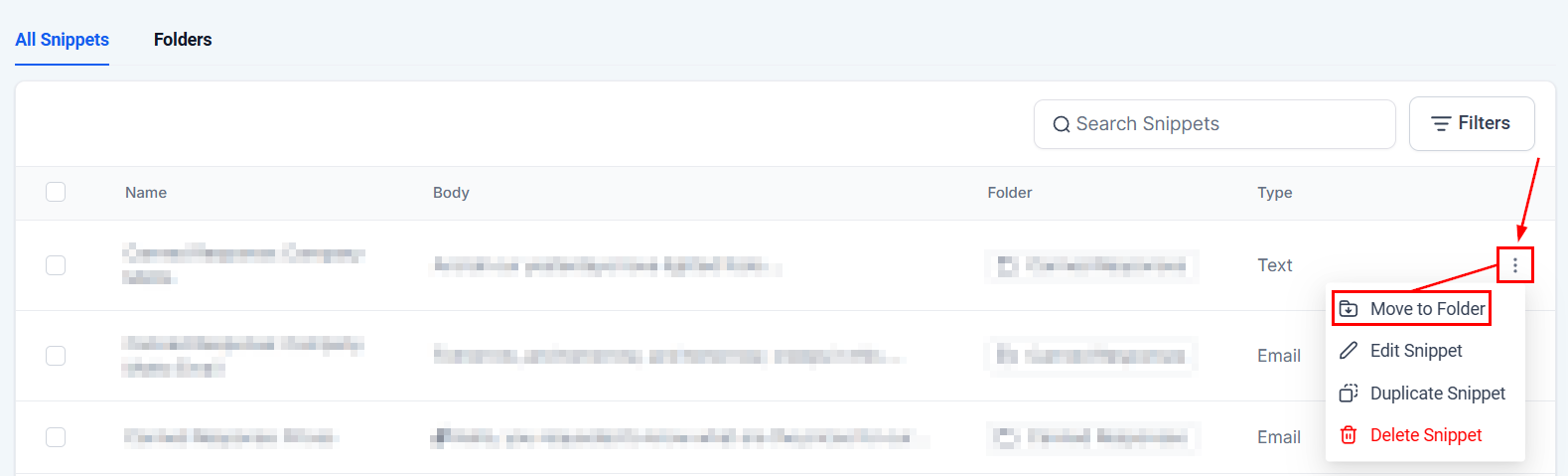
Once a snippet has been created you can click the three dots icon next to it to move, edit, duplicate, or delete the template.
Folders
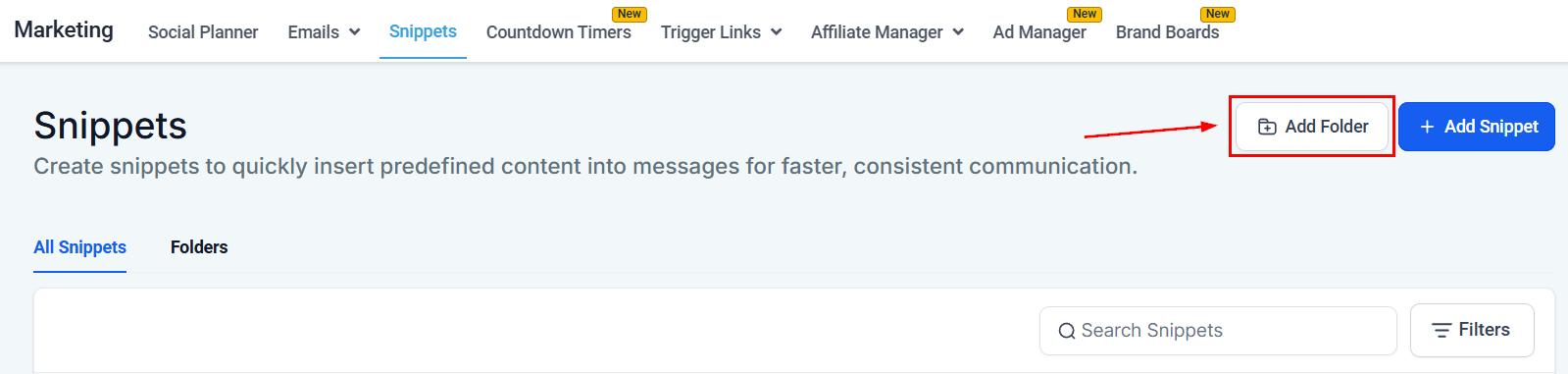
Folders allow you to organize the snippets into groups, to create them click +Add Folder.
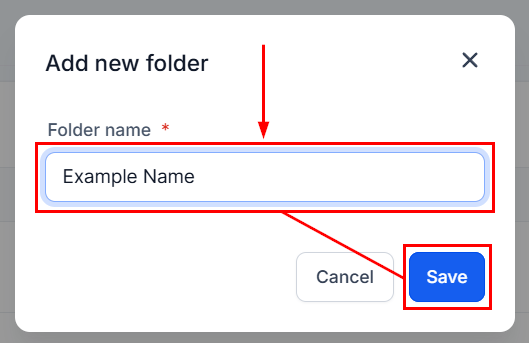
Add the folder name then click Save.
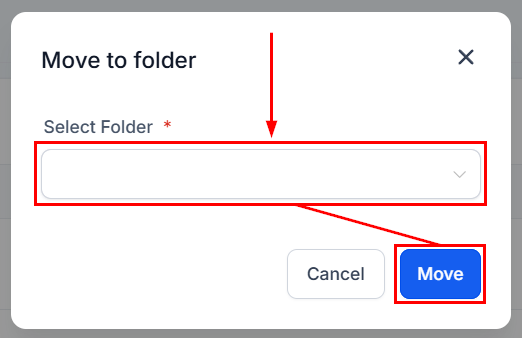
To add templates to a folder click the three dots icon next to it and select Move to Folder.
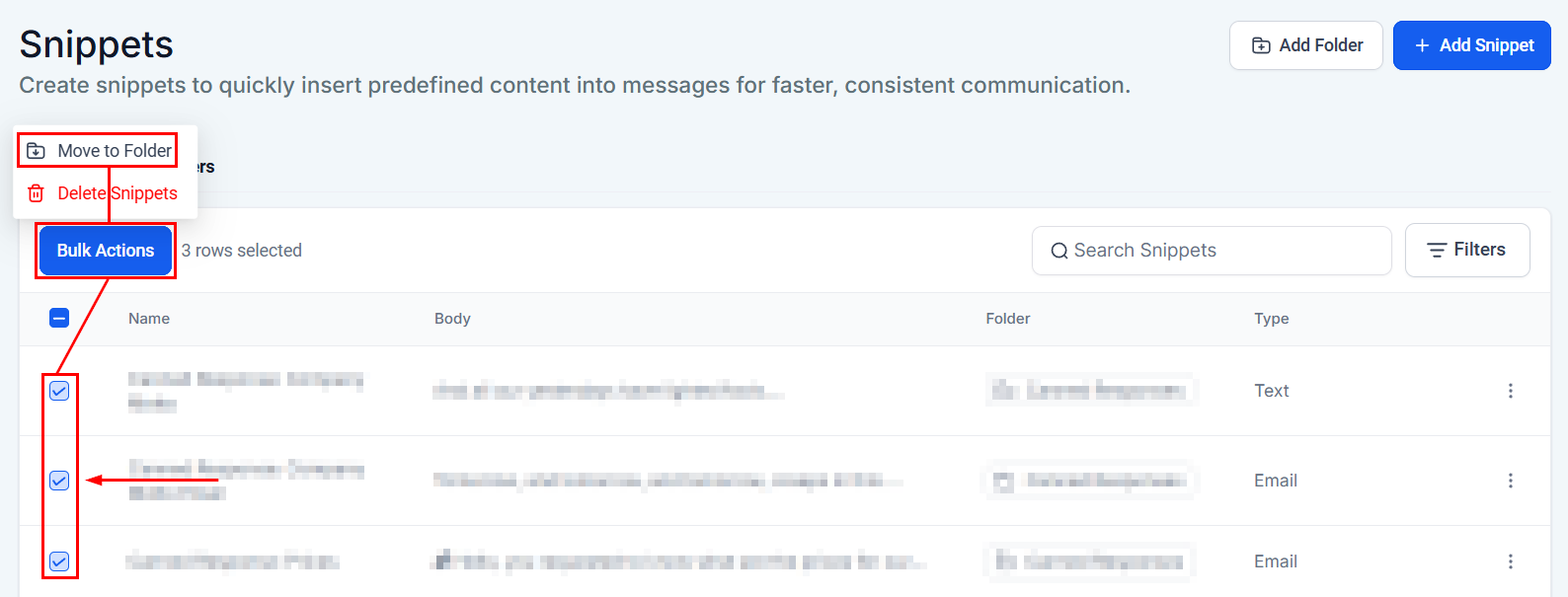
If you'd like to add several templates at once check the box next to the desired templates, click Bulk Actions, and select Move to Folder.
Select your desired folder then click Move.
Utilizing Text and Email templates is an excellent strategy for streamlining repetitive correspondence, ultimately saving you valuable time. These versatile templates can be employed in numerous contexts, such as within workflows or during conversations, making them a highly useful tool for enhancing your communication efficiency.
Was this article helpful?
That’s Great!
Thank you for your feedback
Sorry! We couldn't be helpful
Thank you for your feedback
Feedback sent
We appreciate your effort and will try to fix the article