Limiting pain points in your booking process goes a long way in growing your business. Allowing customers to discover and book services without leaving the Google search results page does that. With Google Organic Booking, clients can schedule appointments directly from Google through a business's Google My Business (GMB) profile, enhancing the convenience of the booking experience.
To use Google Organic Booking, you must connect an active and verified Google Business Profile to your Integrations and have at least a Service calendar.
Setting it Up
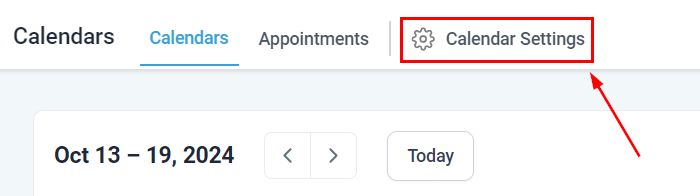
Navigate to the Calendar Setting tab inside the Calendar section.
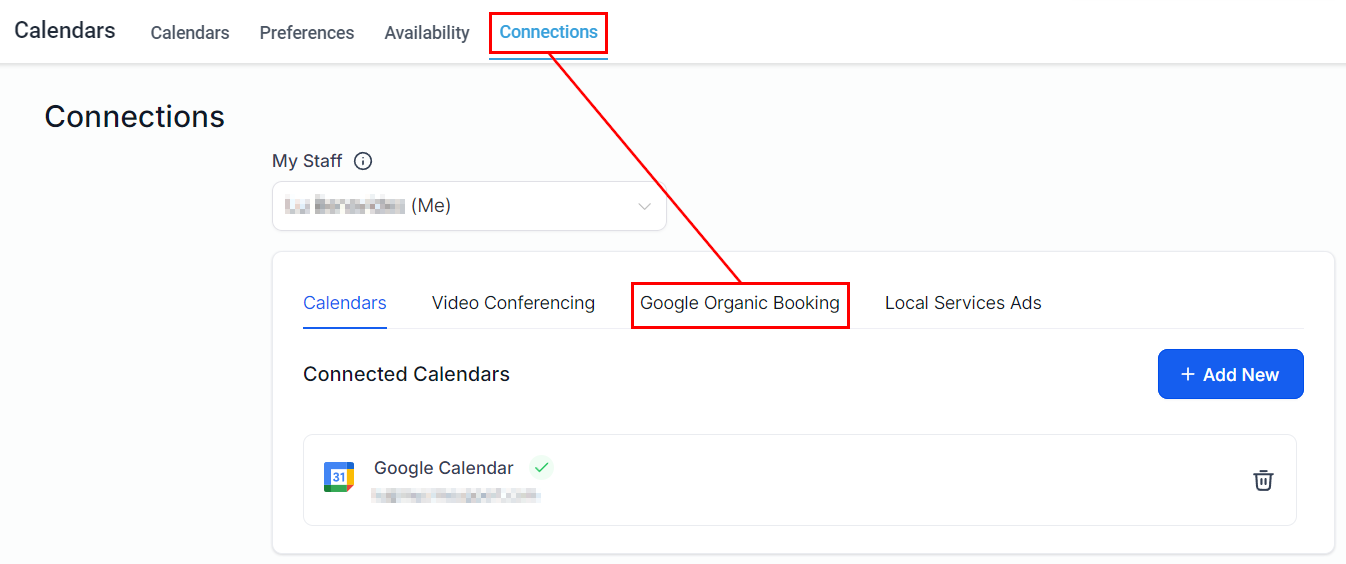
Inside the settings head to the Connections tab and select the Google Organic Booking option.
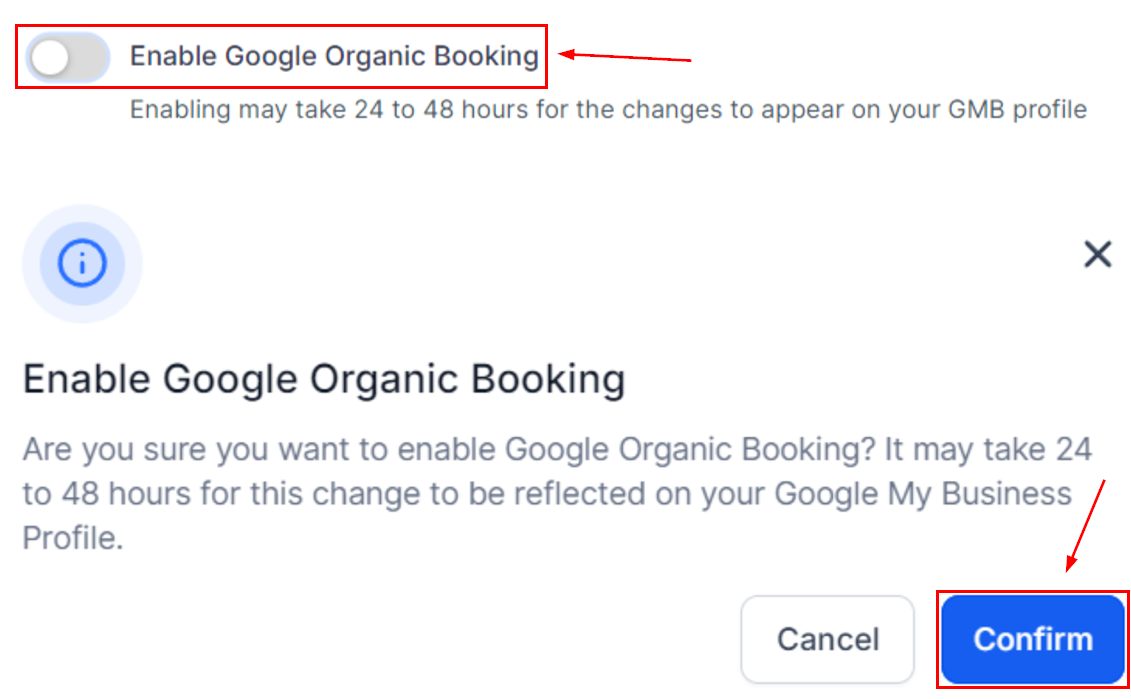
Toggle Enable Google Organic Booking then click Confirm on the pop-up window.
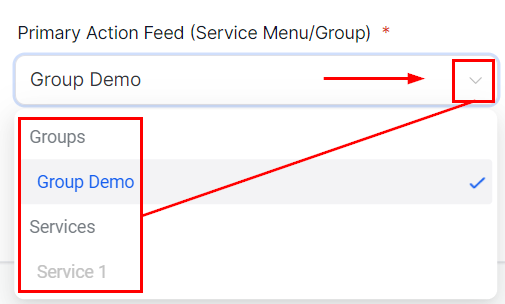
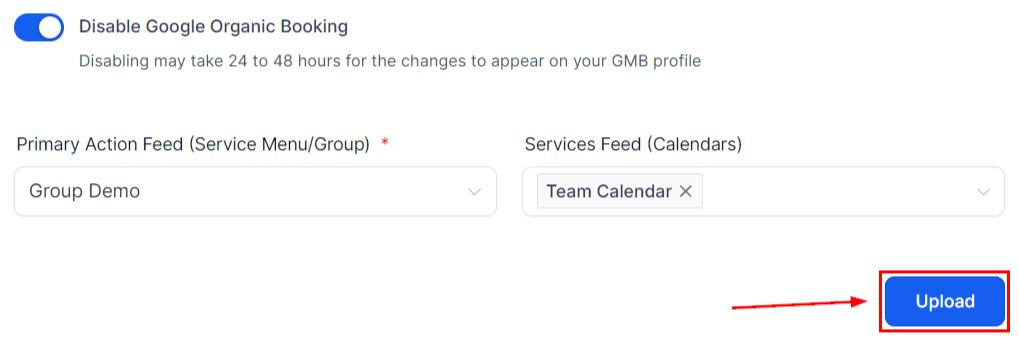
Select a Group or Service from the Primary Action Feed dropdown menu.
Select the calendars you'd like to connect from the Services Feed menu.
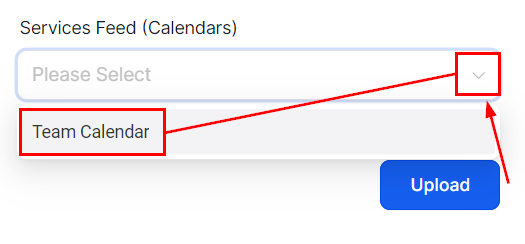
Once selected click Upload to update your Google listing.
It typically takes 1-2 weeks for the feeds and profiles to undergo initial verification. During this time, accuracy in descriptions and link selections is key.
Tips for Success with Google Organic Booking
- Clear Descriptions: Ensure your services and calendars have concise descriptions matching their names.
- Link Accuracy: Select only service menus or groups in the Primary Action Feed and Individual Service Links.
- Regular Updates: Keep your information current. Update offerings and descriptions for accuracy.
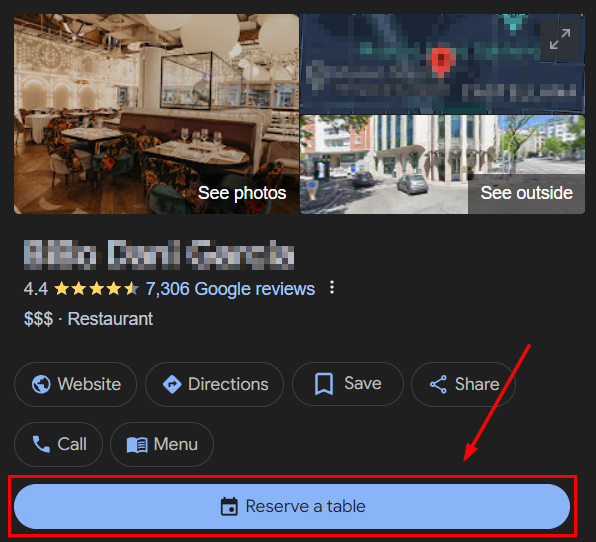
When successfully connected your GMB page will show up as a booking business, its text will vary depending on the industry you service.
Google Organic Booking transforms the booking experience, putting your business on the map directly within Google's ecosystem. By following these steps and tips, you're not just offering a service but crafting a seamless and accessible booking journey for your customers. Stay visible, stay booked!
Was this article helpful?
That’s Great!
Thank you for your feedback
Sorry! We couldn't be helpful
Thank you for your feedback
Feedback sent
We appreciate your effort and will try to fix the article