An XML sitemap is a file that provides a structured list of all the pages on a website, designed to help search engines crawl and index the content more efficiently. It is written in XML (eXtensible Markup Language) and typically includes metadata about each URL, such as when it was last updated, how frequently it changes, and its relative importance to other pages on the site. By submitting an XML sitemap to search engines, you can ensure that search engine bots can easily discover and index all important pages, which can improve the site's search engine visibility and overall SEO performance.
To incorporate an XML sitemap into a domain, first head to the Settings section. From there, select Domains on the left-hand side menu.
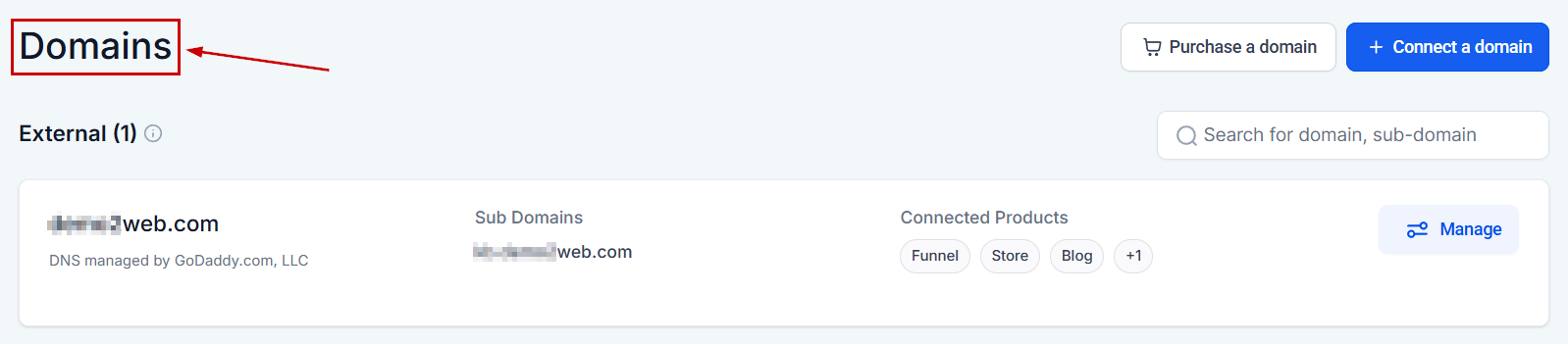
Add XML Sitemap
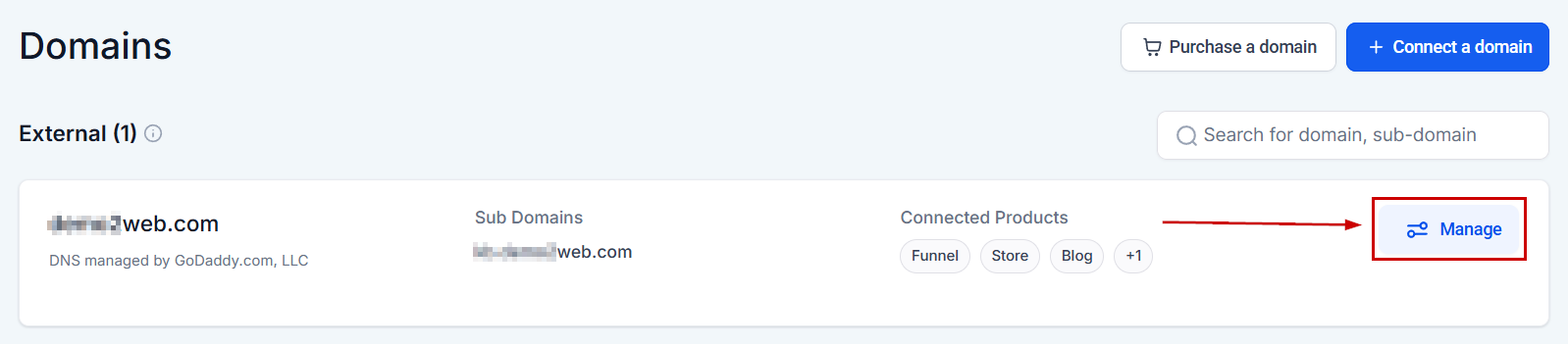
Next, locate the specific domain you'd like to add the sitemap to and click Manage.
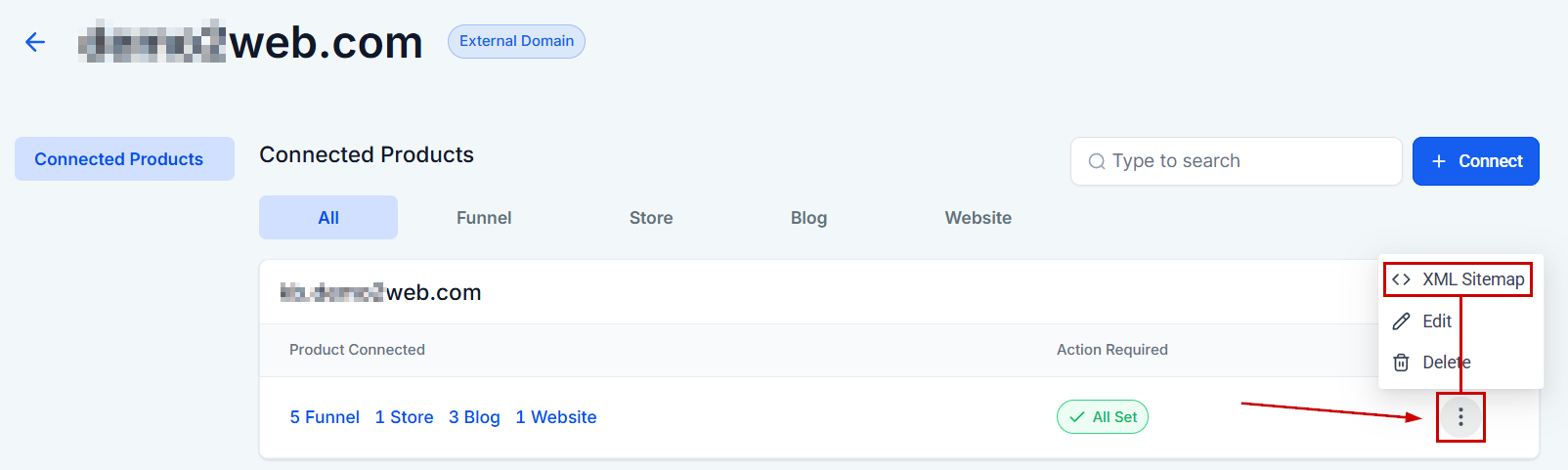
Open the 3-dot menu to access the XML sitemap option.
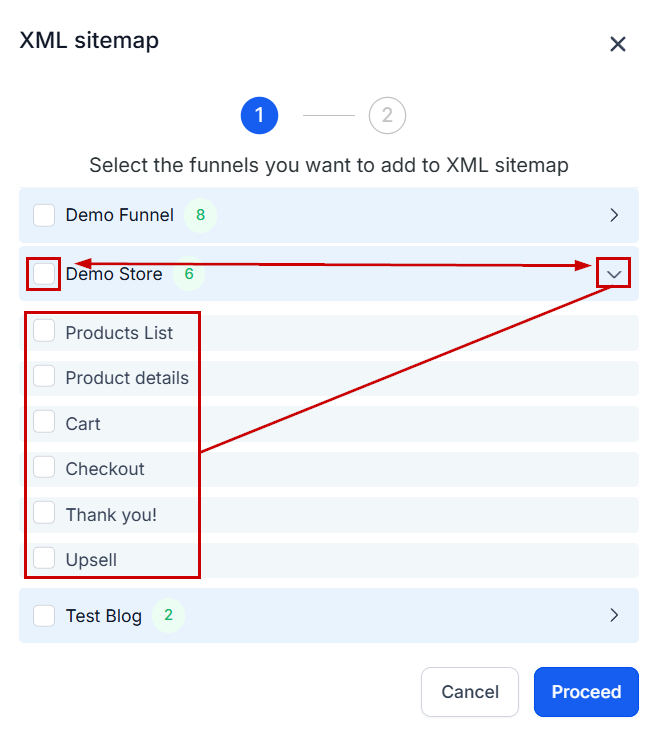
Sitemap Generator
Clicking on XML Sitemaps will open a pop-up containing the sitemap generator, where you can view all websites or funnels associated with the domain. From there, you can select or deselect the desired websites or funnels. Upon opening a specific funnel or website, you will see a list of pages within it, allowing you to choose which pages to include or exclude from the sitemap. Once you have made your selections, click the "Proceed" button.
?Note: Only choose the website and funnel pages you want Google to crawl and associate with that domain.
Custom XML Sitemap
This is the custom URL path assigned to your XML sitemap upon creation. It is fully configurable and can be updated at any time. If you make any changes to this URL path, be sure to resubmit your sitemap to Google for re-crawling.
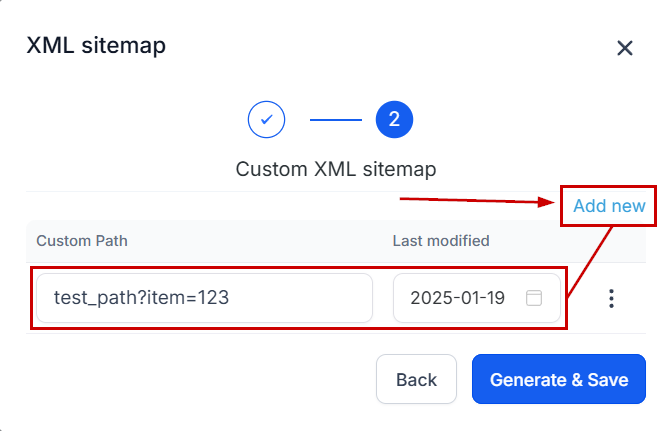
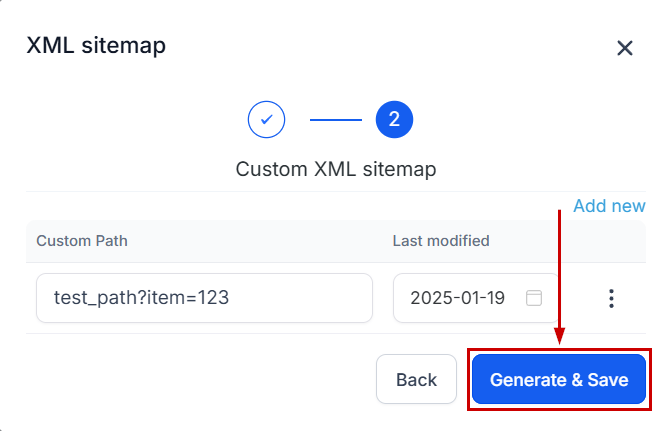
Once you are ready to proceed, click the "Generate & Save" button to create the sitemap.
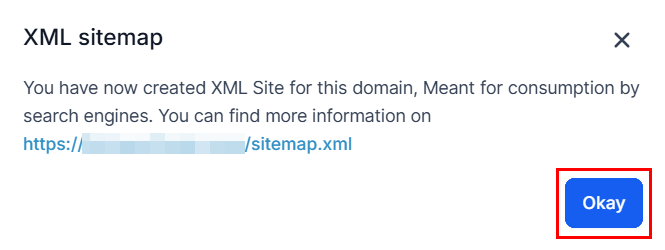
Submit the URL provided in the popup to your Google Search Console account, informing Google that you want them to crawl and index your pages.
Afterward, click “Okay” to return to your domains list.
By following these steps, you can seamlessly add an XML Sitemap to your domain to improve the site's search engine visibility and overall SEO performance.
✍️Important Notes
- If your site's pages are properly linked, Google can typically discover most of your content. However, a sitemap can enhance the crawling process, especially for larger, more complex sites or specialized files.
- While submitting a sitemap does not guarantee that all items within it will be crawled and indexed—since Google's crawling schedule is determined by complex algorithms—it generally benefits your site. Additionally, having a sitemap will never result in penalties.
Was this article helpful?
That’s Great!
Thank you for your feedback
Sorry! We couldn't be helpful
Thank you for your feedback
Feedback sent
We appreciate your effort and will try to fix the article