The Blog Importer is designed to simplify the process of transferring blog posts to your account. By following the process outlined below, you can map essential fields like titles, categories, and authors, and decide whether to publish or save the blogs as drafts.
Pre-Checks Before You Begin
To ensure a smooth import process, verify the following:
- Sitemap Availability: Confirm that the blog has a sitemap for posts. For instance, if your blog is hosted at blog.abc.com, ensure a sitemap exists at blog.abc.com/sitemap.xml.
- Accurate CSS Mapping: If any fields are incorrectly mapped, prepare to adjust them manually using CSS selectors
How It Works
Set Up Your Import
Navigate to Sites > Blogs and create a new Blog Site or access an existing Site by clicking its name in your Blog Site List.
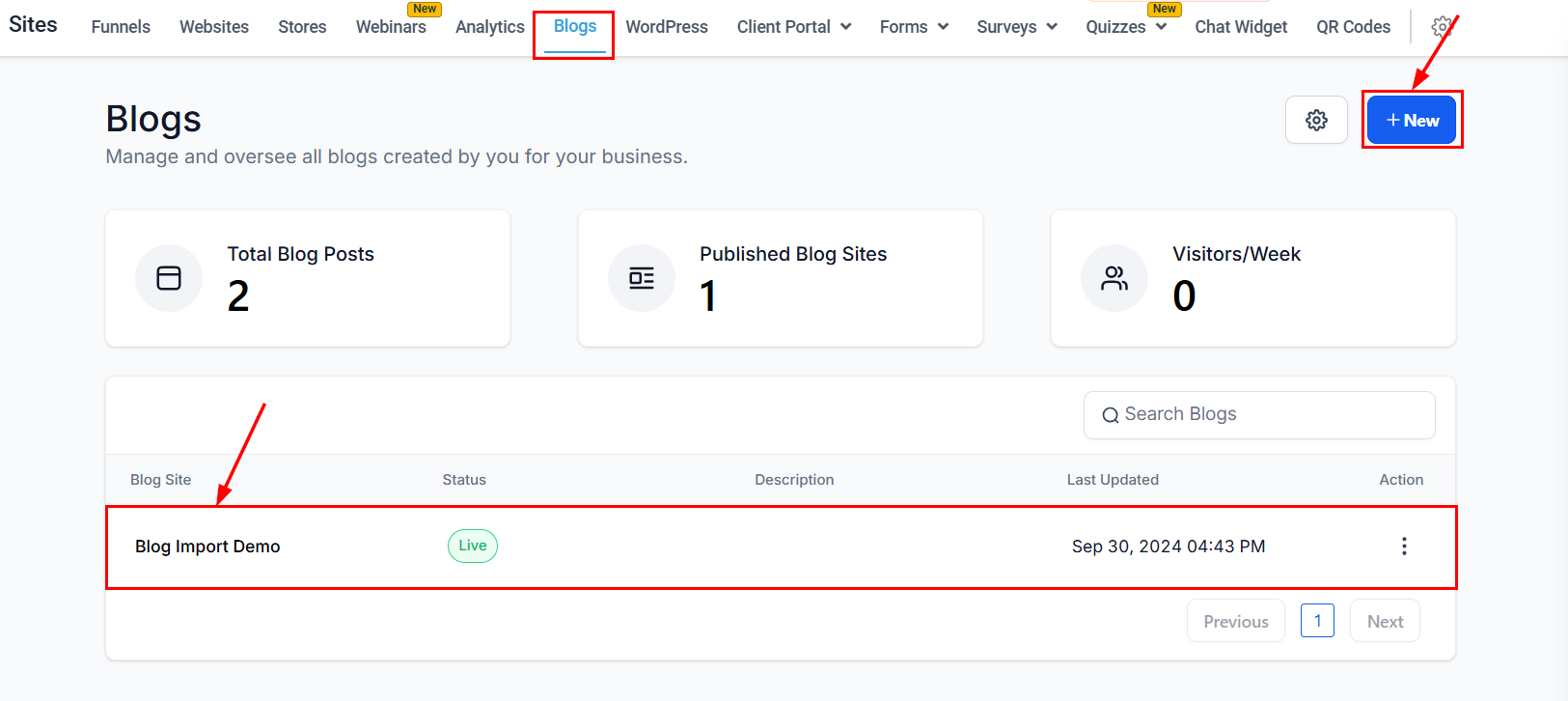
Go to New Post > Import Blog Post from URL.

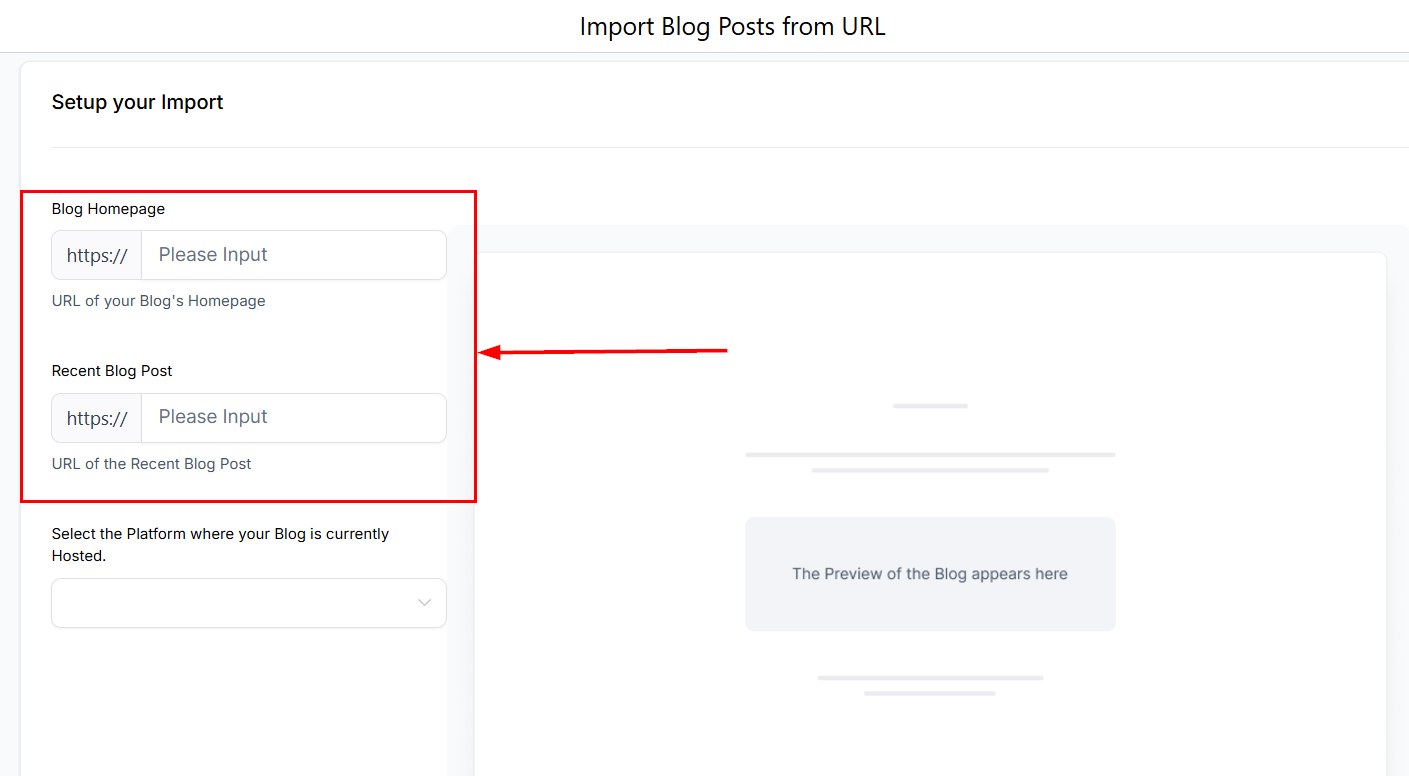
Enter the blog URL and the most recent post URL.
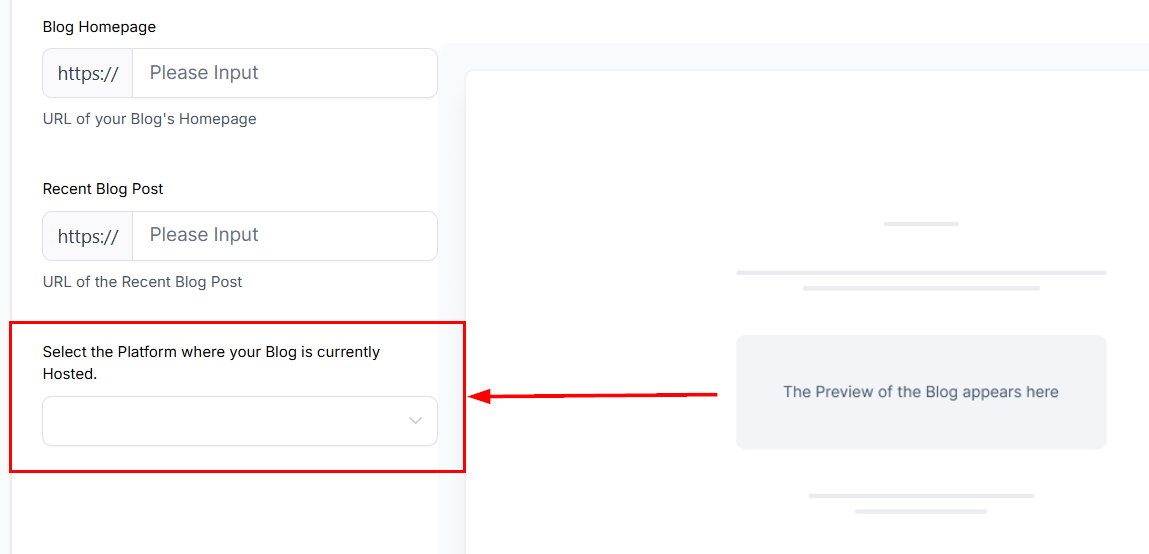
Specify the source platform for the import.
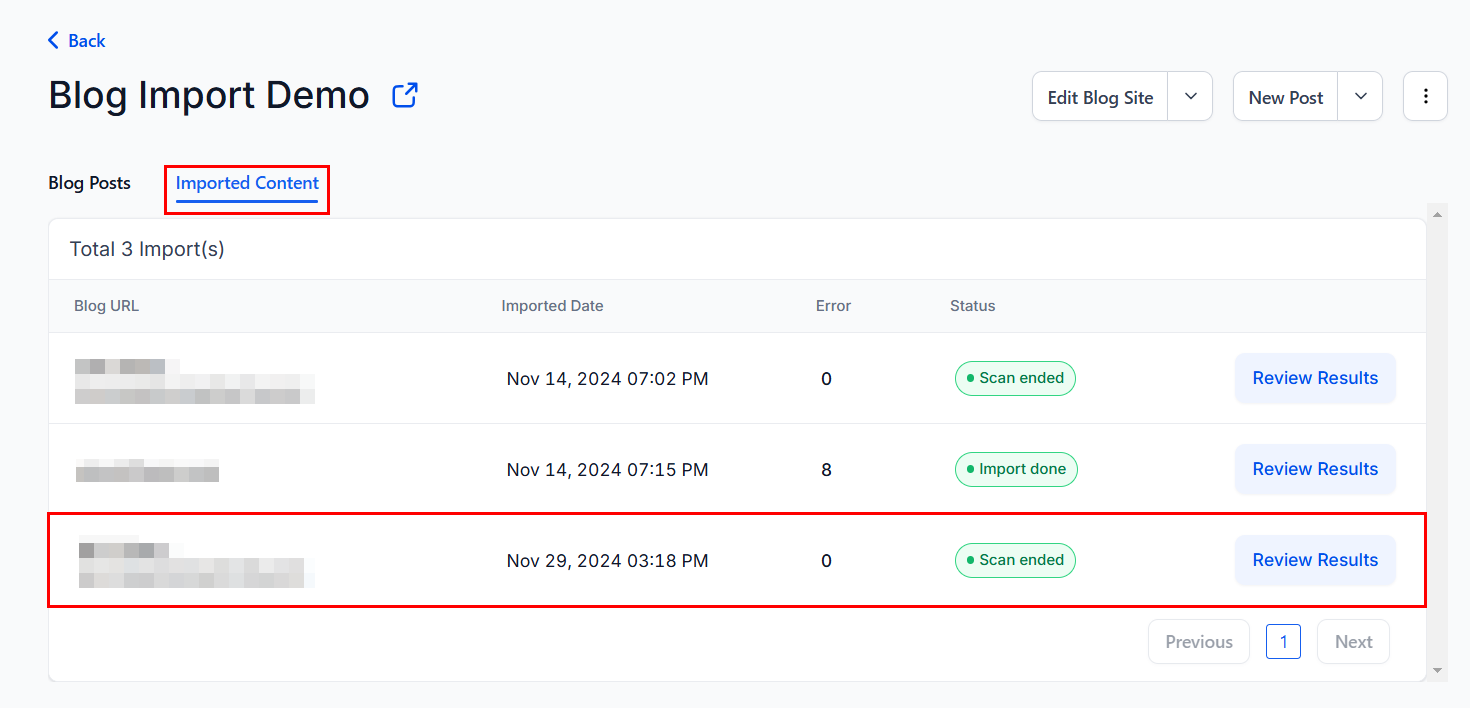
Tip: After setup, check the Imported Content section to monitor the "Scan in Progress" status.
Map Content Fields
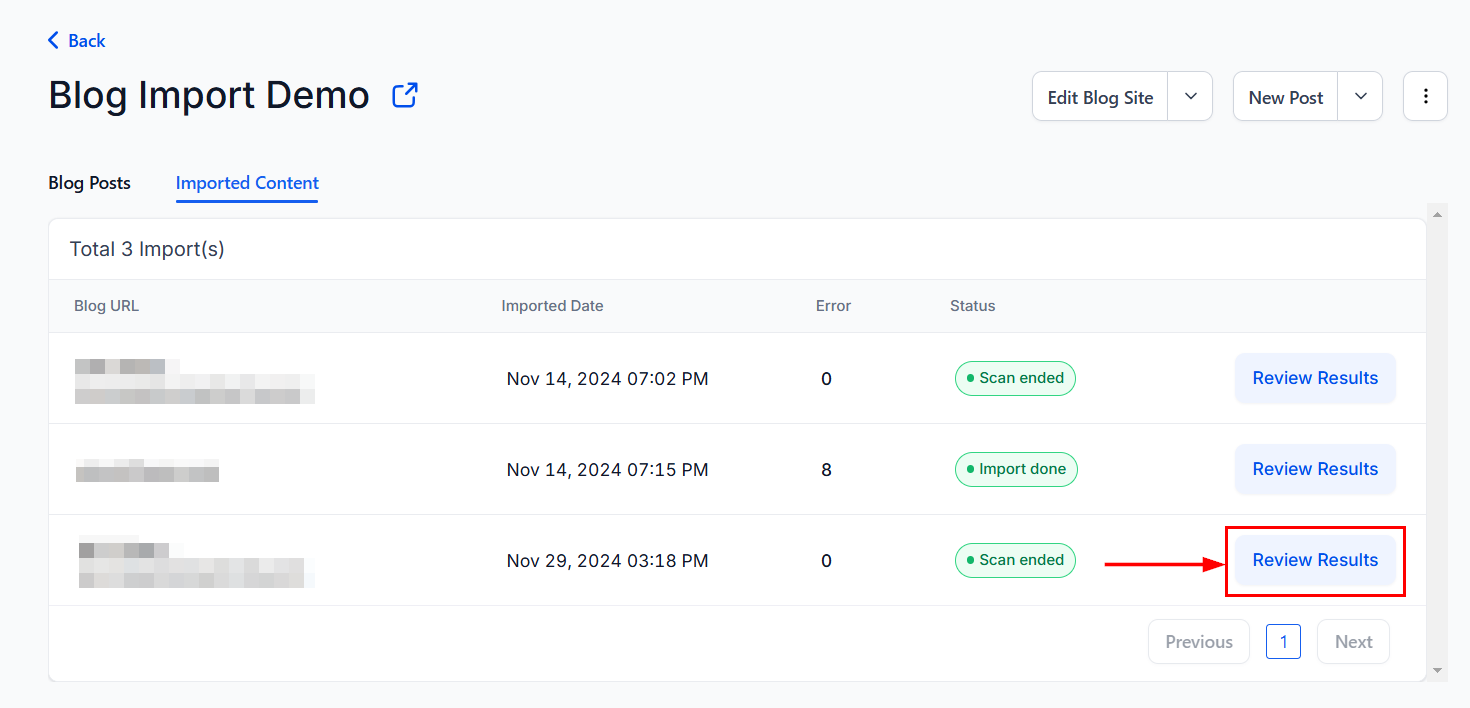
Click the Review Results button to preview and map key content elements.
This includes:
- Blog title
- Author name
- Published date
- Featured Images
- Content Body
- Categories or tags
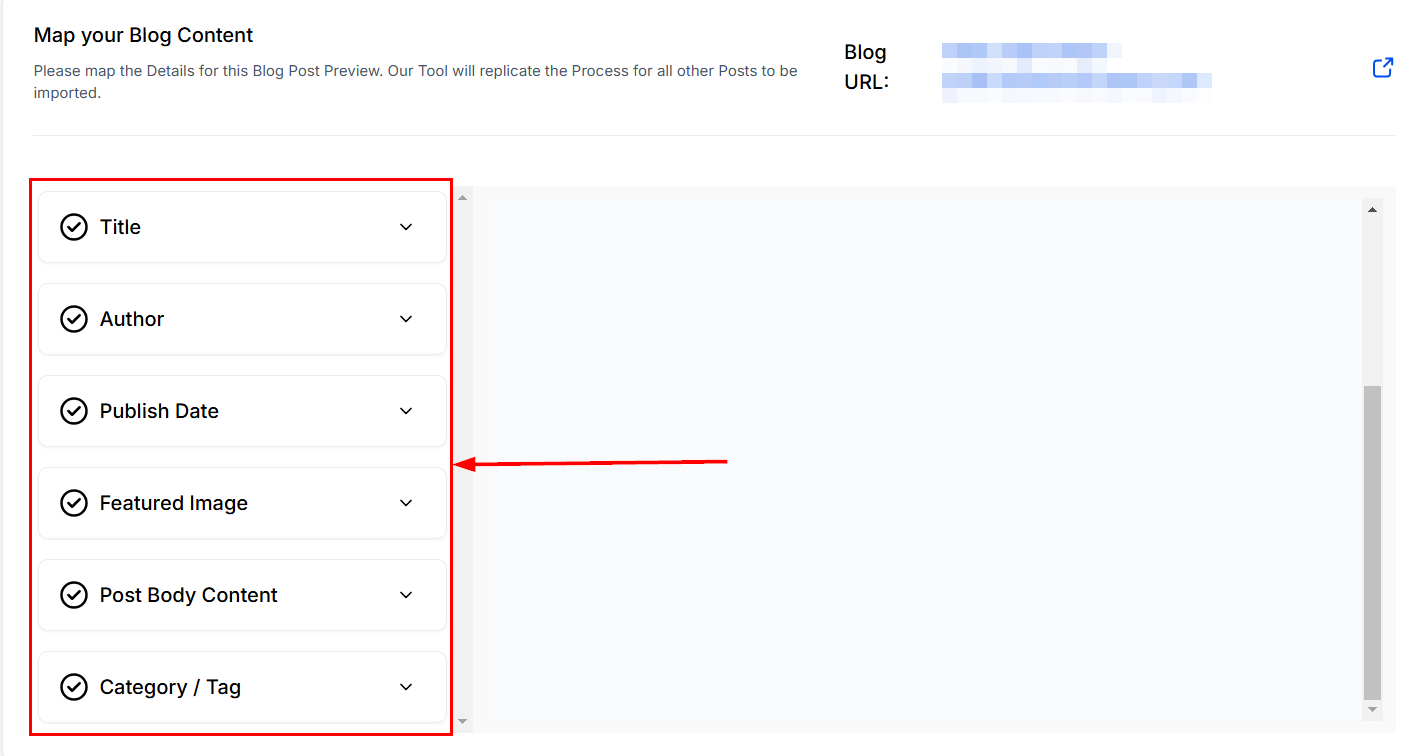
Note: If field mapping is inaccurate, you can manually adjust it using CSS selectors for precise targeting.
Once all the fields are mapped, select the Continue button to begin the scraping process.
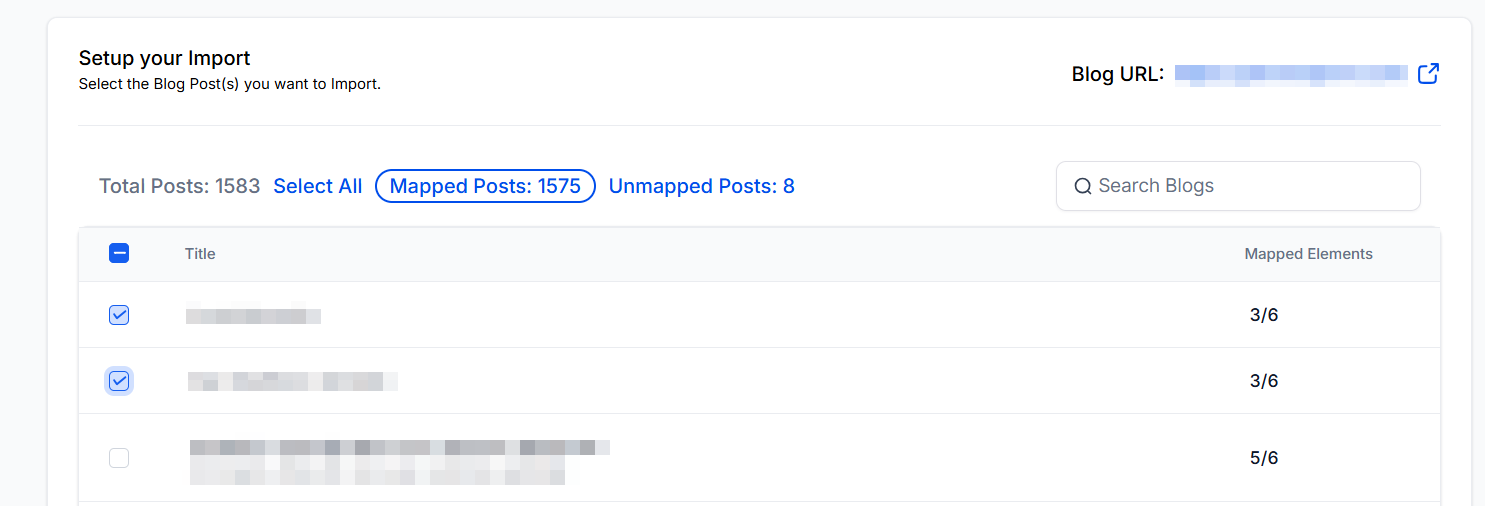
Import Content
Once the tool completes the scraping process (approximately 10–20 minutes for 1,000 posts), you can:
- Import posts individually or in bulk.
- View all posts imported as drafts, allowing for further review before publication.
Note: Preview each blog post to ensure the formatting and content meet your expectations before publishing.
By following this guide, you can seamlessly import and manage your blog posts with confidence. Start using the Blog Importer today to enhance your blogging experience.
Was this article helpful?
That’s Great!
Thank you for your feedback
Sorry! We couldn't be helpful
Thank you for your feedback
Feedback sent
We appreciate your effort and will try to fix the article