
Review Received Trigger

Modified on Fri, 13 Jun at 8:45 PM

The Review Received Trigger will help you fully automate your review management, from filtering to responding, leading to more customer interactions and heightened efficiency. So let's check how to use it! 

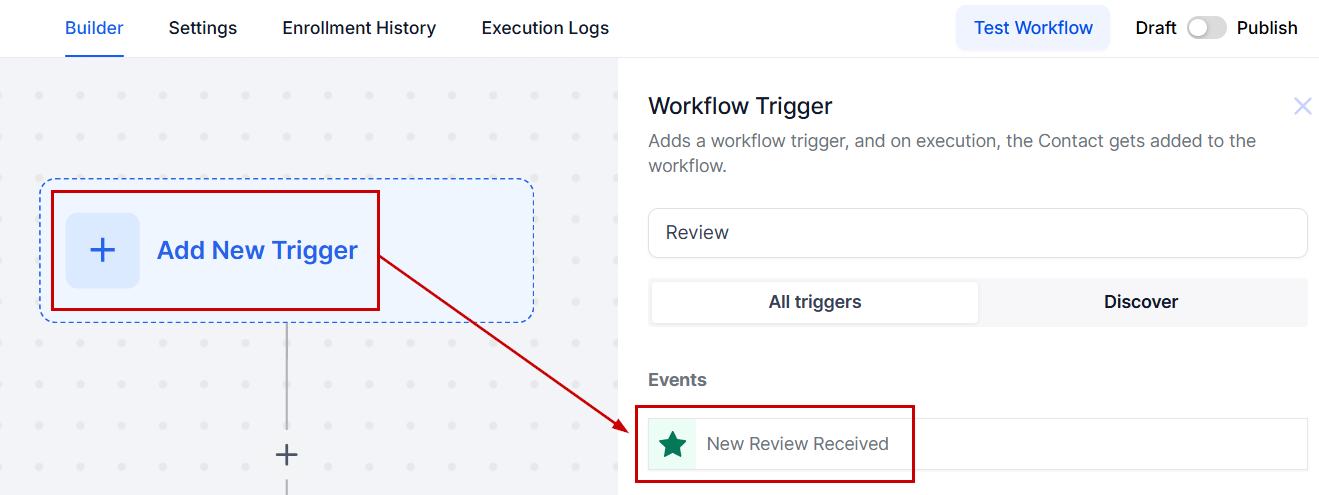
Create a new workflow inside the Automation section by selecting + Start from scratch.


Click + Add New Trigger and select New Review Received.


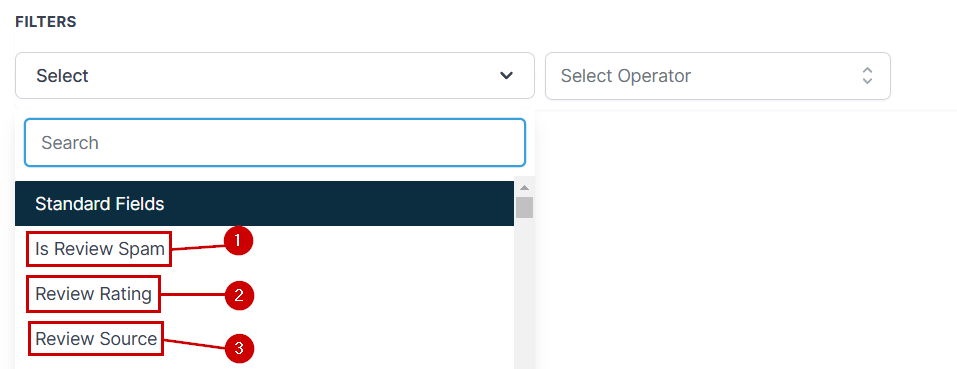
Click Add Filters to set added criteria, for this trigger there are three main filters:

  1.  Is Review Spam: This allows you to separate reviews that the system has marked as Spam vs not spam.
  2. Review Rating: This filter separates reviews depending on whether the rating is equal, greater, or less than the selected number.
  3. Review Source: This allows you to separate reviews based on the page you received it on, this is especially useful if you're managing several branches or review pages.


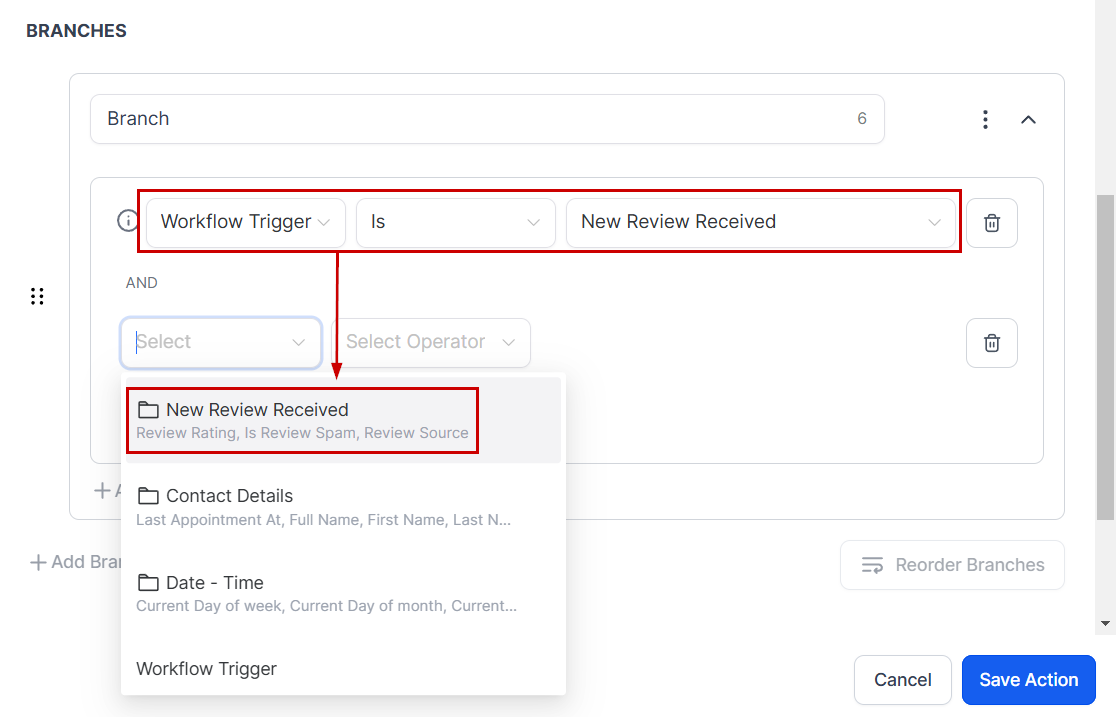
You can mix and match these filters based on your needs or if none was selected you can use these filters as conditionals in your If/Else actions.


And there you have it! Enjoy the simplified review responses and automated management this trigger brings you. Helping you connect with customers, make customers feel appreciated and heard, and build a strong positive reputation online.

Was this article helpful?

That’s Great!

Thank you for your feedback

Sorry! We couldn't be helpful

Thank you for your feedback

Let us know how can we improve this article!

Select at least one of the reasons
CAPTCHA verification is required.

Feedback sent

We appreciate your effort and will try to fix the article