The Product Completed trigger is activated when a customer fully completes their access to a specific product, initiating a designated workflow. This automation enables businesses to efficiently monitor and manage product completions, ensuring no milestone goes unnoticed.
Adding the Product Completed Trigger
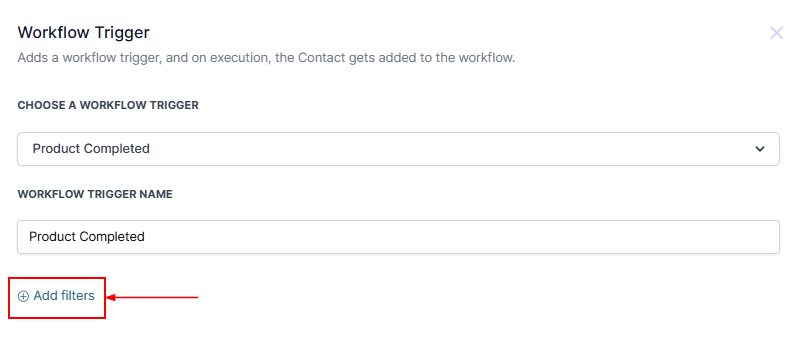
To configure the Product Completed trigger, click on the “Add New Trigger” button and choose the Product Completed option from the available selections.

?NOTE: This runs when access to a product is completed.
Filters
Within the Trigger, you can configure the filters by selecting Add Filters.
Product
Further customization can be made by adding filters and selecting Product from the dropdown menu, followed by selecting the Operator from the second dropdown menu and then the specific product from the third dropdown menu.

Once all filters have been selected, save the trigger by clicking on the Save Trigger button located in the bottom right corner.

? NOTE: Add workflow actions to automate tasks such as notifications, follow-ups, or account updates.
Once all actions are defined, Publish and Save the workflow to activate its functionality.

By using this feature, you can improve customer engagement, boost operational efficiency, and create a seamless, positive experience for your clients as they reach the end of their journey with your product.
Was this article helpful?
That’s Great!
Thank you for your feedback
Sorry! We couldn't be helpful
Thank you for your feedback
Feedback sent
We appreciate your effort and will try to fix the article