Your brand identity helps you make a lasting impression on prospective customers. We understand many pieces make that cohesive image, including fonts. Hosting your font files in the system helps prevent future headaches by keeping the online file easily accessible.
To start, navigate to the Media Storage section and click Upload.
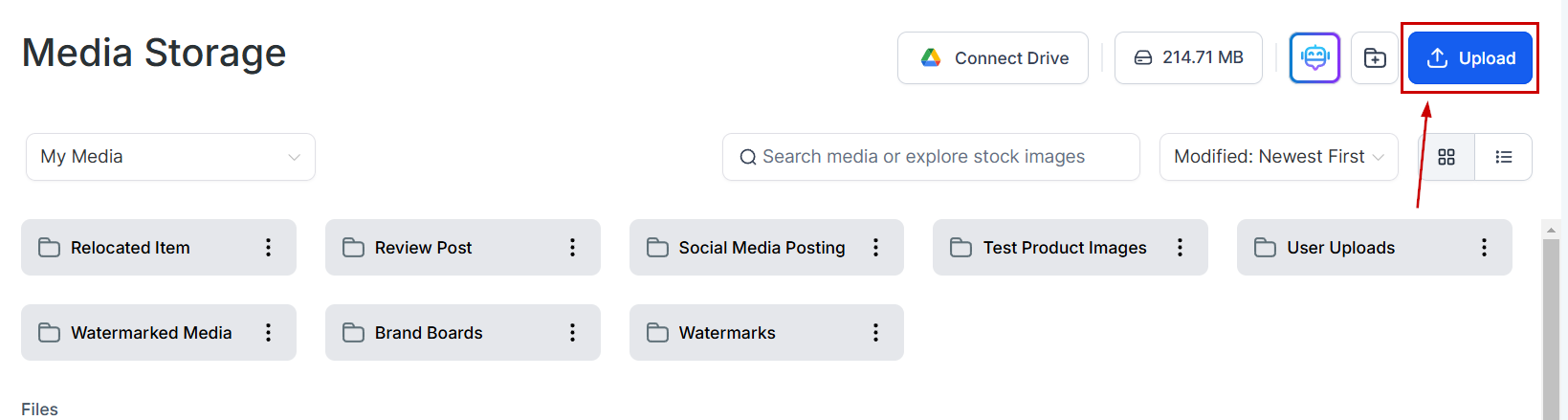
Choose a supported font file from your local device. The supported types are: .ttf, .otf, .woff, .woff2

Once your font is uploaded you can start adding it to your funnels, websites, and emails by hovering over it and clicking the three-dot icon to select Get Link.

Note: This feature will not add the font for selection in drop-down menus. You'll have to add it as Custom CSS to use it, so we recommend consulting with a professional if you're unfamiliar.
Was this article helpful?
That’s Great!
Thank you for your feedback
Sorry! We couldn't be helpful
Thank you for your feedback
Feedback sent
We appreciate your effort and will try to fix the article