Your default brand board is a crucial component in managing your brand’s visual identity, particularly in emails and funnels. It determines which set of colors and fonts will initially appear in the color and font pickers, ensuring that your branding elements are always readily accessible. Typically, the first brand board you create is set as the default.
When to Change the Default Brand Board
- Updated Guidelines: Update the default board when there are significant changes to your brand guidelines, such as new colors, logos, or other key elements, to ensure all materials and communications align with the latest branding.
- Specific Occasions: Consider changing the default board for special occasions or themes, like a red theme for Christmas. However, it might be more practical to create a separate theme or template for these occasions, allowing for easy switching between the default and themed boards as needed.
How to Change the Default Brand Board
Go to Brand Boards
Navigate to Marketing > Brand Boards within your account.
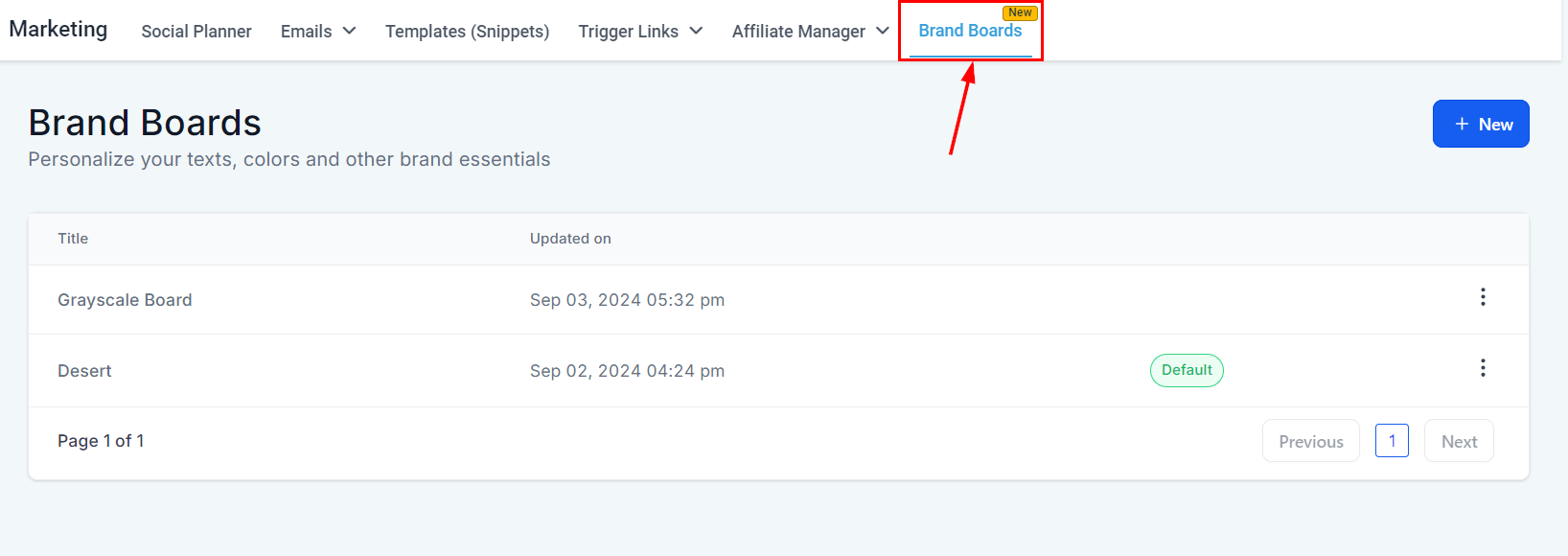
The current default brand board will be marked with a "Default" label displayed prominently in its row.
Set as Default
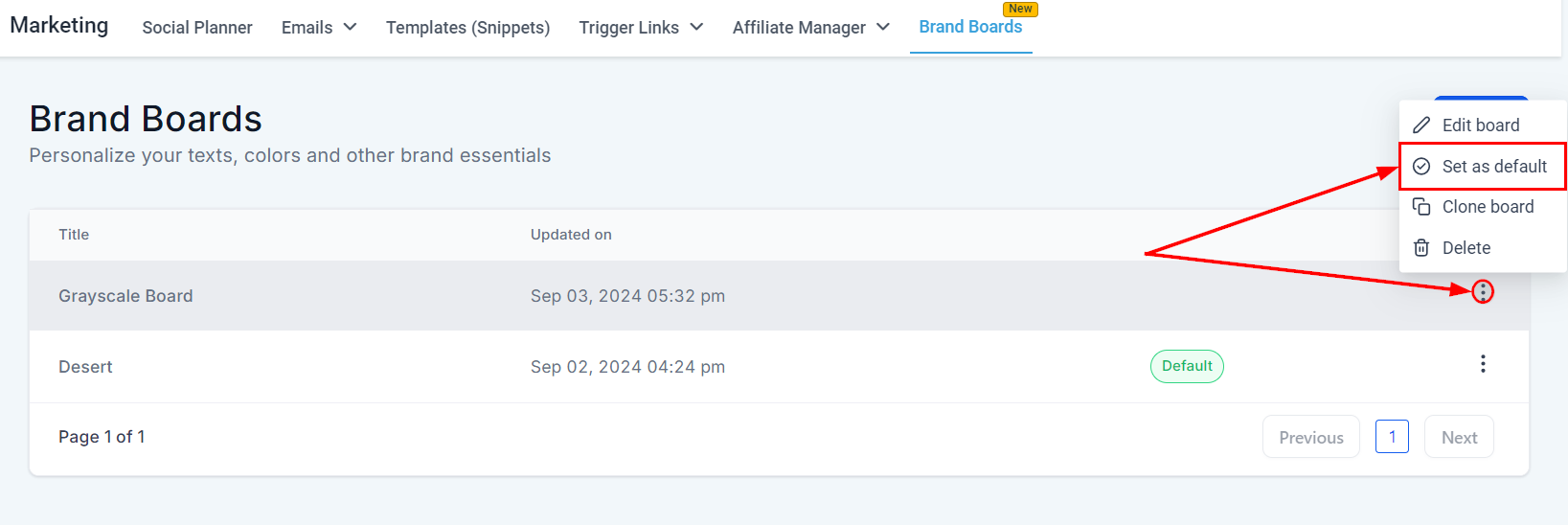
To set a brand board as the default, first locate the brand board you wish to designate. Then, click the three dots (more options) next to the selected brand board, and choose the "Set as Default" option.
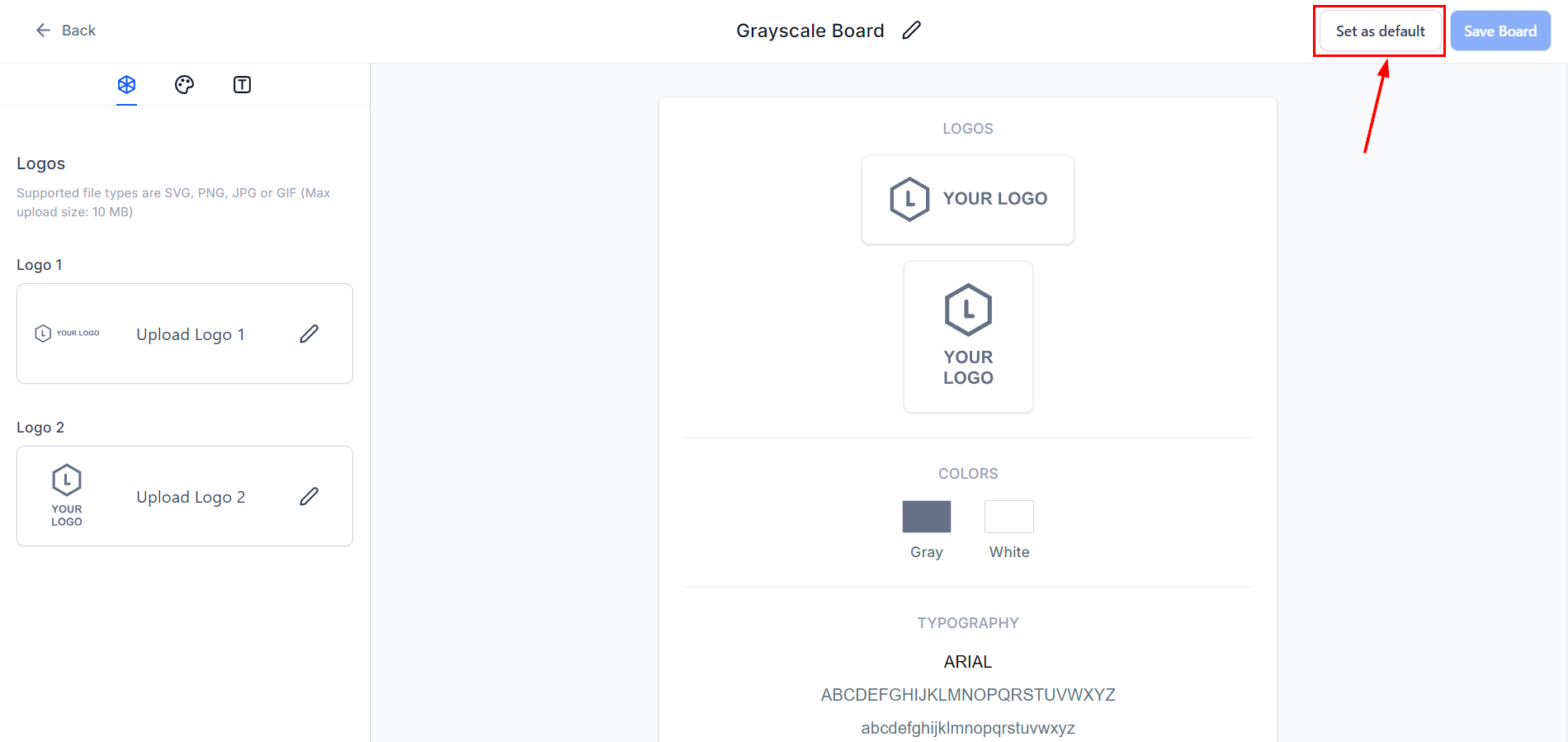
Alternatively, in edit mode, you can set the brand board as default by clicking on “Set as Default” in the upper right-hand section within the editor.
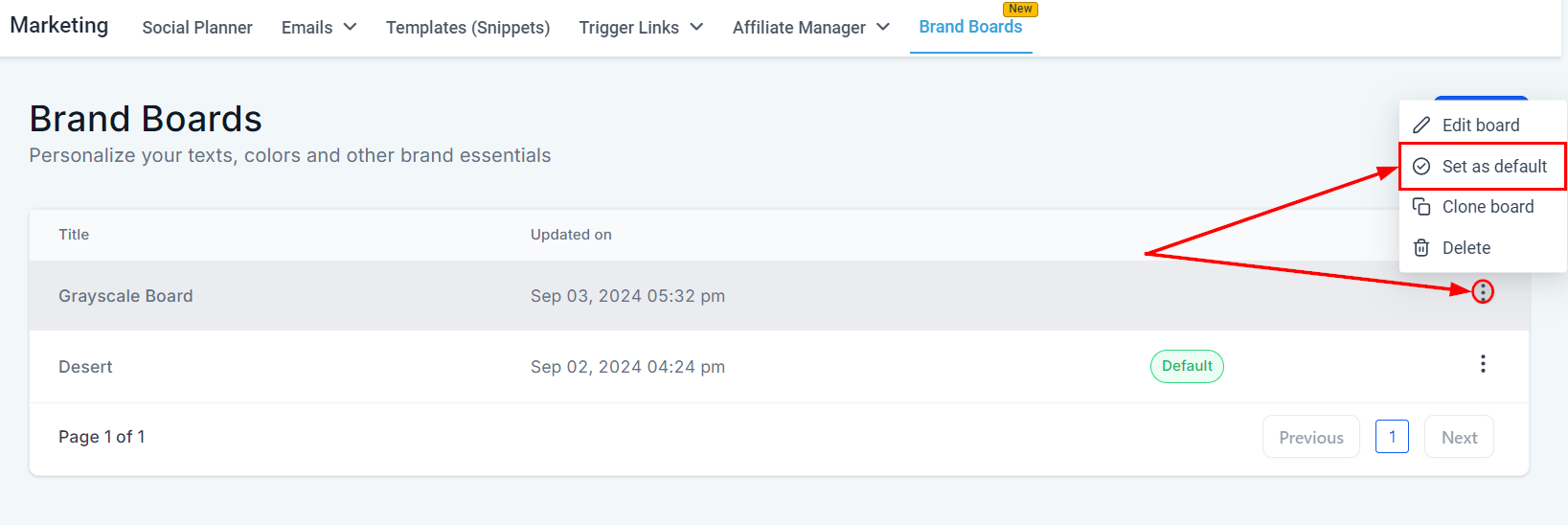
The "Default" label will be automatically transferred to the newly selected board.
By regularly updating and aligning your brand board with your current brand guidelines, you maintain a cohesive and professional brand presence.
Was this article helpful?
That’s Great!
Thank you for your feedback
Sorry! We couldn't be helpful
Thank you for your feedback
Feedback sent
We appreciate your effort and will try to fix the article