Reviewing, mapping, and duplicating Facebook Lead Forms directly from the campaign setup interface improves the management of lead forms in Ad Manager. These features aim to provide an intuitive and seamless approach to handling lead forms while ensuring accurate and complete lead syncing. Follow along as we show you how to utilize these tools.
How It Works
Start by creating a new Facebook Ads campaign with the "Lead Generation" objective in Ad Manager or select an existing campaign from the list.
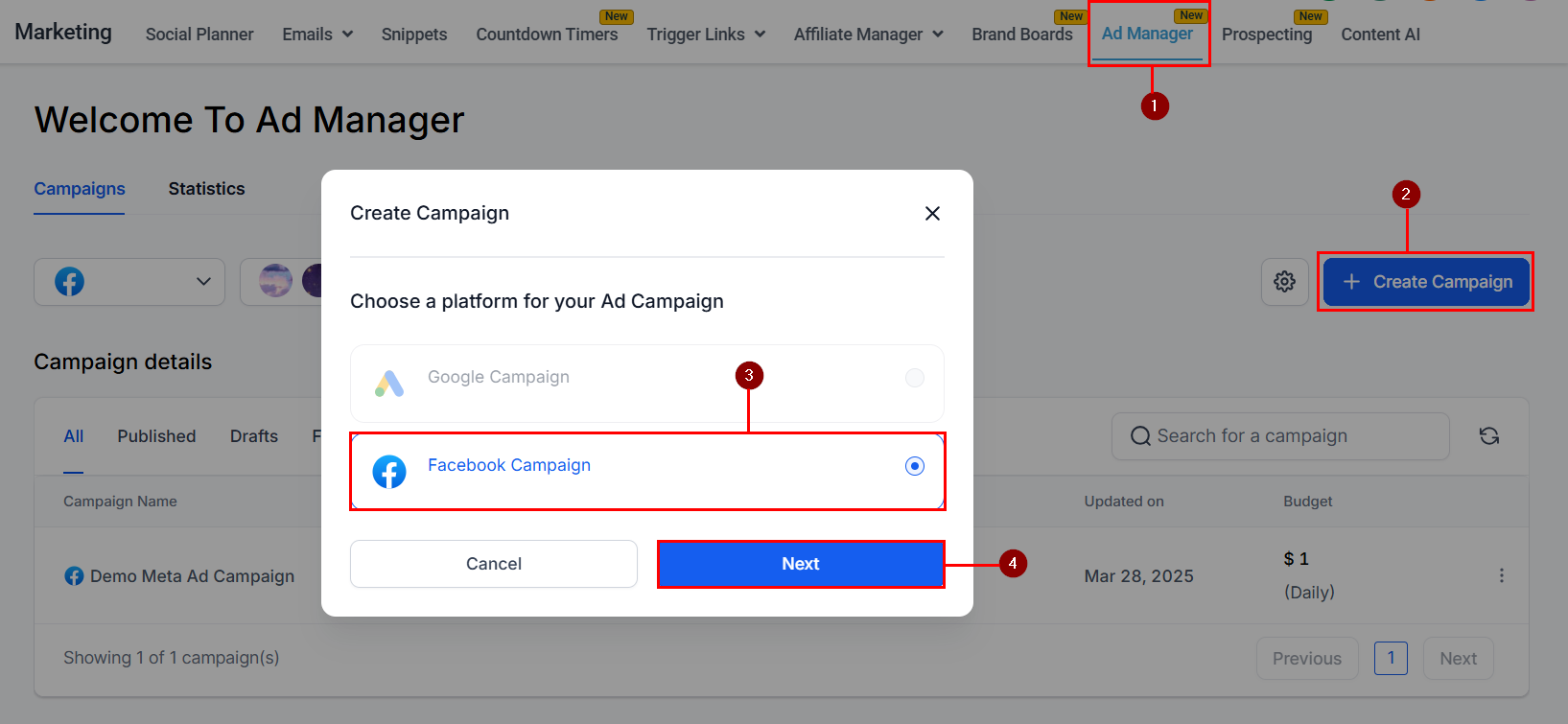
Accessing Form Review & Mapping Details
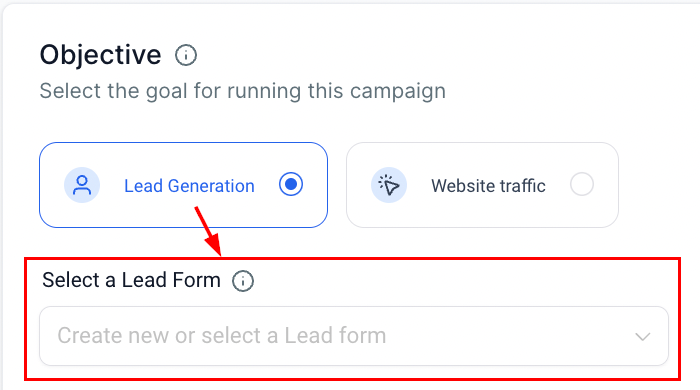
When setting up a Lead Generation campaign, select the desired lead form from the drop-down.
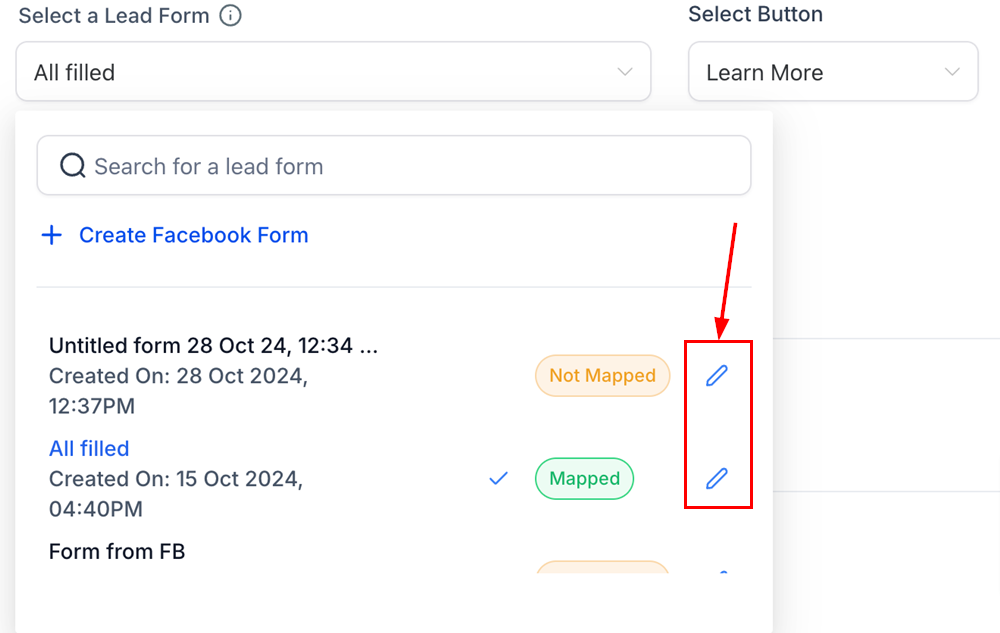
Then, click on the pencil/edit icon next to the form name.
This action will open a modal where you can:
- Preview the form content to ensure the information is correct.
- Map or update form fields to the appropriate CRM fields to ensure data is correctly synchronized.
- Confirm lead syncing accuracy to guarantee that all necessary data is captured and transferred effectively.
Duplicating a Facebook Lead Form
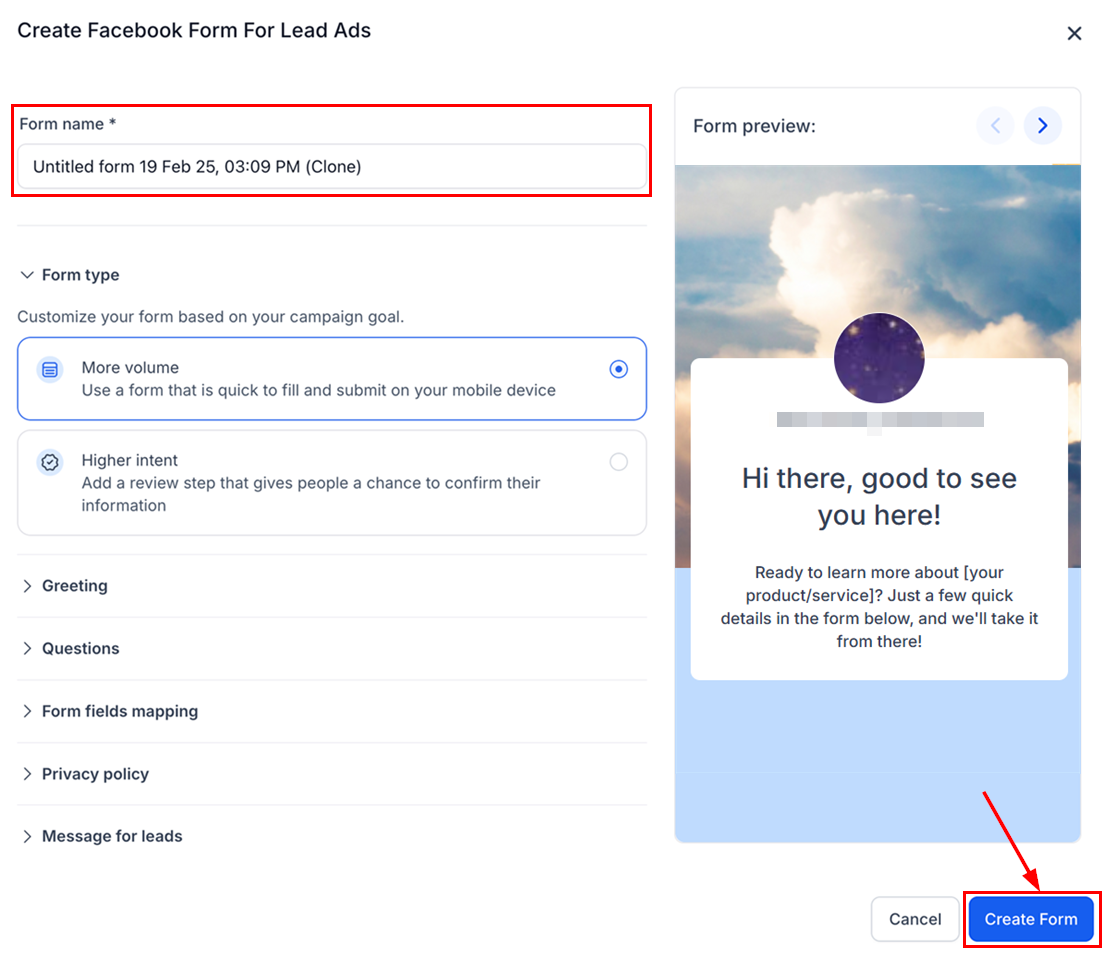
From the same modal, you will notice a "Duplicate Form" button at the bottom left. Clicking this button will open a new view with all fields pre-filled based on the original form. This allows you to quickly create an identical form while maintaining the existing field structure.
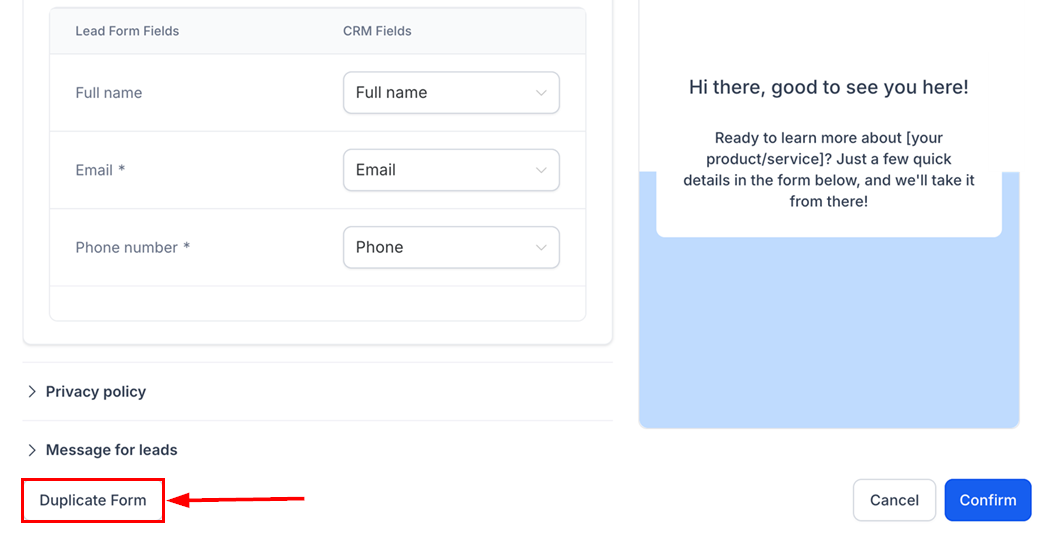
Once the new form is cloned, you can make any necessary adjustments or edits.
After finalizing your changes, click Create Form to save it as a new Lead Form within your campaign setup.
Field Mapping Prompt
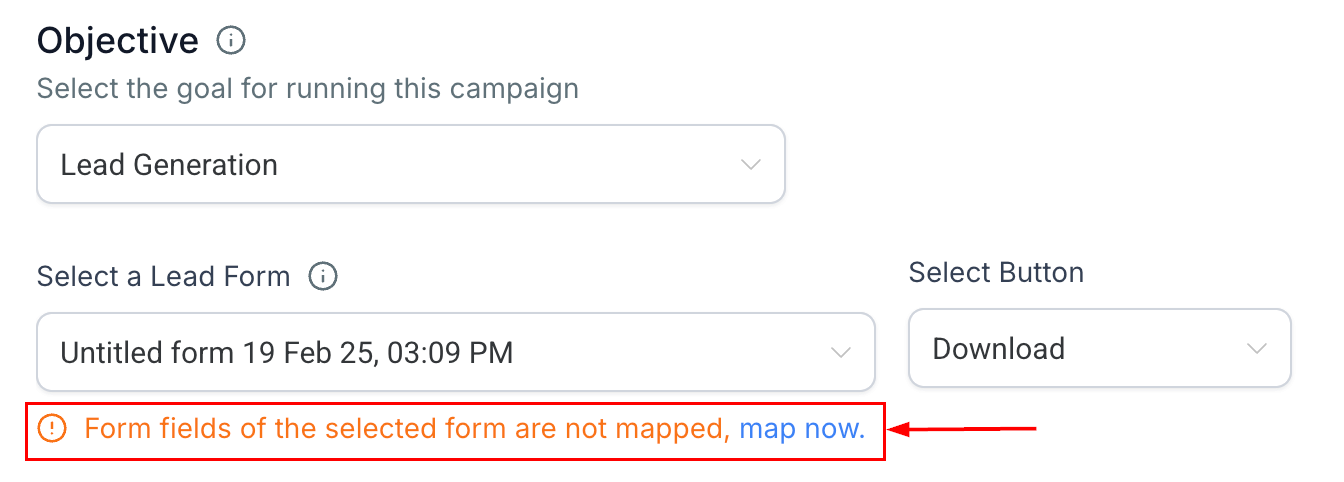
To ensure that no data is missed during the syncing process, a prompt will appear if the selected form has not yet been mapped.
By clicking Map Now, you will be directed to the review modal, where you can quickly complete the field mapping process by aligning the form fields with your CRM fields.
By reviewing, mapping, and duplicating forms directly from the campaign setup interface, you can improve data accuracy, ensure seamless lead syncing, and streamline your workflow.
Was this article helpful?
That’s Great!
Thank you for your feedback
Sorry! We couldn't be helpful
Thank you for your feedback
Feedback sent
We appreciate your effort and will try to fix the article