There are two primary methods for viewing audience details, each providing valuable insights that can help you better understand your target demographics. These methods allow you to access in-depth information about your audiences, enabling you to refine your advertising strategies, optimize your ad targeting, and ultimately enhance campaign performance. By utilizing both options, you can gain a comprehensive view of your audience data, which enables more informed decision-making and ensures more effective and efficient campaigns.
Why It Matters
- Increased Transparency: Access detailed insights into audience composition, providing enhanced visibility.
- Streamlined Troubleshooting: Simplify troubleshooting with easy access to audience summaries and more precise error messages.
- Improved Decision-Making: A deeper understanding of your audience enables more accurate targeting, optimizes campaigns, and drives better performance.
How to View Your Audience Summary
From the Audience Tab in Ad Manager Settings
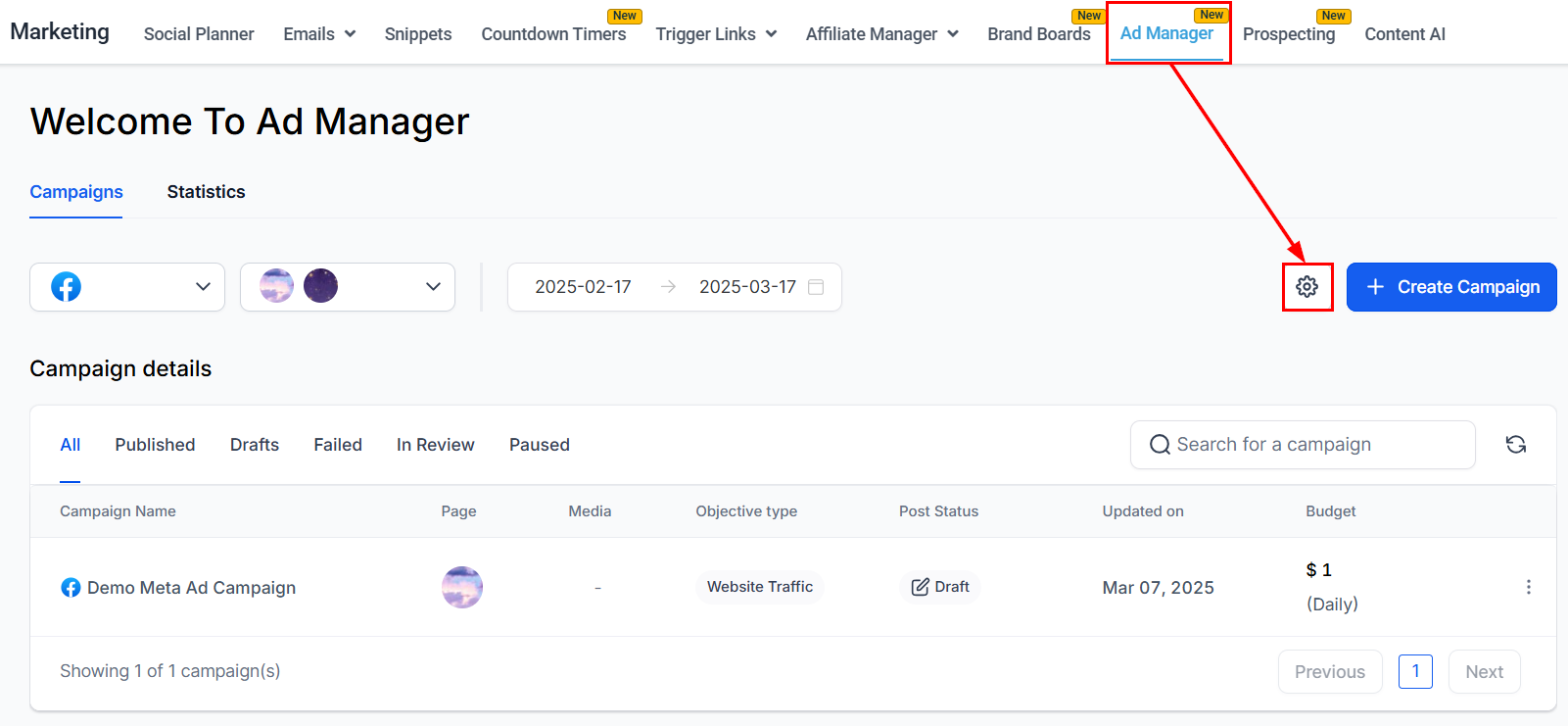
Begin by navigating to the Audience tab in the Ad Manager Settings.
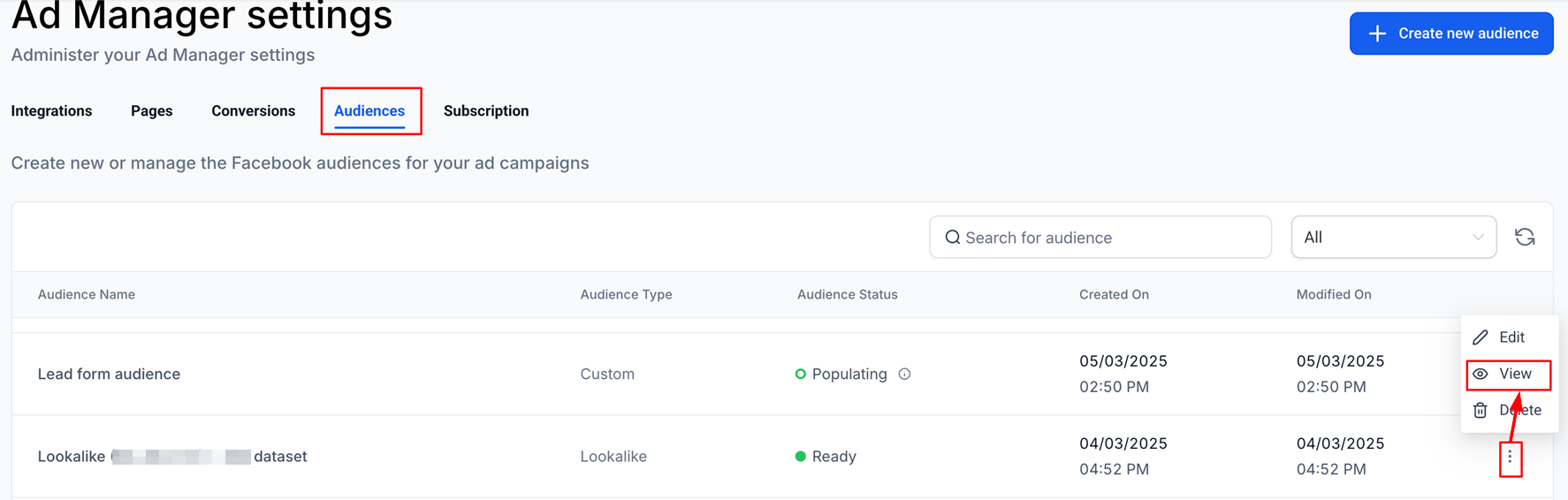
From there, click on the ellipses (⋮) next to any audience and select View.
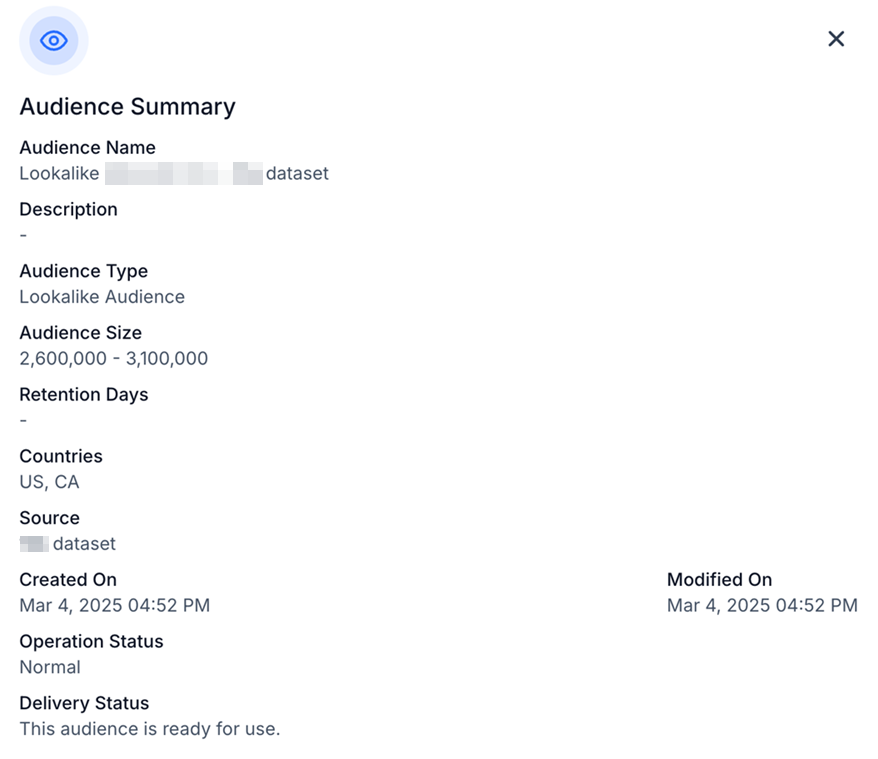
A detailed summary will then appear, providing comprehensive insights into the audience's composition and other relevant details.
From the Campaign Builder Flow
Alternatively, go to the Intended Audience section within the campaign builder. Here, you can select Lookalike or Retargeting to access the respective lists of lookalike and custom audiences.
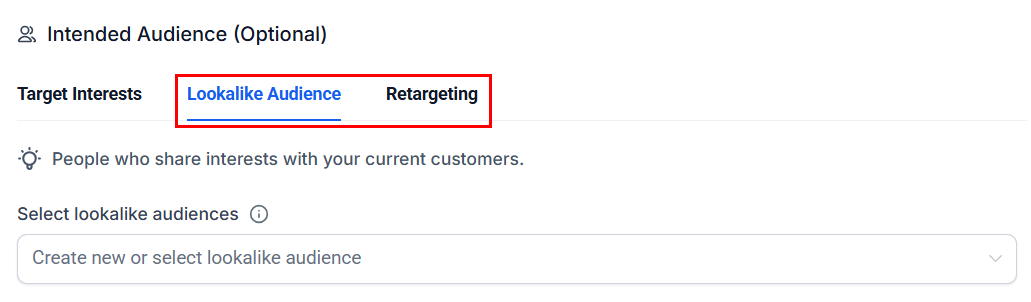
To view an audience's details, simply click the eye icon next to the audience name, which will open a summary modal.
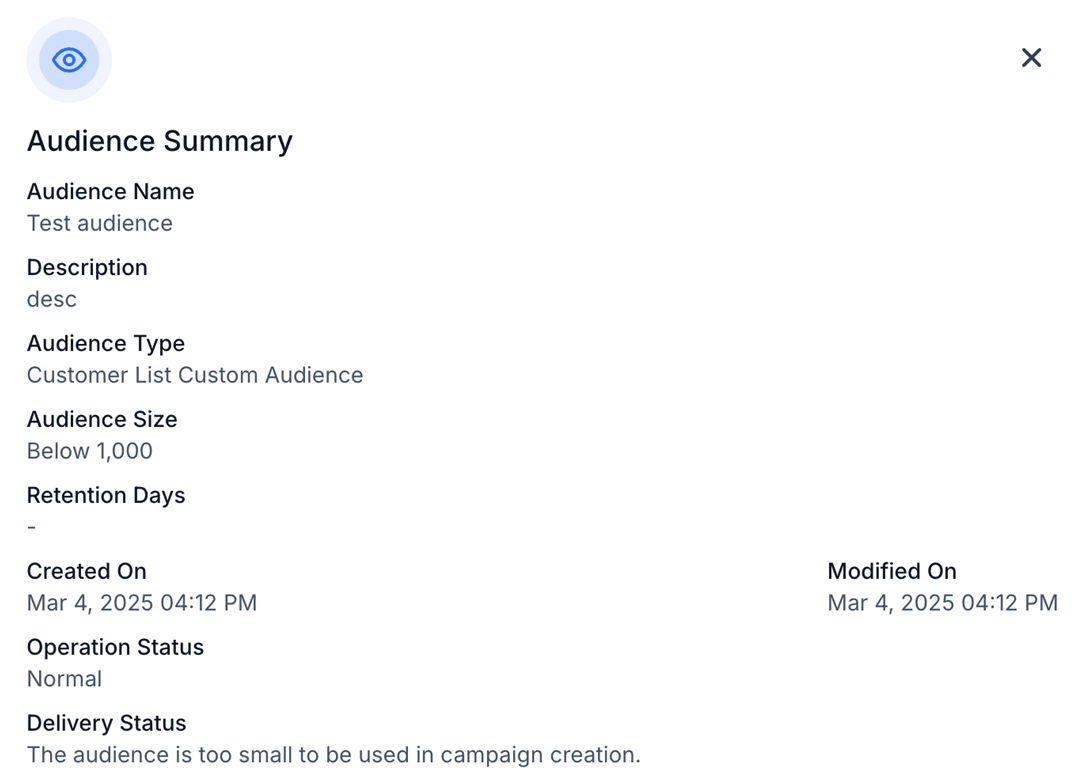
By utilizing the audience summary, you will gain deeper insights into your audiences, leading to more informed decision-making and enhanced campaign outcomes.
Was this article helpful?
That’s Great!
Thank you for your feedback
Sorry! We couldn't be helpful
Thank you for your feedback
Feedback sent
We appreciate your effort and will try to fix the article