The Commission Length and Variable Commissions Over Time features provide greater flexibility in managing affiliate rewards for recurring product sales. These features allow you to define how long commissions are paid and customize rates based on specific charge counts, enabling more strategic and scalable affiliate programs.
Key Features
- Commission Length – Set a limit on the number of transactions for which affiliates earn commissions, instead of paying commissions indefinitely.
- Variable Commissions – Assign different commission rates based on specific charge counts to create tiered reward structures.
How to Configure Commission Length and Variable Commissions
Create or Edit an Affiliate Campaign
Navigate to the Marketing section of your account, then click Campaign from the Affiliate Manager dropdown.
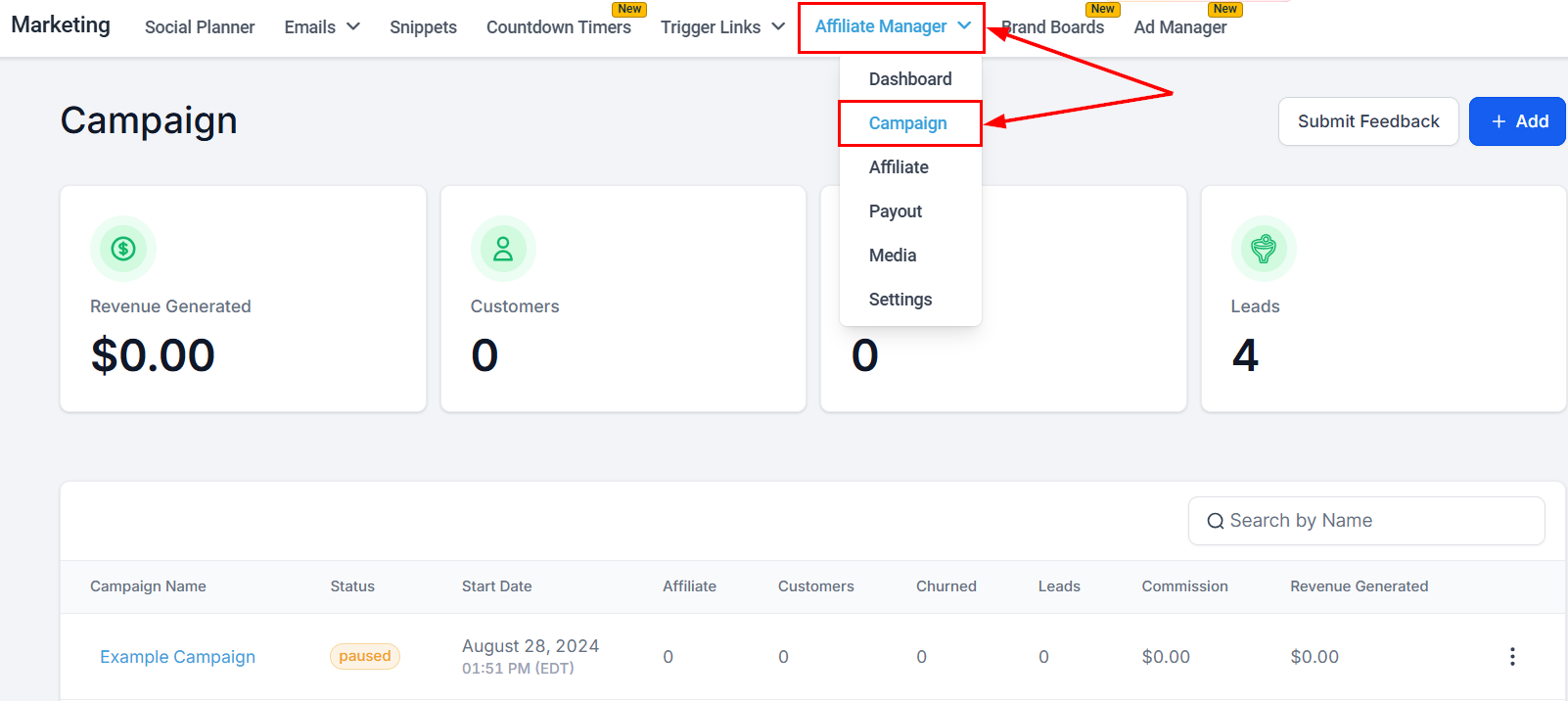
Start by creating a new affiliate campaign or editing an existing one.
?Note: The affiliate campaign must be connected to a funnel, website, or store with at least one product attached to it.
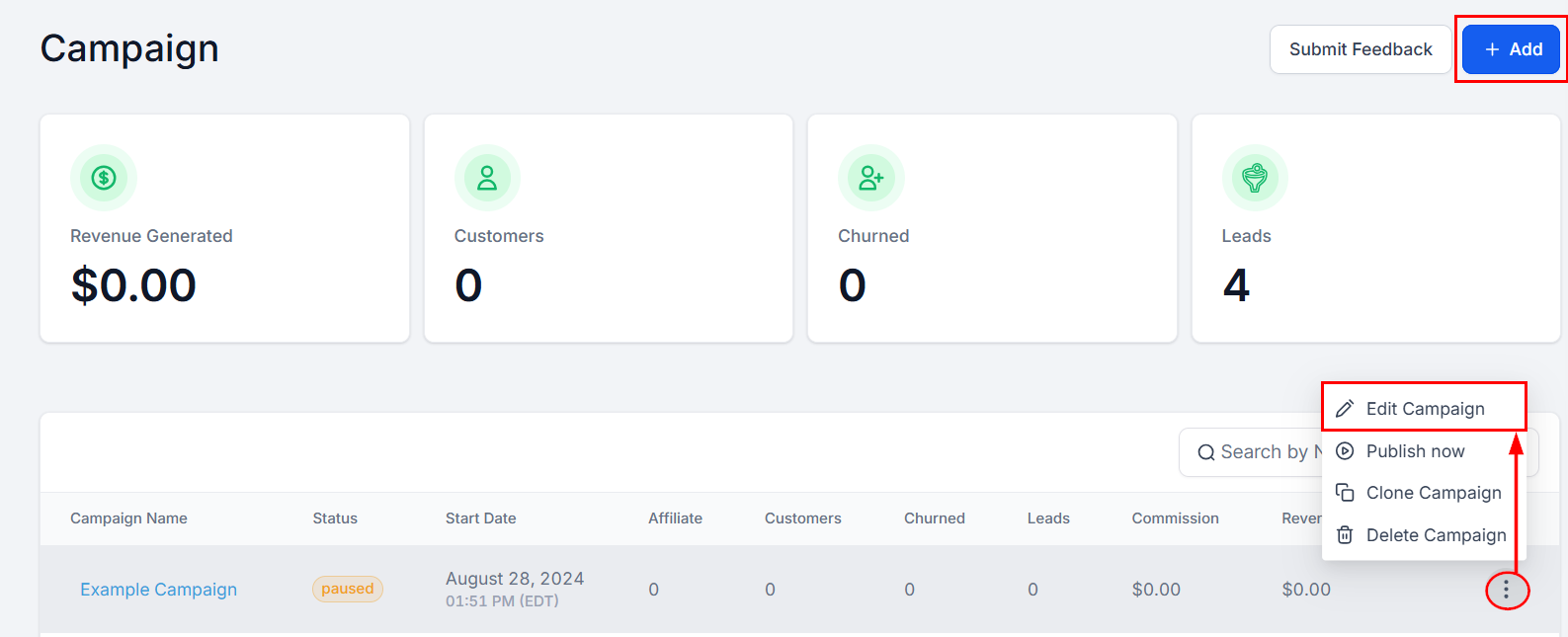
If you're new to affiliate campaigns, refer to the Setting Up an Affiliate Campaign article for detailed instructions!
Set the Default Commission
In Step 2 of the campaign setup, define the default commission rate affiliates will earn by default.
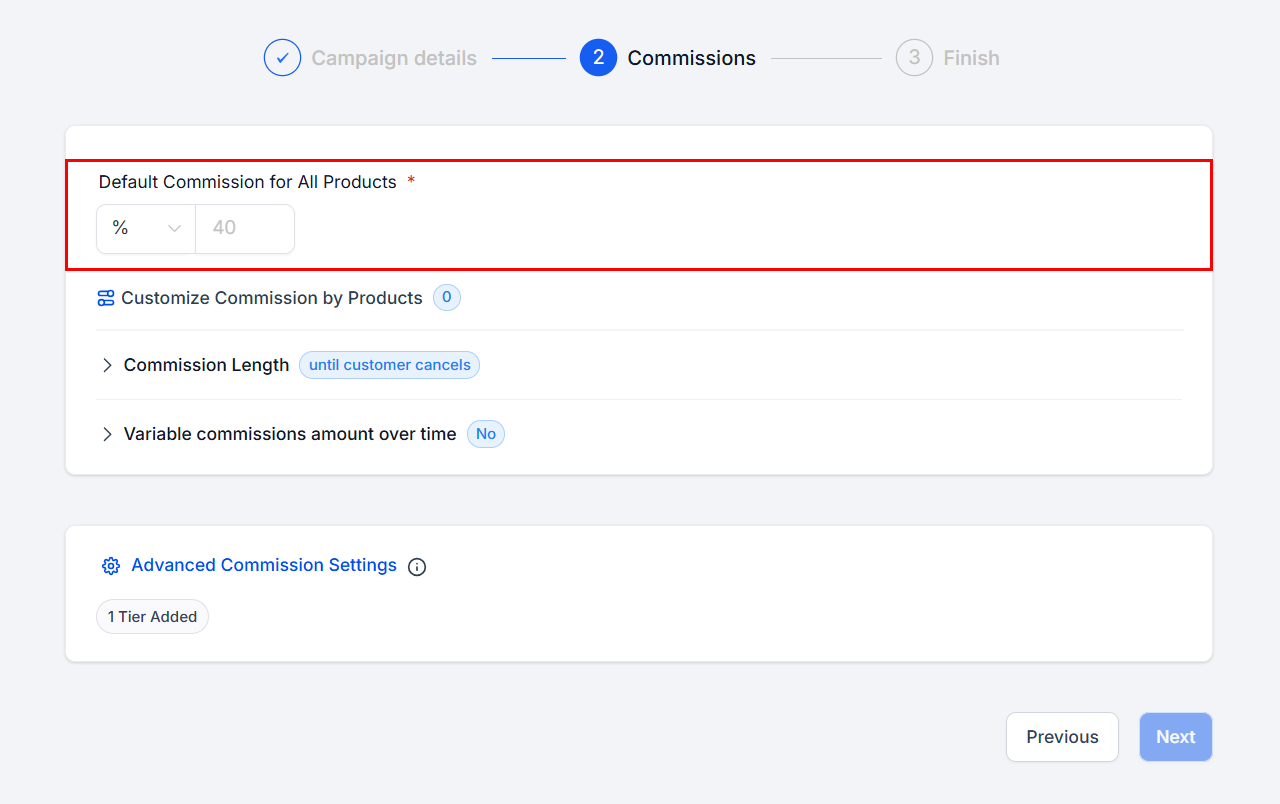
Enable Commission Length
Click Commission Length to configure this setting. By default, commissions are paid until the customer cancels. To limit commissions, select By Count and set the maximum number of charges eligible for commission payments. For example, if the limit is set to 5, the affiliate earns a commission only for the first 5 charges, regardless of whether the subscription is monthly or yearly.
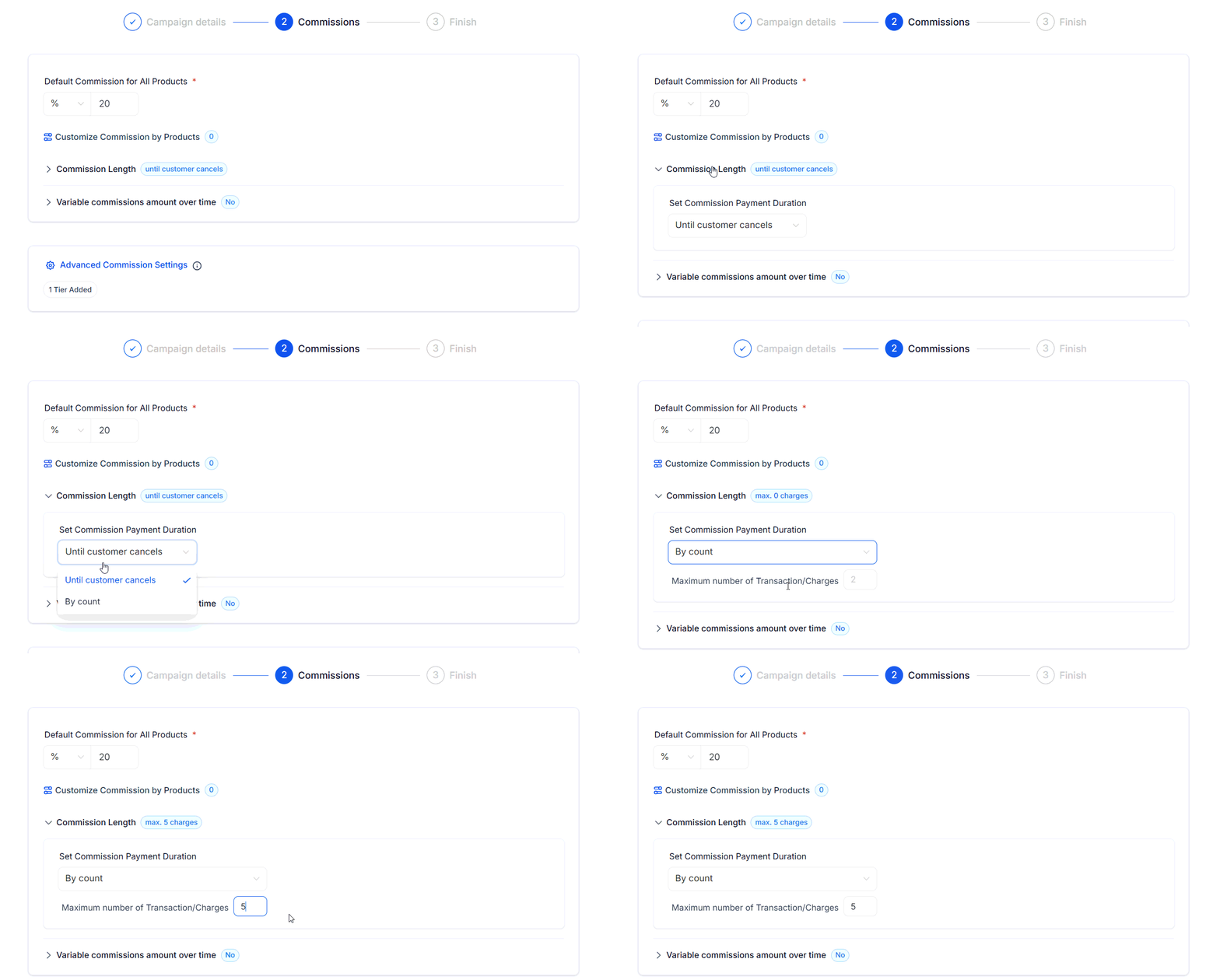
?Note: The limit is based on the number of successful charges, not time intervals.
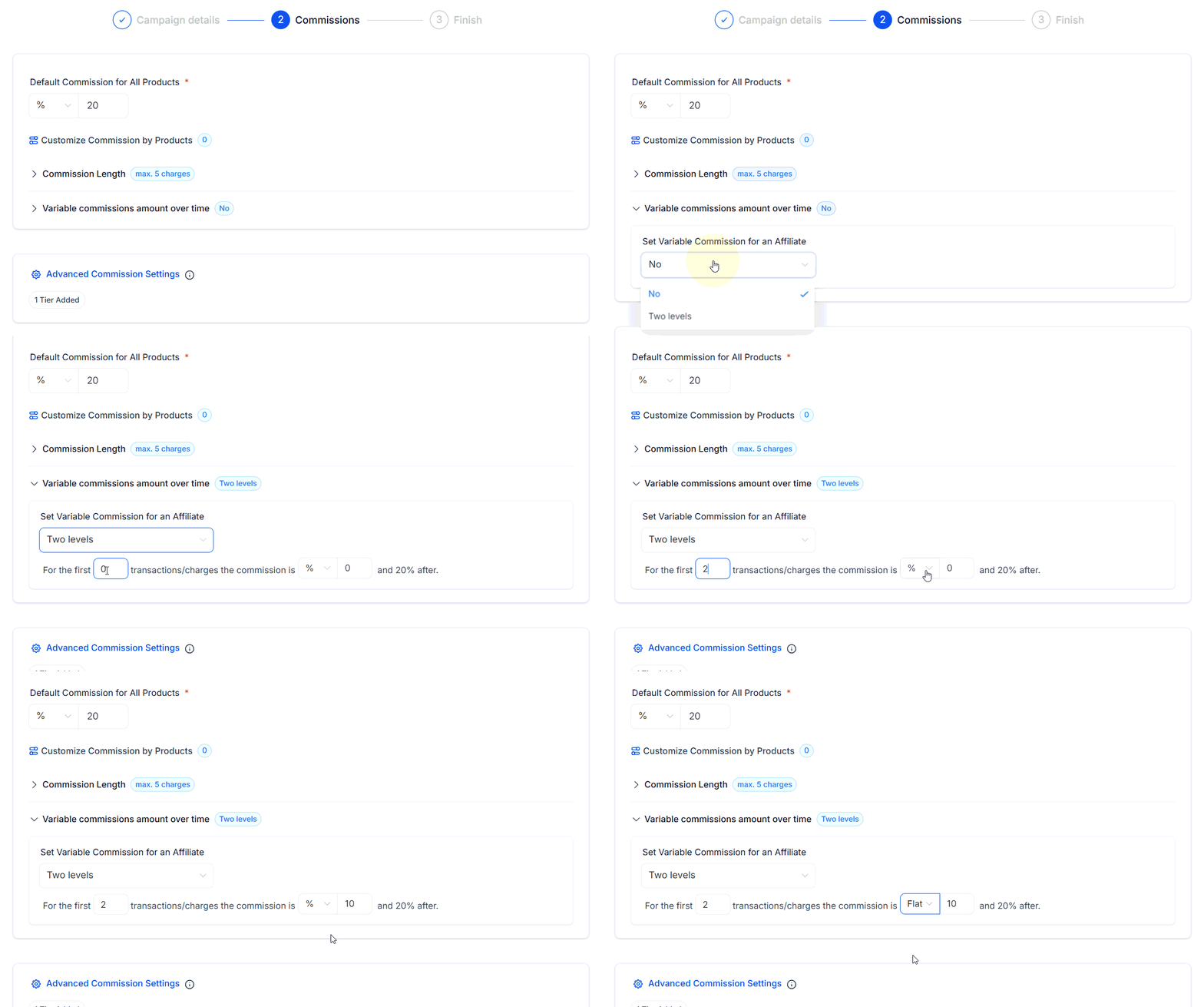
Set Variable Commissions Over Time
Next, toggle Variable Commissions to enable this feature, then select Two Levels to configure different commission rates for specific charge counts. For example: For the first 2 charges, you can set a 10% commission, followed by a 20% commission for subsequent charges.
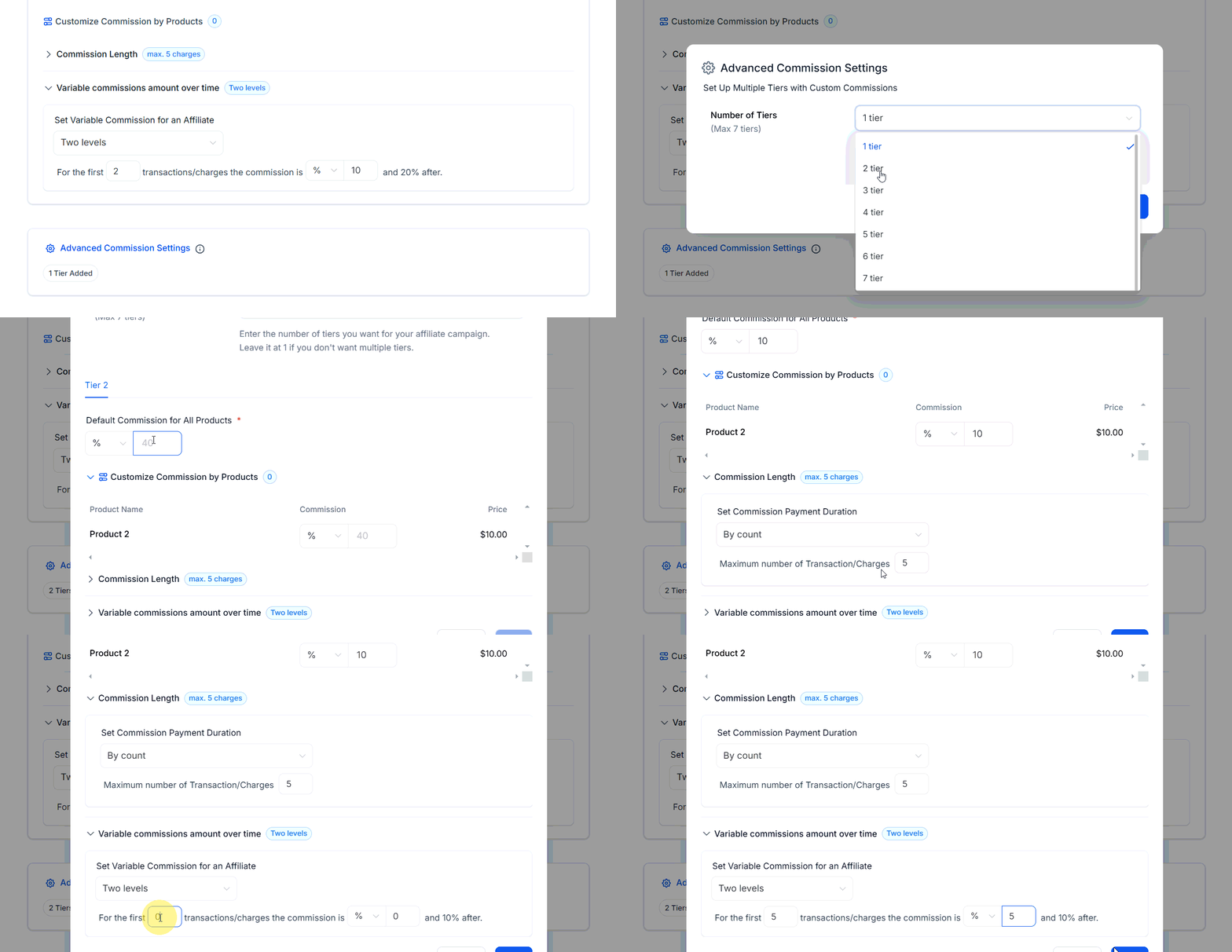
Add additional tiers if needed for more granular control.
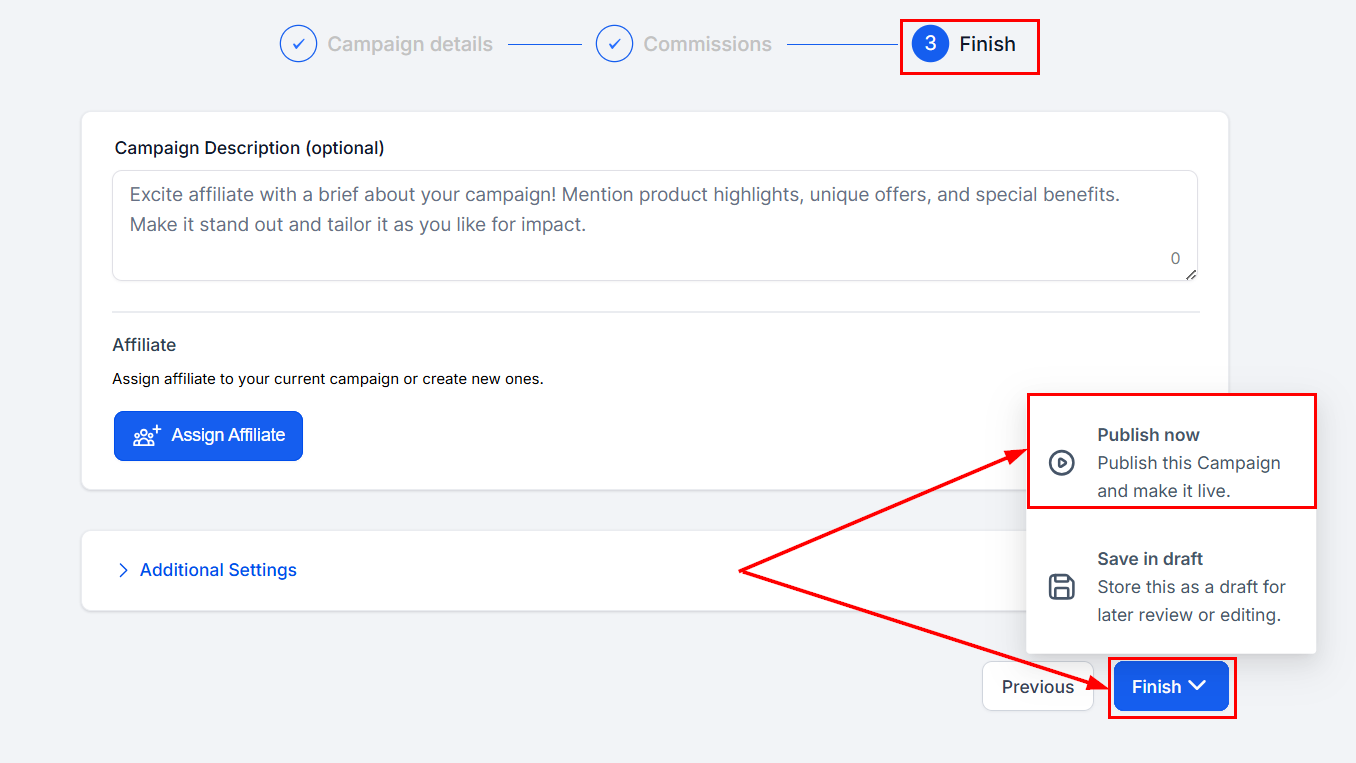
Save or Publish Your Campaign
Save your campaign as a draft, or publish the campaign to apply the updated commission settings.
✍️Important Notes
Commission Priority Order:
- Product-Based Commissions – Applied first for specific products.
- Variable Commissions – Overrides the default rate if configured.
- Default Commissions – Applied when no other rules are defined.
This hierarchy ensures that specific commission settings take precedence over general ones, offering flexibility and control.
By tailoring commission structures based on transaction limits and tiered rates, you can better incentivize performance and reward affiliates effectively.
Was this article helpful?
That’s Great!
Thank you for your feedback
Sorry! We couldn't be helpful
Thank you for your feedback
Feedback sent
We appreciate your effort and will try to fix the article