Effective affiliate marketing relies on a well-structured campaign that aligns with your business goals. By configuring your campaign correctly, you can target the right audience, ensure seamless communication with affiliates, and optimize your return on investment.
Creating a Campaign
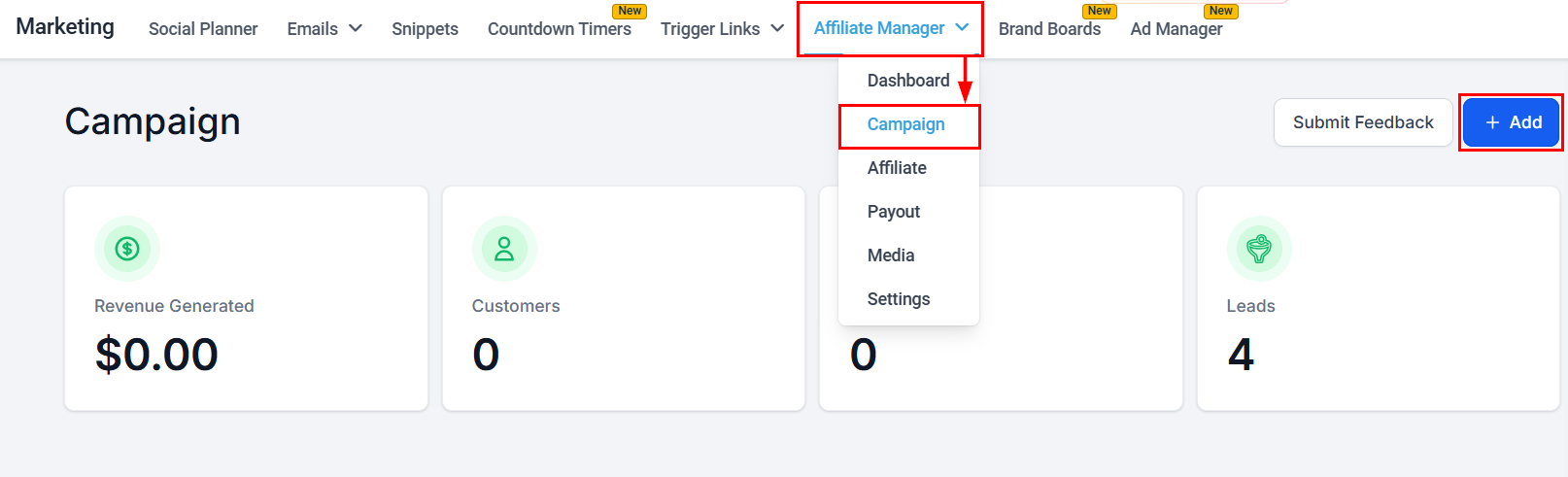
To initiate the campaign creation process, click the "+Add" button located in the upper right-hand corner of the Affiliate Campaign screen.
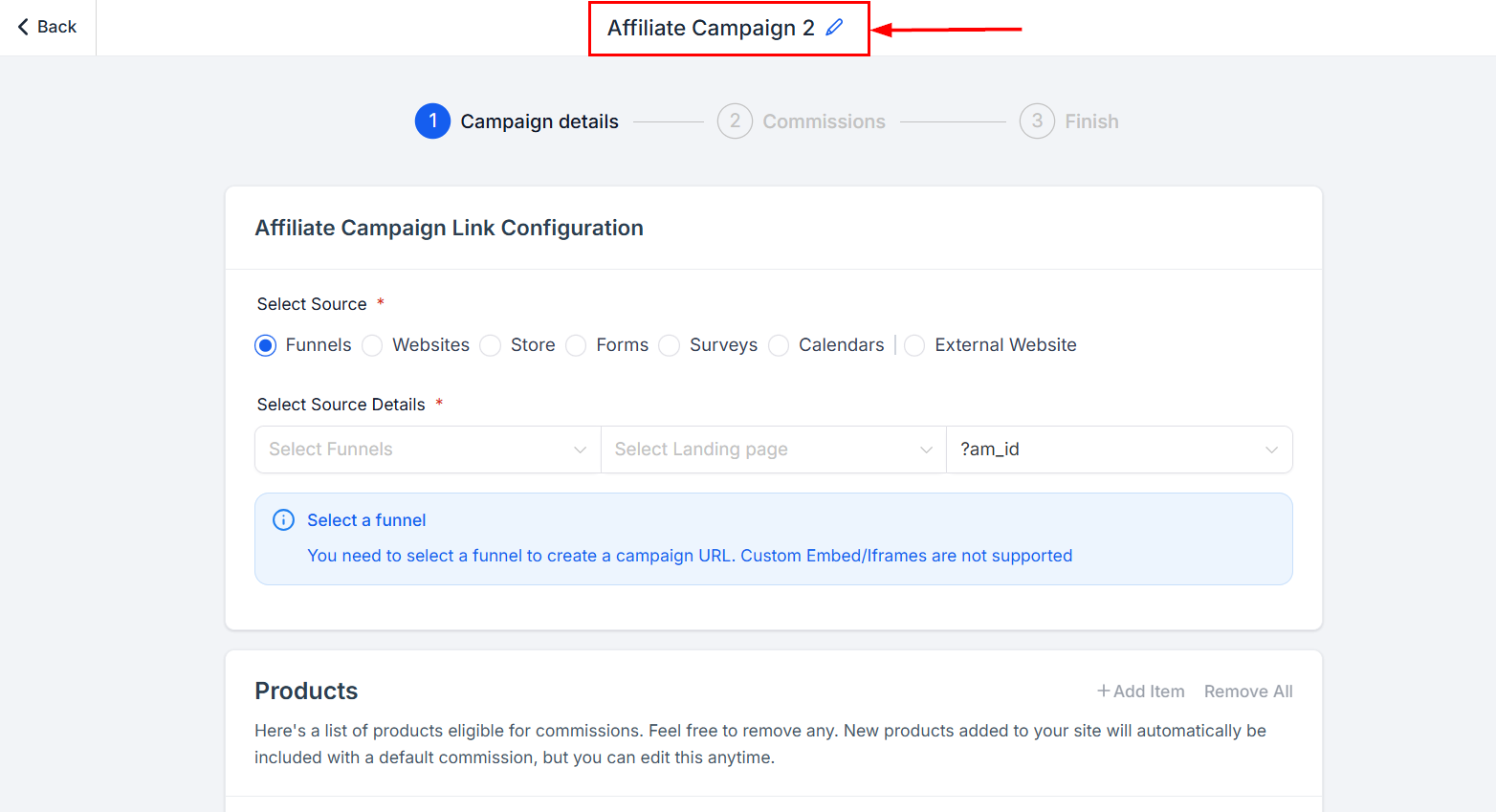
Campaign Name
Enter a distinctive name for this campaign in the Campaign Name field, which will serve as its identifier. By choosing a unique and easily recognizable name, you'll be able to quickly differentiate this campaign from others and efficiently manage your marketing initiatives.
Step 1
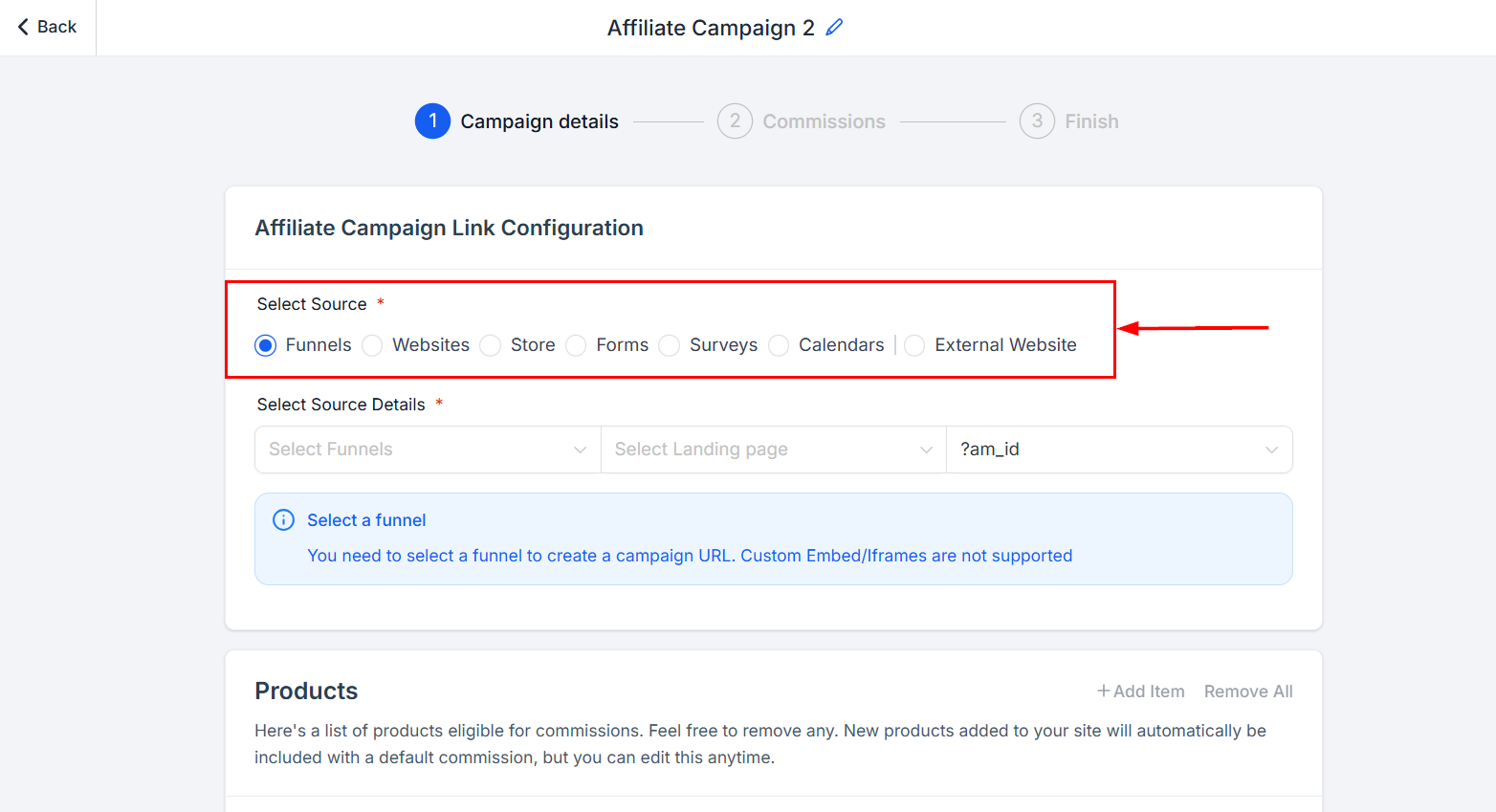
Source
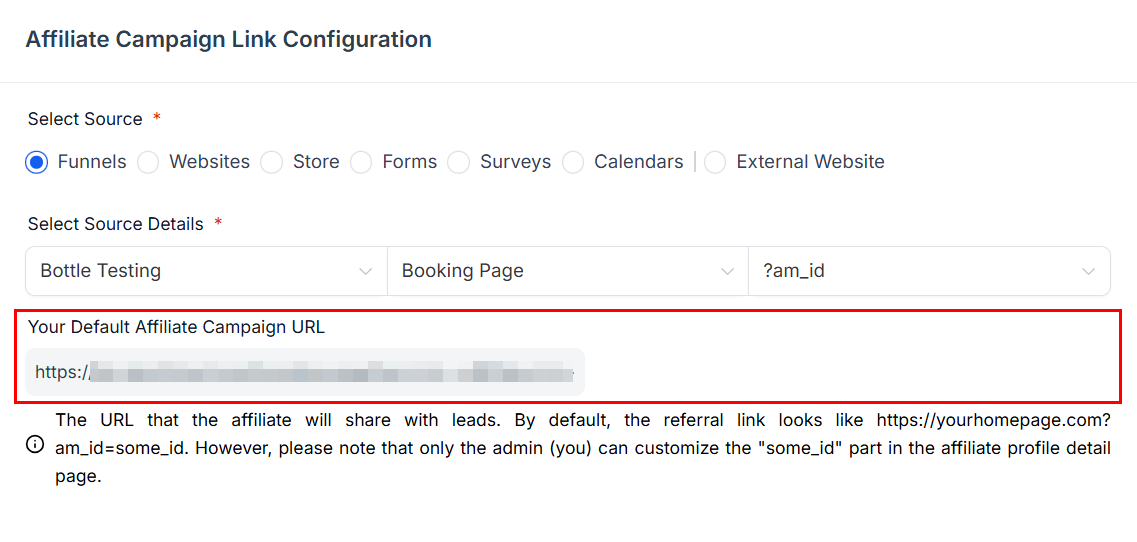
Select the source from which the affiliate's leads will originate.
For funnels, websites, or stores, ensure that they are linked to a domain. You can do so on the funnel page if you haven't linked your domain yet.
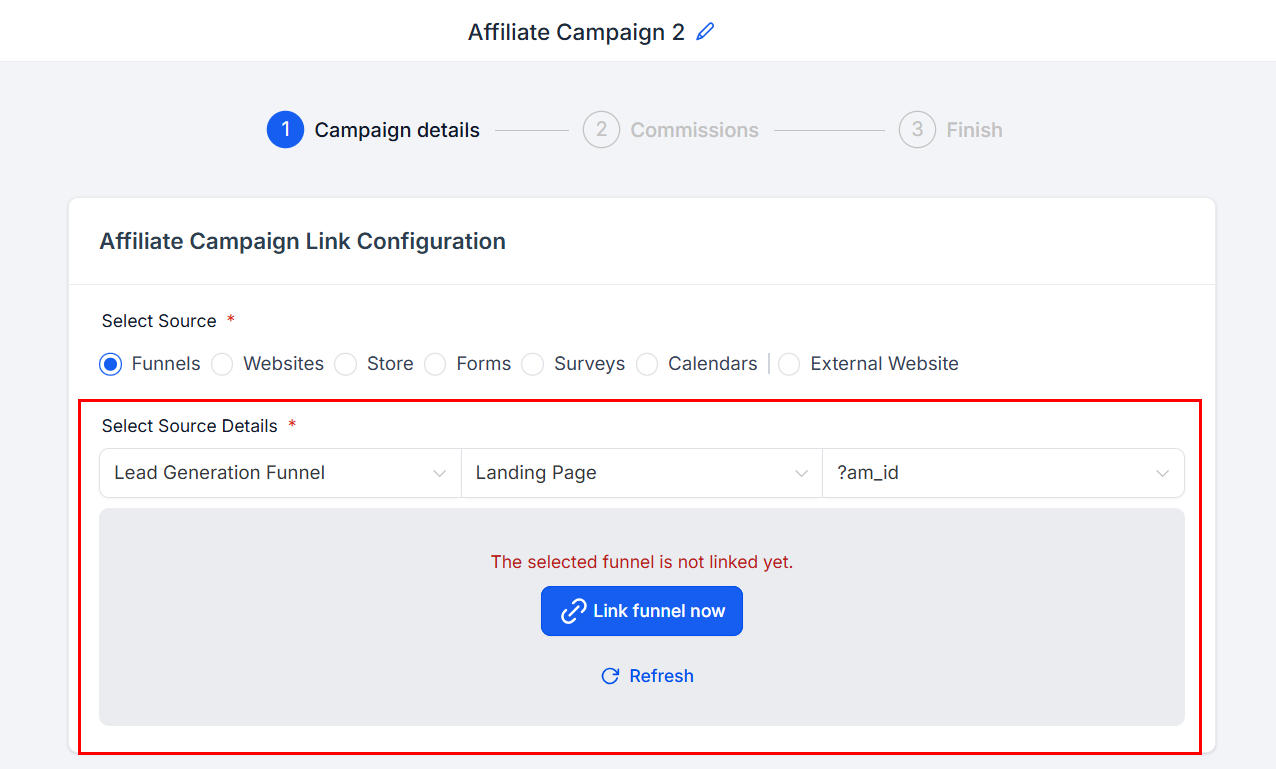
View the preview of your affiliate campaign URL in this section.
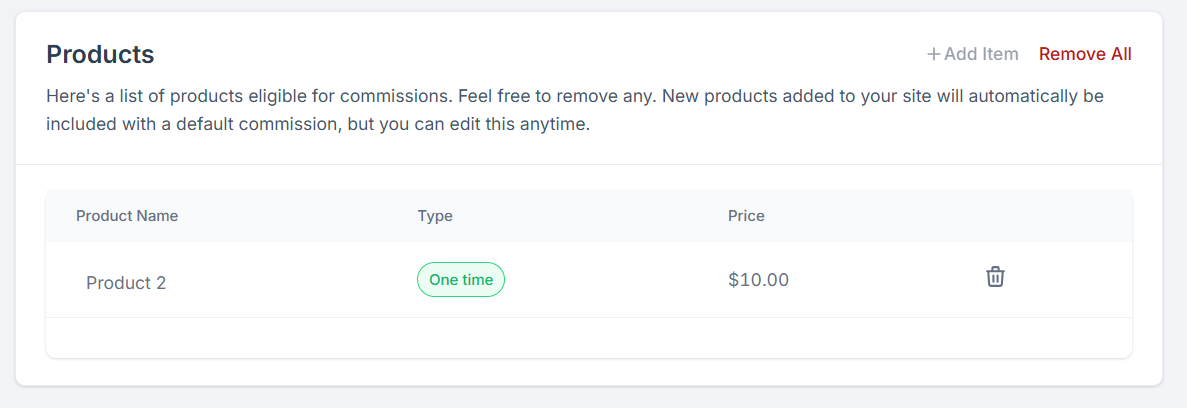
Products
For affiliate campaigns with a funnel, website, or store as its source, choose the products on which an affiliate commission is applicable. The affiliate campaign can only be activated once the respective products have been selected. You will not be able to publish a campaign until these requirements are met; however, you can save an affiliate campaign at any time and return later to add products or services.
Select “Next” to proceed to the Commissions section.
Step 2
Commissions for Funnels, Websites, or Stores
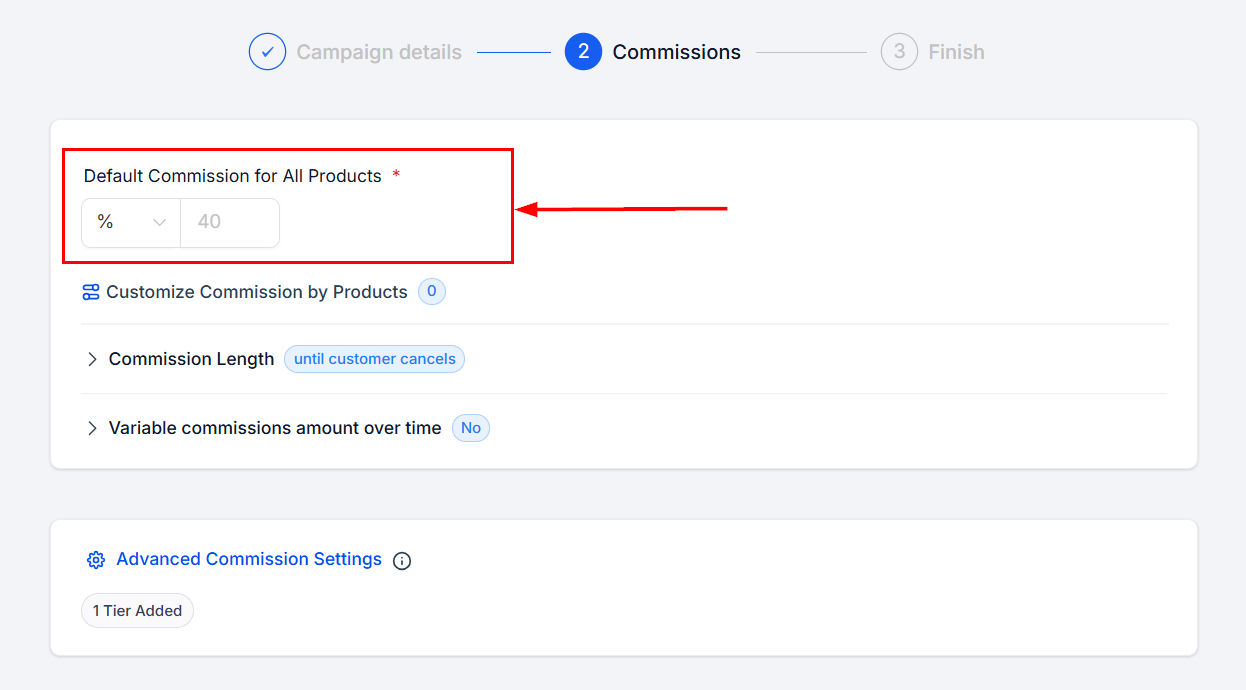
The commission percentage refers to the proportion of each sale, expressed in percentage terms, that will be allocated as a commission to affiliates for their successful sales efforts. This predetermined rate ensures fair compensation for affiliates and provides a clear understanding of their earnings potential based on their sales performance.
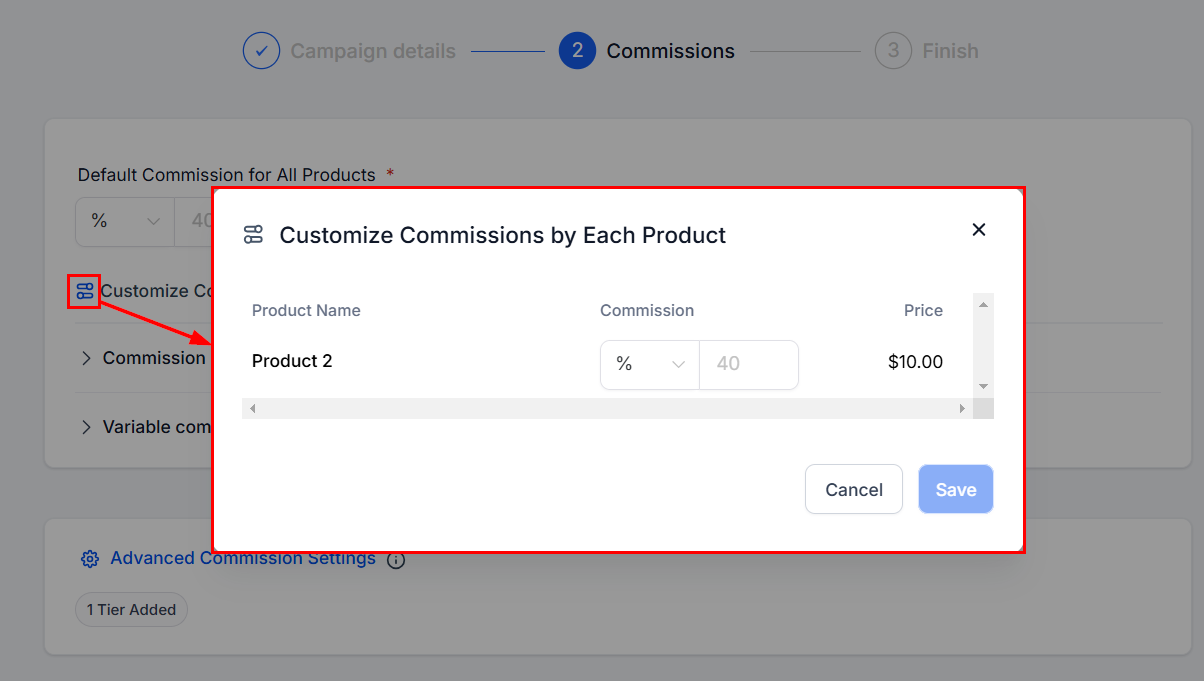
If you have multiple products you can set customized commissions for each.
Commission Length
By default, commissions are paid until the customer cancels. To limit commissions, select the Commission Length dropdown and select By Count. Set the maximum number of charges eligible for commission payments. For example, if the limit is set to 5, the affiliate earns a commission only for the first 5 charges, regardless of whether the subscription is monthly or yearly.
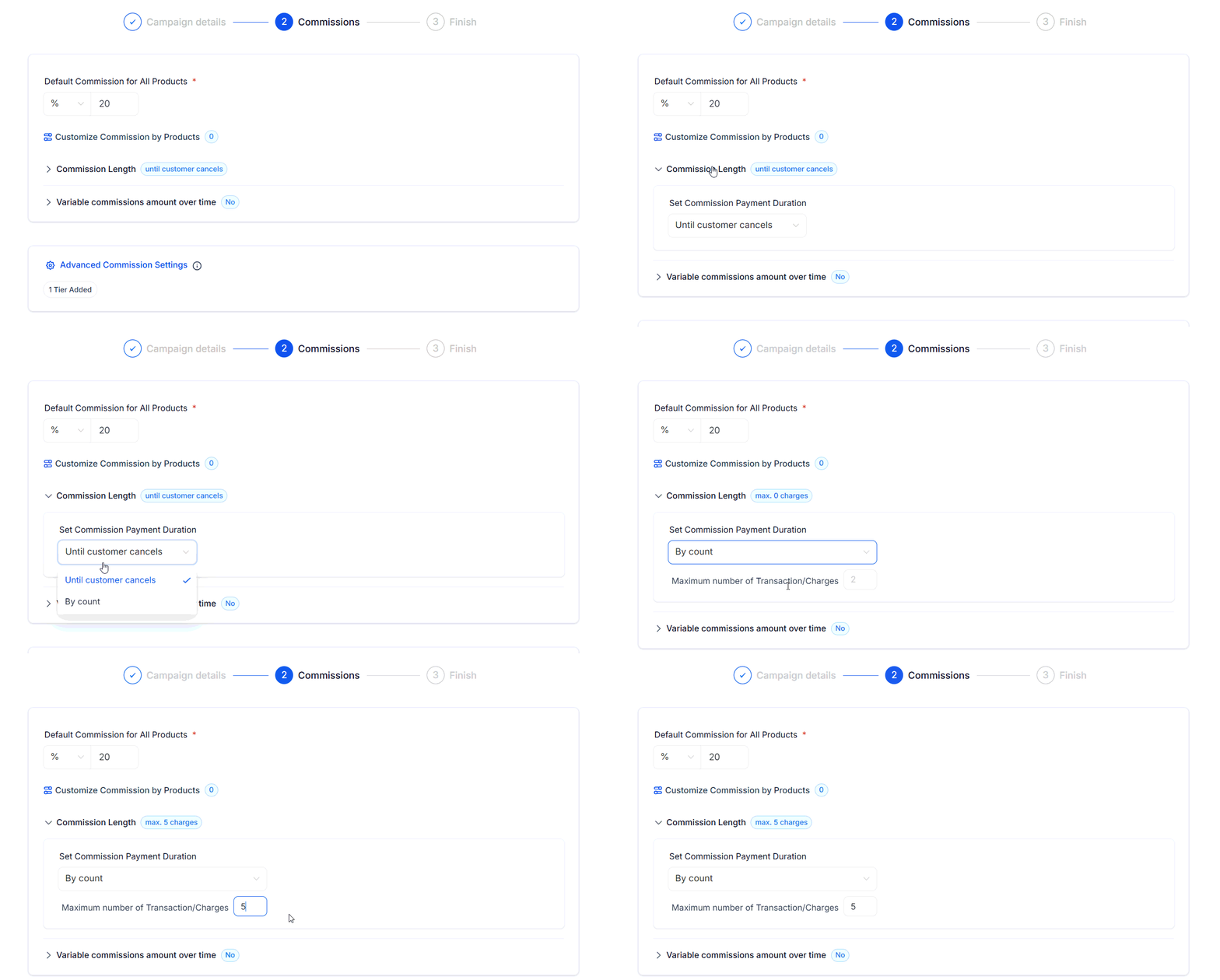
?Note: The limit is based on the number of successful charges, not time intervals.
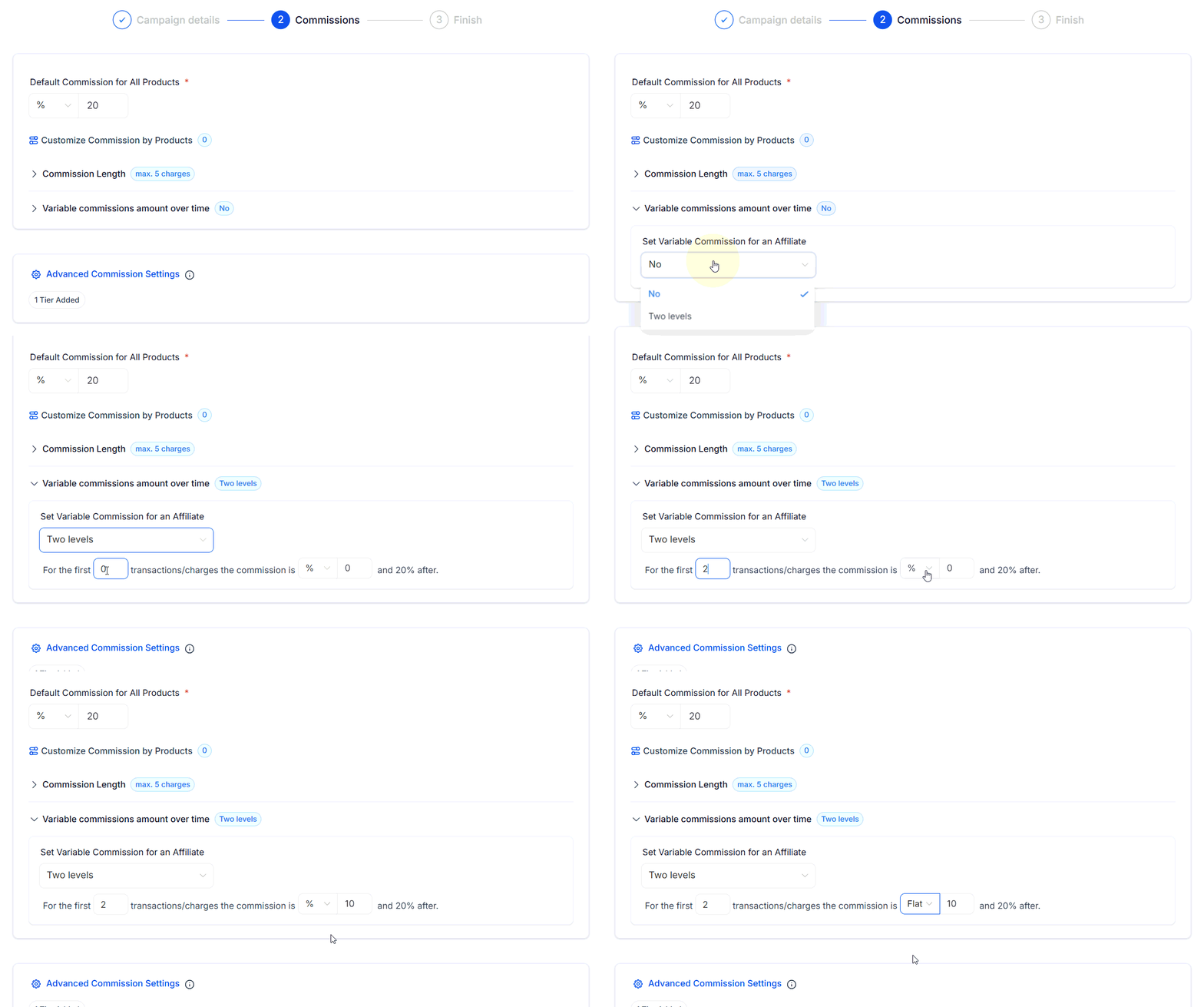
Set Variable Commissions Over Time
Toggle Variable Commissions to configure different commission rates for specific charge counts. For example: For the first 2 charges, you can set a 10% commission, followed by a 20% commission for subsequent charges.
Affiliate Tiers
Set multiple tiers for the same affiliate campaign, to divide your affiliates into different earning levels.
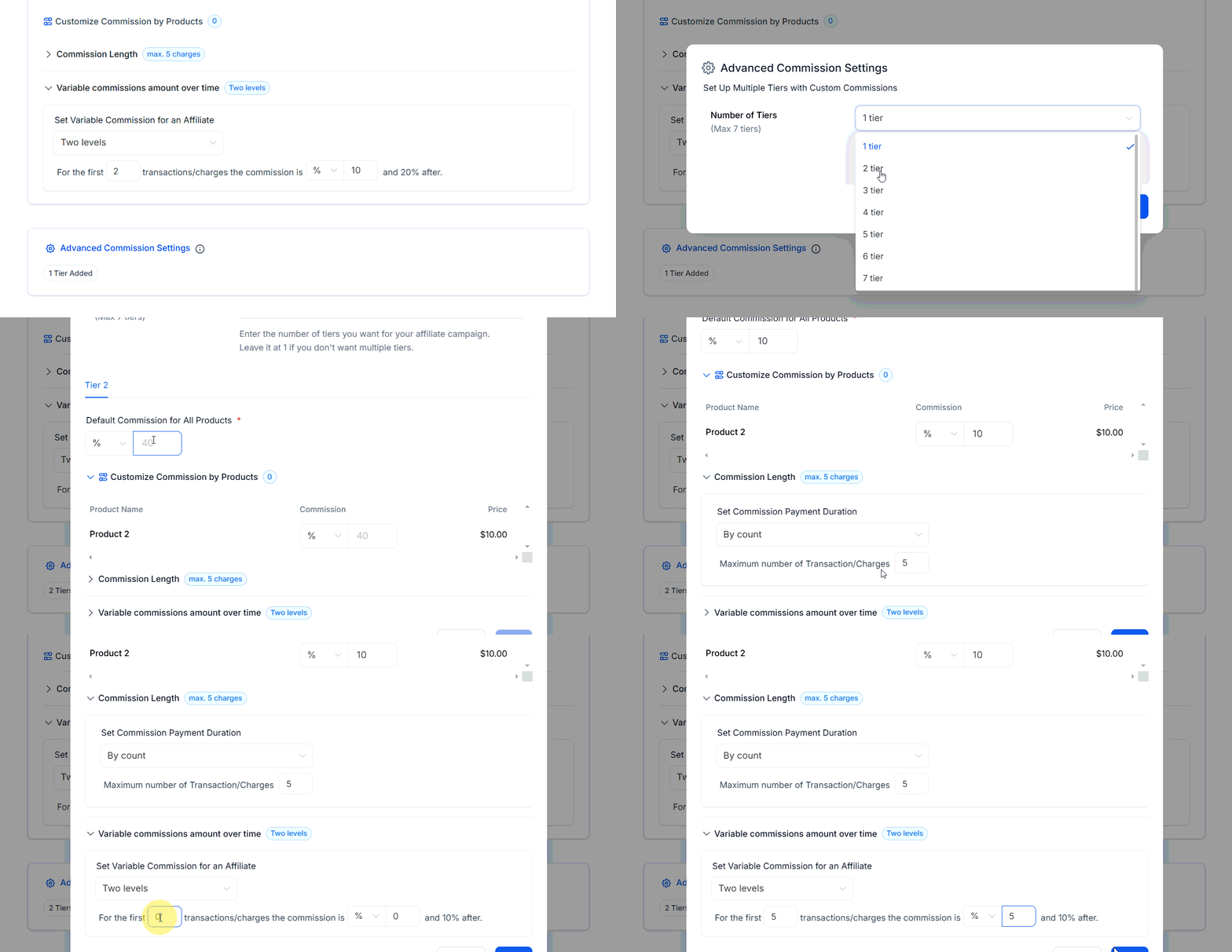
Select the “Save” button to finalize the campaign details.
Commissions for Forms, Surveys, or Calendars
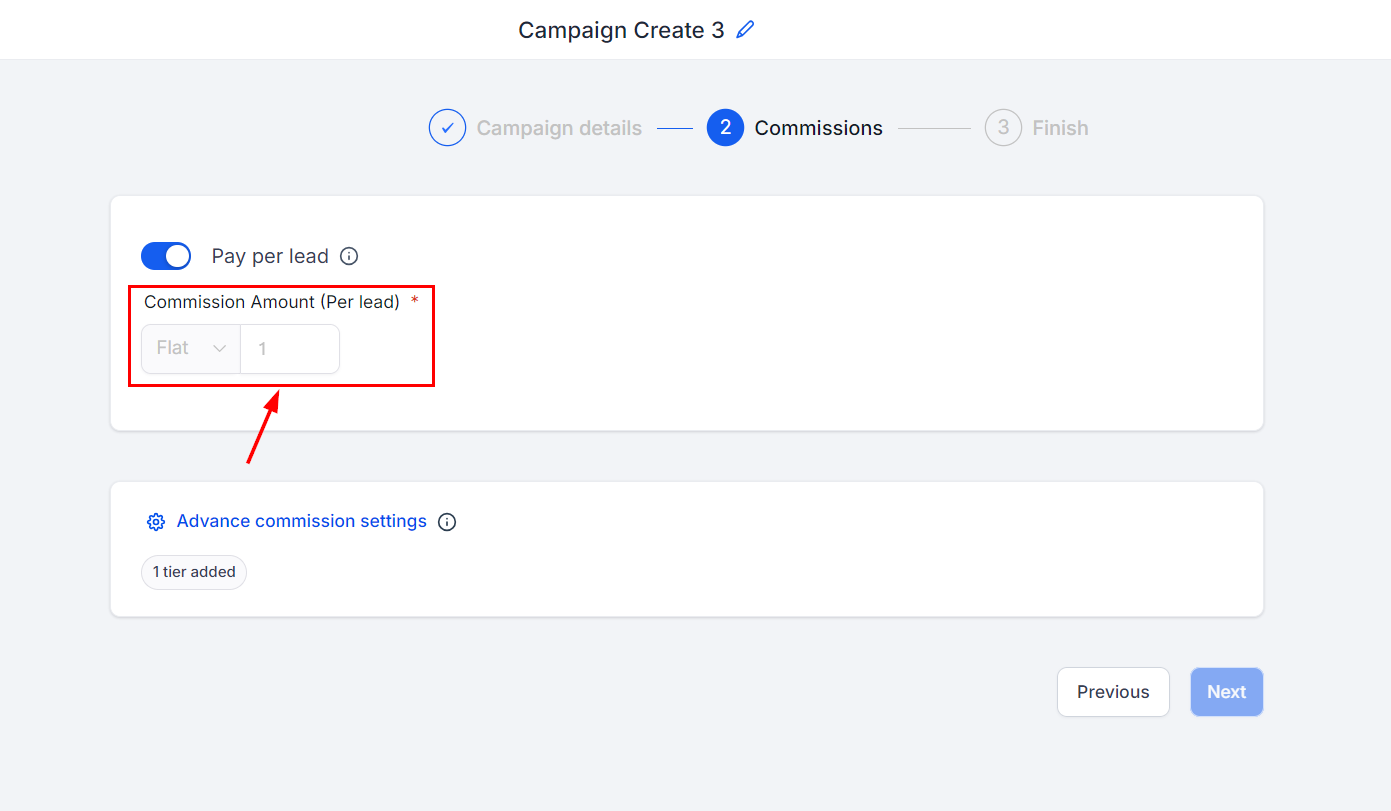
Optionally, toggle on the Pay-Per-Lead option.
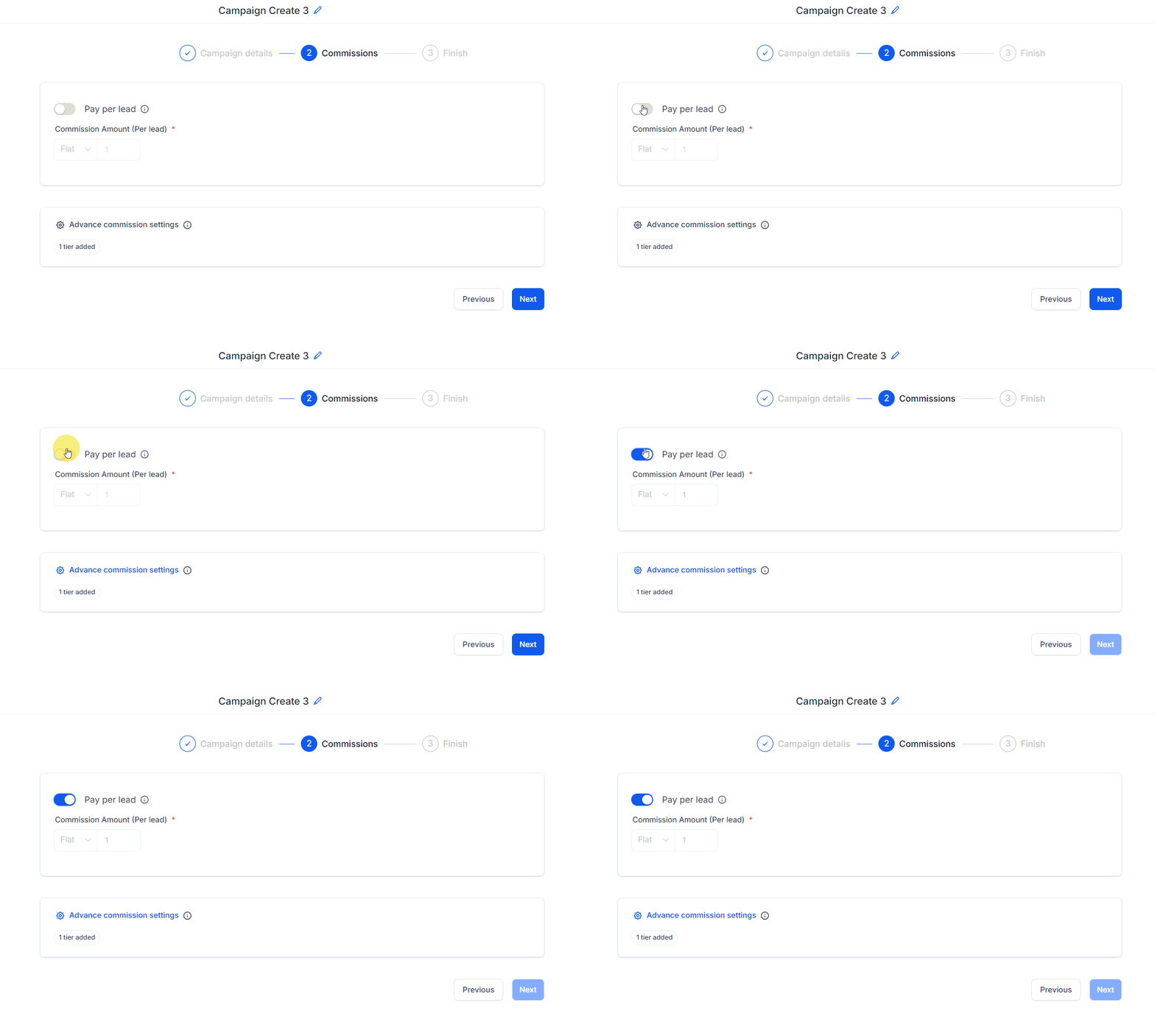
Set Per Lead Commission
Set the commission amount affiliates will receive for each lead they generate.
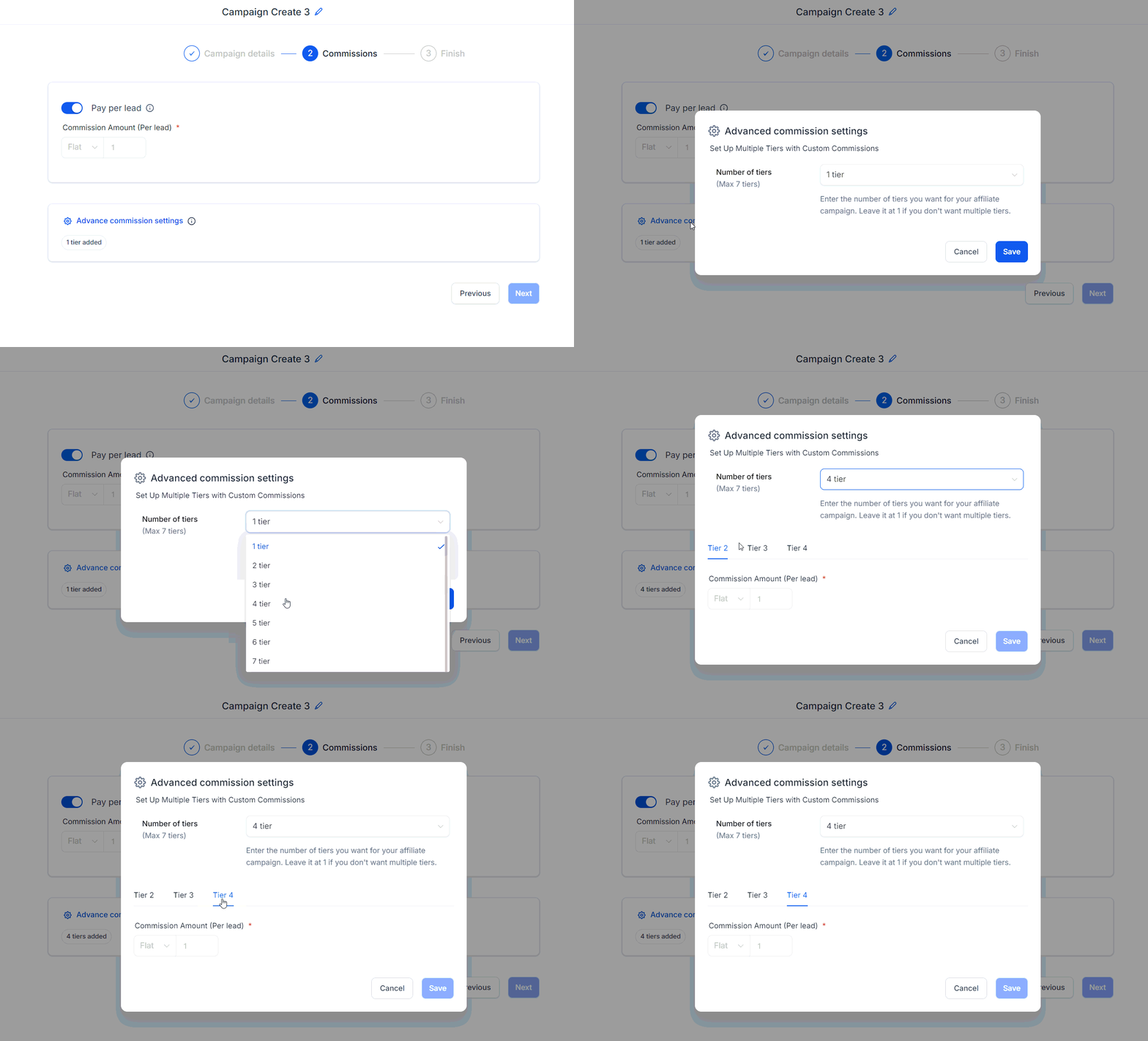
Configure Advanced Commission Settings
If needed, set up Multiple Tiers under advanced commission settings to further customize the commission structure.
Step 3
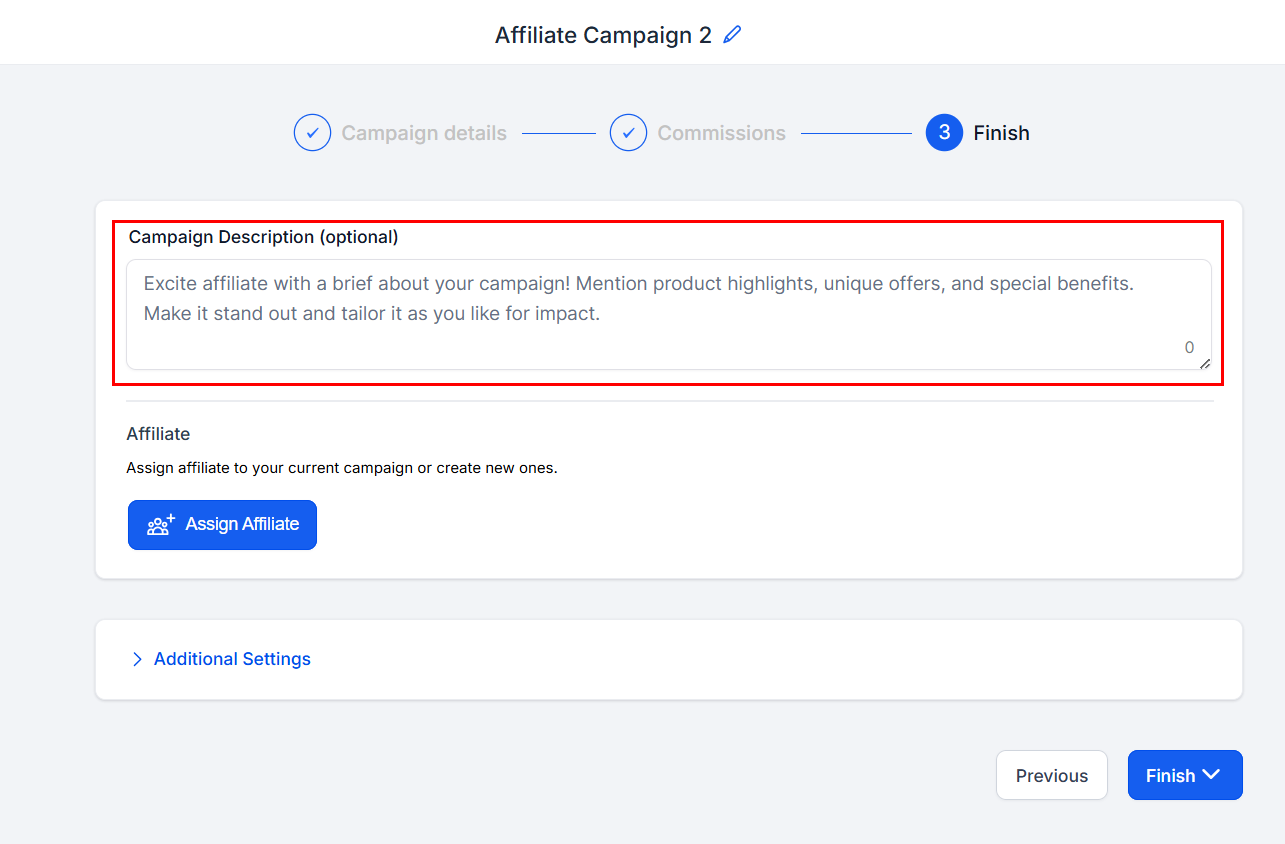
Campaign Description
In this space, you can provide a concise overview of the campaign's main objectives and elements. This description will help convey the essence of the campaign and allow others to quickly grasp its purpose and goals, ensuring clarity and effective communication.
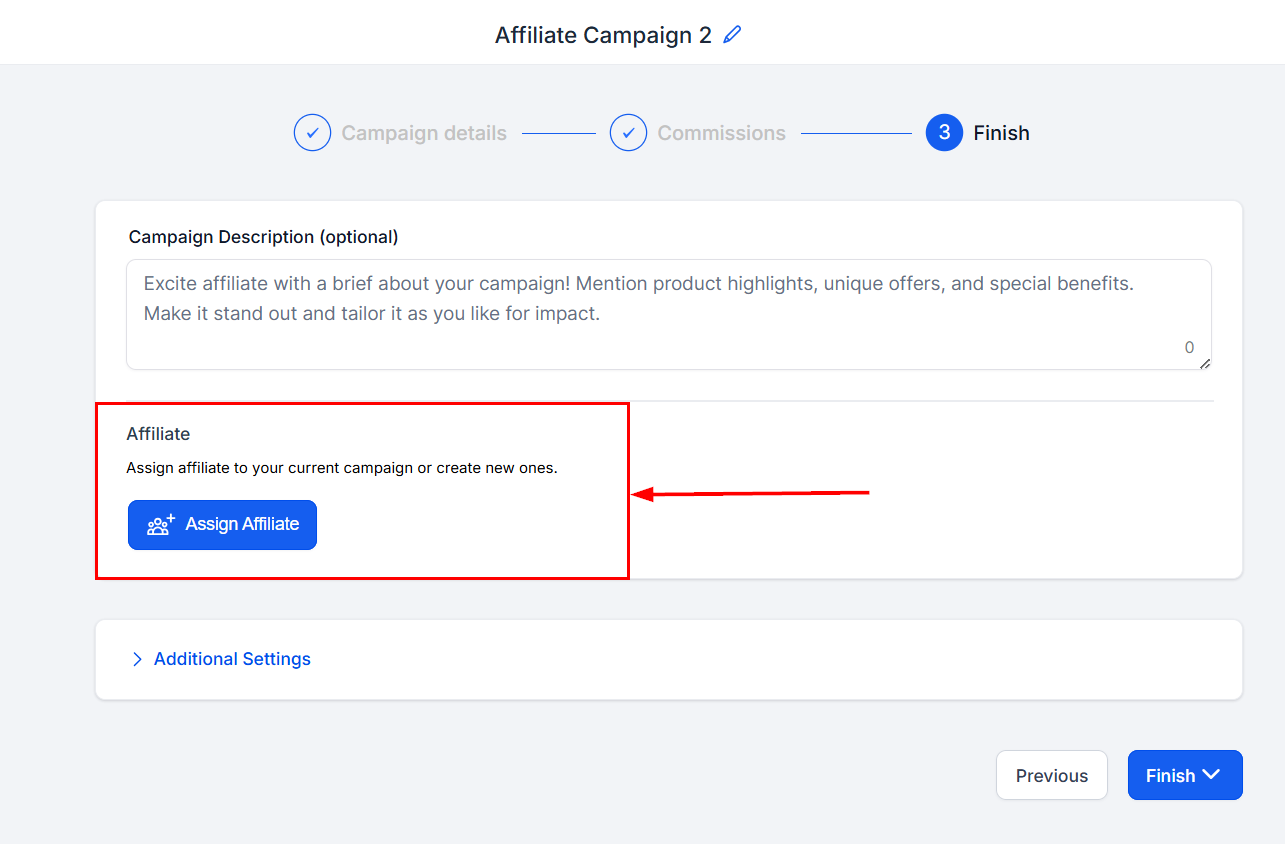
Add Affiliate
Click this button to view a list of available affiliates that can be added to your campaign. Each affiliate will be assigned a unique link specifically designed to promote the affiliate program.
Please note that an affiliate can participate in multiple campaigns simultaneously and will receive a unique affiliate link for each campaign. This ensures accurate tracking and attribution of their promotional efforts across various initiatives.
Click the Additional Settings option to access additional customization options.
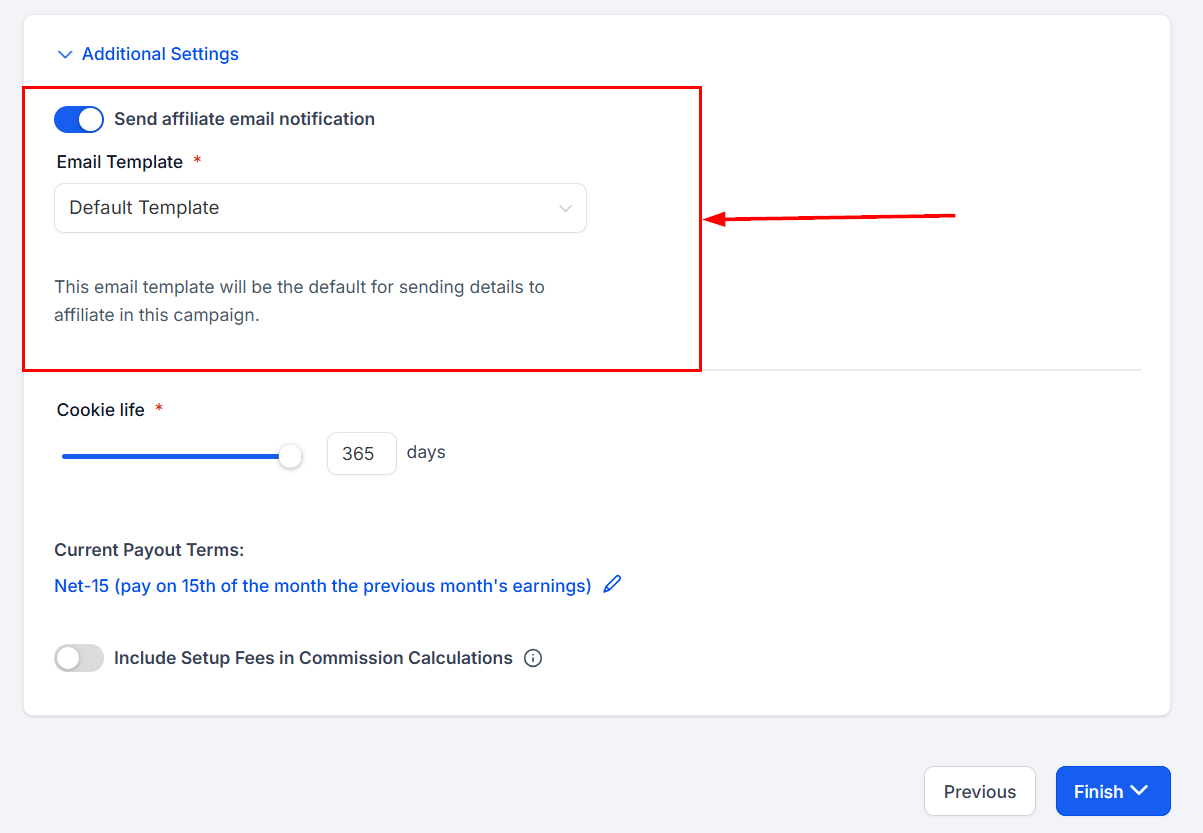
Email Template
Choose whether to send an email to the affiliates added to the campaign. The available email templates for onboarding new affiliates will appear in the template dropdown.
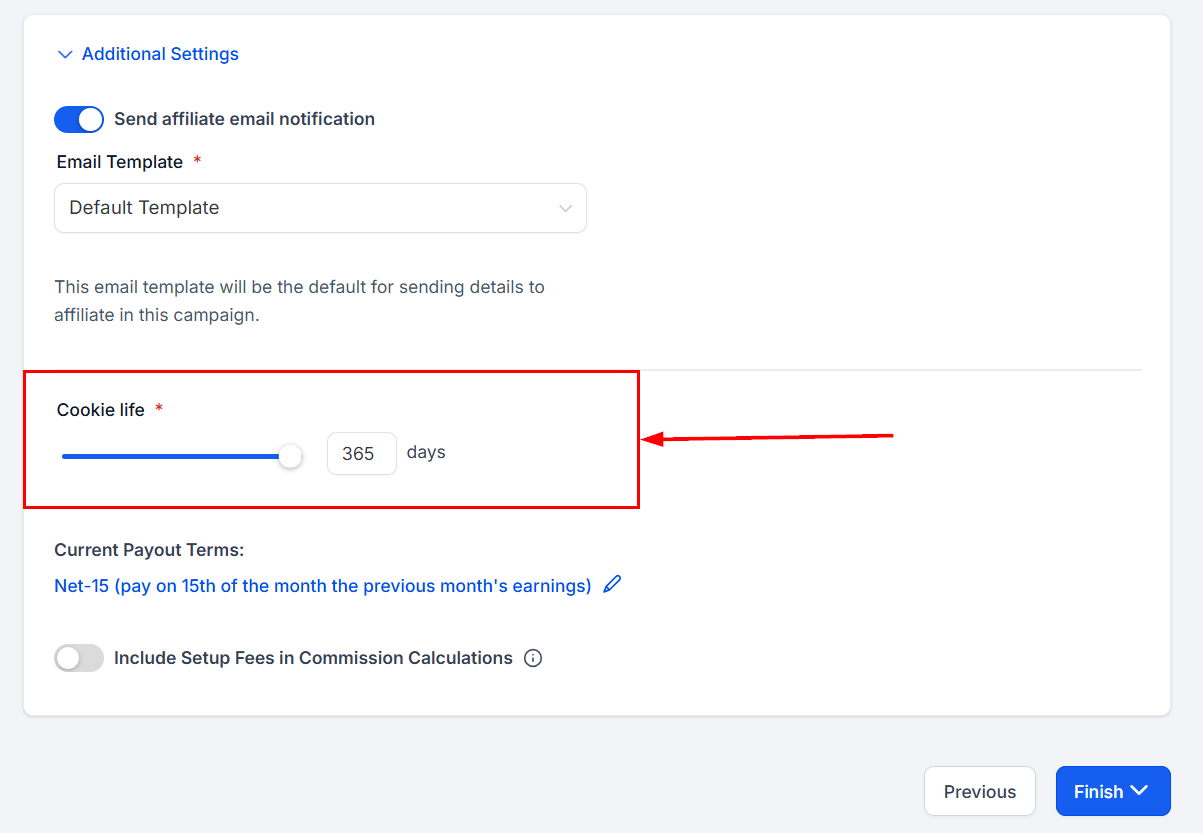
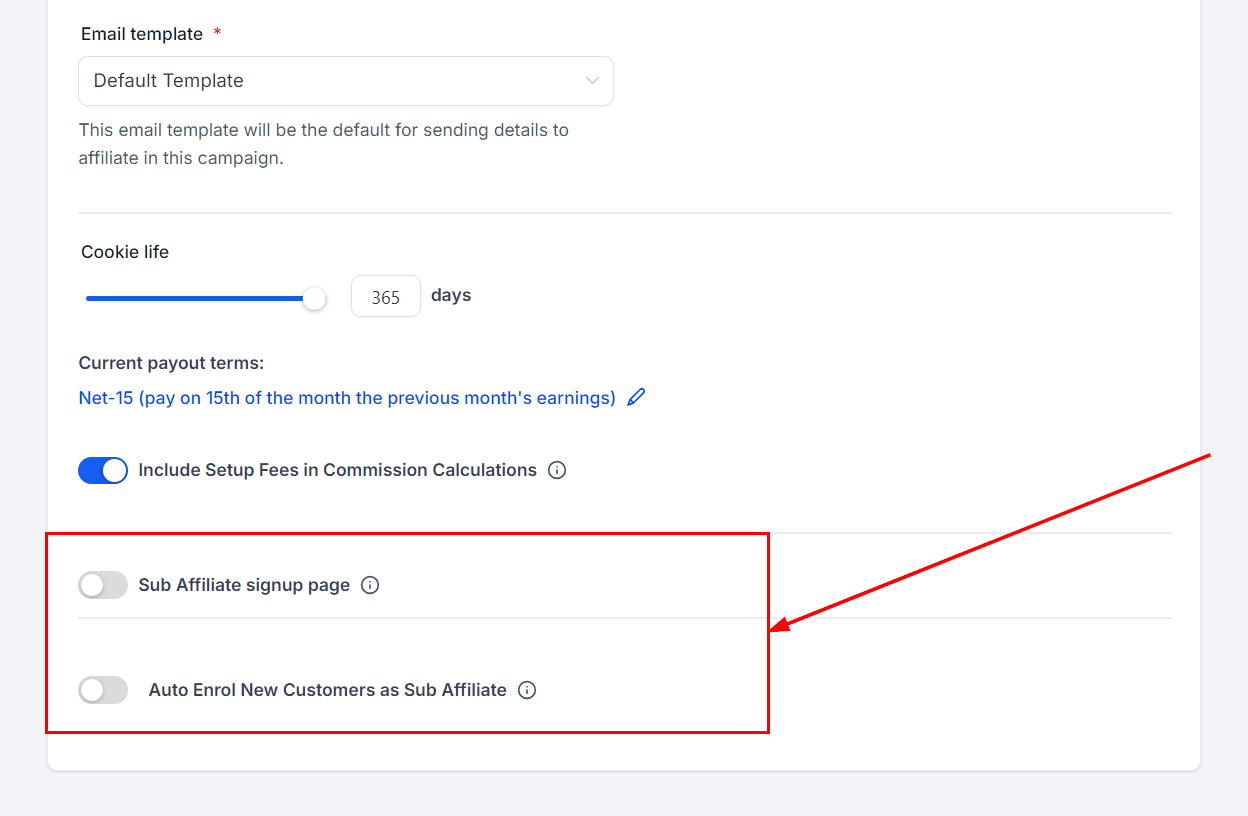
Cookie Life
Choose the duration, in days, that the cookie will remain active within the lead's browser. This selection determines the period for which the cookie will store information and track the lead's activities, ensuring an optimal user experience and effective lead management.
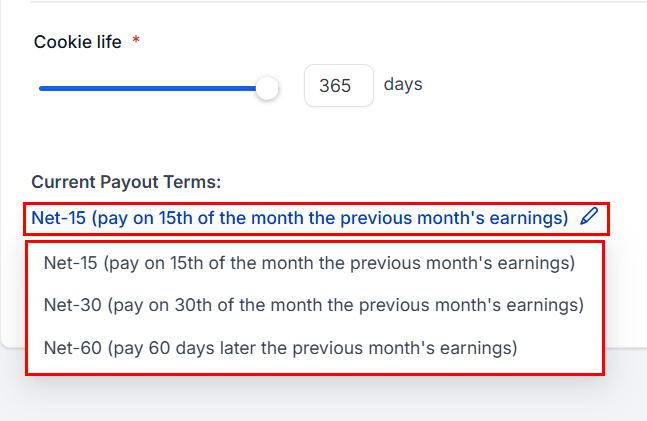
Payout Terms
The pay-out terms option enables you to determine the specific time intervals at which payments will be issued to affiliates for each sale they generate. This customizable feature allows for better management of cash flow and ensures that affiliates are compensated according to your preferred schedule, fostering a healthy and productive partnership.
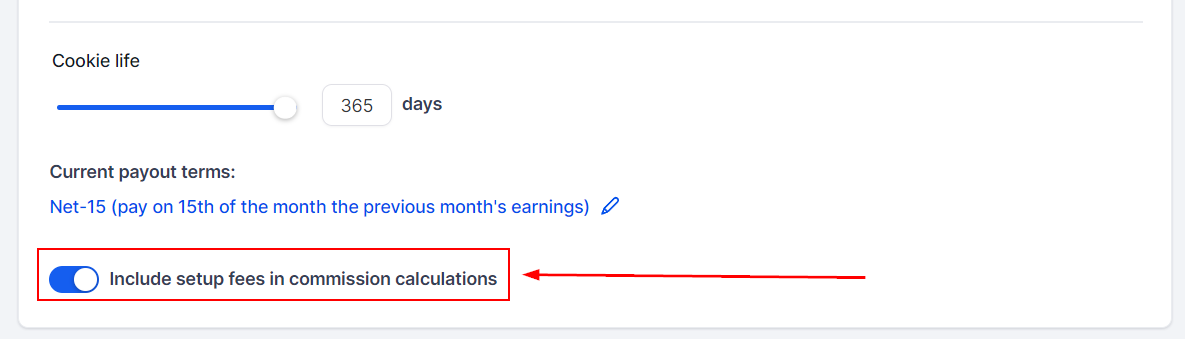
Setup Fee Additions
For any products with set-up fees, toggle the button for the option so you can include them in the commissions for your affiliates. This will be reflected in the total payout once processed.
Sub-Affiliate Customizations
For Campaigns with multiple affiliate tiers, you can configure the option to enable sub-affiliate signup forms. Additionally, you may choose to automatically enroll new customers as sub-affiliates. When enabled, new customers will be automatically registered as sub-affiliates under the affiliate who referred them.
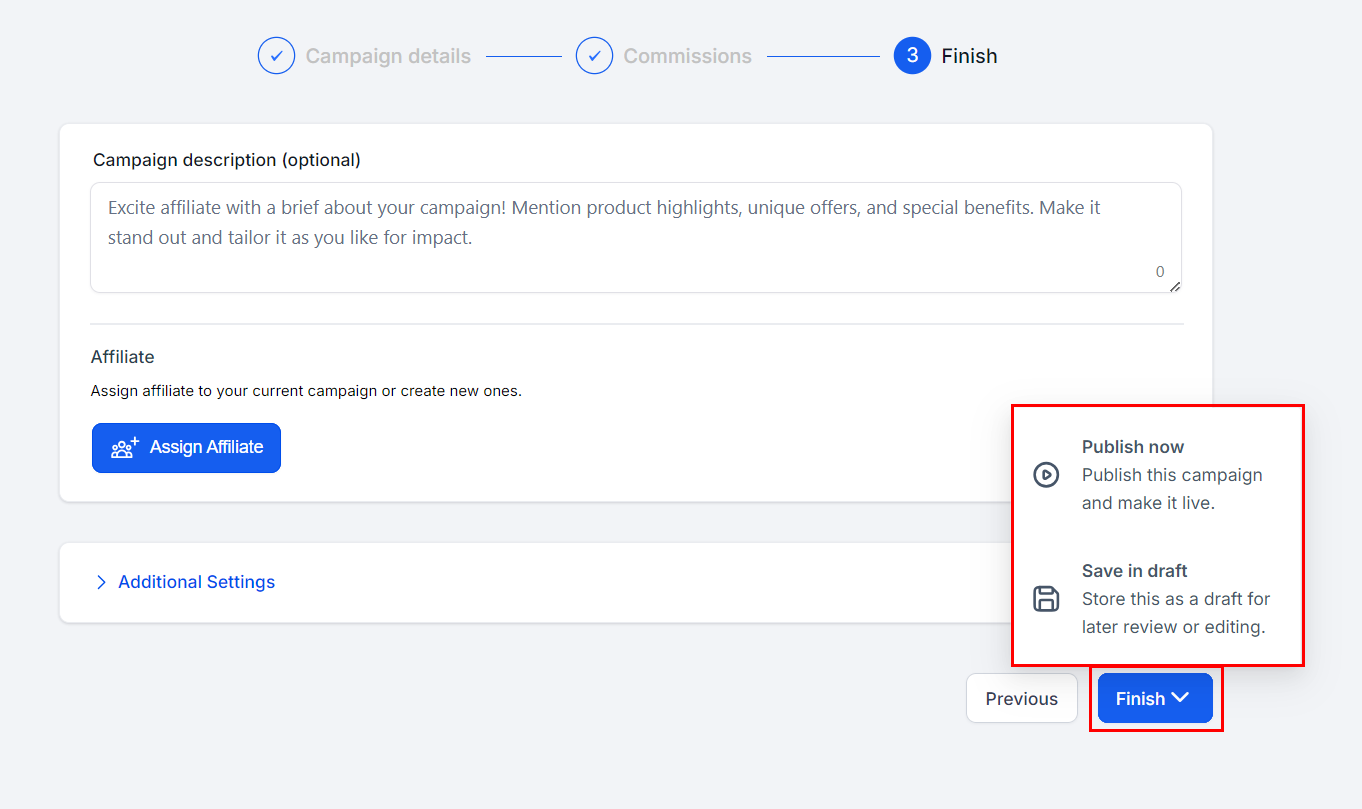
The final step is to click "Finish" and select "Publish Now" to make your campaign active and ready. If you prefer to save the campaign without making it live, select "Save in Draft" to keep the campaign paused.
By following the outlined steps and ensuring all elements are appropriately set, you can effectively launch and manage a robust affiliate marketing campaign that drives growth and achieves your business objectives.
Was this article helpful?
That’s Great!
Thank you for your feedback
Sorry! We couldn't be helpful
Thank you for your feedback
Feedback sent
We appreciate your effort and will try to fix the article