A Pay-Per-Lead (PPL) program is a performance-based commission model where affiliates earn a commission for each lead they refer, rather than receiving payouts solely upon successful sales. This approach differs from the traditional pay-per-sale model, which rewards affiliates only when a sale is completed.
While PPL programs often offer lower commissions per lead—sometimes as little as $0.01—they can be more cost-effective overall. Affiliates may generate more leads than sales since encouraging visitors to take small actions is generally easier than converting them into customers. However, this can also lead to increased costs, especially when the criteria for generating a lead are minimal, such as:
- Form Submission
- Calendar Booking
- Survey Submission
Why It Matters
- Cost Efficiency: PPL programs typically feature lower per-lead commissions, which can help manage and reduce overall costs.
- Increased Lead Generation: Affiliates are likely to generate more leads than sales, providing more opportunities for customer engagement and growth.
- Improved Flexibility: These programs allow for customizable commission structures with multiple tiers, supporting a variety of actions to align with your business objectives.
Enabling Pay-Per-Lead for Your Affiliate Campaigns
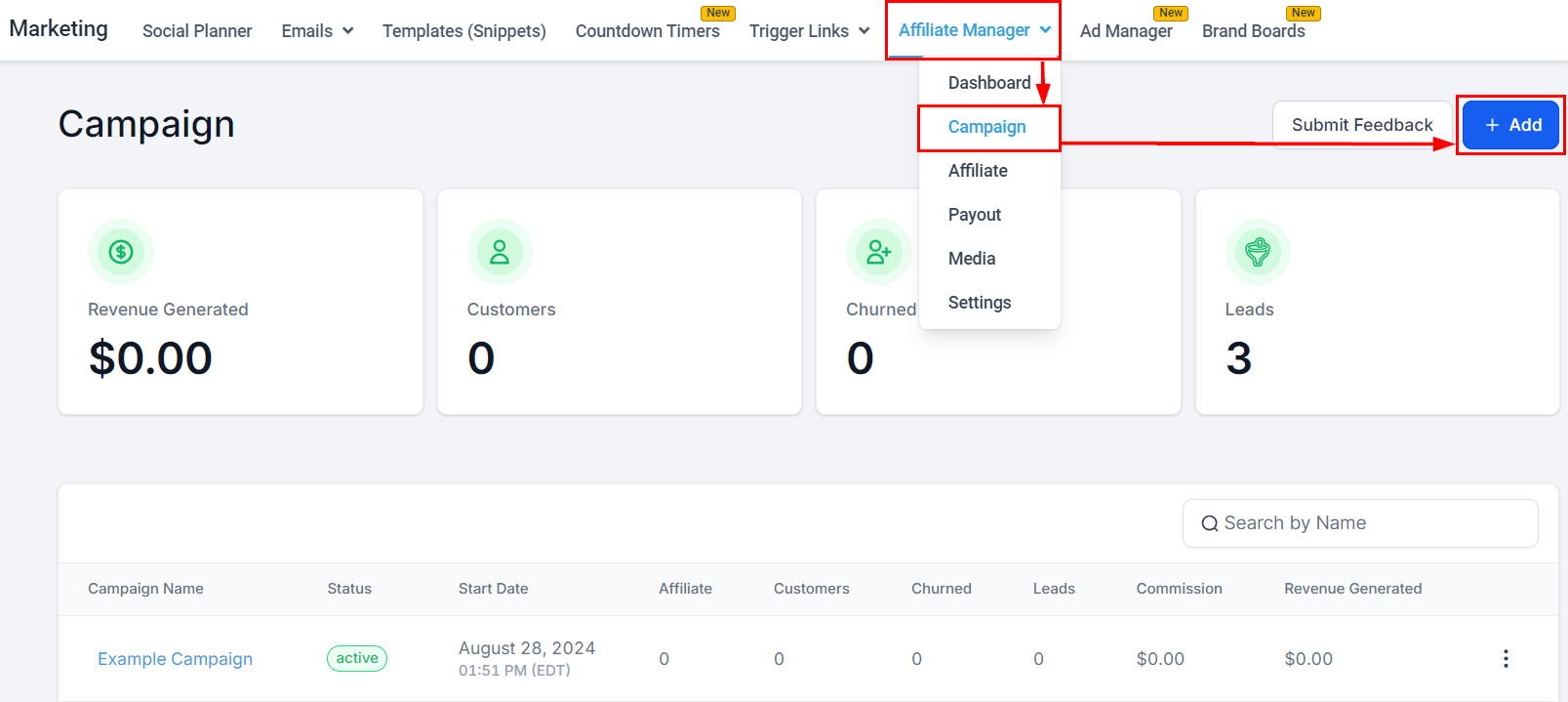
Create a New Campaign
Begin by creating a new affiliate campaign.
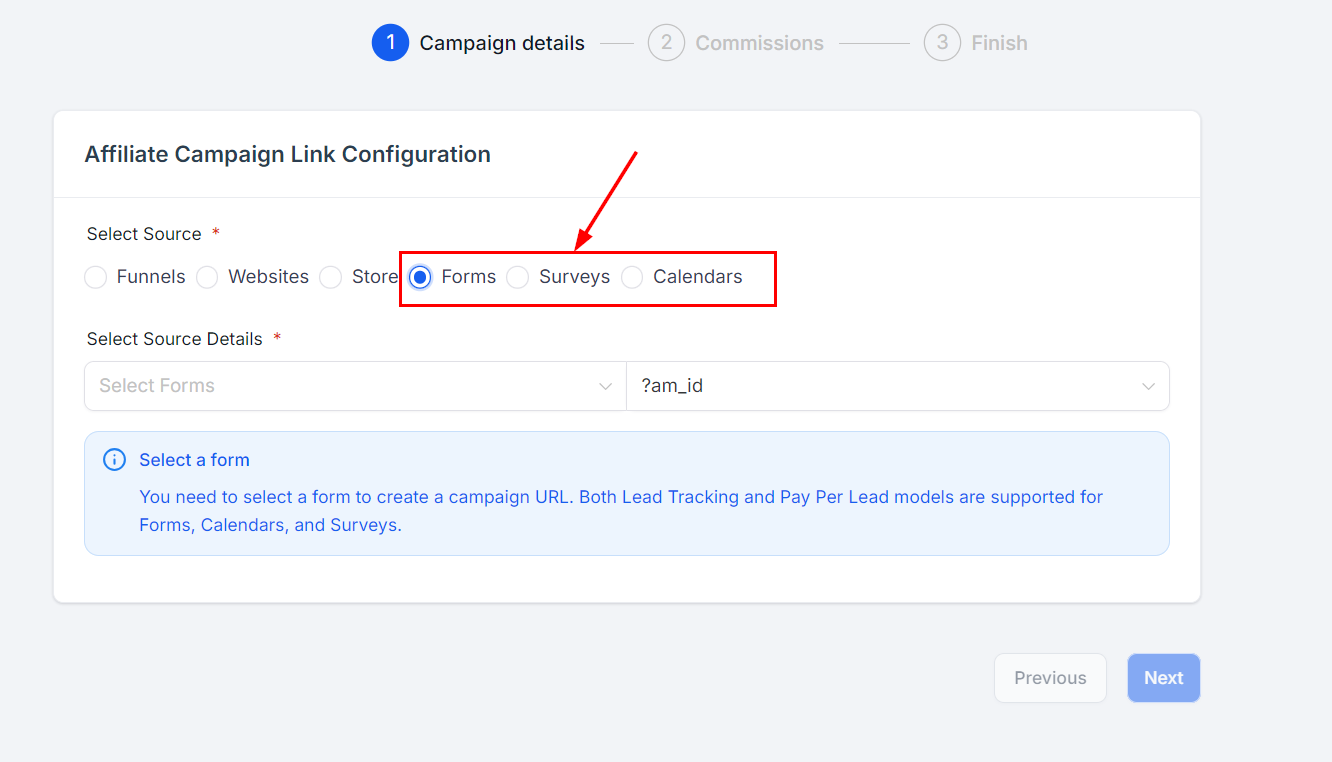
Select Source Type
Choose Forms, Surveys, or Calendars as the source for your campaign, then configure the source details. The Pay-Per-Lead model currently supports these three sources.
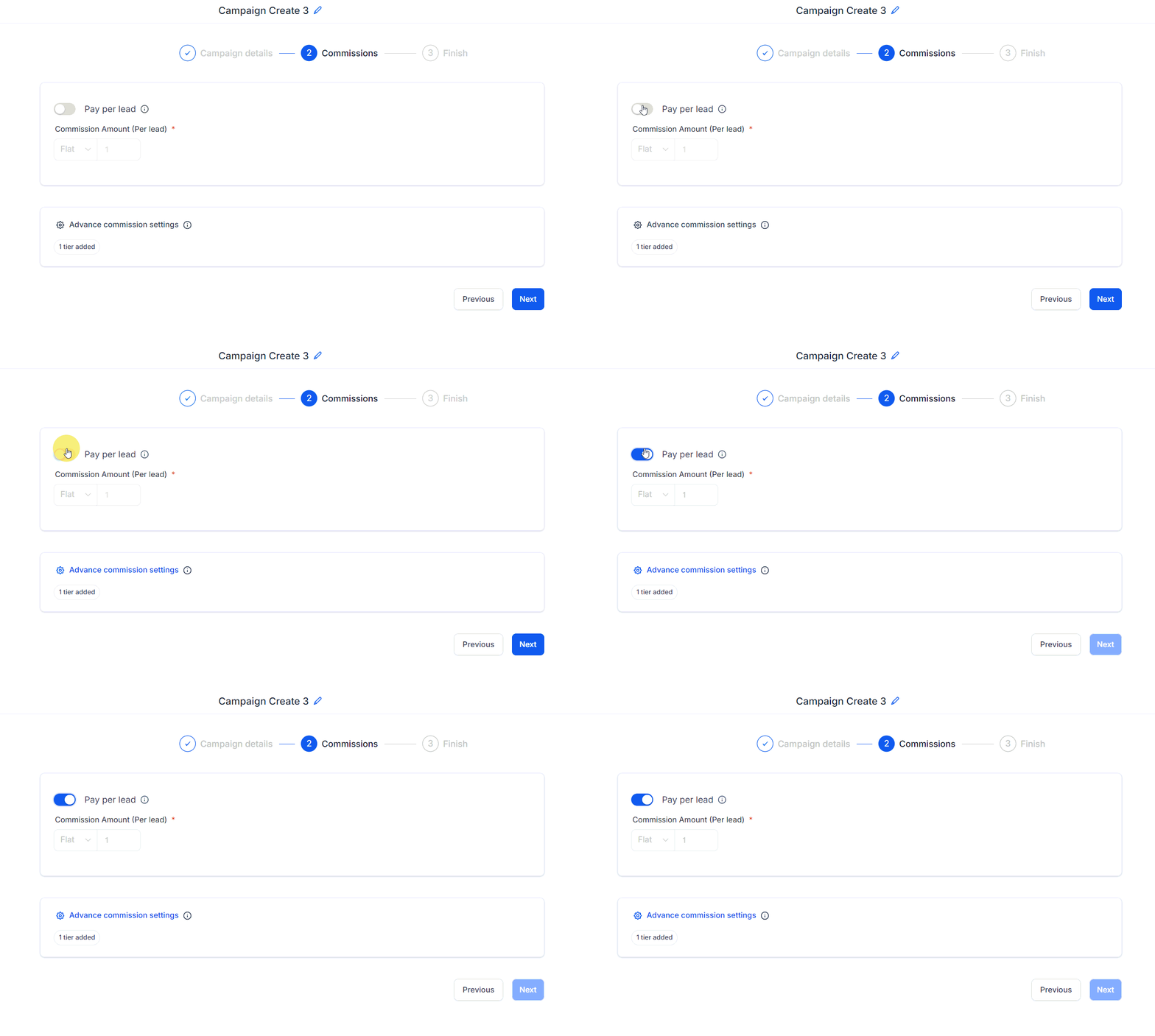
Enable Pay-Per-Lead
Navigate to the Commissions tab and toggle on the Pay-Per-Lead option.
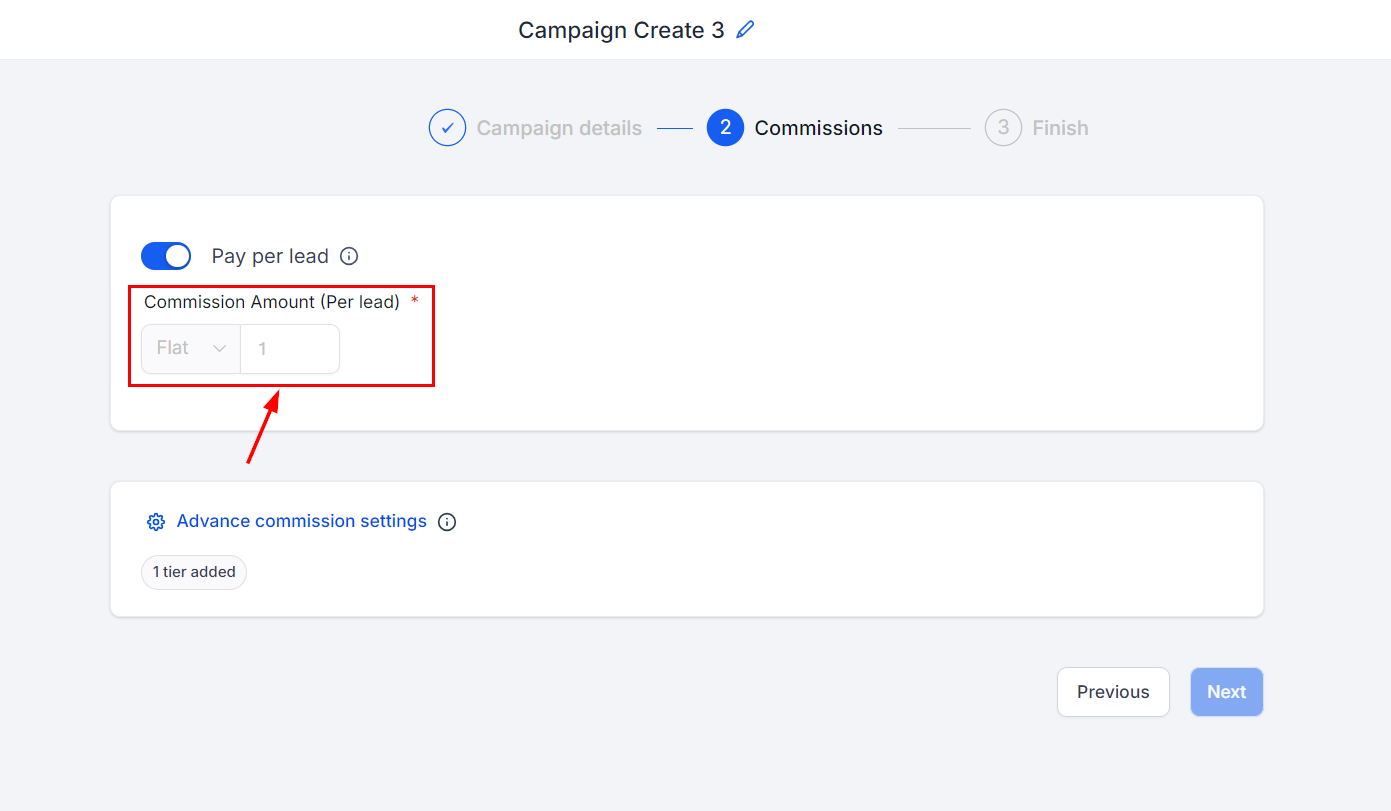
Set Per Lead Commission
Set the commission amount affiliates will receive for each lead they generate.
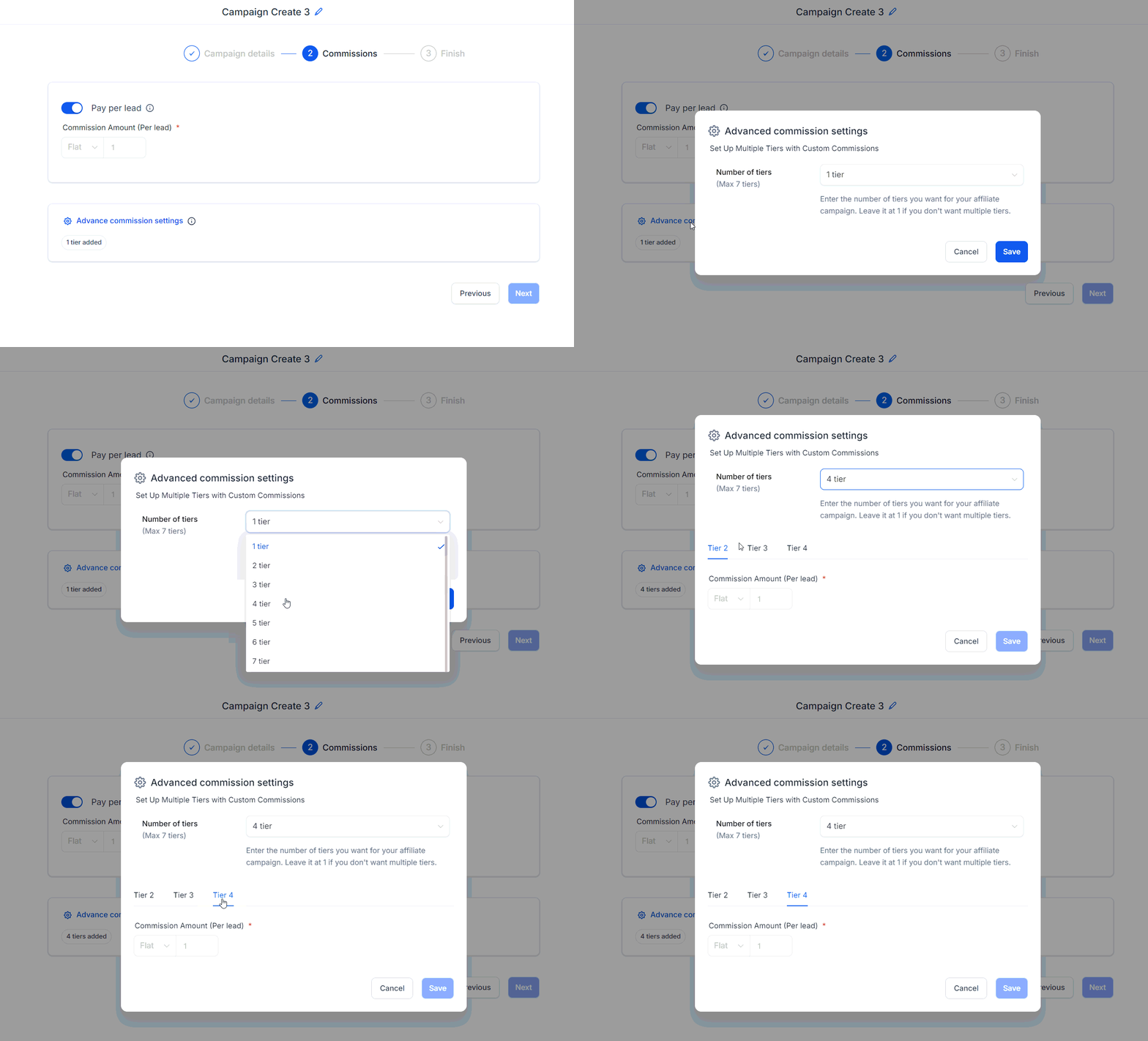
Configure Advanced Commission Settings (Optional)
If needed, set up Multiple Tiers under advanced commission settings to further customize the commission structure.
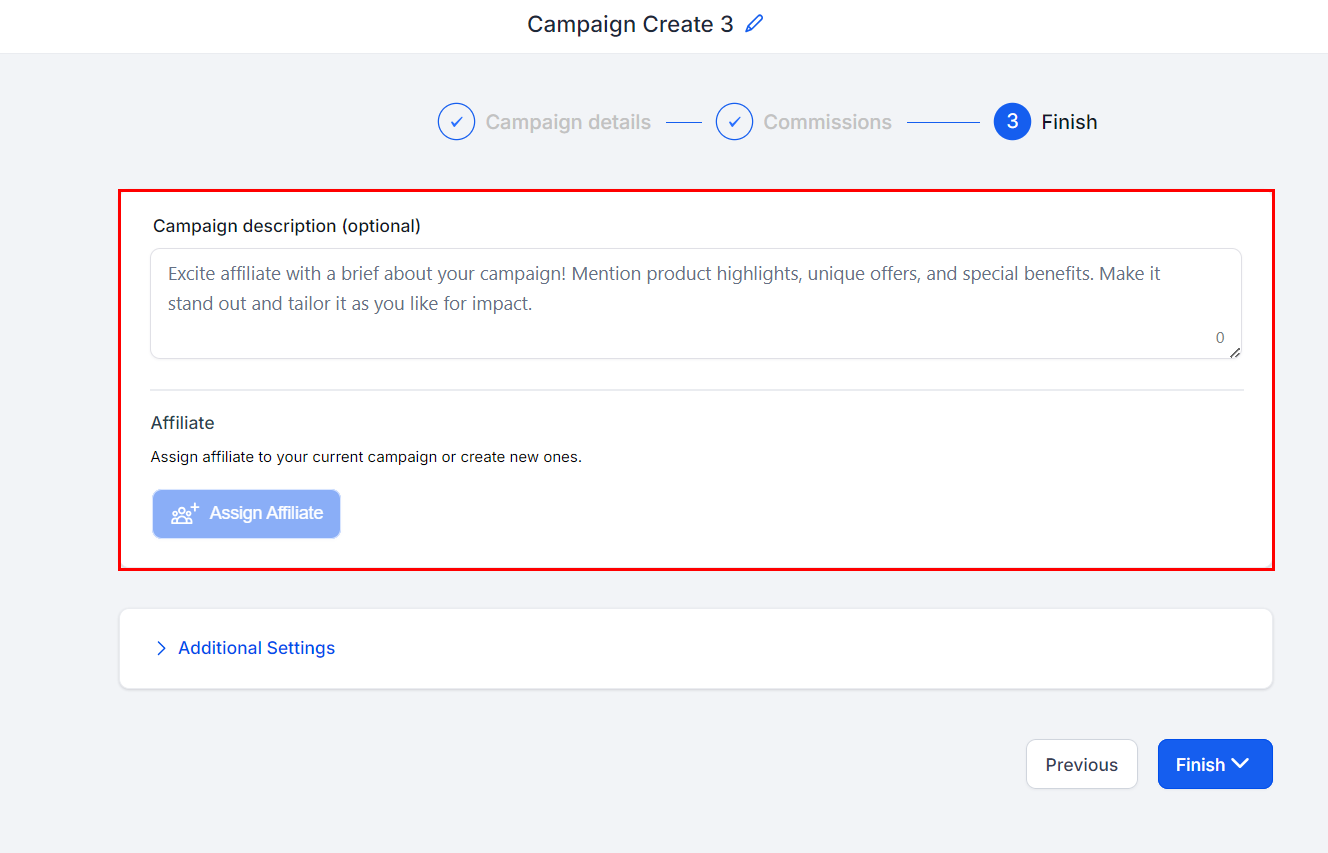
Add Campaign Description & Assign Affiliates
Provide a campaign description and assign the affiliates who will participate in this campaign.
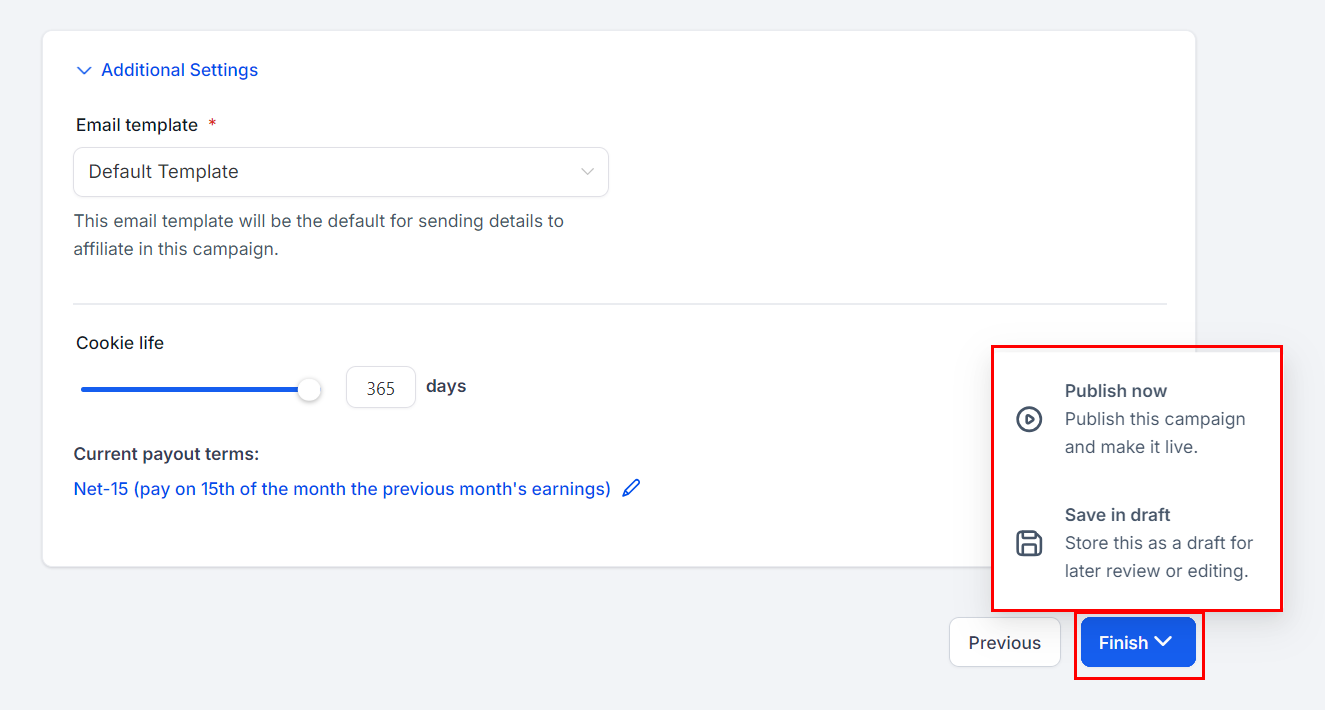
Review & Finalize
Review the additional settings, make any necessary adjustments, and then publish your campaign.
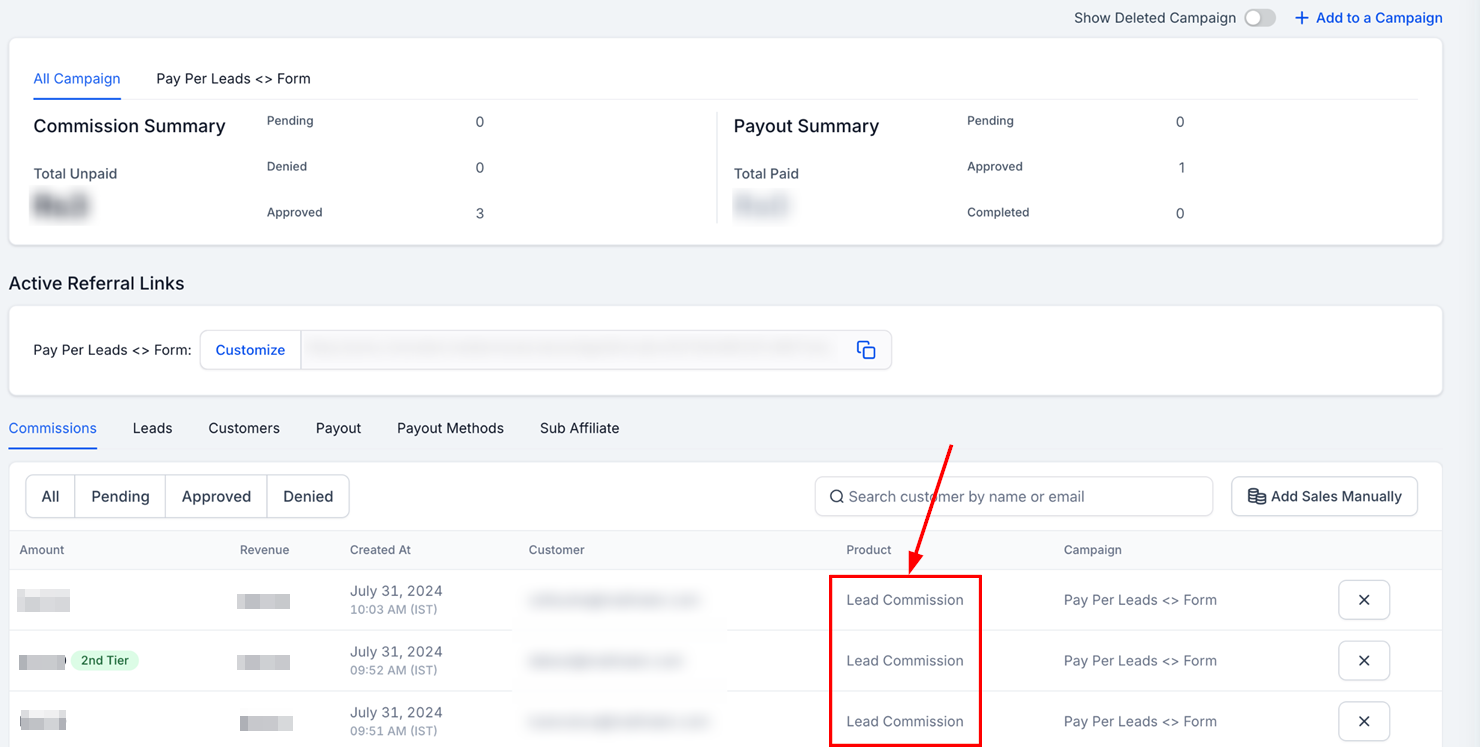
Tracking Leads and Commissions
Once the campaign is live, commissions will automatically be generated for affiliates as they produce leads. These leads and their corresponding commissions can be tracked in the Commissions tab within the affiliate’s profile page. The Product column will display "Lead Commission" to indicate the source of the commission.
By following these steps, you can effectively implement a Pay-Per-Lead program to drive lead generation and optimize your affiliate campaigns. This model not only offers flexibility and cost efficiency but also aligns with your business objectives, ensuring a tailored approach to performance-based marketing.
Was this article helpful?
That’s Great!
Thank you for your feedback
Sorry! We couldn't be helpful
Thank you for your feedback
Feedback sent
We appreciate your effort and will try to fix the article