Have you ever run into issues with your email formatting? Not to worry, with the Preview URL element, you can ensure that your contacts can see your emails in their intended format. This element is added by default to all your blank email templates.
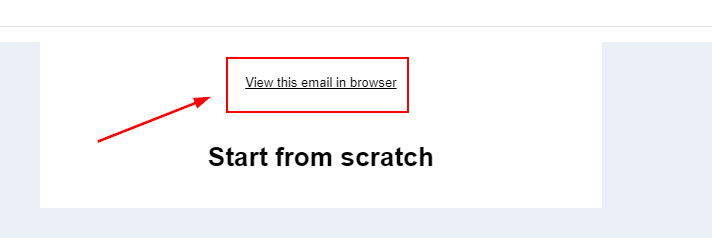
For templates that have already been created, you can add the Preview URL element from the Elements menu.

Once added, you can customize the element by selecting it and clicking on the hyperlink icon. This will open a modal where you can enter the URL the text should redirect to, modify the display text, add a title, and choose whether the URL should be opened in a new tab.

You can also add custom links by selecting them from your custom values section.
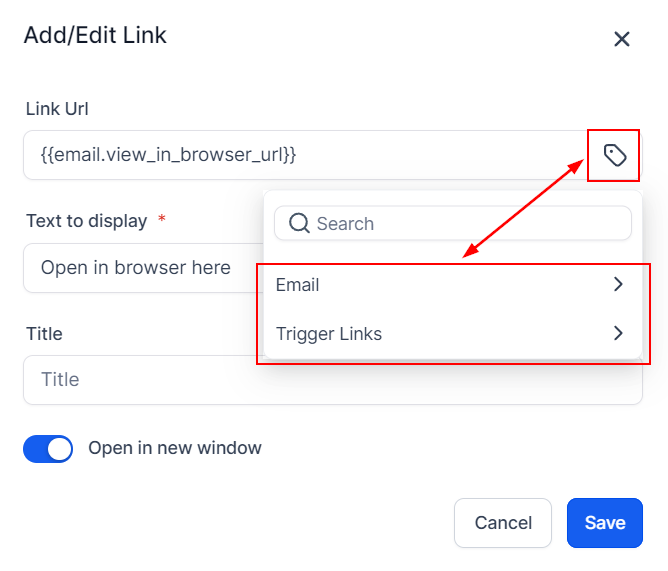
Click the save button when you have adjusted each field according to your preferences.
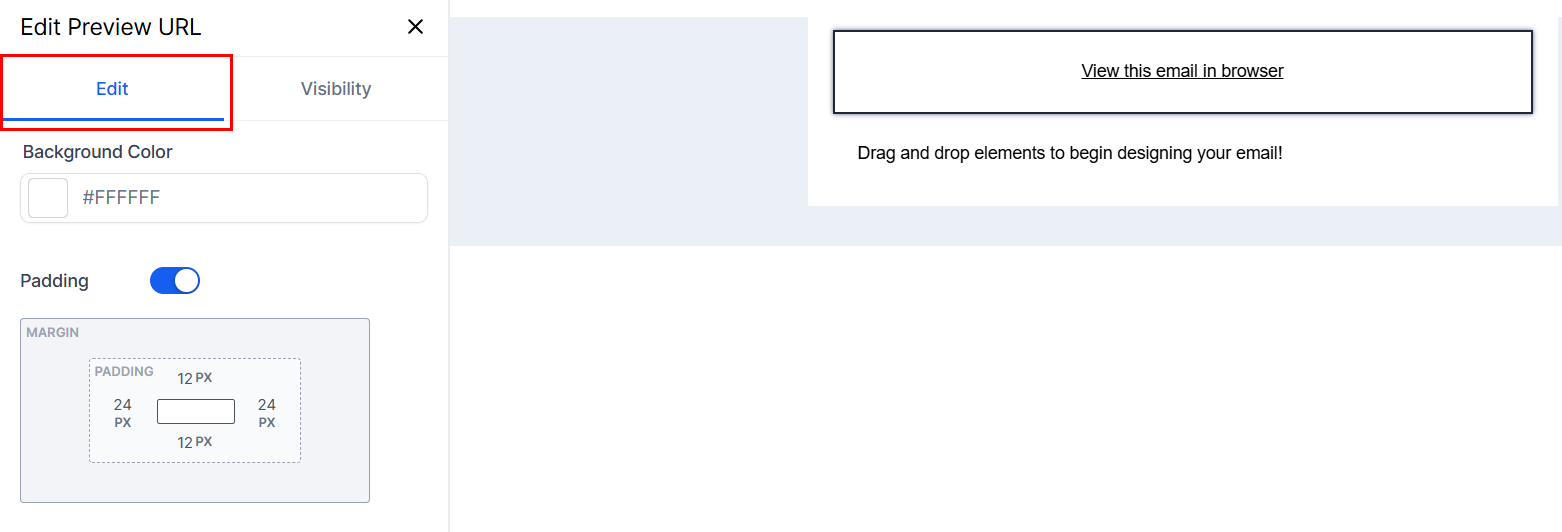
Edit
Clicking the element also opens its settings where you can choose a background color and adjust the margin and padding. These features enhance your email design, making it easier to create eye-catching, customized content.
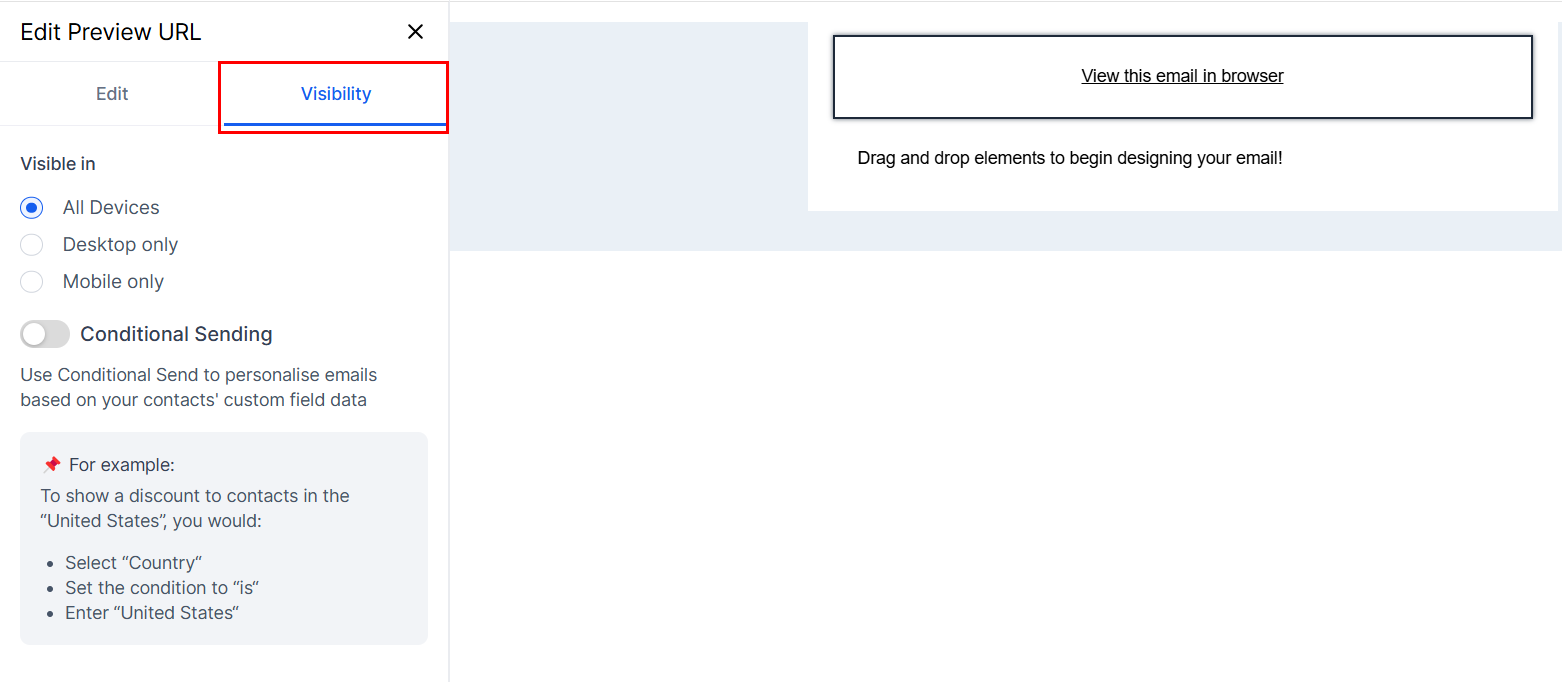
Visibility
Switch to the Visibility section to select the devices the element should be visible on, and personalize emails based on your contacts' custom field data. For additional information on the Conditional Sending feature, please refer to the How to Use Conditional Elements in Email Builder article.
Preview the template and send a test email to yourself to ensure that the element works as intended. When opened, the email should be visible and look just like the one in your email builder.
That's all there is to it, now you can optimize the effectiveness of your email campaigns so your customers can experience them to the fullest extent.
Was this article helpful?
That’s Great!
Thank you for your feedback
Sorry! We couldn't be helpful
Thank you for your feedback
Feedback sent
We appreciate your effort and will try to fix the article