Utilizing the Text element feature, you can incorporate a text heading and description into your email. This is the designated area where you can input all the written content intended for your target audience. By effectively leveraging this feature, you can create engaging and informative emails that resonate with your recipients and convey your message.
Adding Text Element
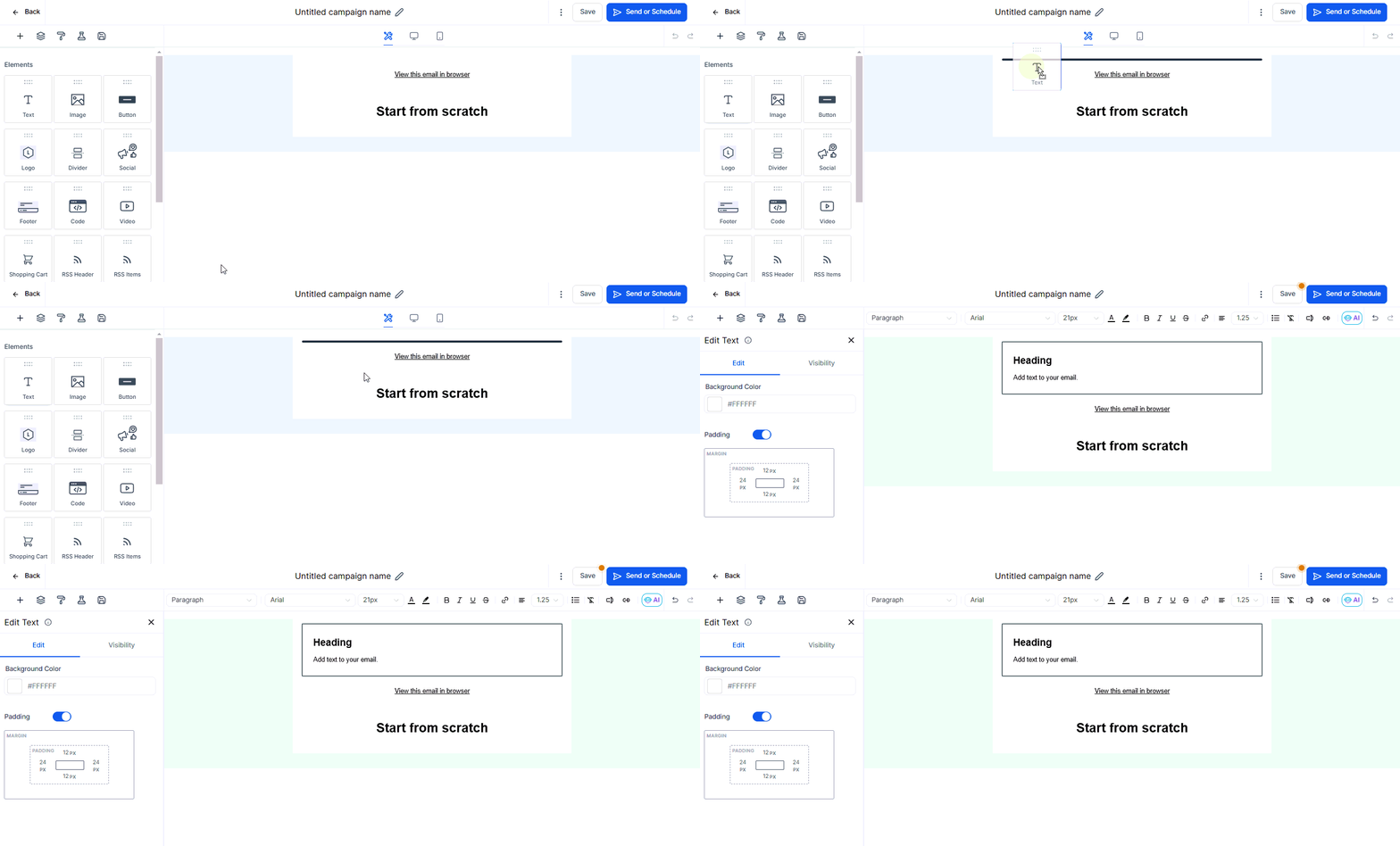
To add the Text element to your email template, simply drag and drop it from the left sidebar into the body of the email. This intuitive feature makes it easy to add text to your email and achieve the desired look and feel.
Editing Text Element
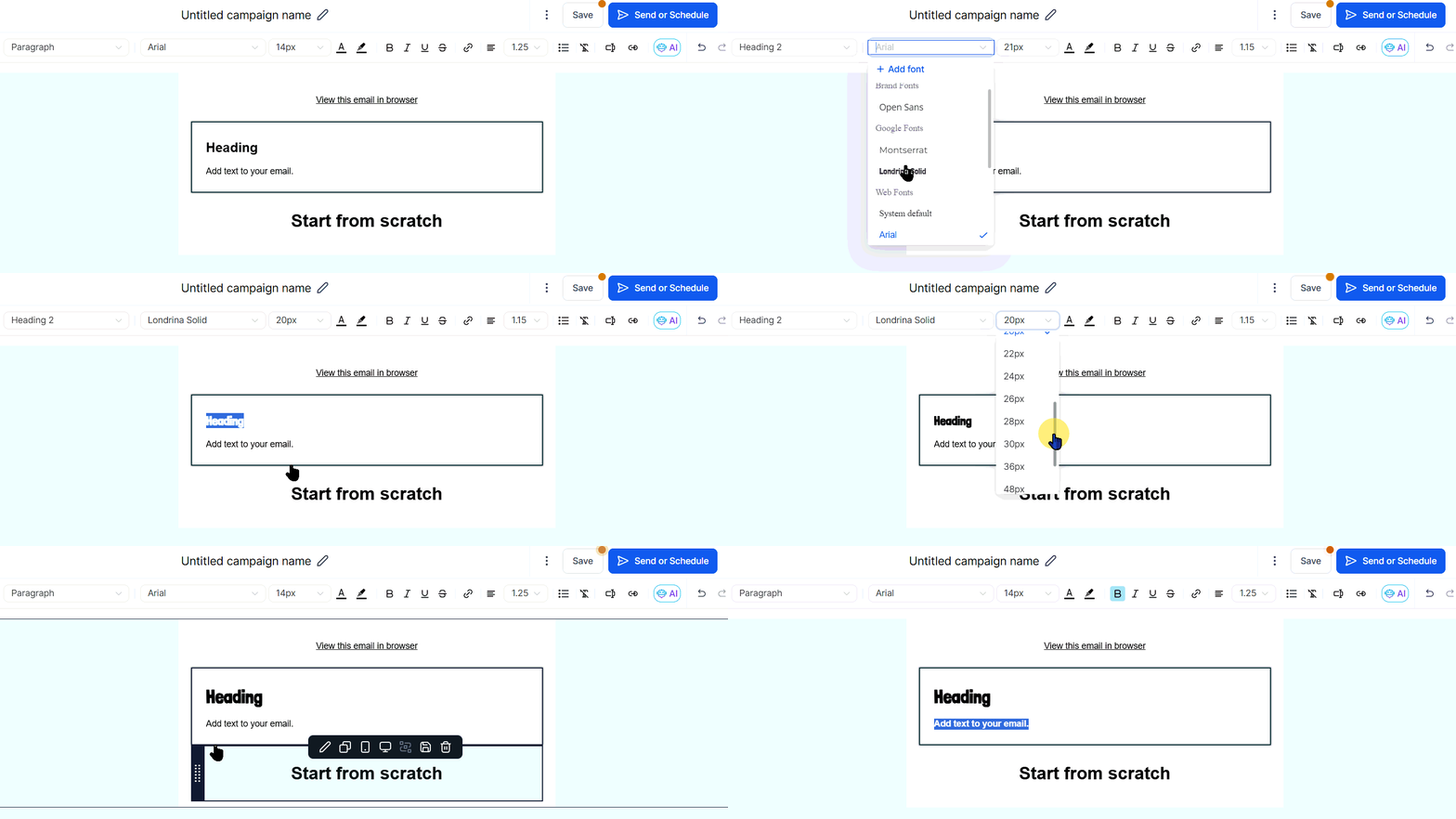
To change the visual elements of the text such as the fonts, alignment, links, and headings, highlight the text with your mouse and select the changes from the options at the top of the builder.
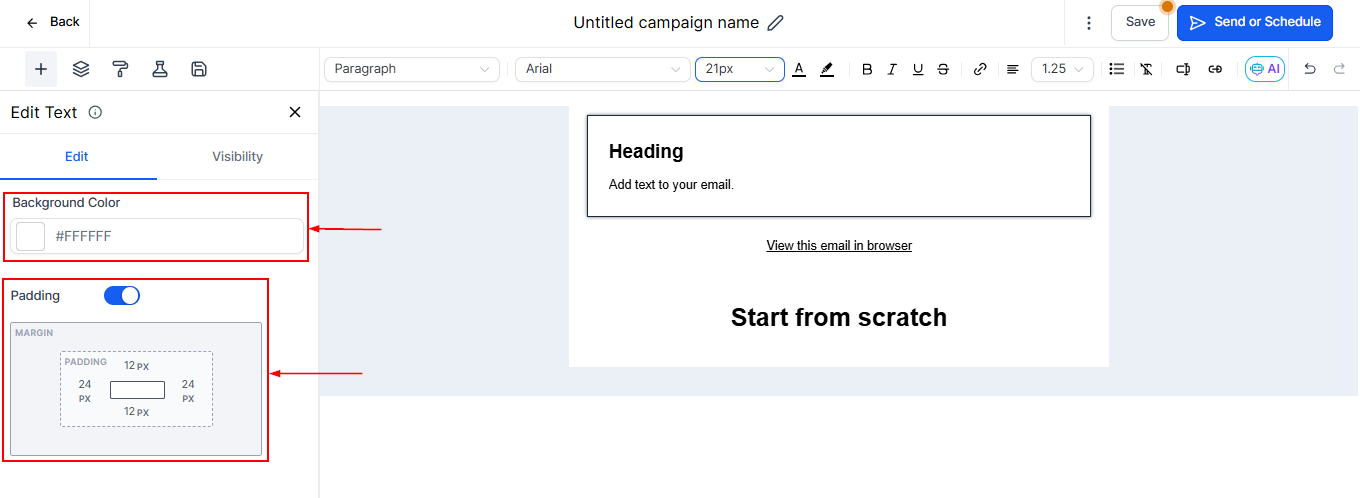
Open up the settings section on the left sidebar by clicking on the element to adjust the padding and also add background color to the text.
Once you've made the desired changes, click on Done to save your edits and continue editing your email template. This feature provides you with greater control over the appearance and content of your email, helping you achieve the desired look and feel.
Was this article helpful?
That’s Great!
Thank you for your feedback
Sorry! We couldn't be helpful
Thank you for your feedback
Feedback sent
We appreciate your effort and will try to fix the article