This easy-to-use feature allows you to add images with just a few clicks, making them more visually appealing and engaging. The result will be professional-looking emails that captivate audiences and take minutes to create. To do this, drag and drop the Image element from the left sidebar into the body of your email template.
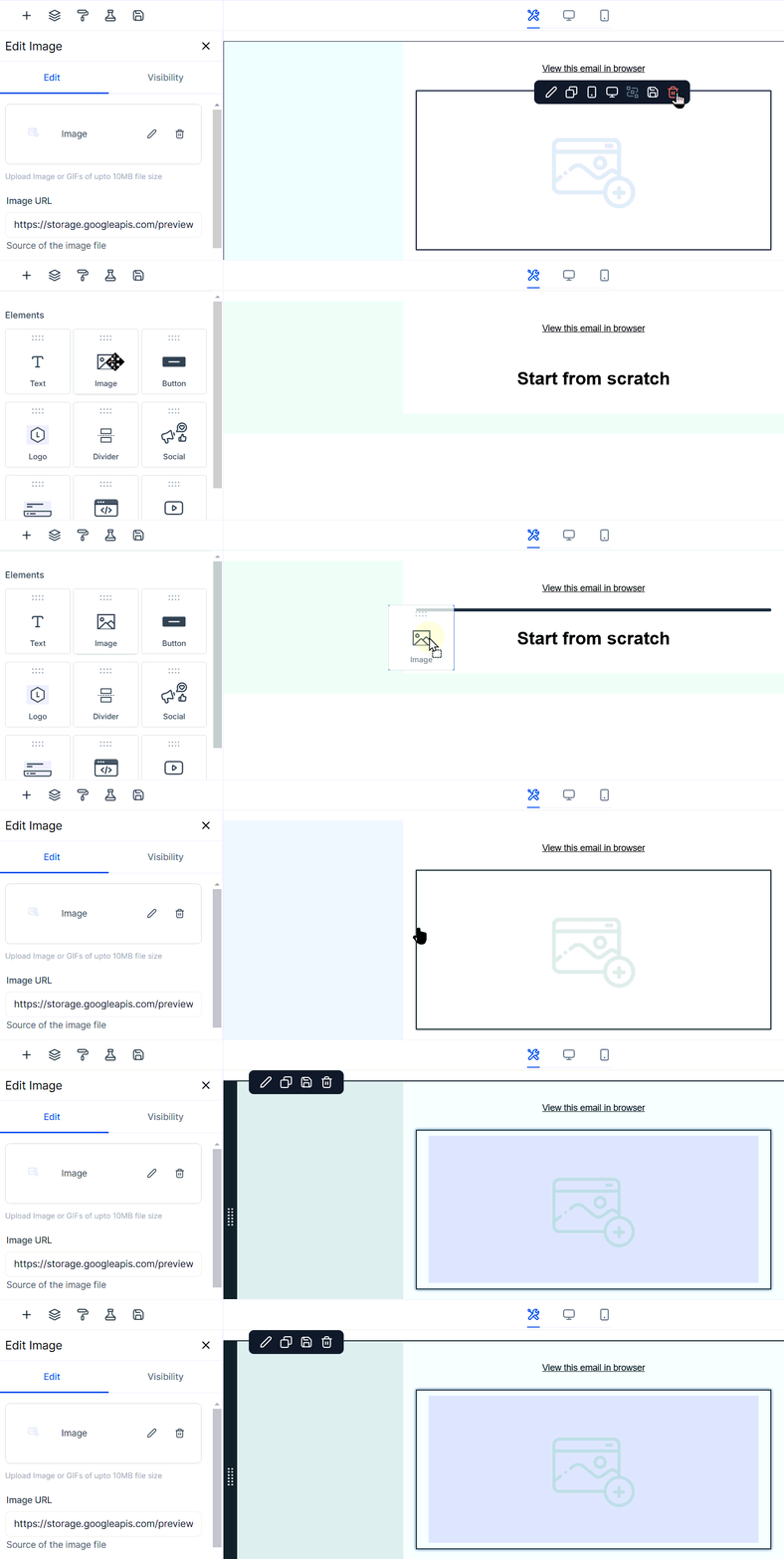
Editing Image Settings
Once added, click the pencil icon to replace the image; this will give you the option to create your image using AI or upload it to the media library.

You can also directly add an externally hosted image in the Image URL field.

After this, you also have some additional information to customize. Start with the alt-text for SEO purposes and a redirection link if you'd like to hyperlink the image to a destination. Use the custom values button to update visuals dynamically while keeping your emails consistent and engaging.

You can resize the image with the width and height controls or by dragging the circle in the bottom right corner. The image sizing will be measured in px.
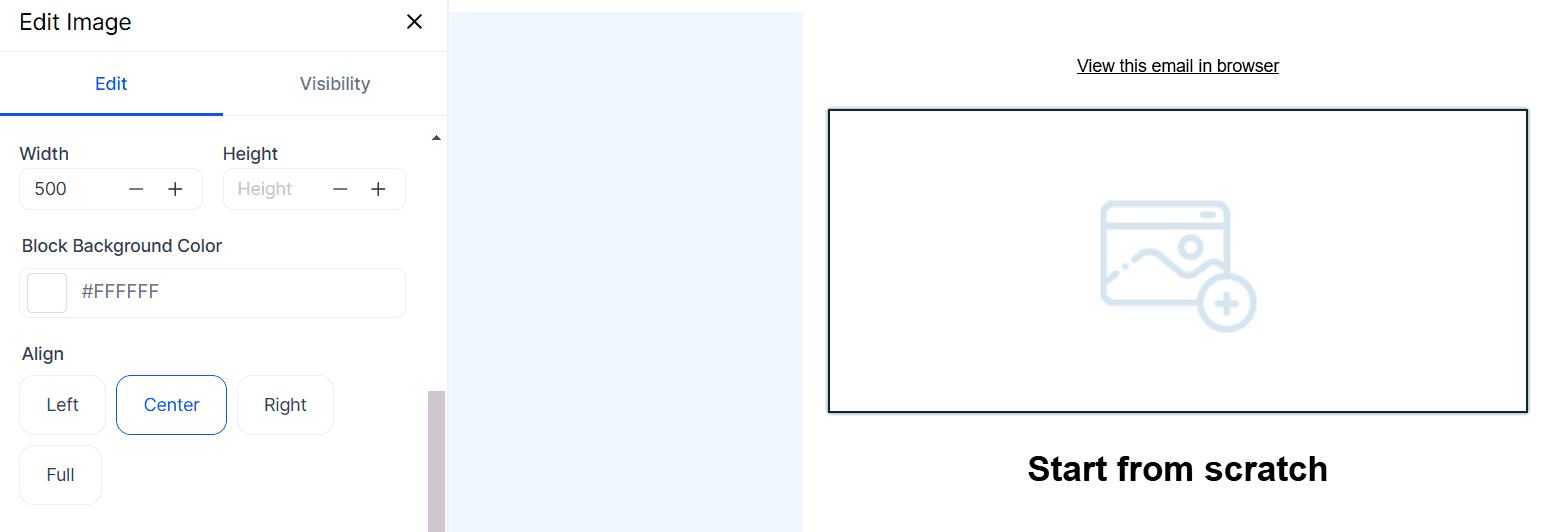
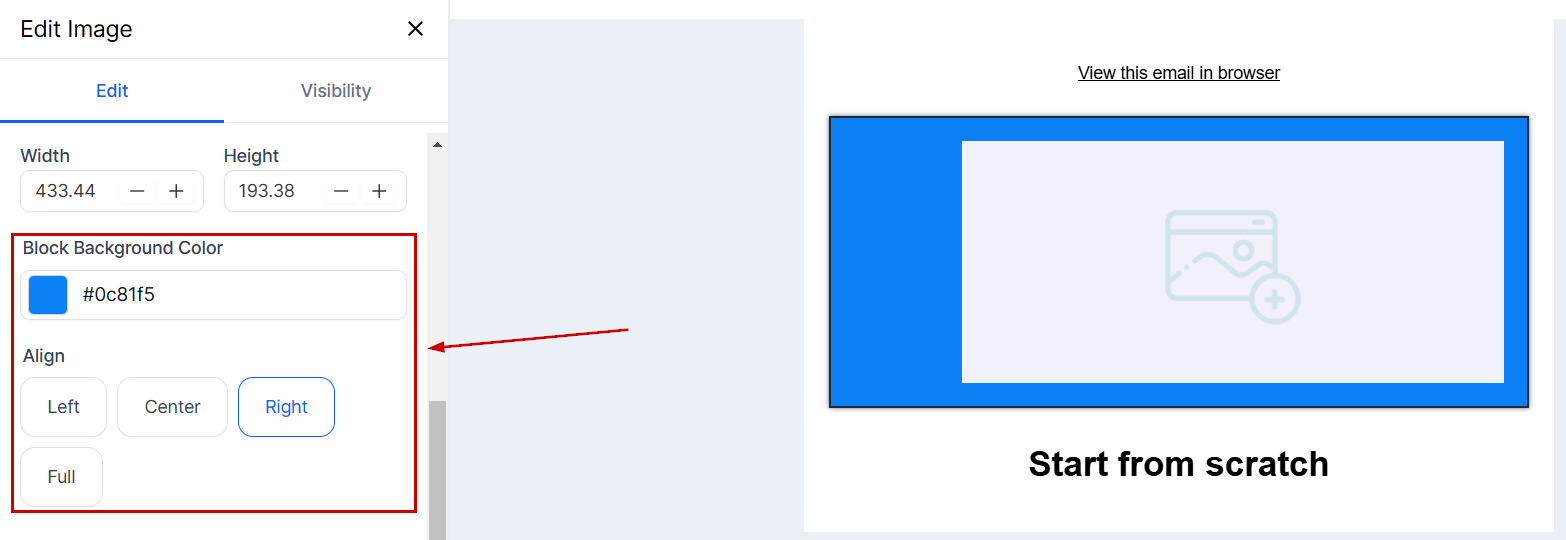
Choose the background color and alignment of your image for a more cohesive look, this will only affect the image block.
Toggle Padding on to add or remove any spacing around the image. This space will be measured in px.

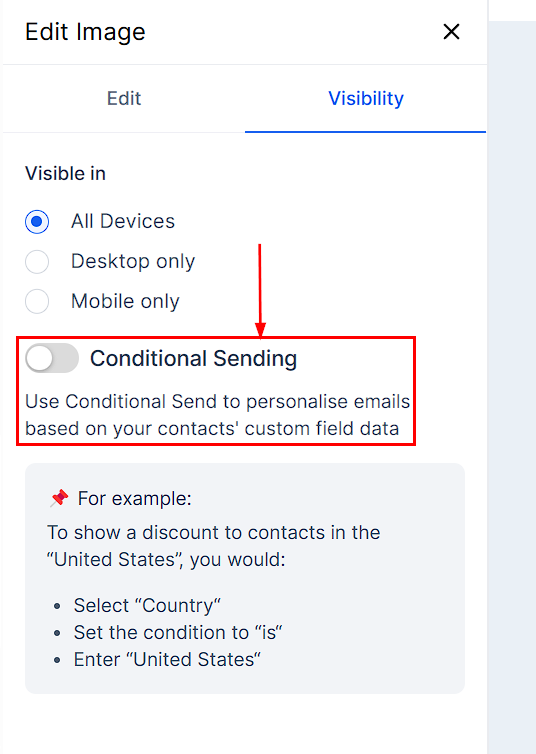
Visibility
- Visible In: Choose which devices will display the image by selecting Desktop, Mobile, or Both.
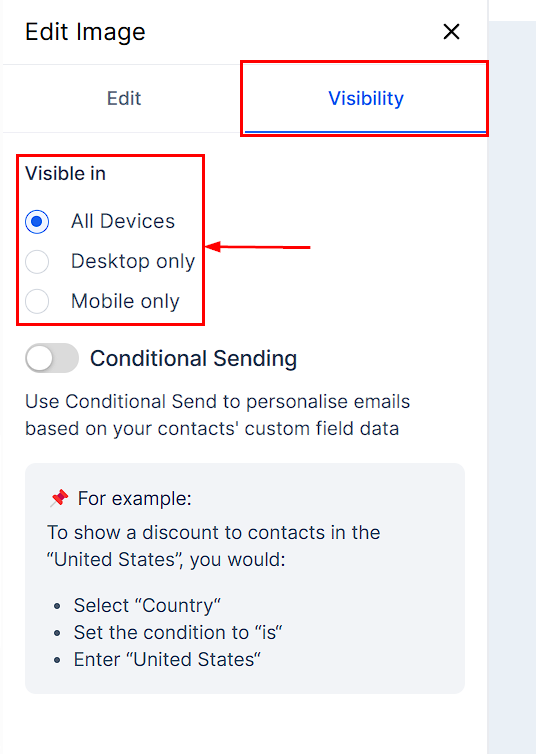
- Conditional Sending: This lets you tailor emails to each recipient, making them feel more personal and relevant.
Adding images will make your emails captivating, and with these editing options, creating a visually stunning email that resonates with your audience has never been easier.
Was this article helpful?
That’s Great!
Thank you for your feedback
Sorry! We couldn't be helpful
Thank you for your feedback
Feedback sent
We appreciate your effort and will try to fix the article