The divider element is a great tool to add structure to your emails. They help you separate text, images, and buttons, making them stand out for maximum impact. Additionally, dividers can help distinguish and set Parameters for the different sections of your page which is immensely helpful for readers trying to collect information easily.
Adding Divider Element
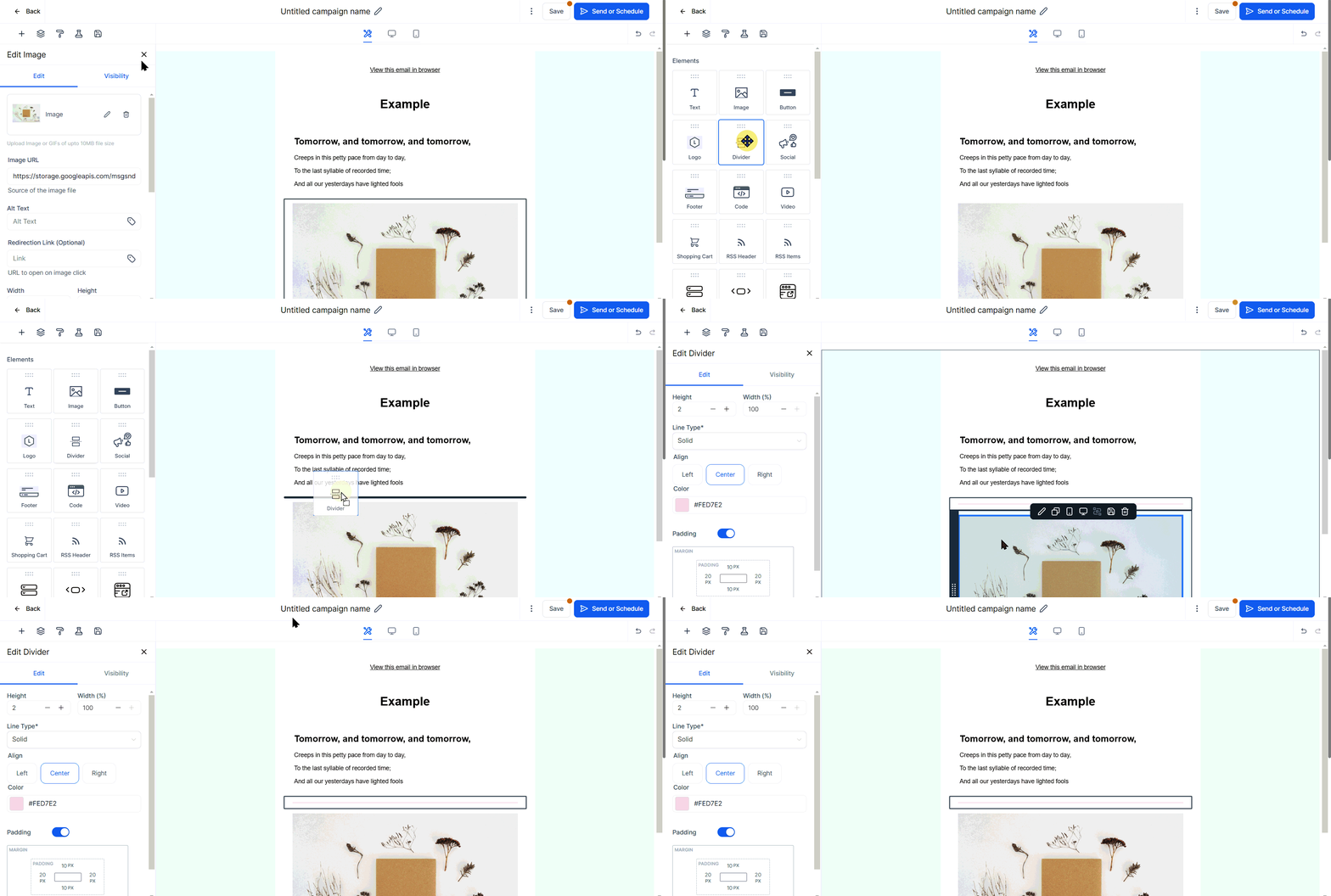
To begin, simply drag and drop this feature right below the preceding section in your email editor.
Editing Divider Element
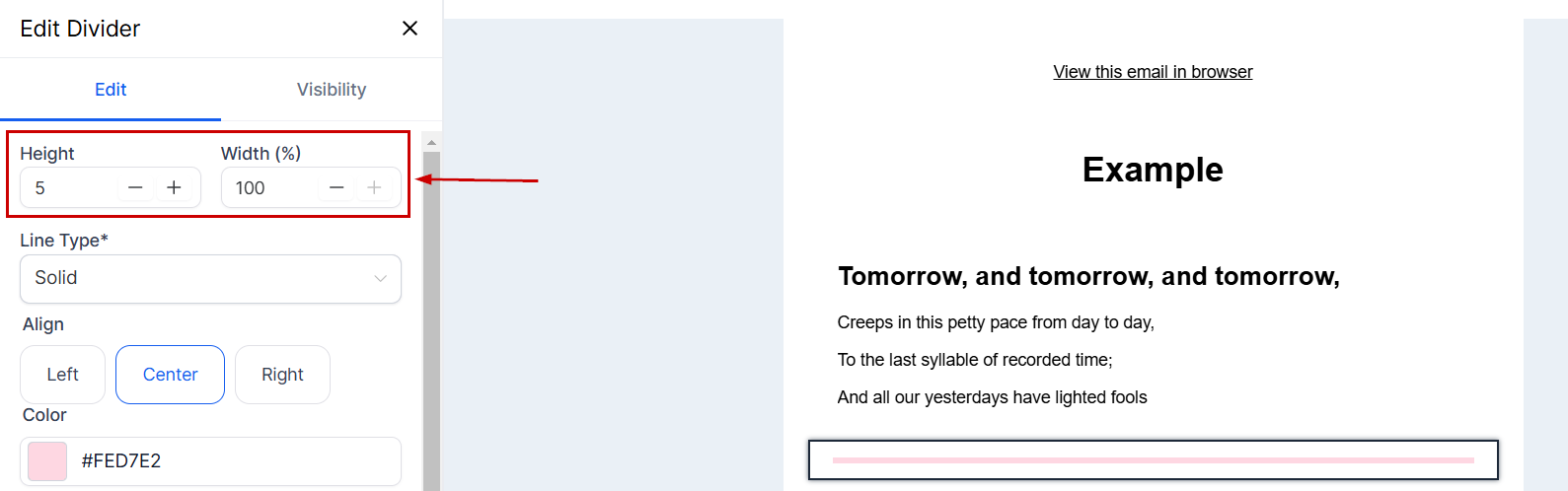
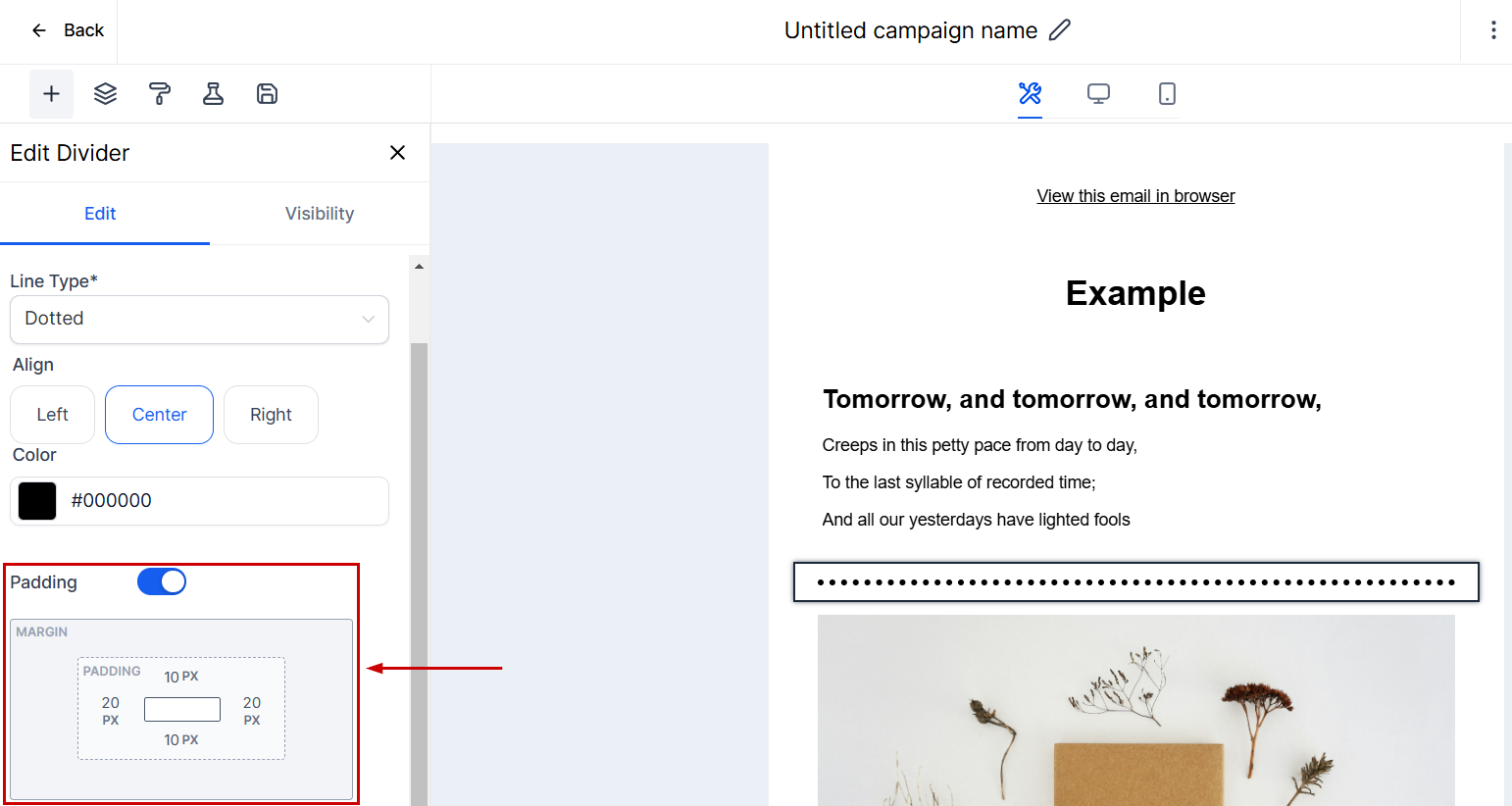
Once the divider element is added, clicking on the pencil icon in the Divider element reveals several customization options. This allows you to edit the height & width of the line and adjust its alignment accordingly.
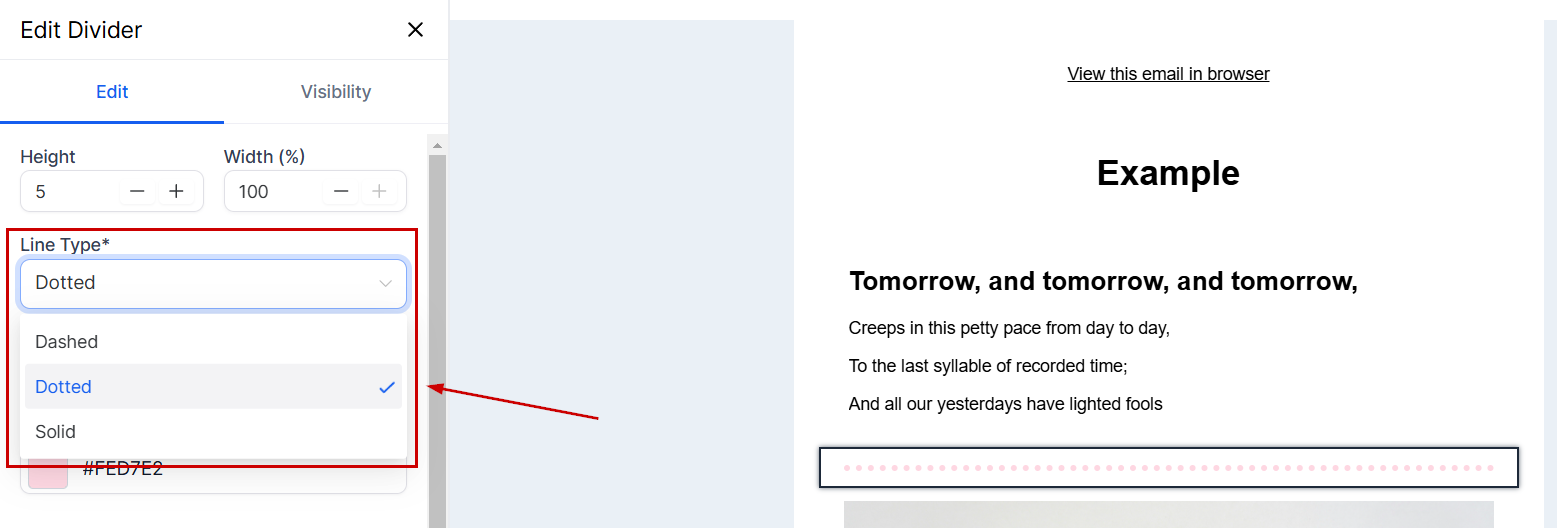
Furthermore, you can modify its line type from solid (default), dashed, or dotted for better visibility and also decide between multiple colors to make it more appealing.
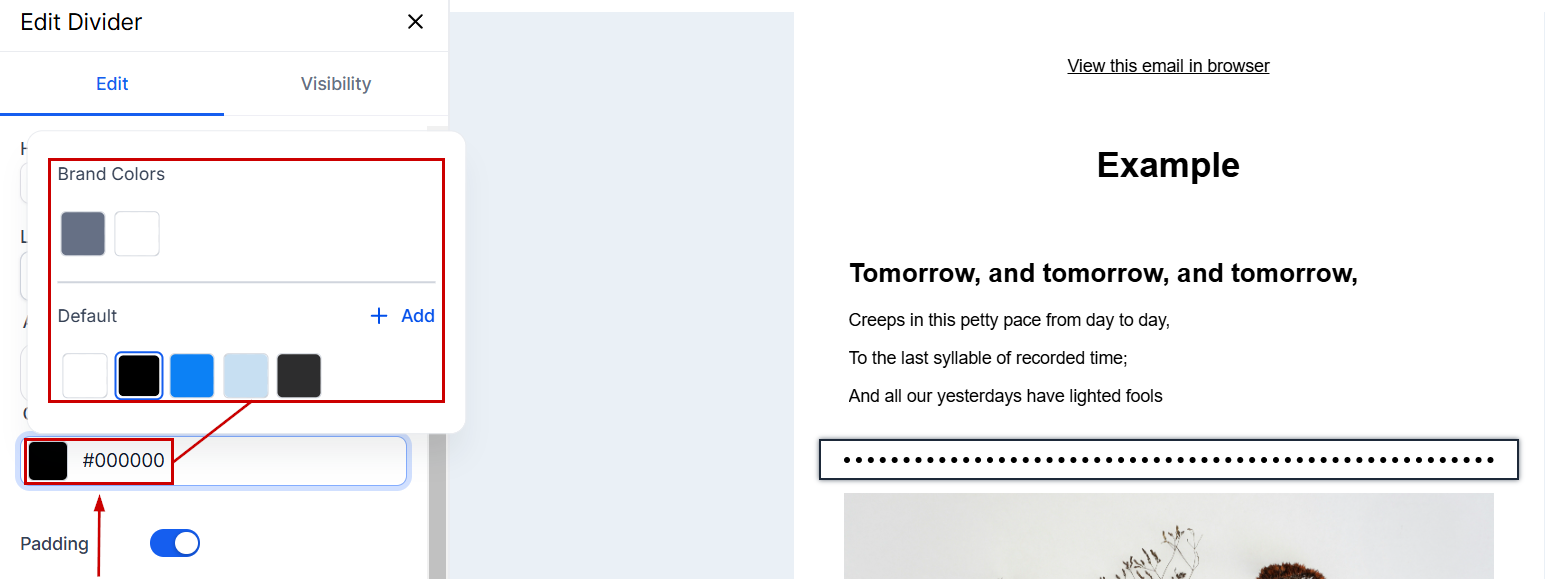
Click the color option to customize the divider's appearance.
You can increase or decrease the padding around your divider to ensure your placement is exactly how you want it.
By incorporating dividers, you can create a visually appealing and well-organized email layout that enhances readability and ensures your content is easily understood by your recipients.
Was this article helpful?
That’s Great!
Thank you for your feedback
Sorry! We couldn't be helpful
Thank you for your feedback
Feedback sent
We appreciate your effort and will try to fix the article