We all know the regular affiliate model, you give them a link, they get you a sale and they get a commission for it right? When your business relies more on leads than sales this might become a bit murky especially if you have sales happening offline. With the "Add Leads under an Affiliate" action, you can ease the process for yourself and your team and streamline your lead management. But how does it work?
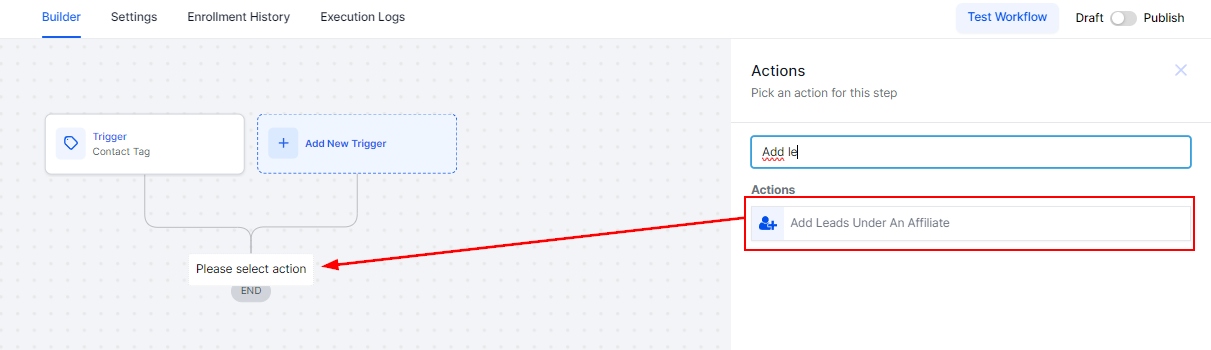
Add a new action to your workflow, and from the action menu select “Add Leads under an Affiliate”
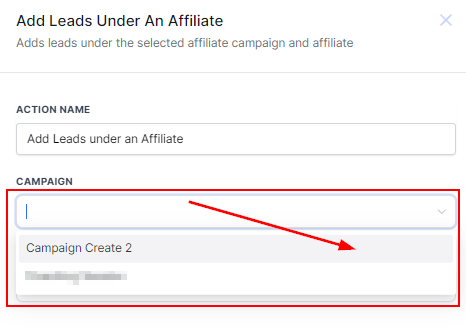
Select the campaign from the drop-down menu
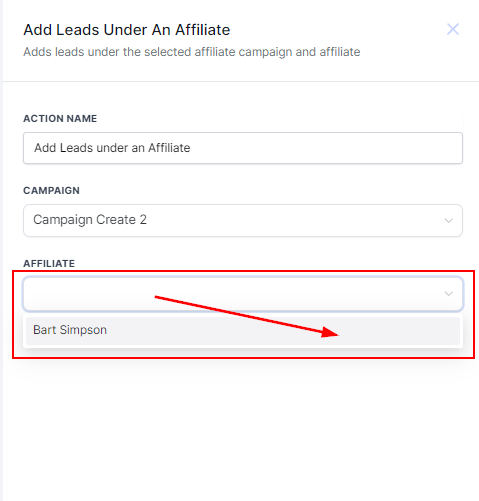
Select the affiliate you want to assign the lead to.
Save the action and you're done. This feature intends to make administrative tasks easier and your affiliate marketing strategy more effective, you can pair it with the “Add Manual Sales For An Affiliate Action” to automate the process further ensuring your affiliates get rewarded for the leads they bring you in and stay motivated.
Was this article helpful?
That’s Great!
Thank you for your feedback
Sorry! We couldn't be helpful
Thank you for your feedback
Feedback sent
We appreciate your effort and will try to fix the article