When using webhooks to import affiliate sign-up information into your CRM, it’s essential to ensure that all necessary data fields are populated. However, incomplete data—such as missing first names, company names, or phone numbers—can disrupt workflows and hinder communication. Often, webhooks only capture the email address, leaving other critical fields empty. This can impact personalization and automation, as these processes rely on complete data.
To address this issue, you can modify your workflow to identify and correct missing information. Focus on the very first step in your workflow where the affiliate sign-up information is captured. This is crucial for ensuring the contact record is as complete as possible before proceeding through the rest of the workflow.
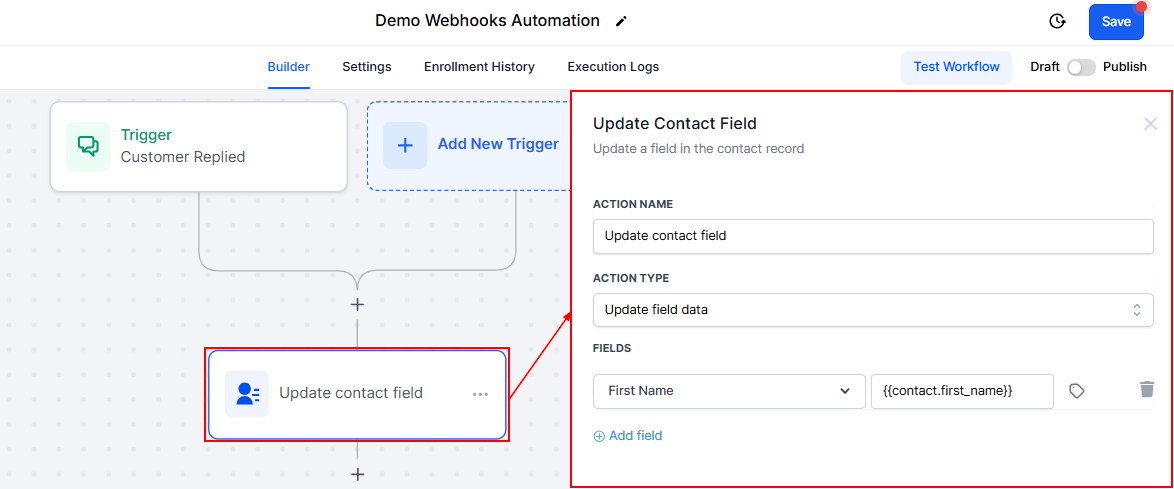
Create or Update Contact Action
Ensure this action is in place to map the incoming webhook data (email address, business name, phone, full name) to the corresponding fields in the CRM.
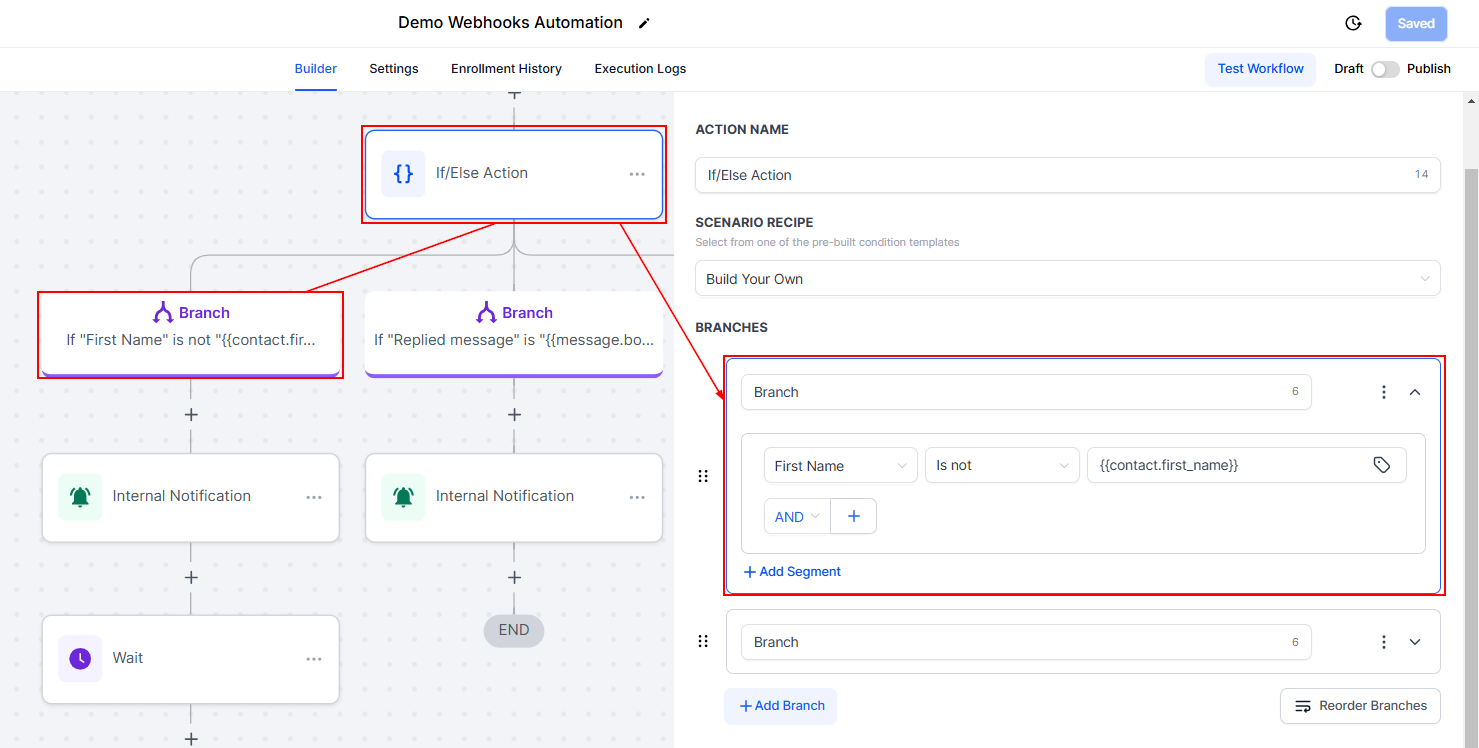
Add an If/Else Condition
Introduce a condition to check if essential fields (e.g., first name) are empty:
- If the field is not empty: The workflow continues as expected.
- If the field is empty: Trigger a notification for manual intervention.
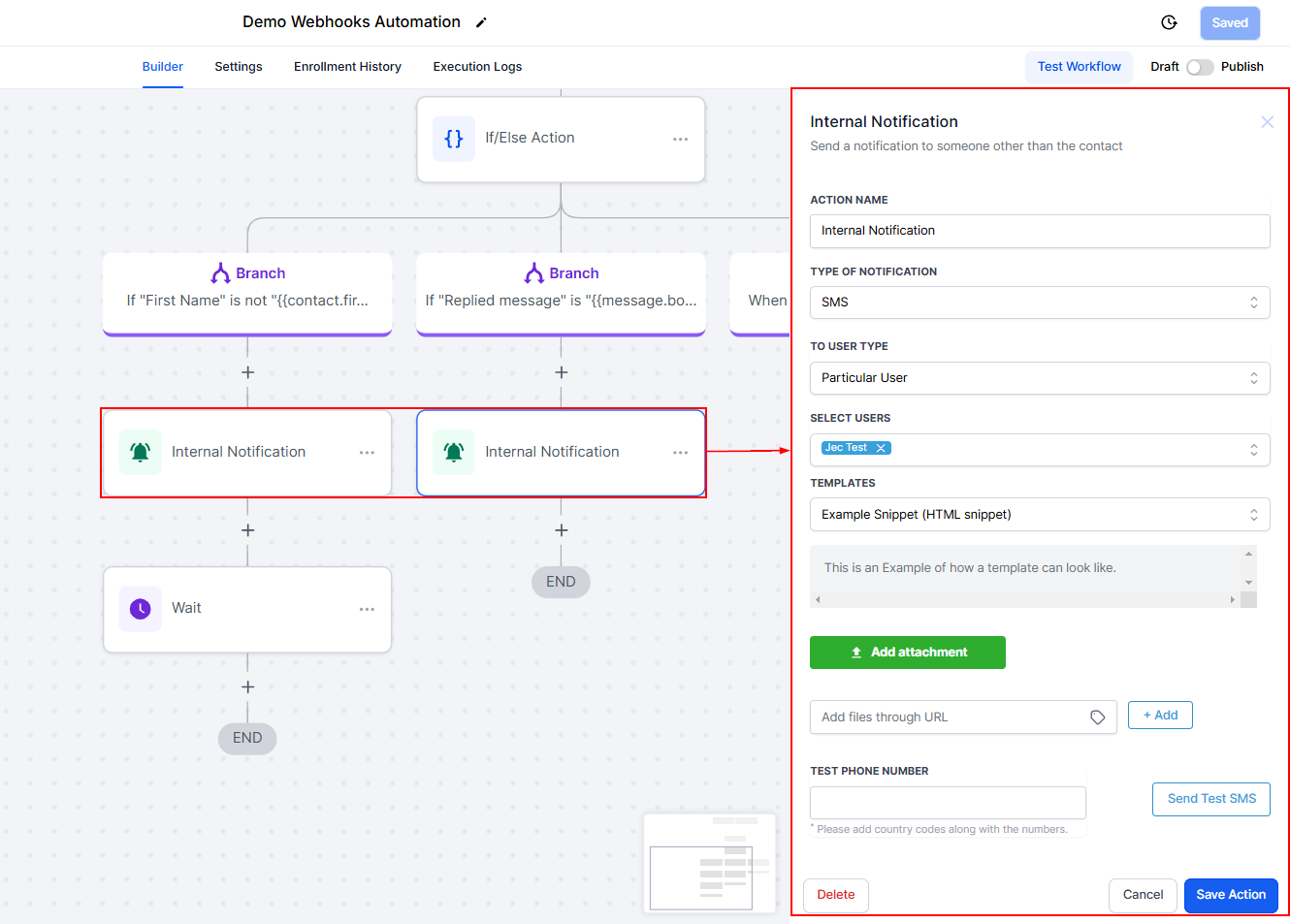
Notification for Missing Information
Configure an internal notification (e.g., SMS or email) to alert you or your team about the missing information, prompting a manual update.
Manual Update Process
Access the affiliate platform (e.g., First Promoter) to find the missing information based on the email address provided. Manually update the contact record in the CRM with the retrieved information.
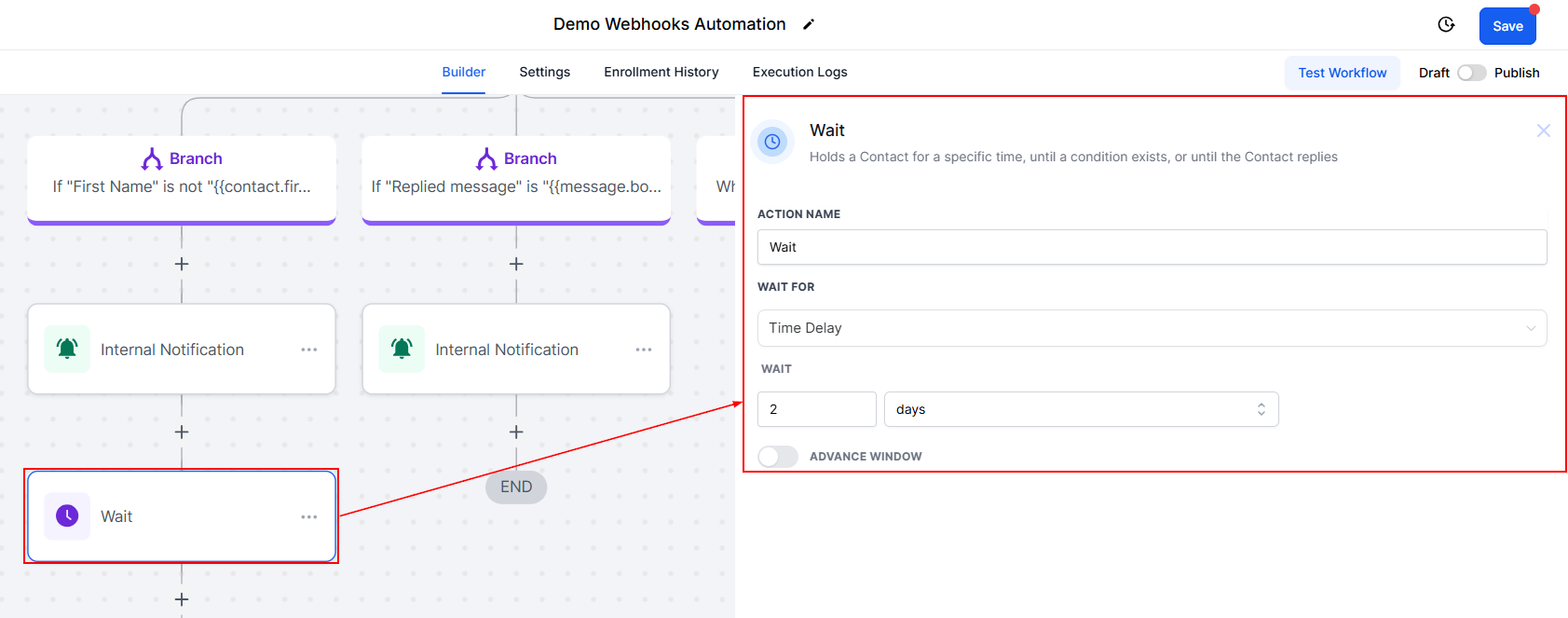
Pause and Wait
Set a conditional wait step in the workflow, giving you or your team time to update the missing information manually. Configure this step to allow a few days for the manual update to be completed.
Resume Workflow
Once the missing information is updated, manually move the contact to the next step in the workflow, ensuring they proceed through the remaining actions as intended.
Incomplete data from webhooks can hinder the effectiveness of your workflows, but with the right adjustments, these issues can be managed efficiently. By implementing conditional checks, setting up notifications, and proactively monitoring your data, you can ensure smooth operations. While manual intervention remains the most reliable solution for now, collaborating with your affiliate platform can help minimize such issues in the future.
Troubleshooting Tips
- Regularly Check for Incomplete Data: Make it a habit to periodically review incoming webhook data for completeness to proactively address any issues.
- Collaborate with Your Affiliate Platform: If missing data becomes a frequent issue, reach out to your affiliate platform's support team for assistance in troubleshooting the webhook configuration.
FAQs
Q: Can I automate the process of updating missing information?
- Automating the update of missing information is challenging without access to a direct source for the missing data. The manual update process is currently the most reliable method.
Q: What if I cannot find the missing information on the affiliate platform?
- If the missing information is not available on the affiliate platform, consider reaching out directly to the affiliate for the necessary details.
Q: Can this workaround be applied to other webhook-related issues?
- Yes, this general approach of adding conditional checks and manual intervention steps can be adapted to address various webhook-related data issues.
Was this article helpful?
That’s Great!
Thank you for your feedback
Sorry! We couldn't be helpful
Thank you for your feedback
Feedback sent
We appreciate your effort and will try to fix the article