This feature enables one-way syncing of invoices created in the CRM to your Wave account, saving you the hassle of manually duplicating them. Follow the steps below to set up the integration and enhance your Lead-to-Payment process.
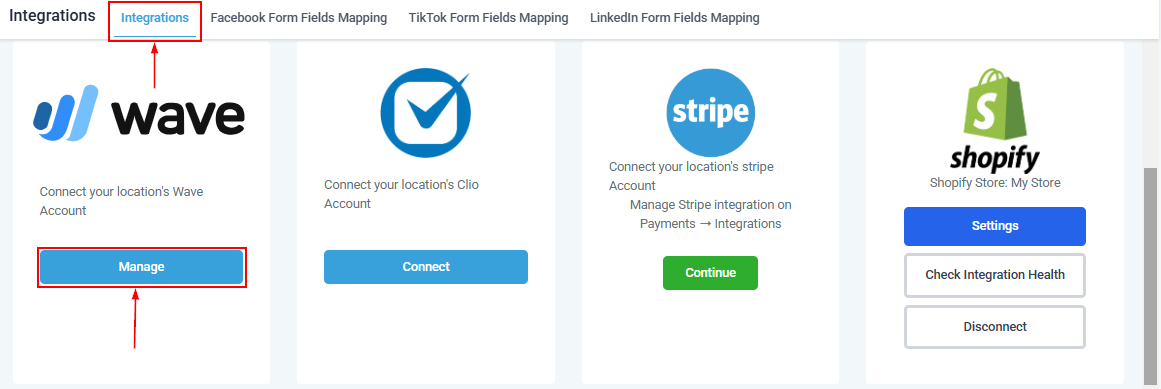
Go to Settings > Integration > Wave and select the Manage button to proceed with the integration.
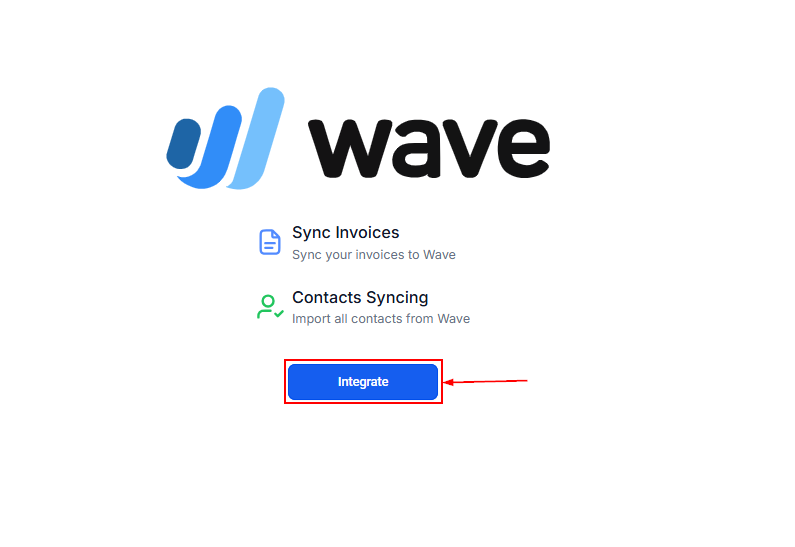
Select the Integrate option and enter your Wave credentials to log in.
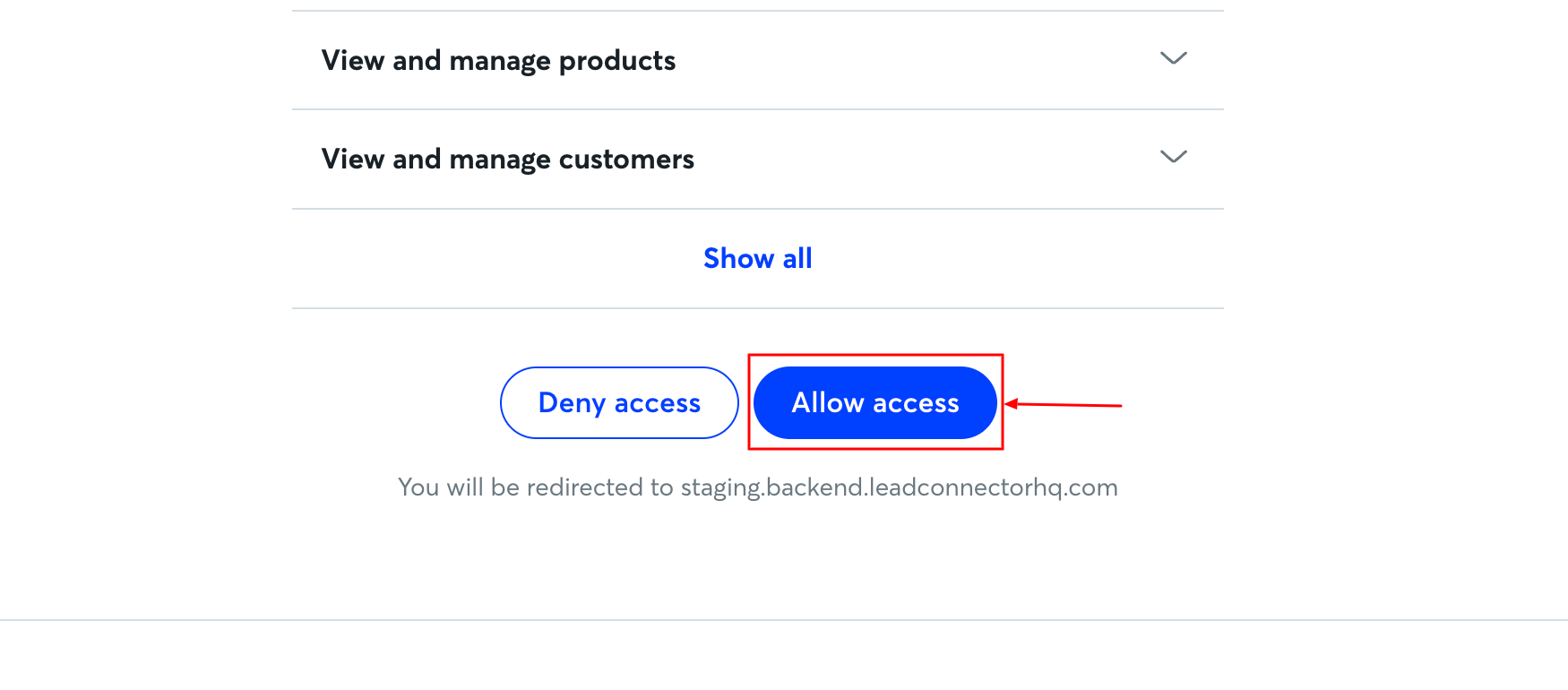
Once logged in, you will be prompted to allow access.

Approve the permissions to enable a one-way sync of invoices from the CRM to Wave.
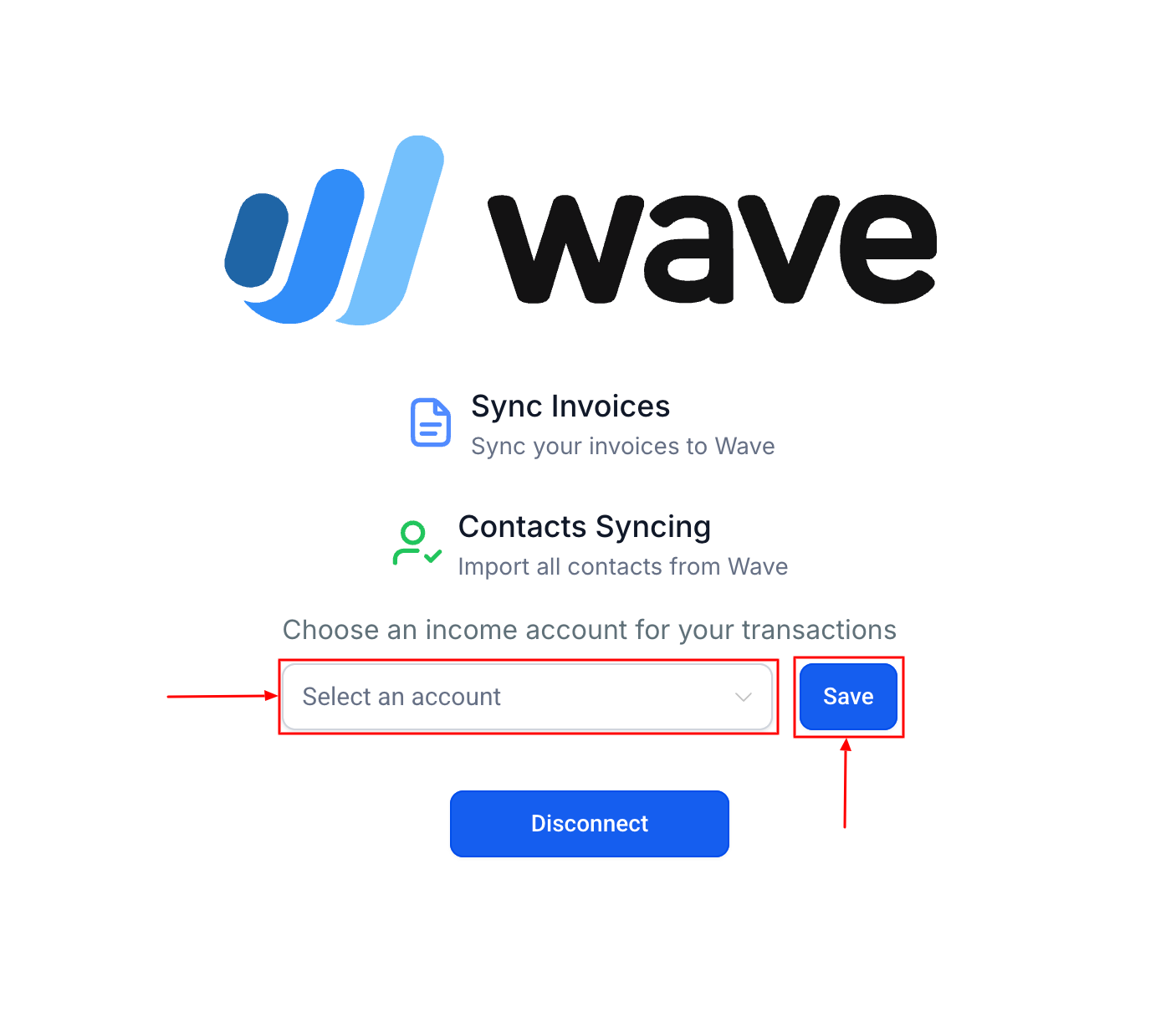
After granting access Select the specific Wave account where you’d like your CRM's invoices to sync. Click Save to finalize the setup.
This integration was designed for users who rely on Wave for their accounting needs. By automating the invoice syncing process, you can streamline your Lead-to-Payment flow and eliminate the need to duplicate invoices manually in Wave.
Was this article helpful?
That’s Great!
Thank you for your feedback
Sorry! We couldn't be helpful
Thank you for your feedback
Feedback sent
We appreciate your effort and will try to fix the article