Collecting feedback through reviews is essential for understanding customer satisfaction and enhancing the quality of your products or services. The process of sending review requests can be easily implemented through the system by using the Send Review Request Action in workflows. Follow the steps below to add this action to your workflow.
To initiate the process, navigate to the desired workflow in the Automation > Workflows section. Ensure that you have an appropriate trigger, then click on the "+" icon and select the Send Review Request option.
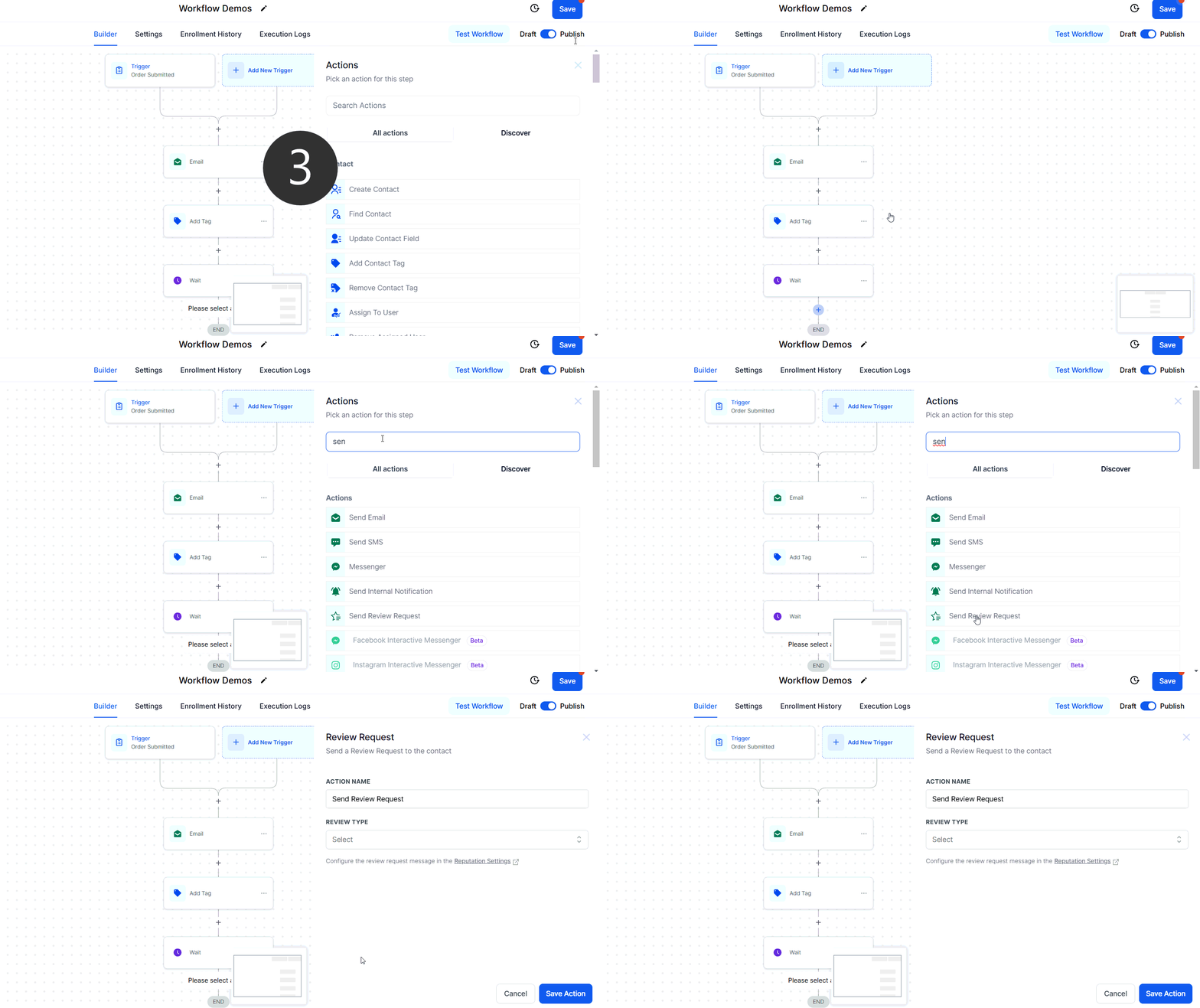
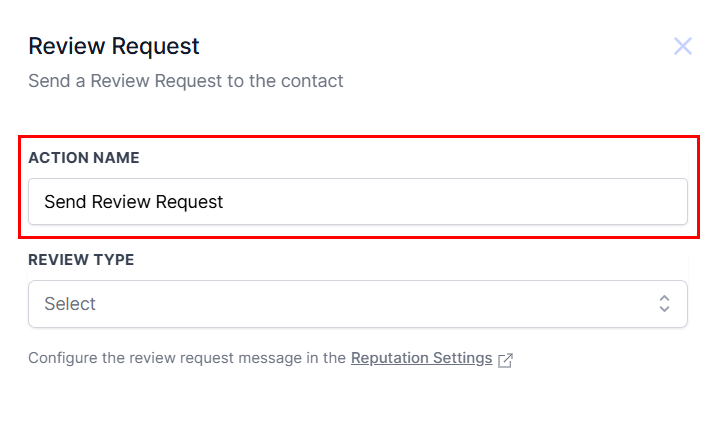
Action Name
If required, you can update the name of the action to accurately reflect its intended purpose.
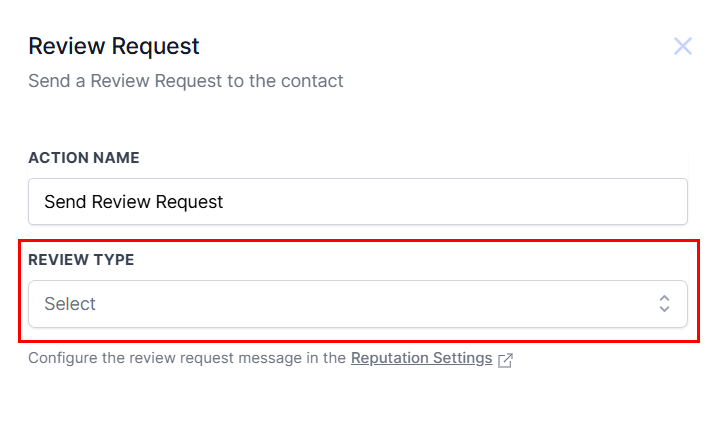
Review Type
Reviews can be requested through three methods: Email, SMS, or WhatsApp. Choose the preferred method from the dropdown menu. For a more natural approach, you can use separate review request actions, each followed by a wait step, to send requests via multiple methods.
Note: Ensure that the review request message is properly configured in the Reputation Settings section to tailor the message to your needs.
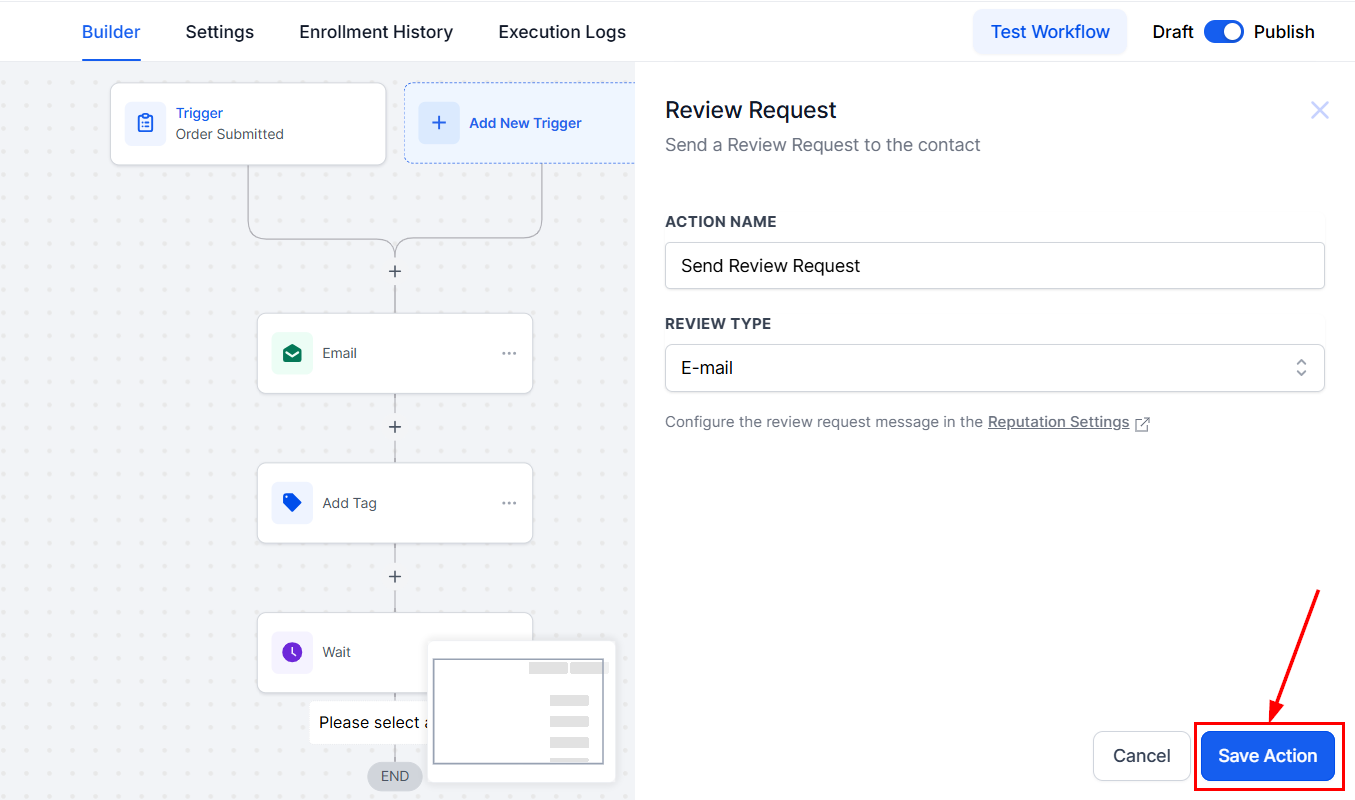
Once you are satisfied with the action, click "Save Action" to add it to your workflow, then save the workflow to maintain your changes!
By following these steps, you can easily gather essential reviews from your contacts, helping to enhance your business operations and customer satisfaction. Don't forget to configure your review request message in the Reputation Settings to maximize the effectiveness of your feedback requests.
Was this article helpful?
That’s Great!
Thank you for your feedback
Sorry! We couldn't be helpful
Thank you for your feedback
Feedback sent
We appreciate your effort and will try to fix the article