Review requests can be sent automatically via workflows, manually through the Contacts tab, or in the Reputation > Requests section. In the Requests section, you can view all sent review requests, completed or pending, along with key customer details to help track engagement. This record is crucial for monitoring feedback collection and refining your reputation strategy. This article will guide you on how you can issue a review request from the Requests tab.
Configure Review Requests
To initiate a review request, first, navigate to the Reputation Settings in your account. Ensure that review requests are enabled for each desired channel and configured according to your preferences. Once your settings are confirmed, click Save in the lower-right corner to apply your changes.
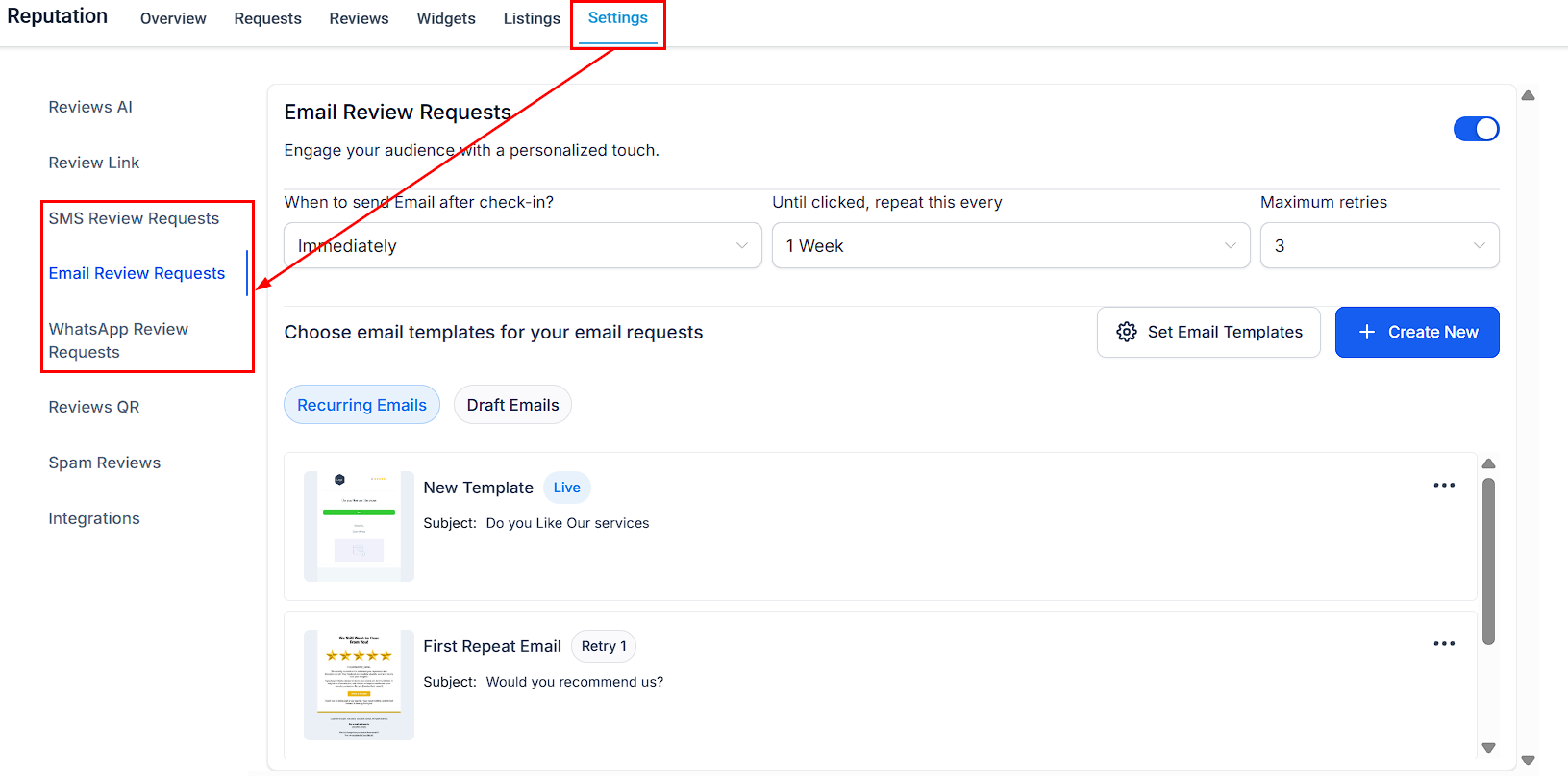
Sending Manual Review Requests
Once your review requests are configured, go to the Requests tab within the Reputation section. Here, you'll find a list of contacts who have received requests, along with key details such as the date each request was sent.
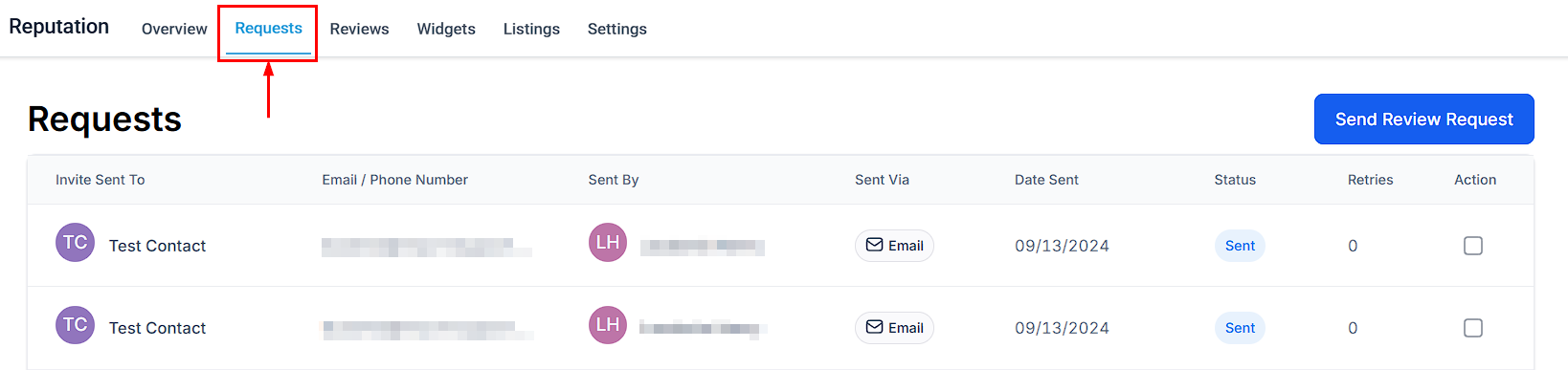
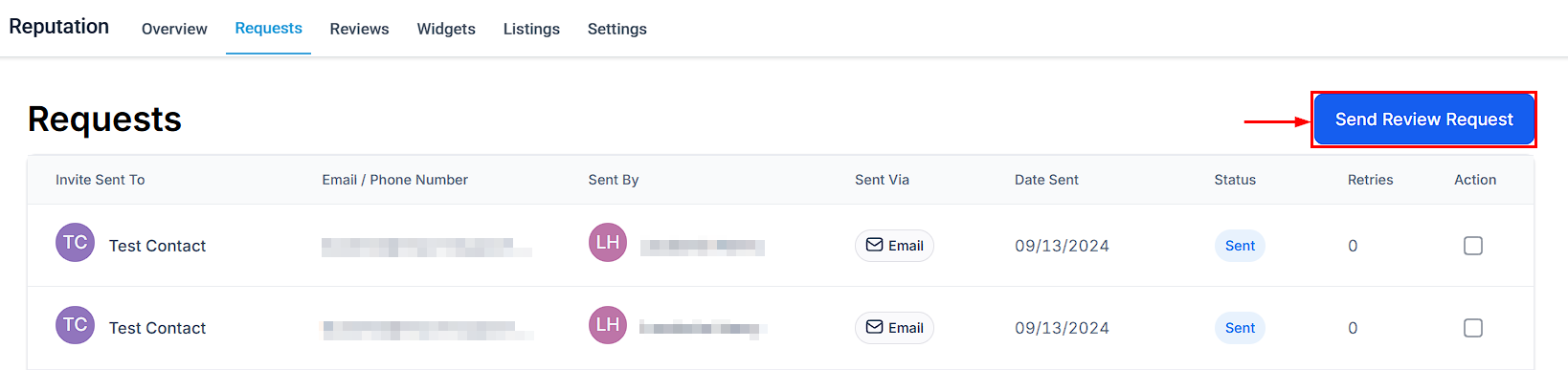
Click the Send Review Request button to initiate the process.
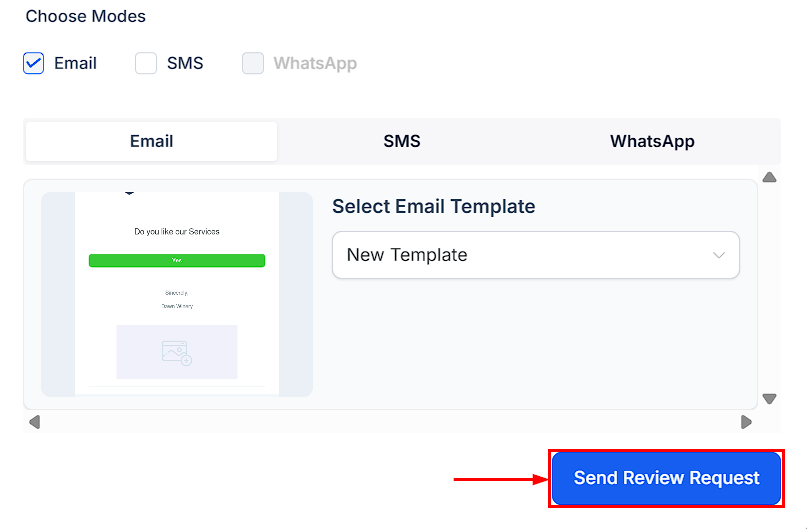
You can send review requests through multiple channels, such as SMS, Email, WhatsApp, or all three at the same time. Just use the checkboxes to select your preferred channels, then fill in the required contact details:
- Contact Name
- Valid Phone Number
- Valid Email Address
- Preferred Channel (choose how you’d like to send the review request)
- Next, pick a template to personalize your message and send the review request.
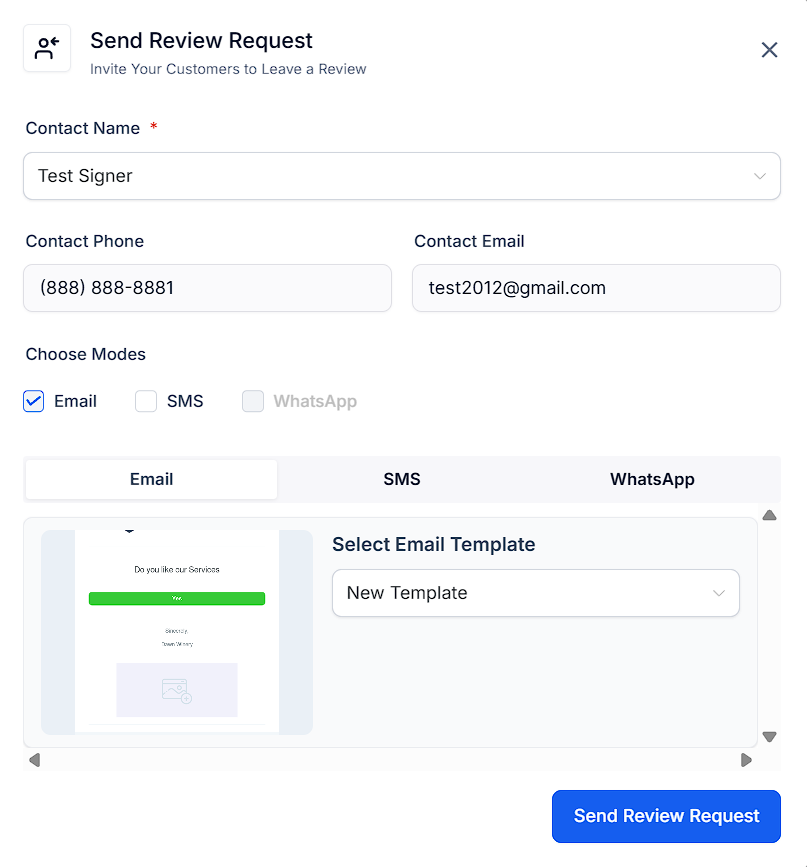
Once you’ve entered the required information, click the Send Review Request button. The request will be added to the queue and sent automatically based on your configured settings.
Monitor the status of each request in the Requests tab to stay organized and optimize your strategy for maintaining a positive online presence.

By following these steps and using features like multi-channel sending, customizable messages, ready-made templates, and real-time tracking, you can easily manage review requests. This helps you connect with customers, gather useful feedback, and build a stronger online reputation.
Was this article helpful?
That’s Great!
Thank you for your feedback
Sorry! We couldn't be helpful
Thank you for your feedback
Feedback sent
We appreciate your effort and will try to fix the article