Tags help keep your contacts organized and enable more efficient segmentation for targeted campaigns. The Add Contact Tag workflow action allows you to automatically add tags to contacts when specific triggers are activated, such as form or survey submissions. This action ensures your contact database stays organized and that you can easily manage your audience.
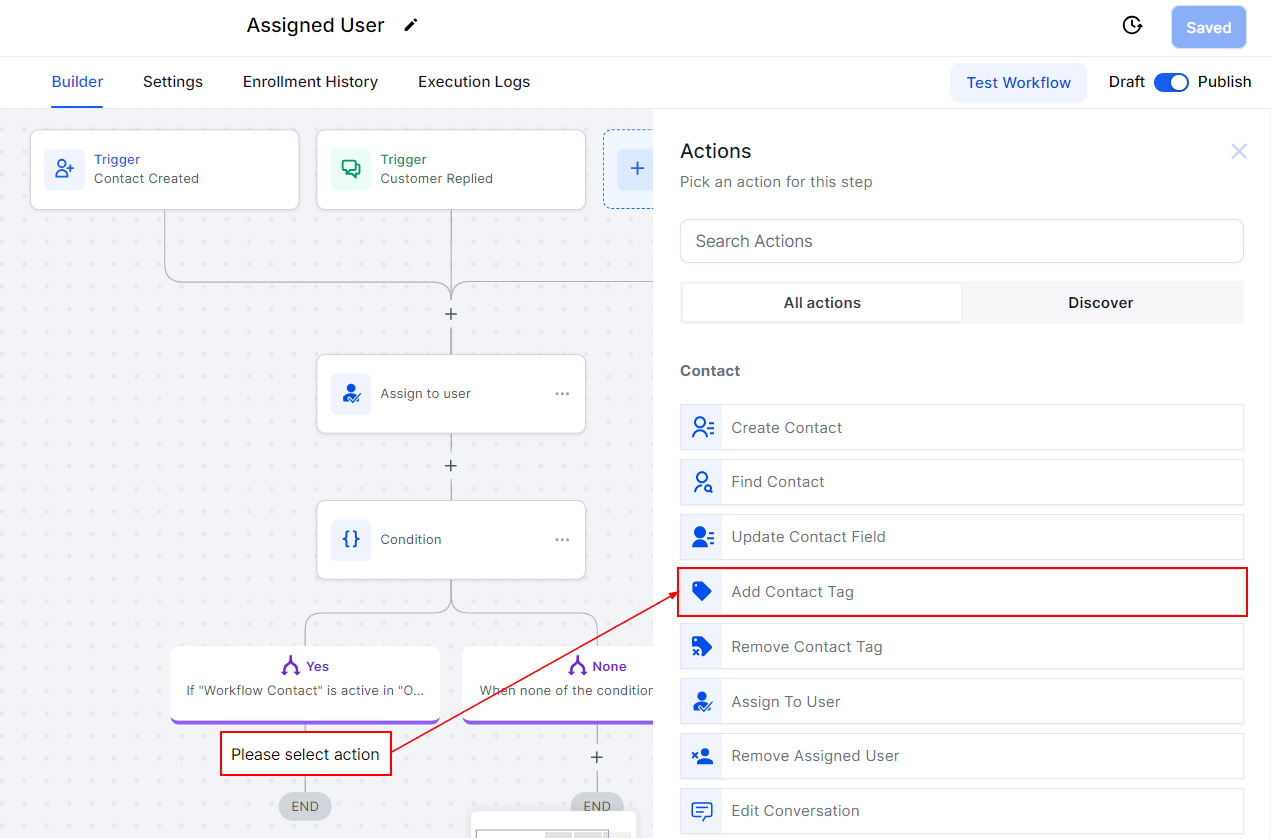
In the workflow builder, click the “+” and add the “Add Contact Tag” action in the options.
Tags
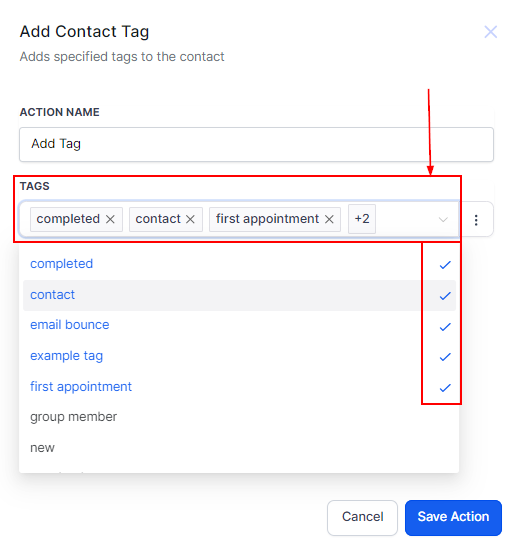
To add tags to a contact in your workflow, select the tags you want to associate with the contact. You have the option to choose multiple tags for each contact if you would like. The tags that you have already selected will have the Checkmarks next to the tag.
+Add Tag
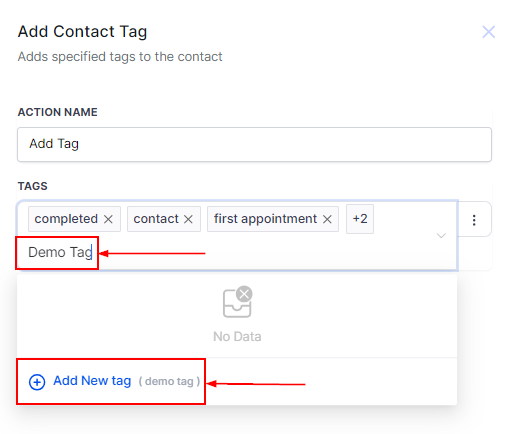
If you want to add a new tag that is not available in your existing tag list, begin typing in the tag in the space provided, and click on Add New Tag to save it.
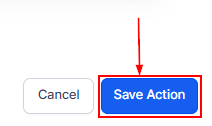
Remember to Save the Action.
The Add Contact Tag action is a valuable tool for keeping your contact database organized and ensuring your marketing efforts are streamlined. By automatically tagging contacts based on specific triggers, you can maintain a clean and accurate list that supports targeted campaigns and improves customer engagement.
Was this article helpful?
That’s Great!
Thank you for your feedback
Sorry! We couldn't be helpful
Thank you for your feedback
Feedback sent
We appreciate your effort and will try to fix the article