The Automated Cancellations for Yext Listings feature is designed to provide users with greater control, efficiency, and ease in managing their listings. By streamlining the cancellation process we aim to ensure that managing Yext listings is as effortless as possible.
Note: YEXT Cancellation is only applicable for those who have submitted the form 30 days prior to initiating the cancellation request
Follow these steps to utilize the Automated Cancellations feature:
- Log In: Access your Yext account by logging in with your credentials.
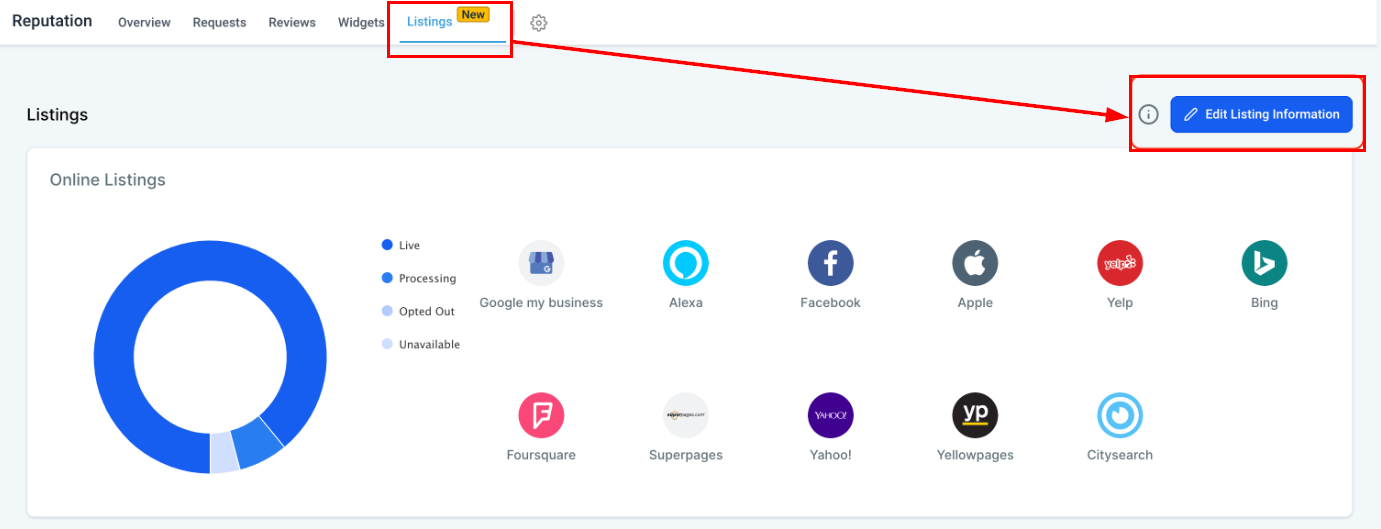
- Edit Listings Information: Click on the "Edit Listings Information" button located at the top right of the dashboard.
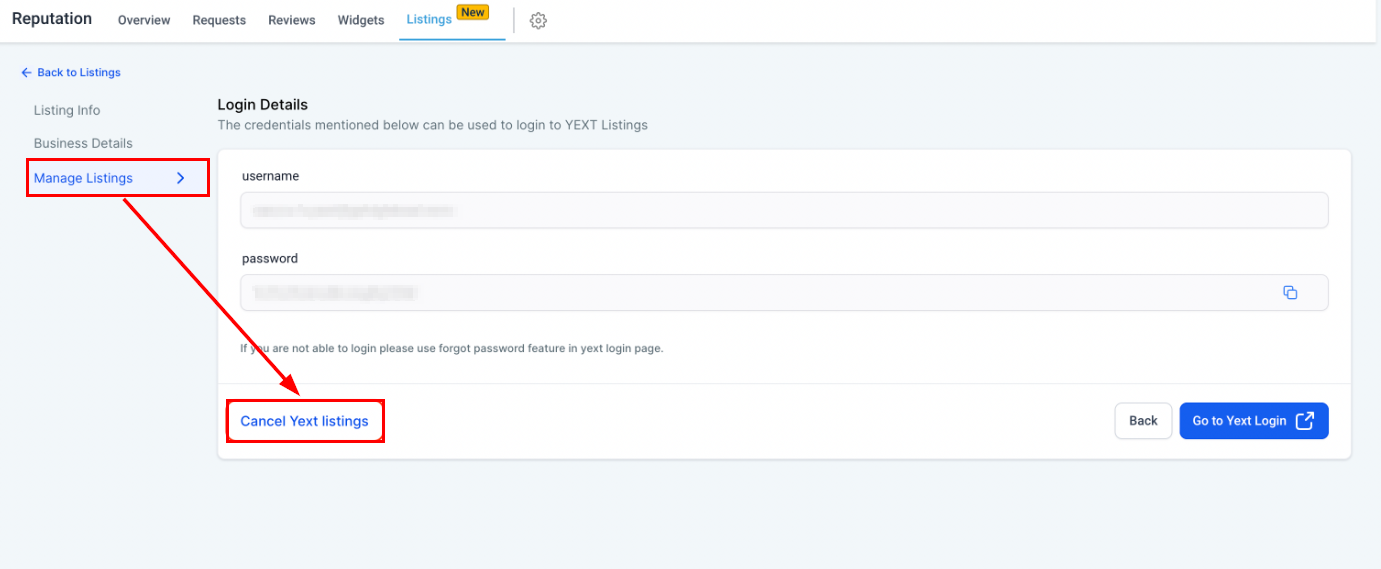
3. Manage Listings: Navigate to the "Manage Listings" section to view your current listings.
4. Cancel Yext Listings: Select the Cancel Yext Listings button to open the cancellation dialog.
5. Confirm and Provide Reason: Confirm your decision to cancel and provide a reason for the cancellation.
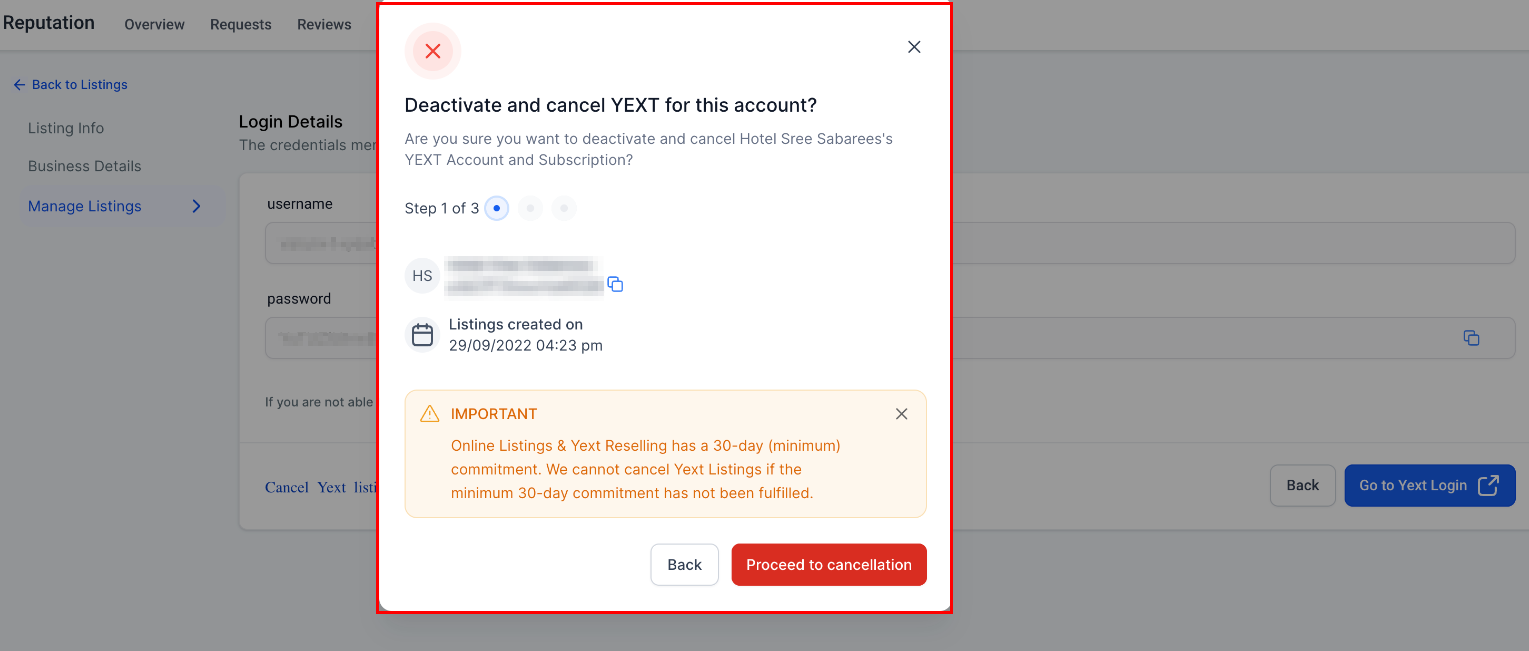
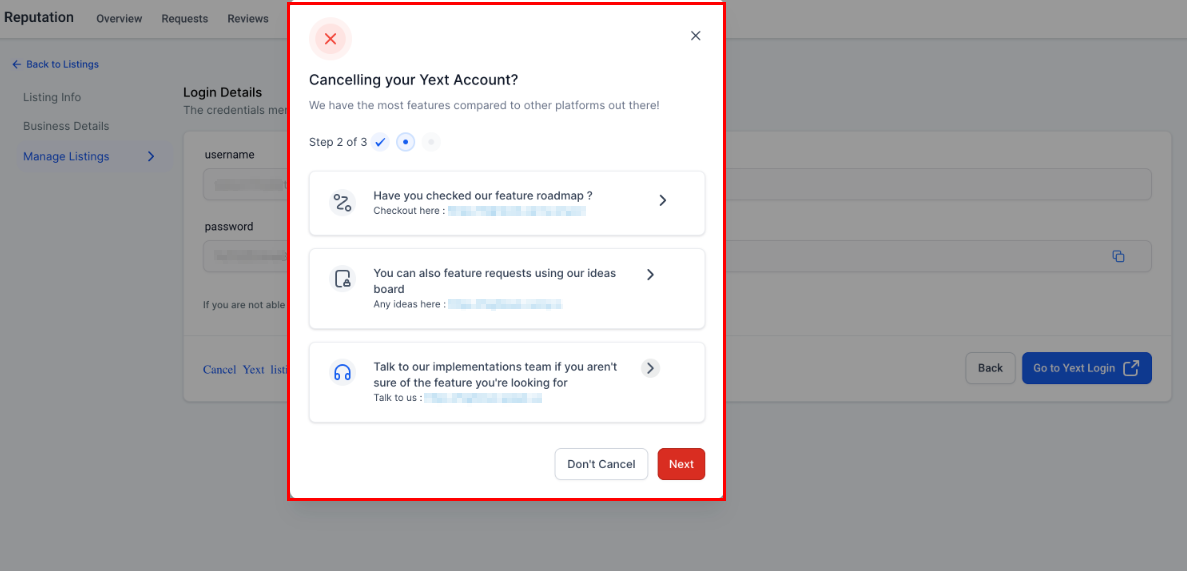
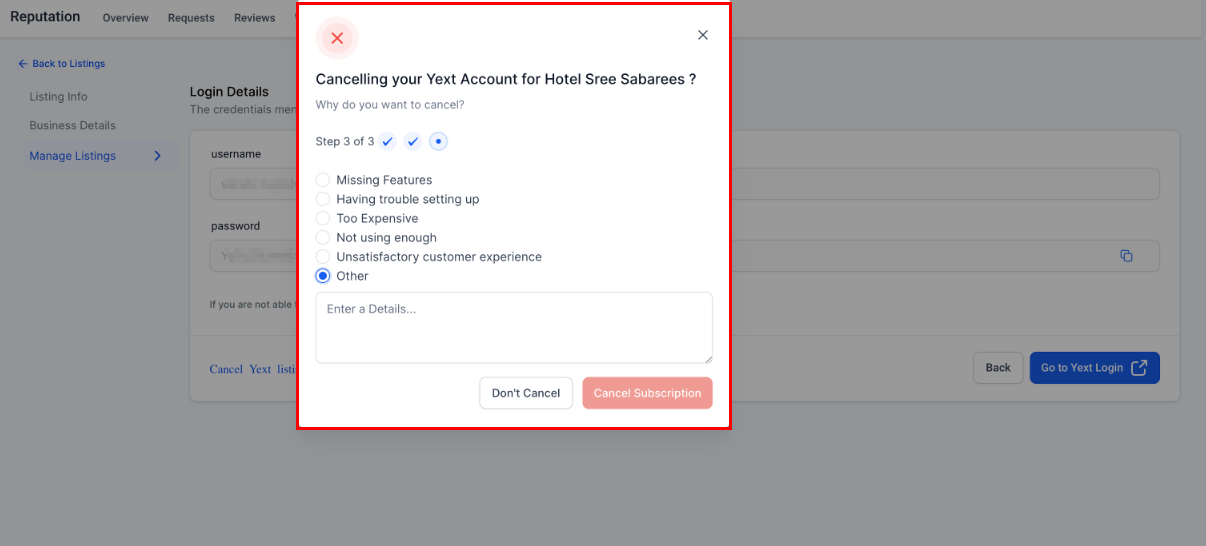
The system will seamlessly process the cancellation, updating your listings accordingly.
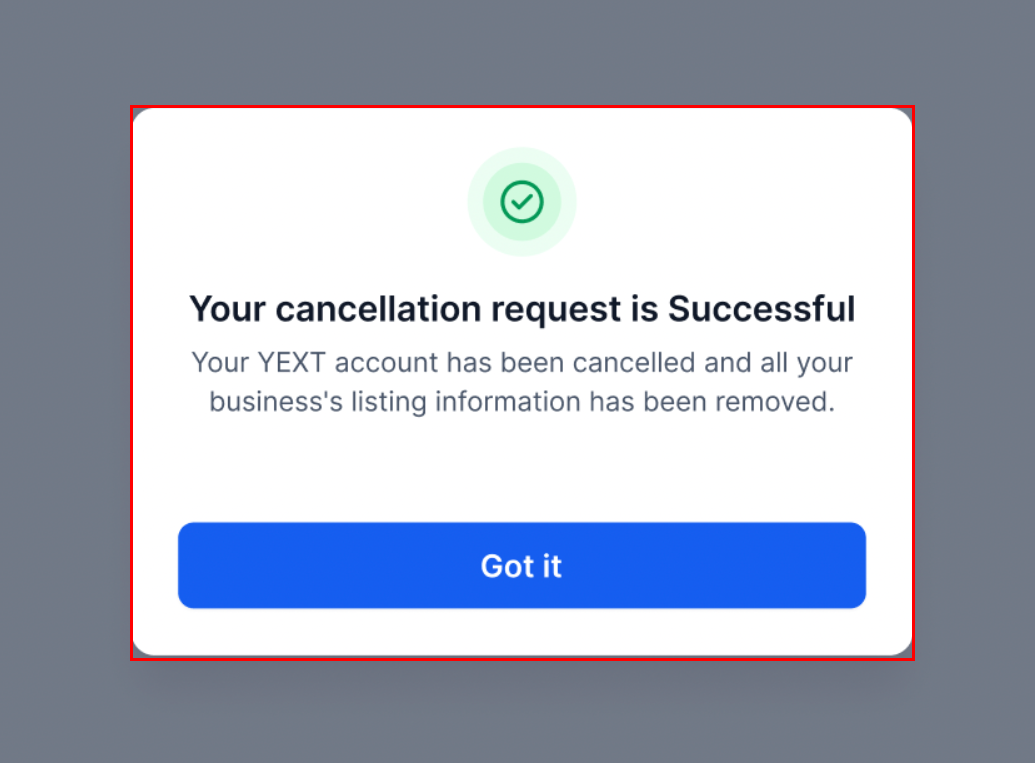
By following the outlined steps—logging into your account, editing listings information, navigating to manage listings, initiating the cancellation, and confirming the process—you can efficiently manage your Yext listings. This automation ensures that your listings are always up-to-date and accurately reflect your current business status. Embrace this feature to enhance your workflow and maintain optimal control over your digital presence.
Frequently Asked Questions
Q: What should I do if the Yext cancellation fails?
- If your Yext cancellation attempt fails, an error message will be displayed. In such instances, please submit a cancellation request to our support team for assistance.
Was this article helpful?
That’s Great!
Thank you for your feedback
Sorry! We couldn't be helpful
Thank you for your feedback
Feedback sent
We appreciate your effort and will try to fix the article