Your Business Profile is the face of your company for any contact interacting with you through WhatsApp. There, they can find all the information about you, from your business name to your address or website, helping to strengthen the bond between you and help you gain the customer's trust, grow interest, and encourage engagement.
Customers can view your business profile by clicking your business's name or number in a conversation thread, which is why it's so important to keep it updated. You can do so inside your CRM from your Settings.
Updating your Profile
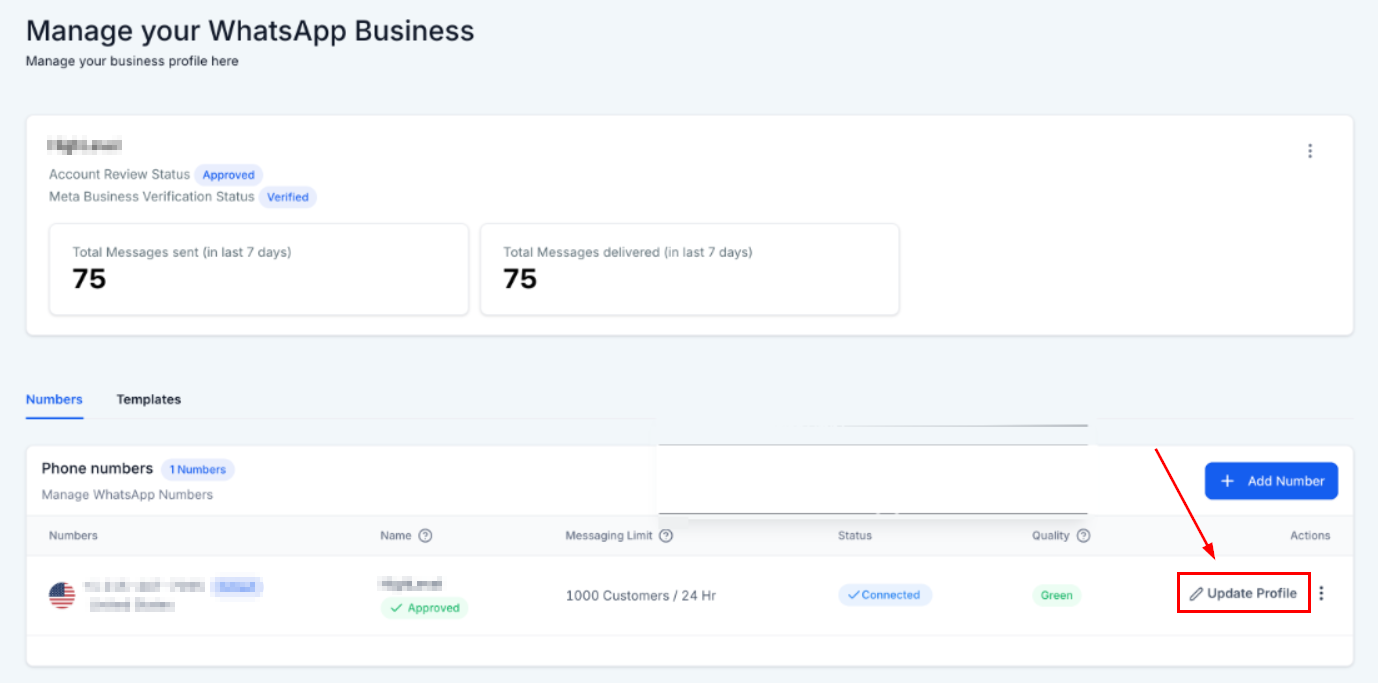
Inside the Numbers tab of your WhatsApp section select Update Profile.
This will allow you to modify your profile information, click on the text to edit it. You'll have a preview to your right, this will be what your clients will see once updated.
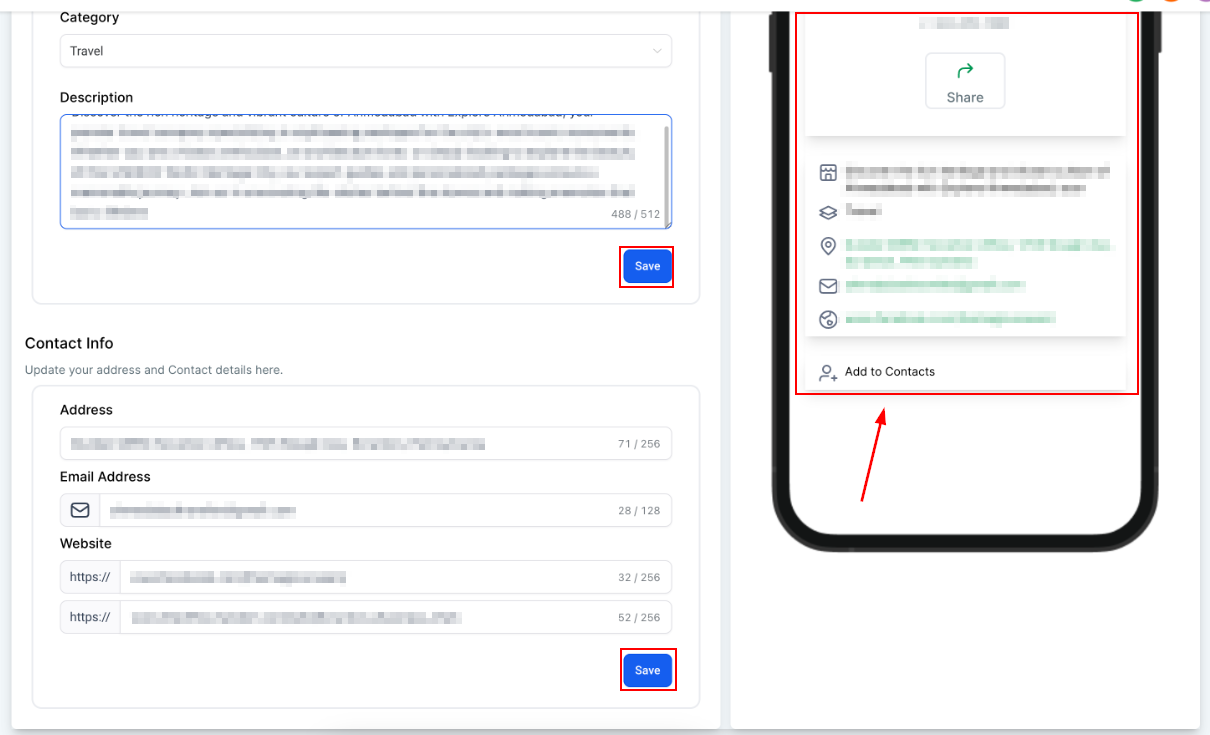
When you're happy with the changes click Save at the bottom and you're done! Now you can keep your WhatsApp fresh and relevant from the comfort of your CRM!
Was this article helpful?
That’s Great!
Thank you for your feedback
Sorry! We couldn't be helpful
Thank you for your feedback
Feedback sent
We appreciate your effort and will try to fix the article