The Conversation AI helps you respond to customers and provides suggestions for handling the conversation. Controlling and easily monitoring those conversations is key to ensuring customer satisfaction since every person has a different set of needs, to manage an individual contact's experience you can enable or disable the Conversation Bot inside their chat.
To do so, navigate to the Conversations tab and access your desired contact’s conversation. If the bot is active you’ll see a green online icon.
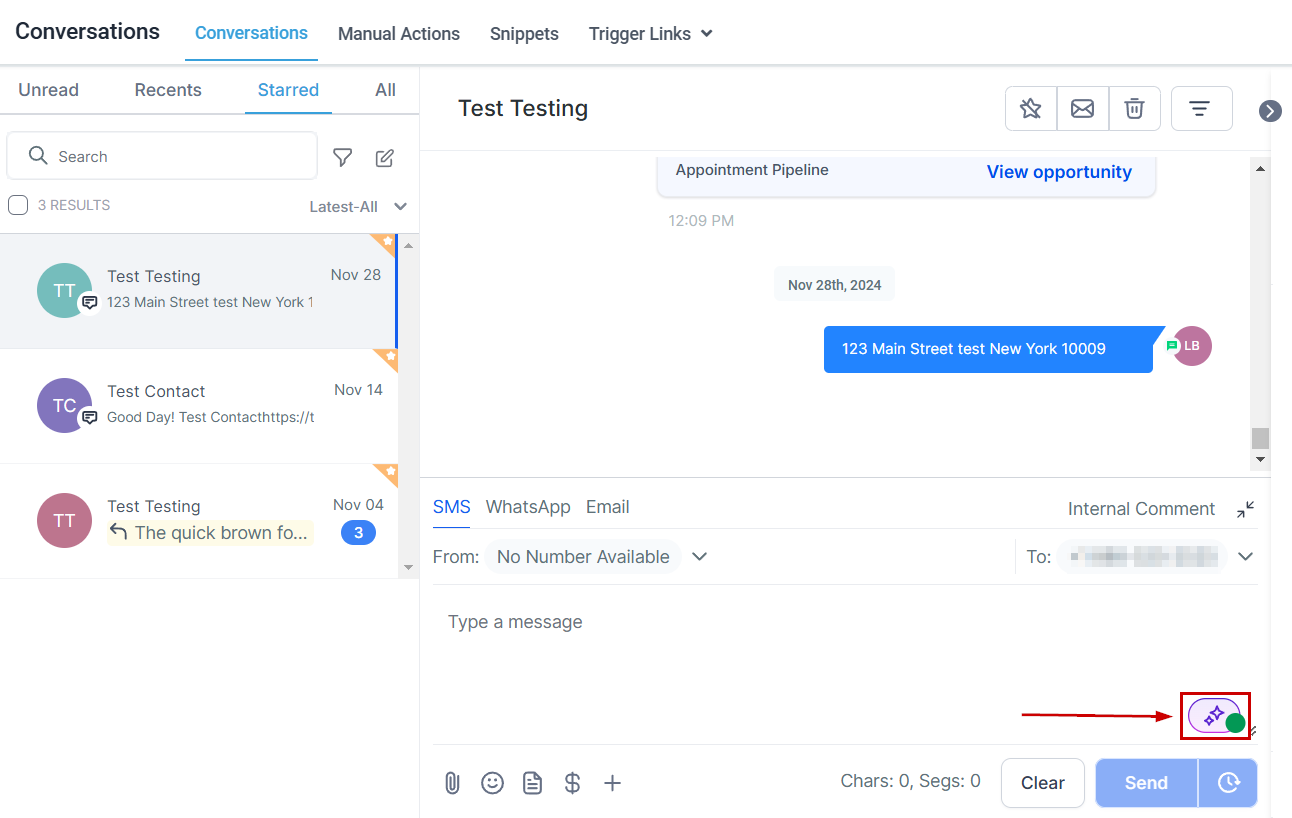
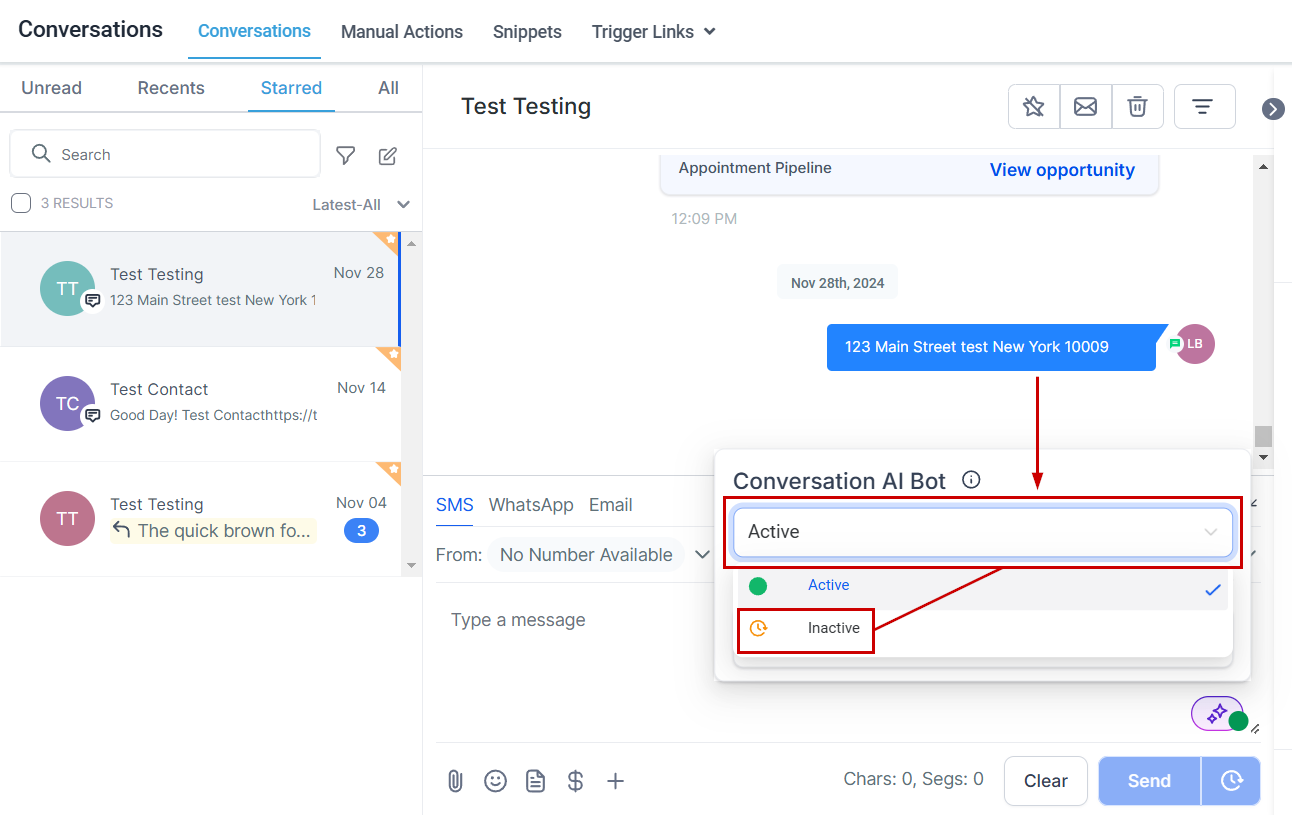
To turn the bot off click the bot status icon and select Inactive from the dropdown menu.
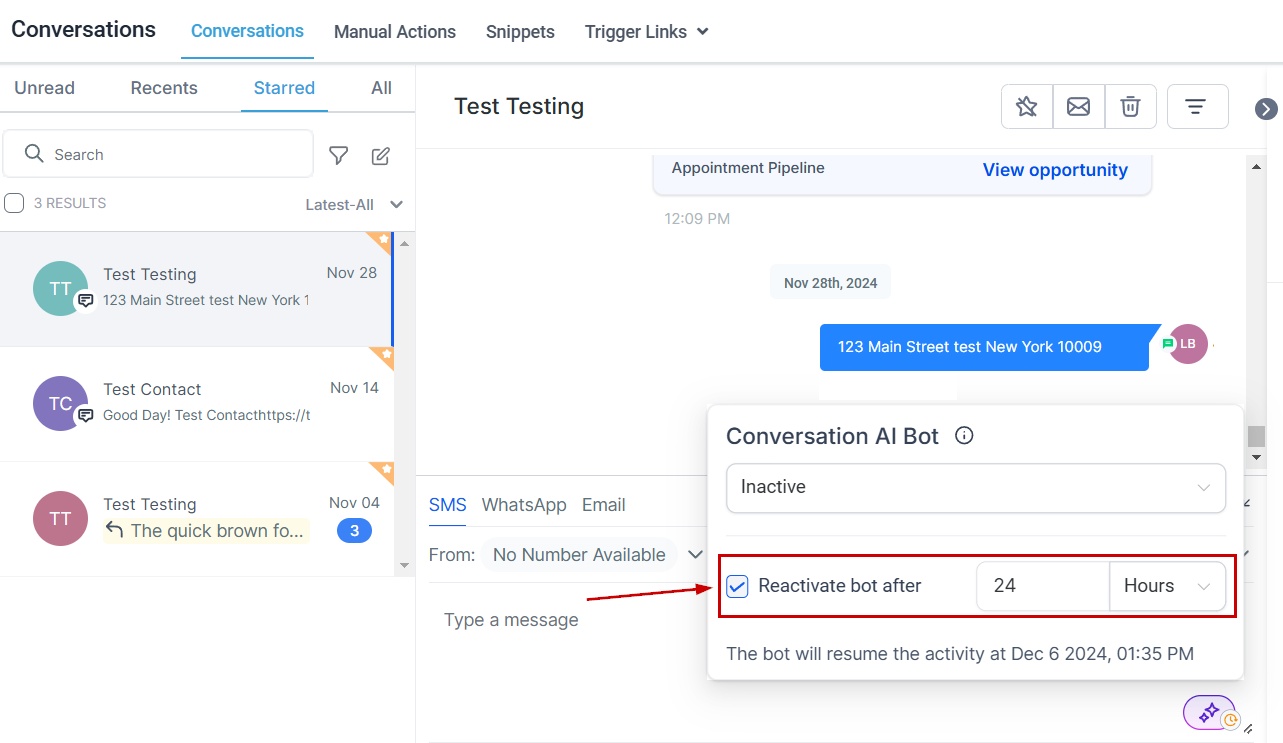
Temporarily pause the bot by checking the box next to "Reactivate bot after" and setting a specific time for automatic reactivation.
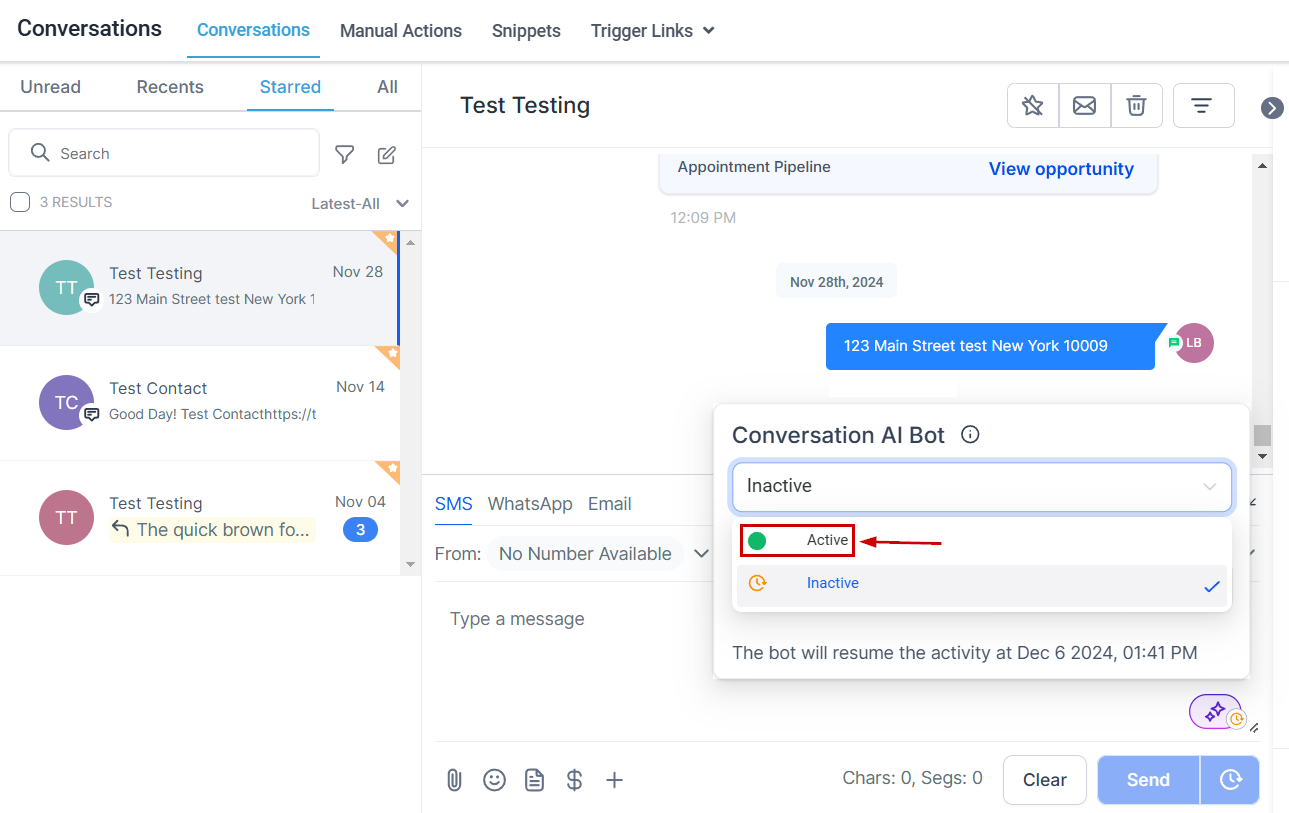
The bot automatically turns off when it reaches the maximum message limit or when a manual/workflow message is sent but it can be restarted by selecting the Active status.
And there you have it, you can easily manage the Conversation Bot's operating mode from the contacts chat ensuring it engages only with the right contacts at the right time. This feature is only available when the bot operates in Suggestive or Auto-Pilot mode.
Was this article helpful?
That’s Great!
Thank you for your feedback
Sorry! We couldn't be helpful
Thank you for your feedback
Feedback sent
We appreciate your effort and will try to fix the article