The Messaging Ramp Progress Card is a powerful tool designed to provide users with a clear understanding of their SMS messaging limits and progression. This feature enhances the user experience by offering actionable insights and step-by-step guidance on how to unlock higher messaging levels.
You can access the Messaging Ramp Progress Card by navigating through Settings > Phone Numbers > Advanced Settings > Messaging Limit.
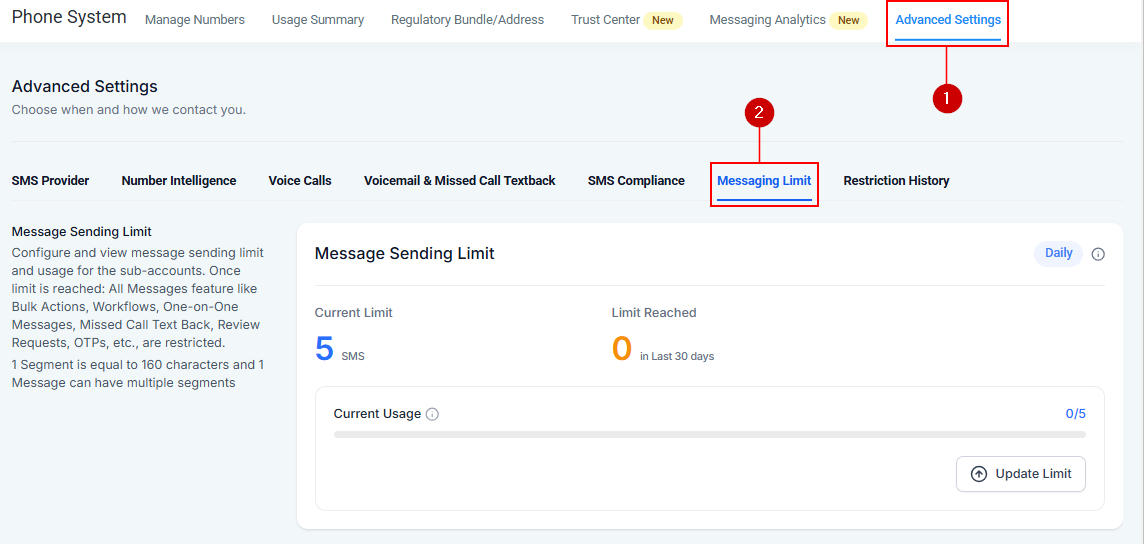
Messaging Ramp Overview
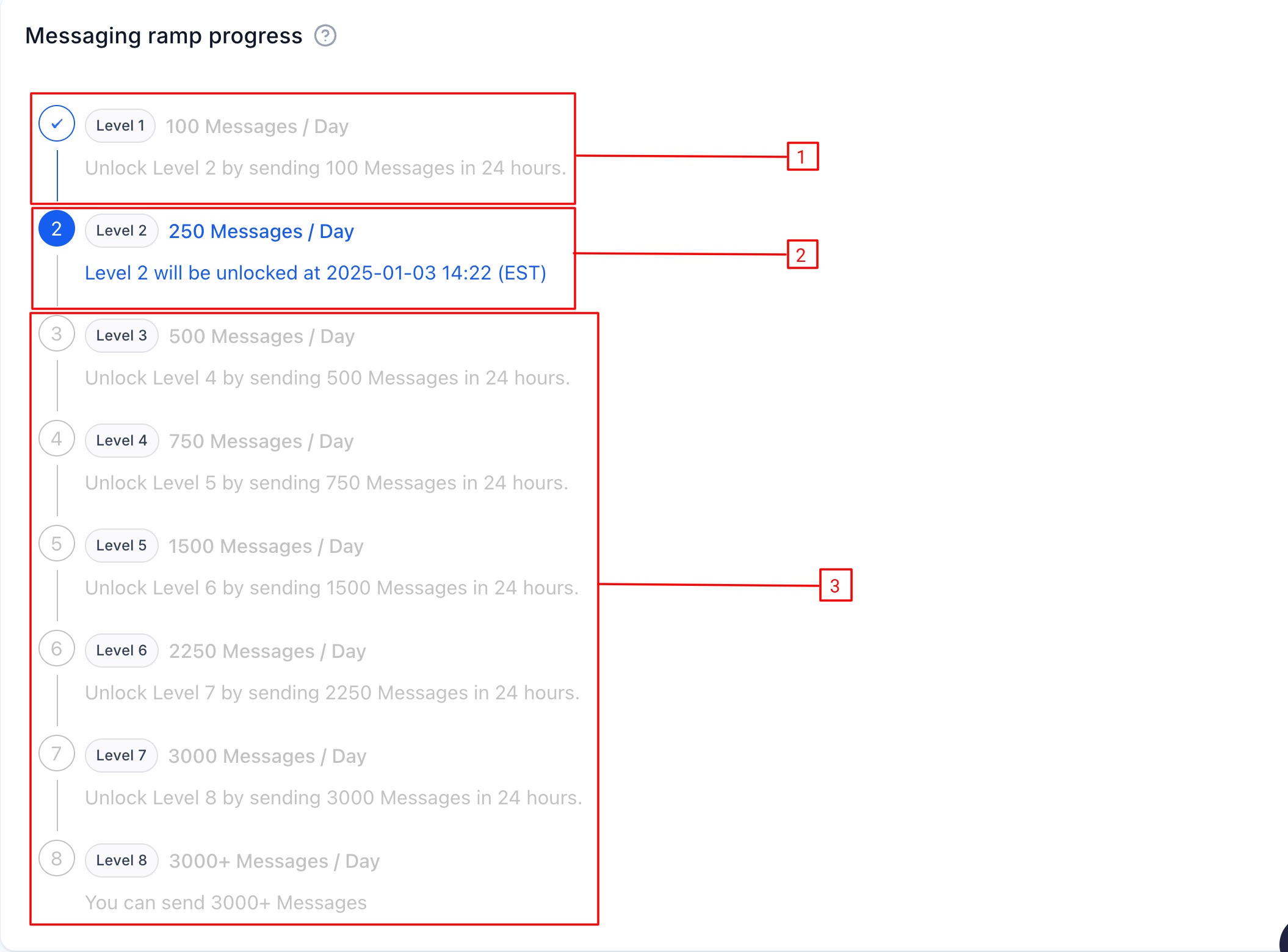
The Messaging Ramp Progress Card offers a clear, visual representation of your messaging levels:
- Current Level: This displays your current status and actionable steps to advance (e.g., “Unlock Level 2 by sending 250 messages by Jan 10, 2025”).
- Locked Levels: Indicates upcoming levels with a lock icon and preview details to motivate you to progress.
- Future Levels: Shows potential messaging capabilities that are available at higher levels.
Upgrade Process
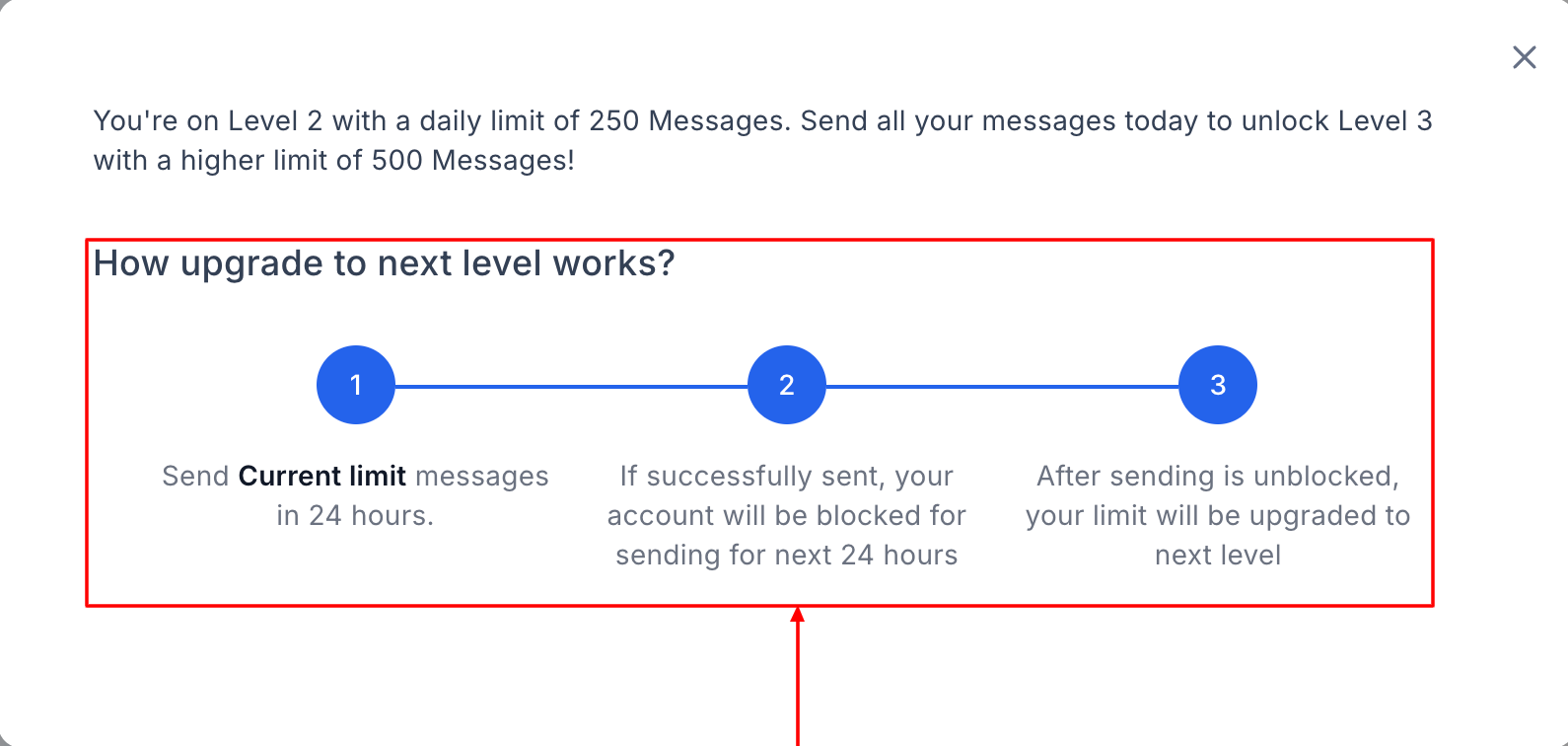
These are helpful prompts that guide you through the Upgrade in the ramp-up process:
- Send Current Limit: Fulfill your current daily messaging limit to progress to the next level.
- Temporary Block Notification: Understand the 24-hour block that occurs after reaching your daily limit as part of the ramp-up process.
- Unlock the Next Level: Learn how your daily SMS limit increases after meeting the ramp-up requirements.
Monitor Your Dynamic Messaging Experience
Once you achieve Level 8, the card displays a congratulatory message and guidance to contact your owner/admin for further upgrades. The Messaging Limit Card and the Messaging Ramp Progress Card are available to facilitate better account management and ensure users progress smoothly.
The Messaging Ramp Progress Card is a user-friendly solution for managing and advancing your SMS messaging capabilities. By following the steps outlined above, you can navigate the ramp-up process with ease, unlock higher limits, and stay informed at every stage. Whether you’re managing your progress or overseeing sub-accounts, this tool ensures a seamless and effective experience for all users.
Was this article helpful?
That’s Great!
Thank you for your feedback
Sorry! We couldn't be helpful
Thank you for your feedback
Feedback sent
We appreciate your effort and will try to fix the article