When doing an SMS campaign you want to make sure every message counts, just like with your emails you want to make sure that you know exactly what is going on. The best way to have that control is by checking your analytics and limits for them. You can access these features in Settings under the Phone Numbers section.
Messaging Analytics
Gain insights and evaluate the success of your text message campaigns here.
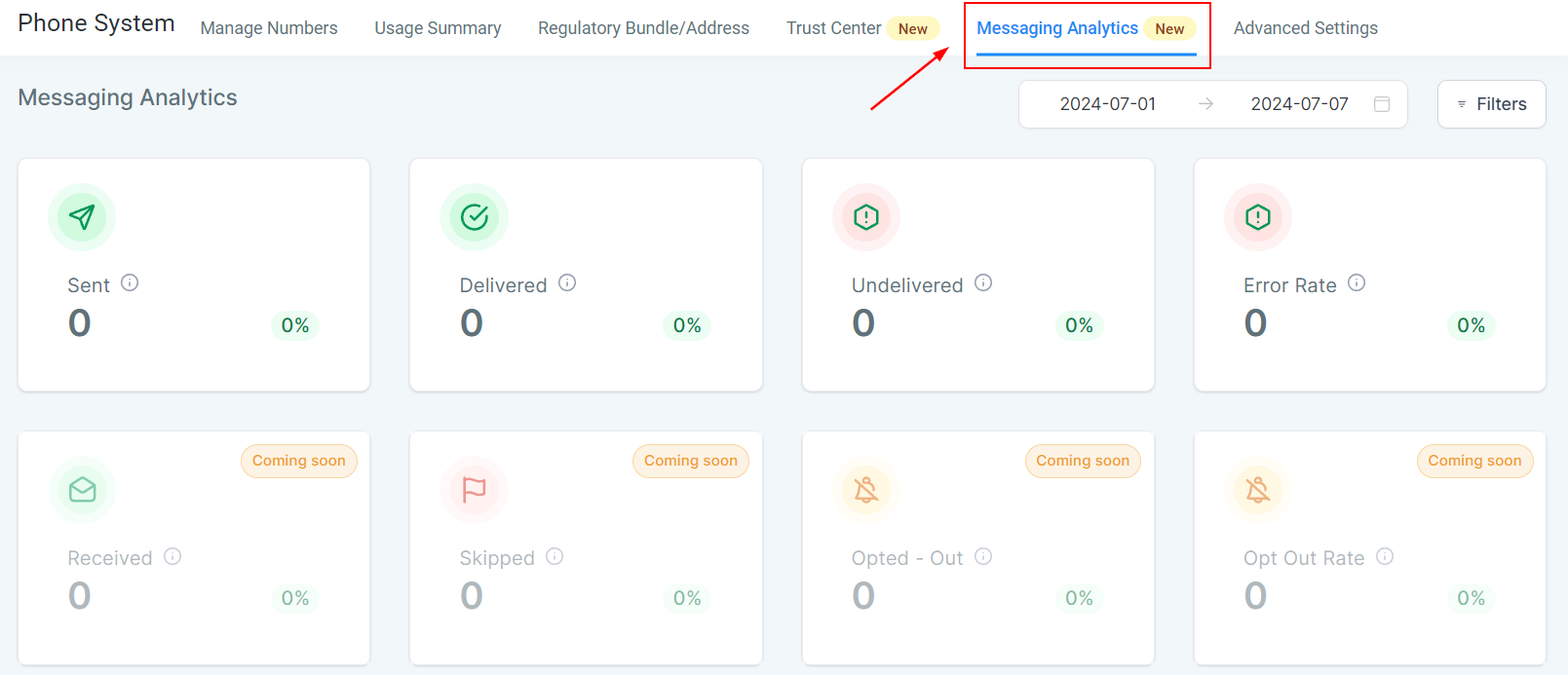
Metrics
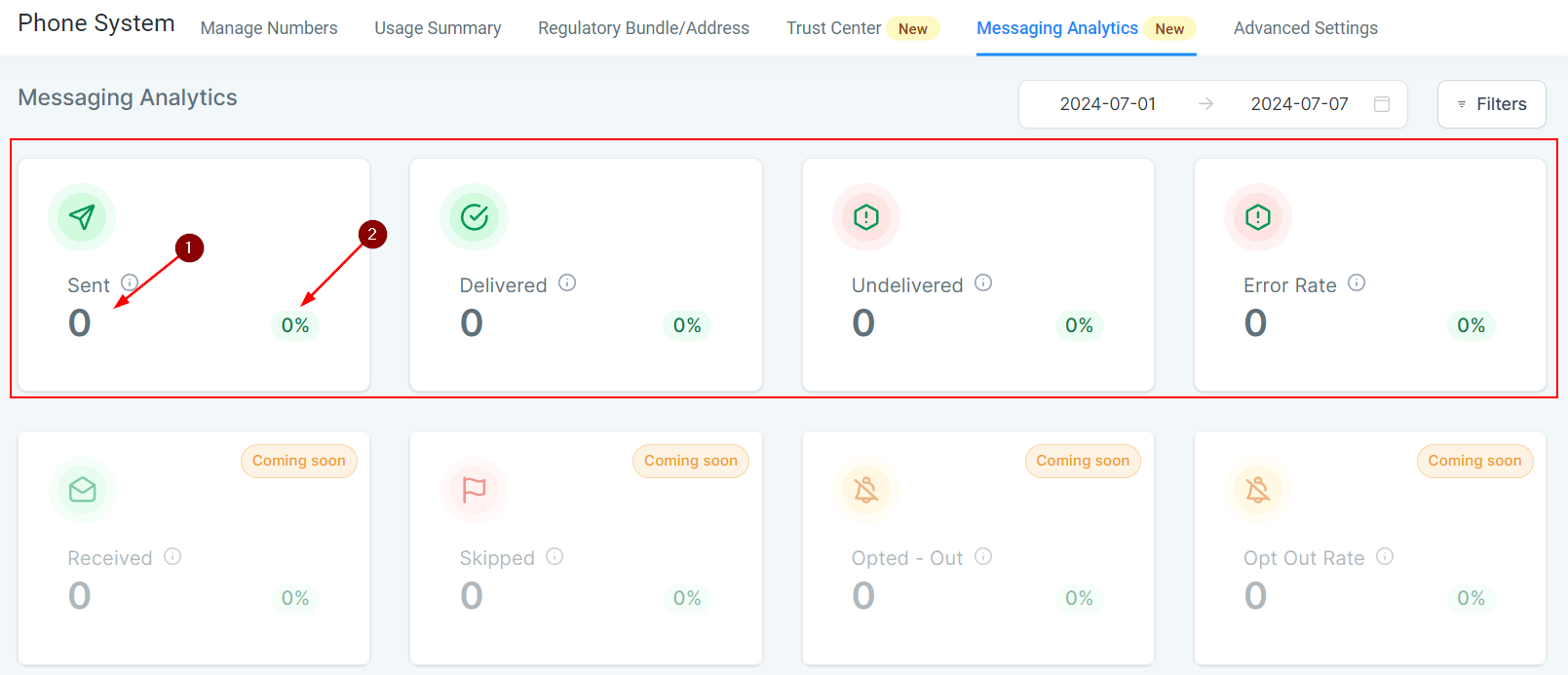
You have four metrics available as of right now, Sent, Delivered, Undelivered, and Error Rate. These will offer you the total number (1) and the percentage of the total amount of text messages sent or attempted that it constitutes.
Filter
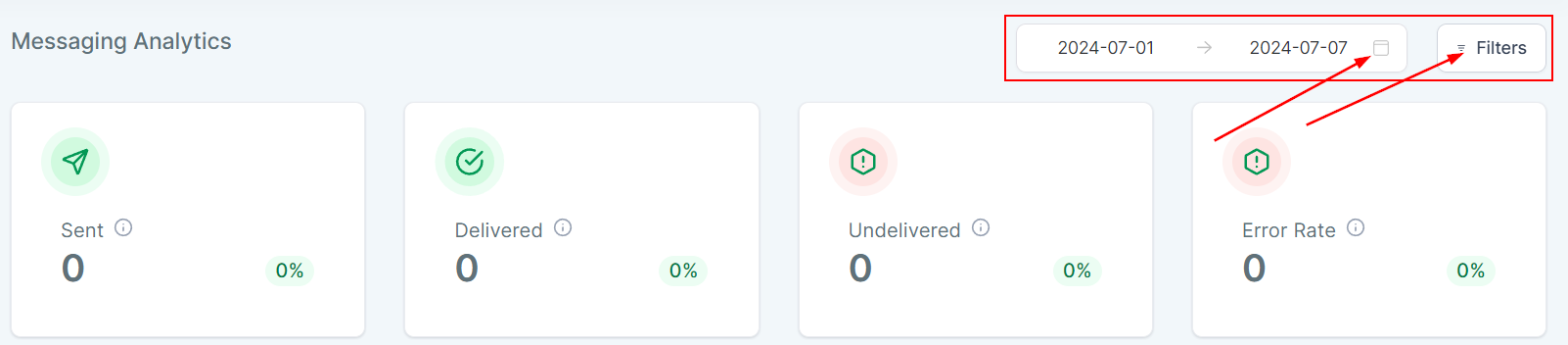
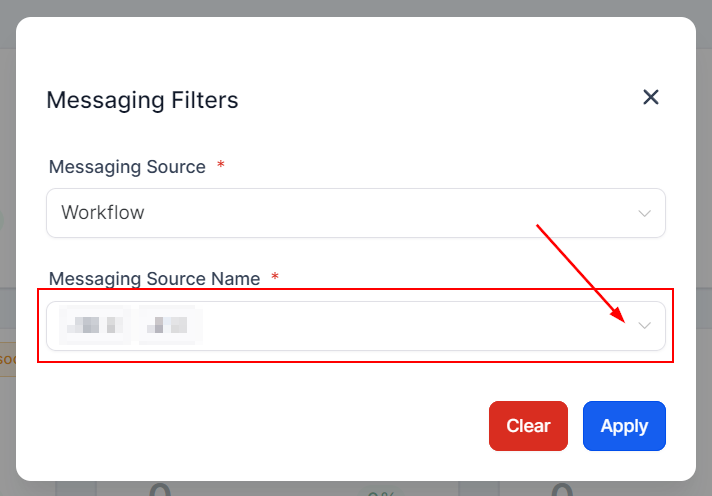
You can filter the results by changing the dates covered or clicking the Filters button. With Filters, you can limit the messages it shows from all to messages from a specific Campaign, Workflow, or Bulk Request.
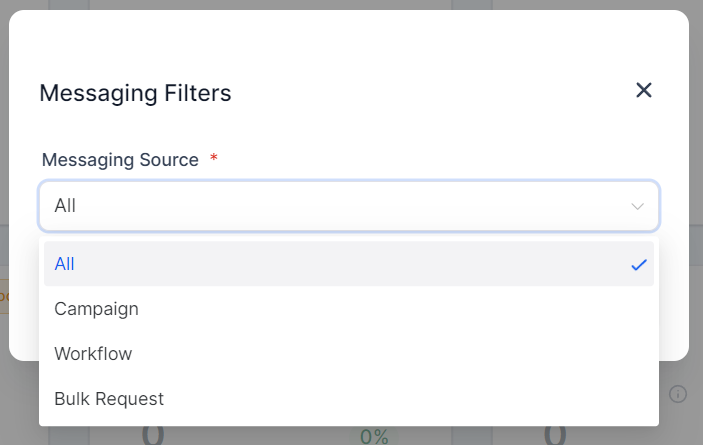
After selecting the source, the system will request you to choose which of the options you have for that Campaign/Workflow/Bulk Request it should show you. Once both Source and Source Name are selected click the blue Apply button to start filtering.
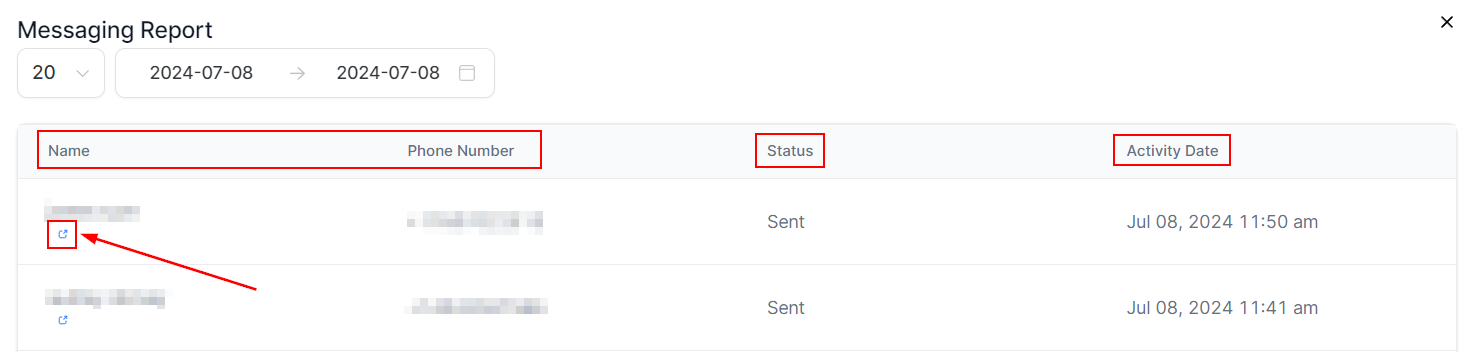
You can access a detailed report for each status by clicking on it, this will show you the contact this was sent to, the status of the message, and the date of the activity. It also gives you quick access to their conversation page by clicking the blue icon.
Messaging Limits
You can also keep track of the total messages you've sent so far, so you don't pass your daily limits, by going to the Advanced Settings tab and checking the Messaging Limit section.
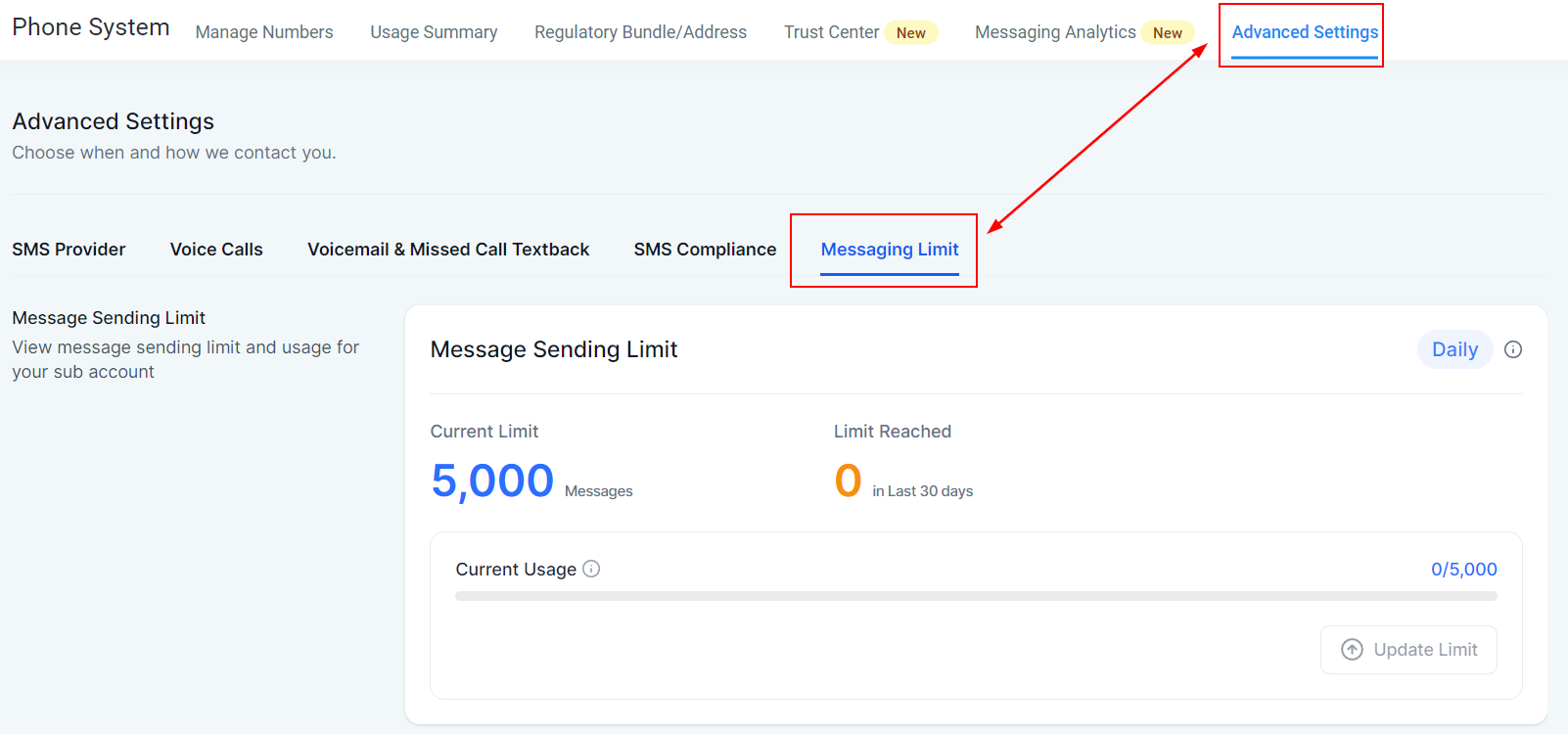
That limit includes all text messages sent, meaning manual and automated texts, and the counter resets to zero every cycle for more accuracy. This will help you gain and maintain more control and efficiency with your text message campaigns in the future.
Was this article helpful?
That’s Great!
Thank you for your feedback
Sorry! We couldn't be helpful
Thank you for your feedback
Feedback sent
We appreciate your effort and will try to fix the article