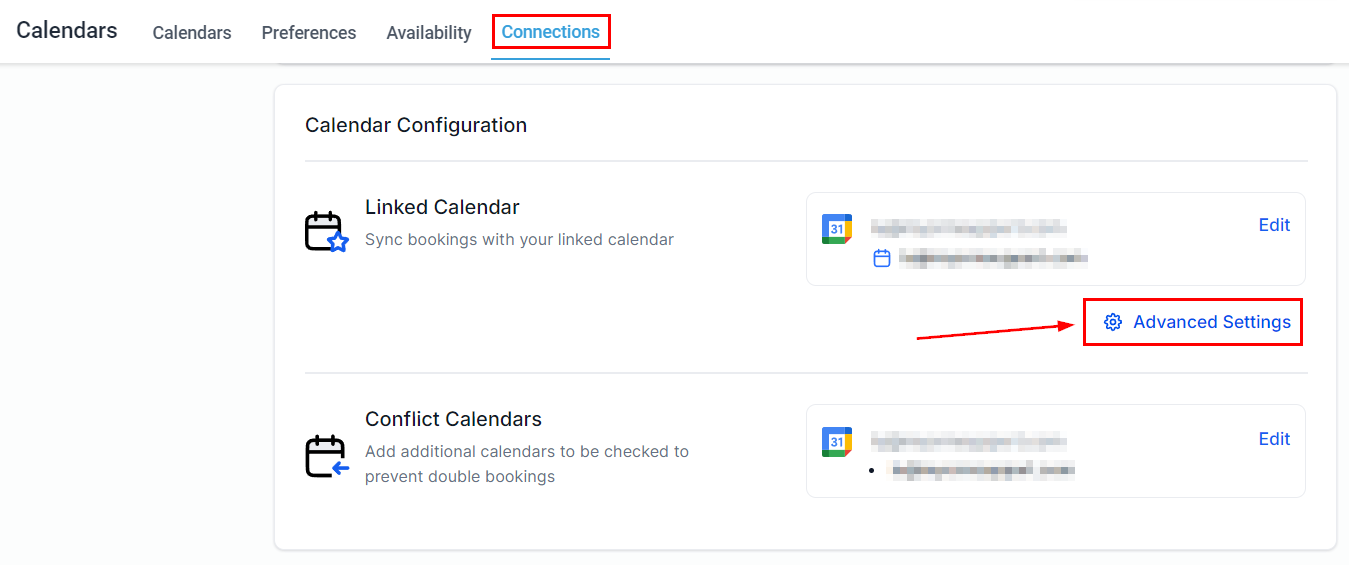
You'll encounter various “Sync Options” when setting up or editing your calendar. These will decide how the calendar behaves when synchronizing system calendar events with the external calendar you're connecting. Understanding these options is key to optimizing your calendar integration. To access these settings go to the Connections tab inside the Calendars section under Settings then click Advanced Settings under Calendar Configuration.
Sync Options Explained
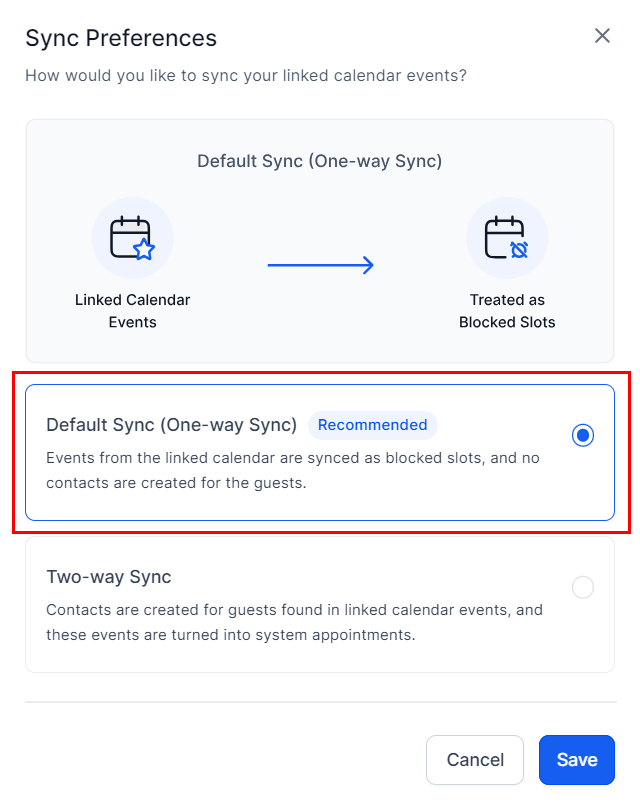
One-way Sync
This will not add contacts in the CRM from individuals invited to external events, these events will appear in grey on your CRM calendar, and appointments made in the CRM calendar sync back to and block off time for events on the external calendar.
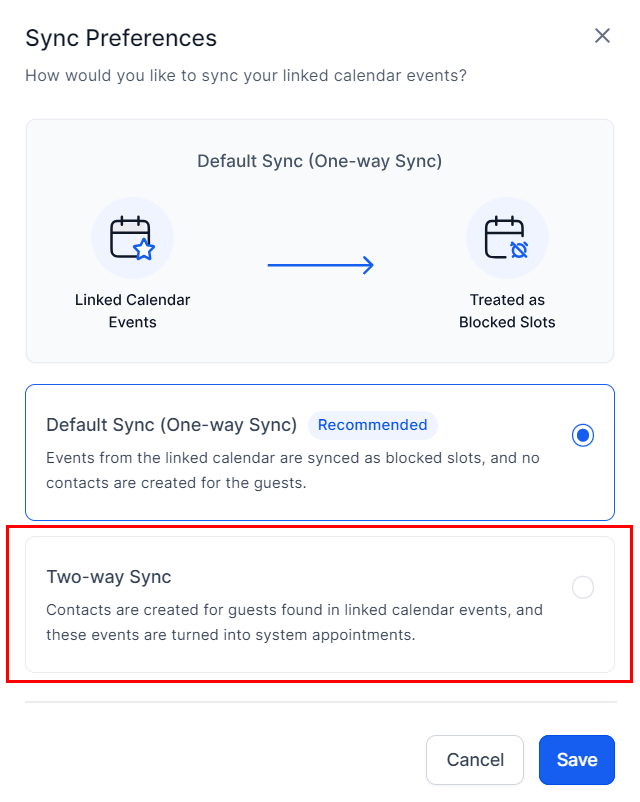
Two-way Sync
Events from your external calendar are displayed in your CRM calendar with distinct colors. The CRM identifies invitees in external events and creates contact records for them, incorporating these contacts into any related calendar triggers.
Note: You can access a color key for events on a Two-way sync calendar by clicking the tiny blue-circled question mark next to the calendar dropdown.
Practical Examples and Use Cases
- One-way Sync: Ideal for professionals who schedule meetings externally but want to avoid double bookings by reflecting these in the CRM calendar.
- Two-way Sync: Best for businesses that host events or meetings and wish to automatically capture participant information in their CRM for follow-up communications.
Troubleshooting and FAQs
What if events aren't syncing properly?
- Ensure you've selected the correct sync option and that your external calendar is correctly linked to the CRM. Double-check the sync settings in both the CRM and your external calendar.
Can I change the sync option later?
- Yes, you can modify your sync preferences at any time by revisiting the Calendar Settings.
Was this article helpful?
That’s Great!
Thank you for your feedback
Sorry! We couldn't be helpful
Thank you for your feedback
Feedback sent
We appreciate your effort and will try to fix the article