Enhance your virtual meeting management by integrating your Zoom account with your calendar bookings. This seamless connection simplifies the scheduling and organization of online meetings, ensuring that all participants receive the necessary information and that your workflow remains efficient and productive.
Start by navigating to the Calendar Settings within the My Profile section. Click on the "Add New" button to open the connection modal.

Connecting Your Zoom Account
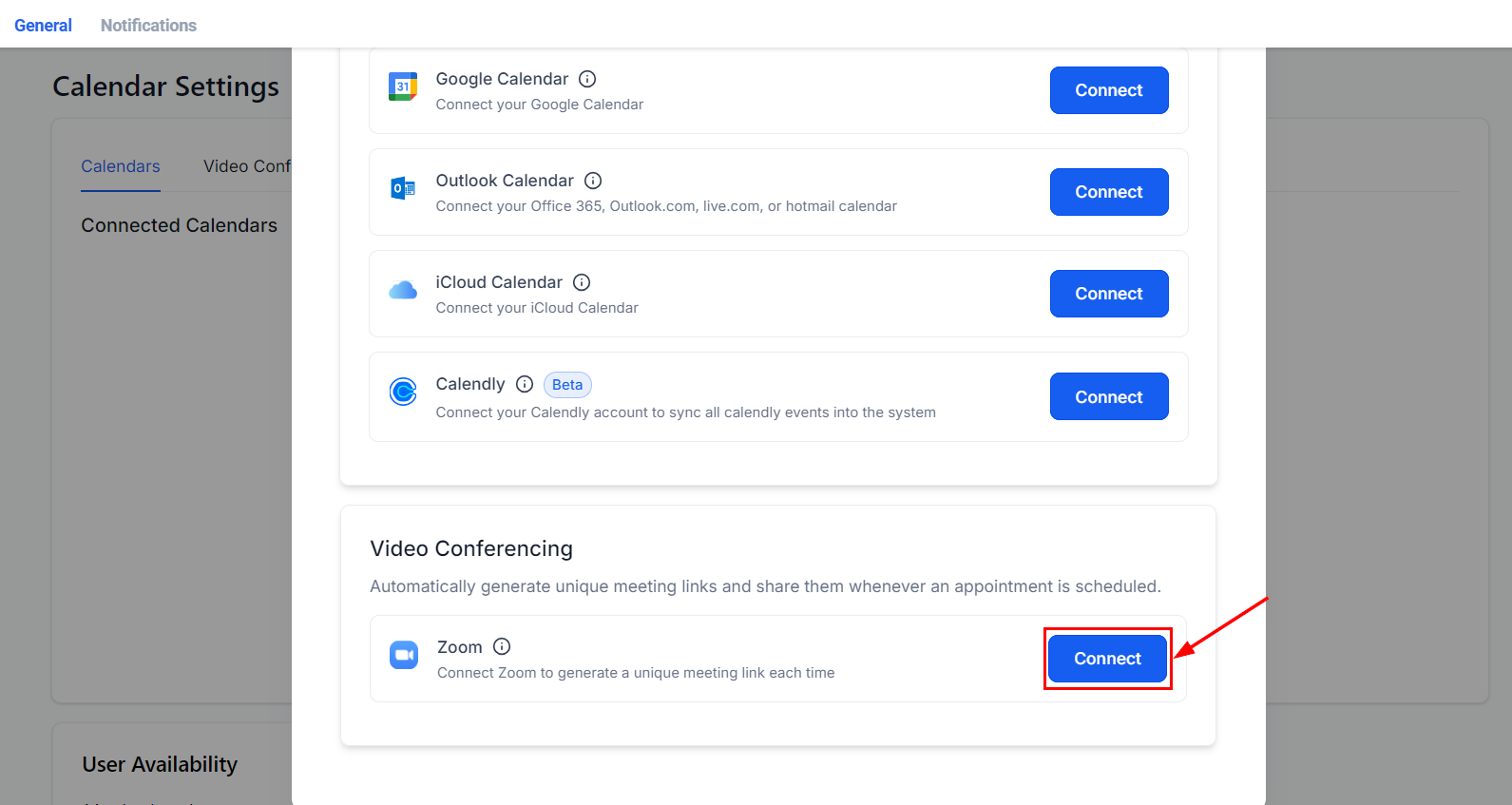
To link your Zoom account, click the "Connect" button next to Zoom. This will open the Zoom sign-in page in a new window.
Sign In to Zoom
Enter your username and password on the Zoom sign-in page, then click "Sign In" to authenticate your account. Alternatively, you can choose to sign in using Single Sign-On (SSO), Apple, Google, or Facebook by selecting the respective icon.

Grant Permissions
Review the required permissions and click "Allow" to finalize the integration to enable Lead Connector to manage your Zoom account settings.

Zoom is now successfully integrated! You can manage this integration under the Video Conferencing tab in your profile.

Was this article helpful?
That’s Great!
Thank you for your feedback
Sorry! We couldn't be helpful
Thank you for your feedback
Feedback sent
We appreciate your effort and will try to fix the article