Validating phone numbers in the CRM is a straightforward process that can significantly improve the delivery success rate of your SMS campaigns, this allows you to avoid unnecessary costs for contacts who will not receive them. Here's how to do it:
How To Use It?
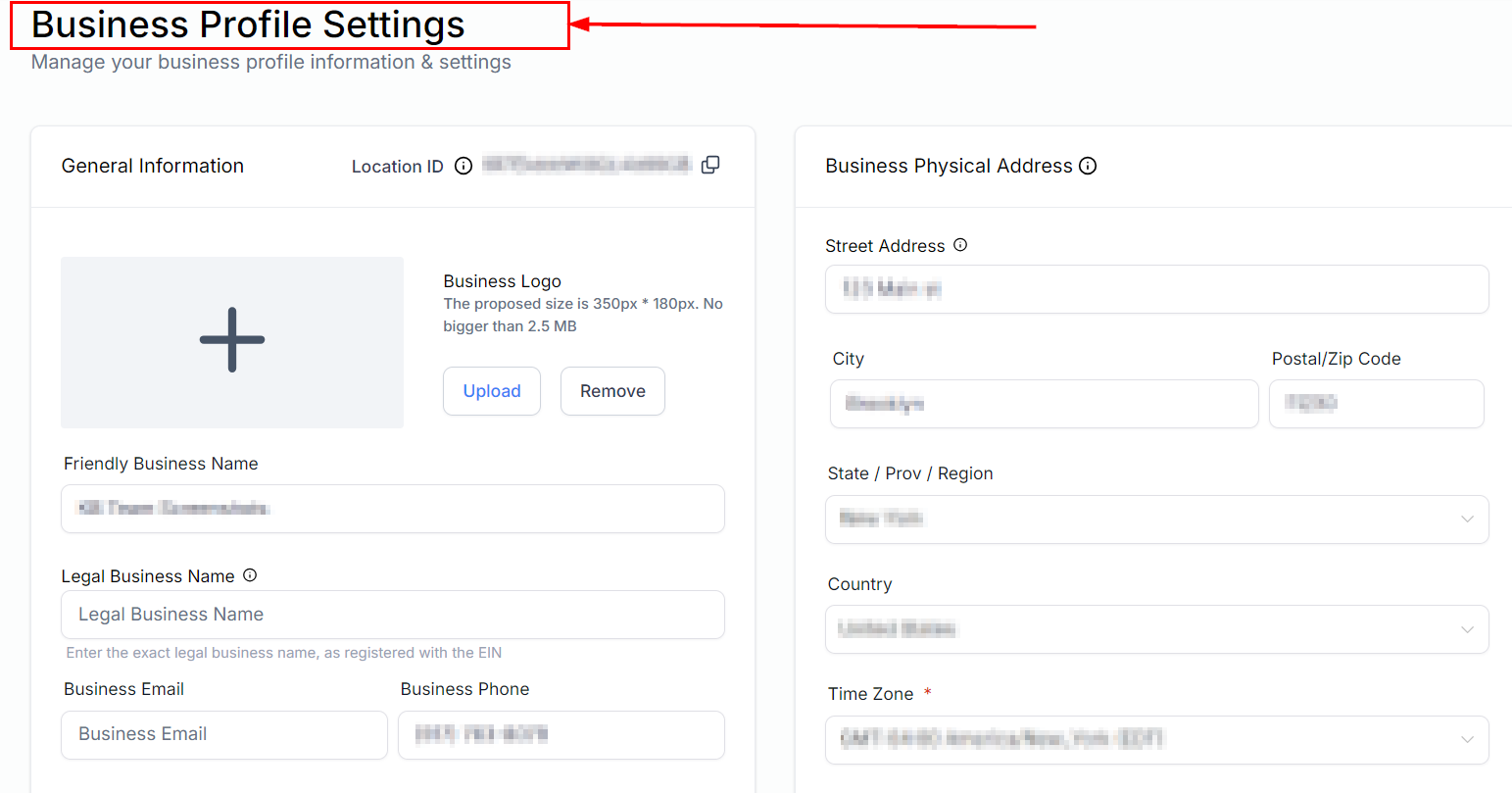
Start by navigating to your settings and go to the Business Profile section.
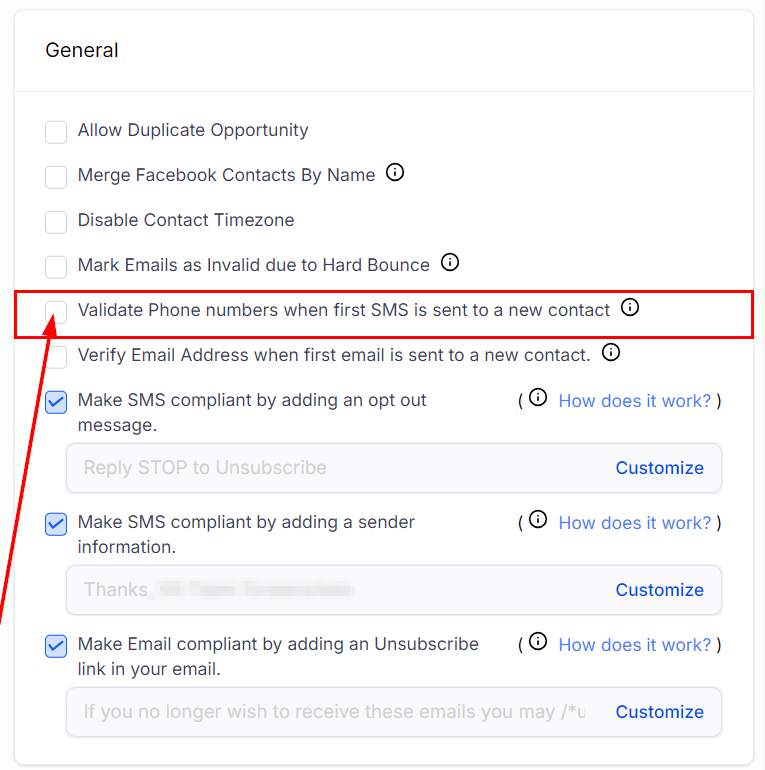
Scroll down until the "General" section, there you will find an option labeled "Validate phone numbers when the first SMS is sent to a new contact". Enable this option to activate phone number validation.
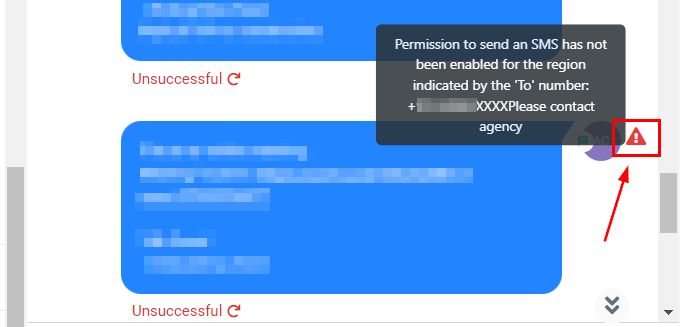
Once this is enabled an alert icon will appear if there are any errors when sending the SMS.
Important Considerations
- Validation is performed when an SMS is queued for sending, not during the contact import creation process.
- If a number is identified as a landline, the first message will not be sent to prevent delivery errors.
Troubleshooting Tips
- Ensure that the Validate phone numbers when the first SMS is sent to a new contact option is enabled in your settings.
- If experiencing issues with validation, review the workflow triggers related to Twilio validation errors for any misconfigurations.
Frequently Asked Questions
Is phone number validation necessary for every SMS campaign?
While not mandatory, validating phone numbers is highly recommended to improve the success rate of your SMS campaigns.
Can I validate phone numbers in bulk?
Validation occurs when an SMS is queued for sending; bulk validation during contact import is not supported.
Was this article helpful?
That’s Great!
Thank you for your feedback
Sorry! We couldn't be helpful
Thank you for your feedback
Feedback sent
We appreciate your effort and will try to fix the article