The New Signup trigger initiates your workflow when a customer or potential lead subscribes for a Course. By implementing this trigger, you can effectively manage new member signups, streamline onboarding processes, and ensure a seamless experience for your organization and the newly enrolled members.
Adding the New Signup Trigger
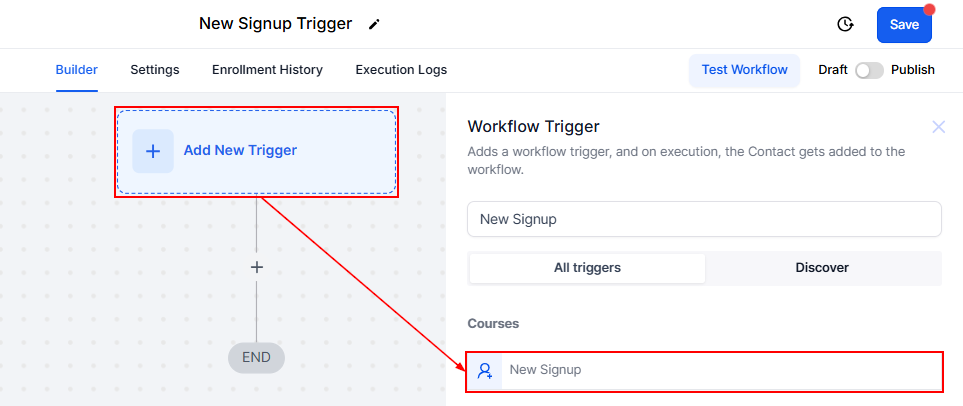
To set this up, click “Add New Trigger,” search, and select “New Signup” from the available choices.
Filters
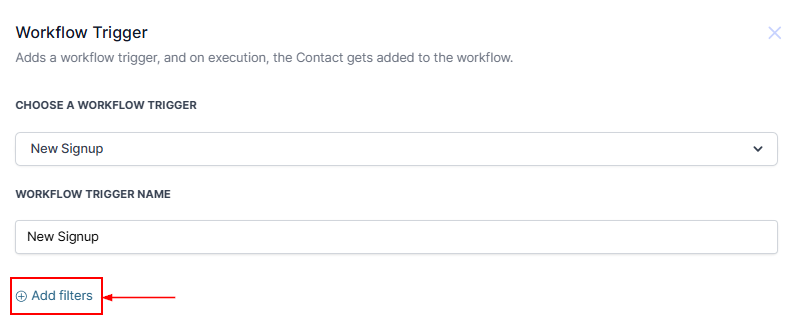
To add filters to the trigger click the “Add Filters” button.
Offer
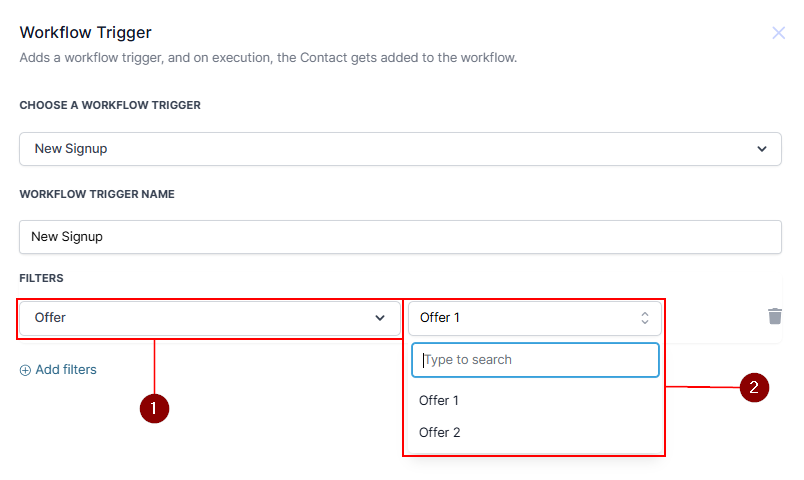
In the first dropdown, click on Offer. A drop-down menu will appear for you to choose the Offer type.
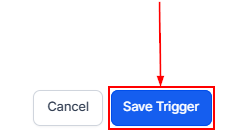
Once you’ve chosen your filters for your trigger, click on the Save Trigger button in the bottom right corner.
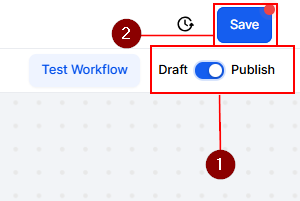
After adding the trigger and its associated actions, don’t forget to Publish and Save the workflow to activate it.
With the New Signup trigger, you can make onboarding effortless by automatically engaging and managing new course signups, ensuring every enrollee enjoys a seamless start to their journey.
Was this article helpful?
That’s Great!
Thank you for your feedback
Sorry! We couldn't be helpful
Thank you for your feedback
Feedback sent
We appreciate your effort and will try to fix the article