The Product Access Granted trigger comes into play when a customer receives access to a particular product, initiating the designated workflow. By using this trigger, businesses can effectively manage and track customer access to products, ensuring a smooth process and an enhanced customer experience while maintaining oversight of product access.
Adding the Product Access Granted Trigger
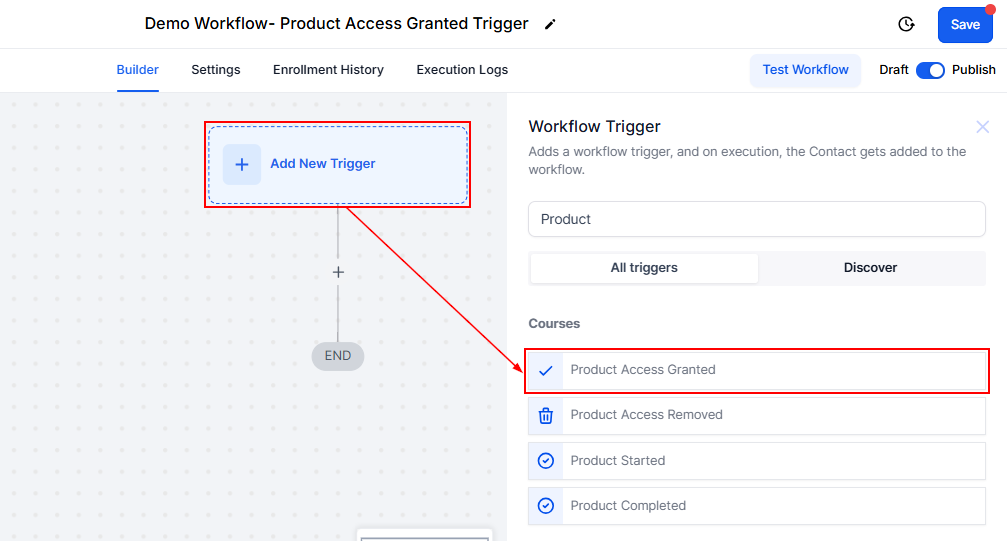
Within the workflow builder, click the “Add New Trigger” button and select the Product Access Granted option from the available list.
Filter
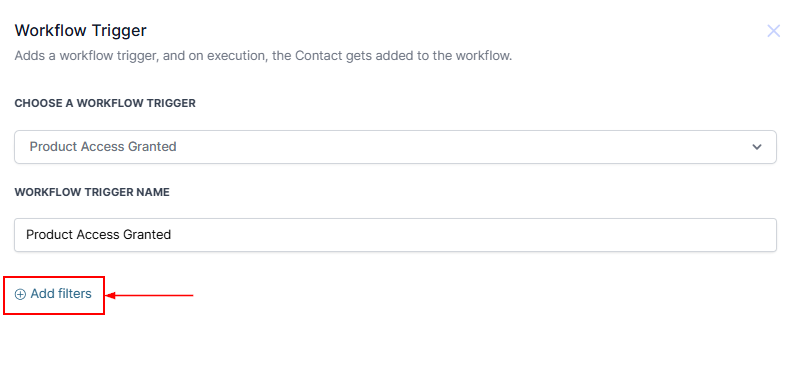
To add filters to the trigger click the “Add Filters” button.
Select Product
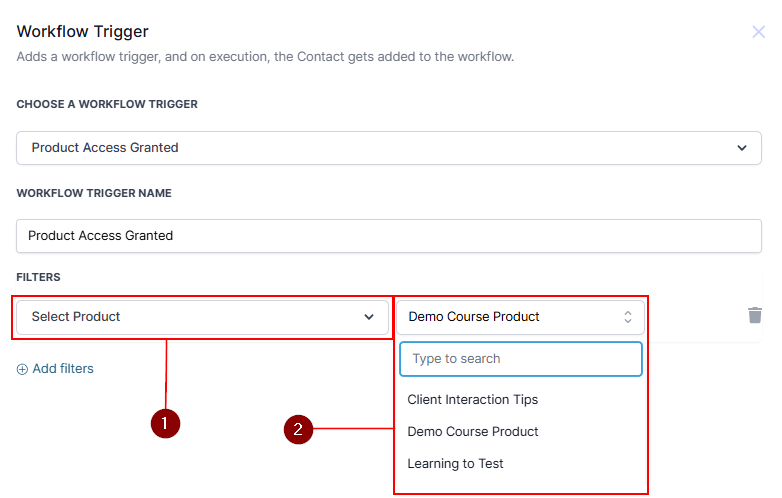
Choose “Select Product” from the dropdown menu. Specify the product by selecting it from the second dropdown menu.
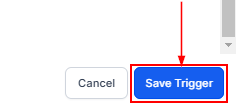
Once all filters have been selected, click the Save Trigger button in the bottom right corner to save the trigger.
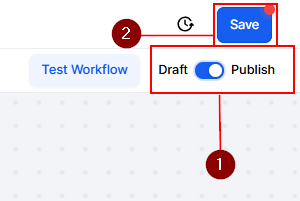
After adding the trigger and its associated actions, remember to Publish and save the workflow to activate it.
With the Product Access Granted trigger, managing customer access becomes simpler and more efficient. By automating this step, you ensure your customers receive a smooth and timely experience while staying in full control of product distribution.
Was this article helpful?
That’s Great!
Thank you for your feedback
Sorry! We couldn't be helpful
Thank you for your feedback
Feedback sent
We appreciate your effort and will try to fix the article