Why It Matters
Cloning a campaign significantly reduces the time and effort required to set up new campaigns. By allowing you to reuse configurations and settings from existing campaigns, it streamlines the campaign creation process and ensures consistency in your marketing strategies. Embrace this feature to efficiently manage and deploy affiliate campaigns with greater ease and effectiveness.
How It Works
To utilize this feature, follow these steps:
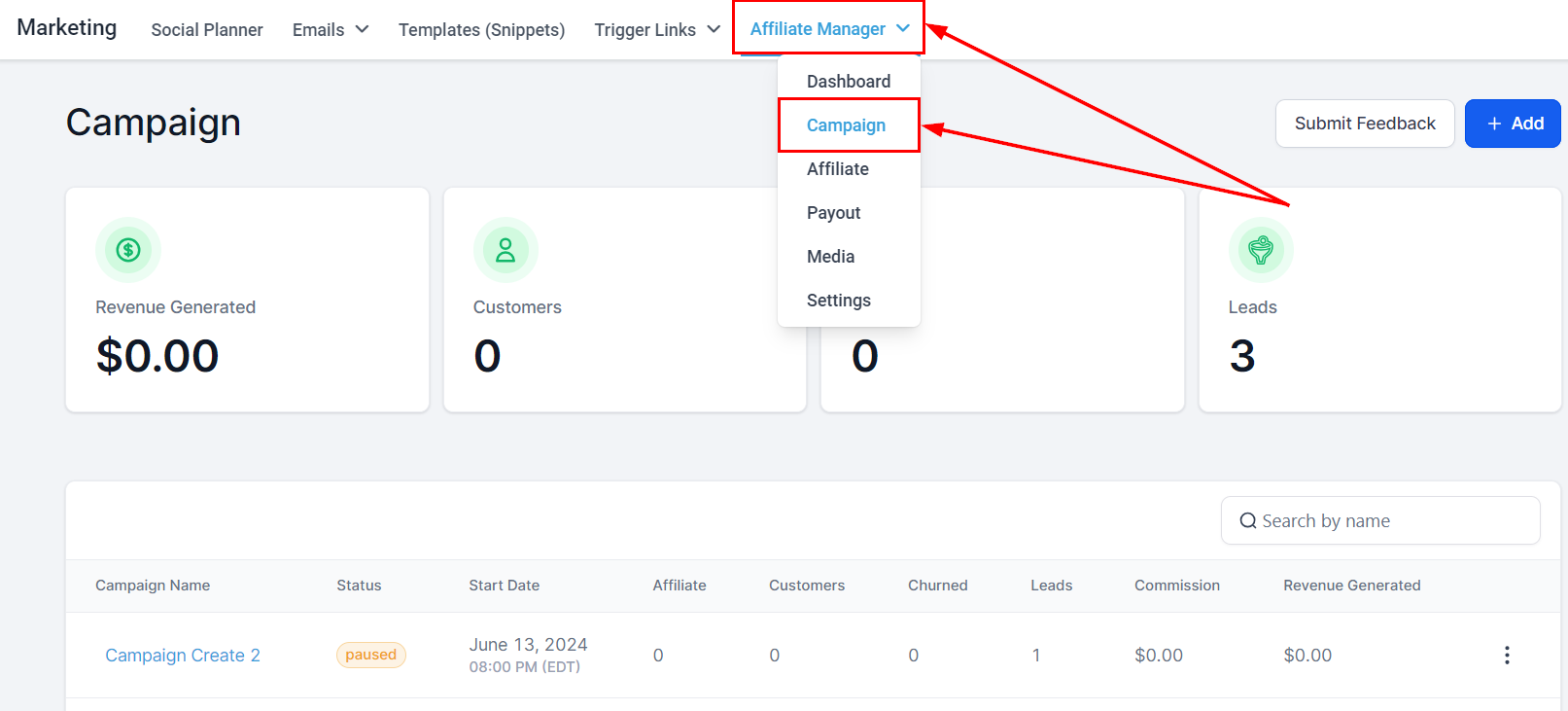
- Access the Affiliate Manager: Navigate to your Affiliate Manager within the Marketing section.
- Select Campaigns: Click on the "Campaign" tab to view your existing campaigns.
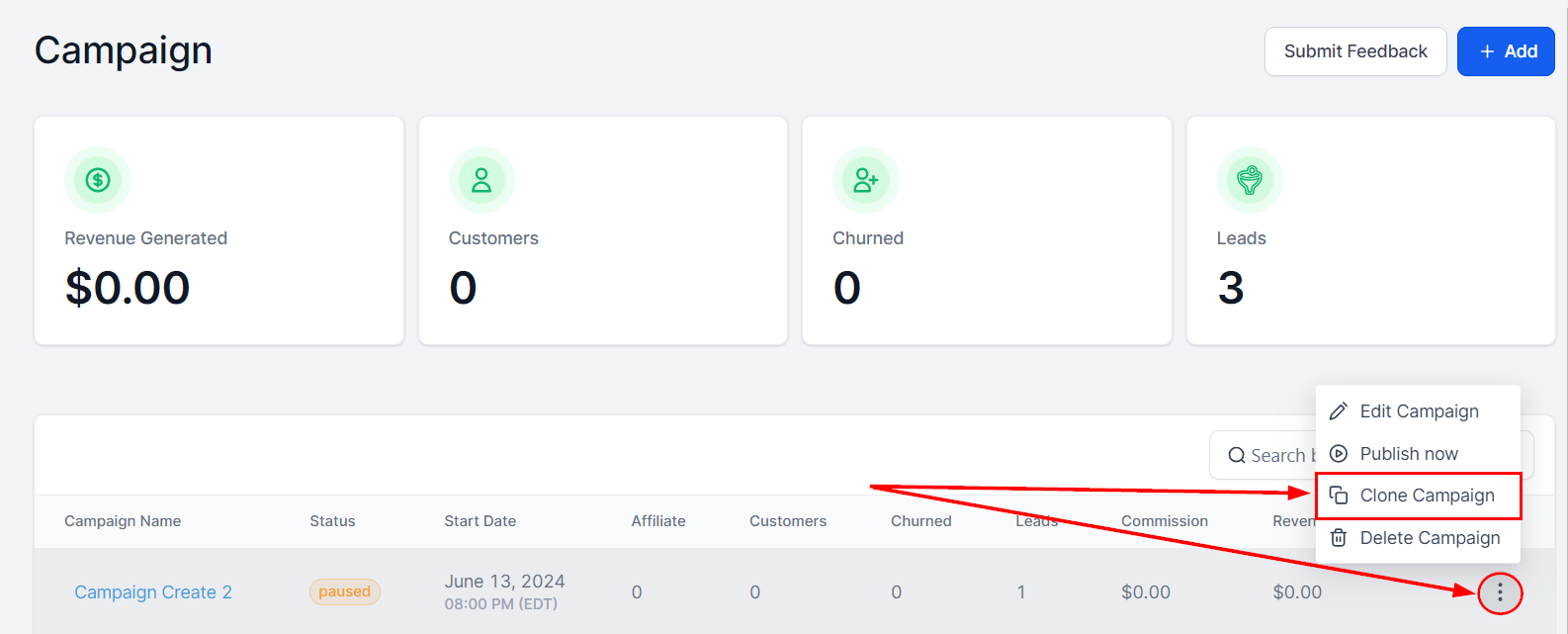
3. Initiate Cloning: Locate the campaign you wish to clone and click on the three dots associated with that campaign.
4. Choose "Clone Campaign": Select the "Clone Campaign" option from the menu.
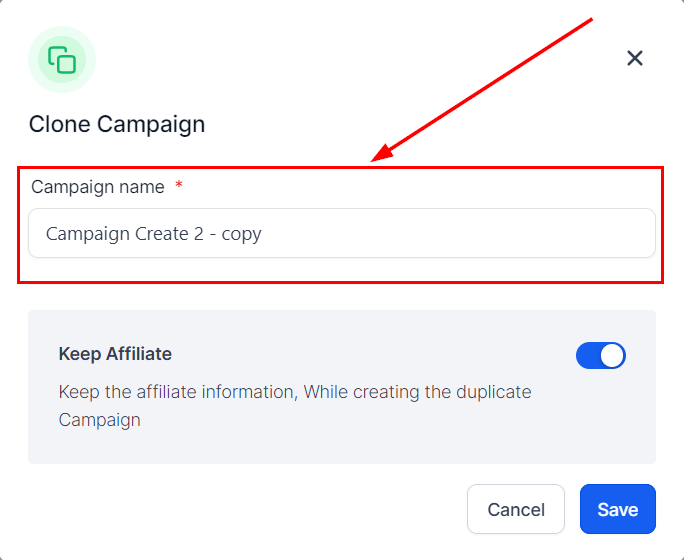
5. Rename the Campaign: Enter an appropriate name for your cloned campaign.
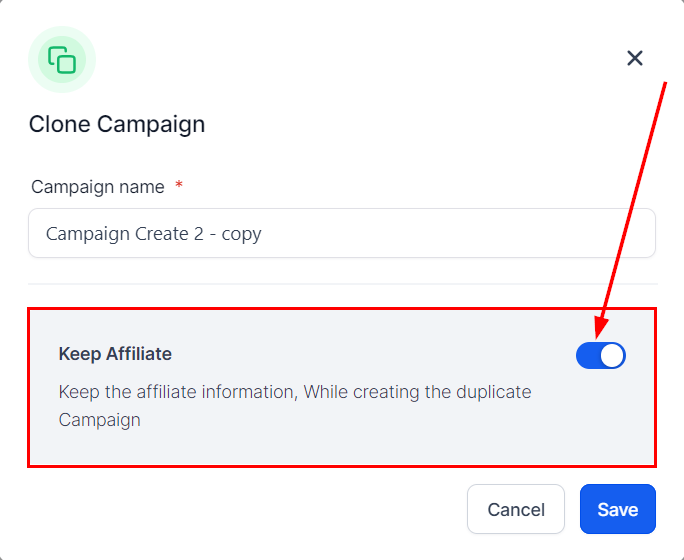
6. Decide on Affiliate Inclusion: Choose whether to retain the affiliates from the original campaign or start anew.
7. Save and Finish: Click "Save" to create the new cloned campaign.
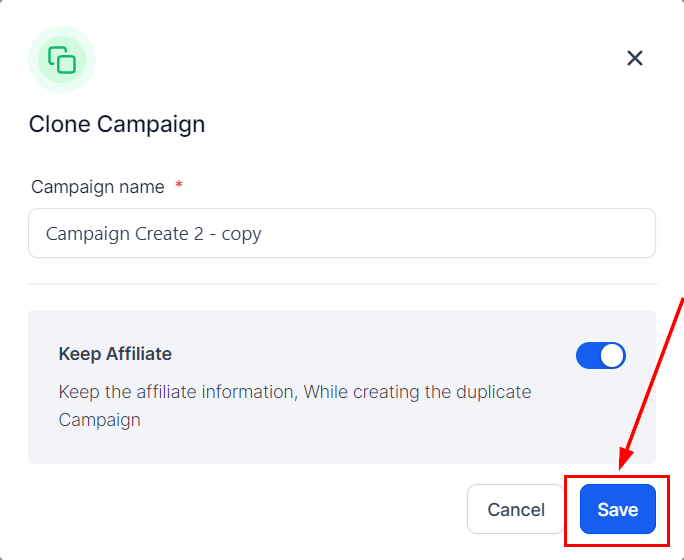
?Note: the cloned campaign will be inactive by default, allowing you to make any necessary adjustments before publishing it.
Frequently Asked Questions (FAQs)
Q: What is the purpose of the campaign cloning feature?
- The campaign cloning feature allows you to duplicate existing affiliate campaigns, which saves time and effort by reusing configurations and settings. This streamlines the creation process and ensures consistency across your marketing strategies.
Q: Can I modify the cloned campaign before publishing it?
- Yes, the cloned campaign will be inactive by default, allowing you to make any necessary adjustments before publishing it. You can update settings, configurations, and other details as needed.
Was this article helpful?
That’s Great!
Thank you for your feedback
Sorry! We couldn't be helpful
Thank you for your feedback
Feedback sent
We appreciate your effort and will try to fix the article